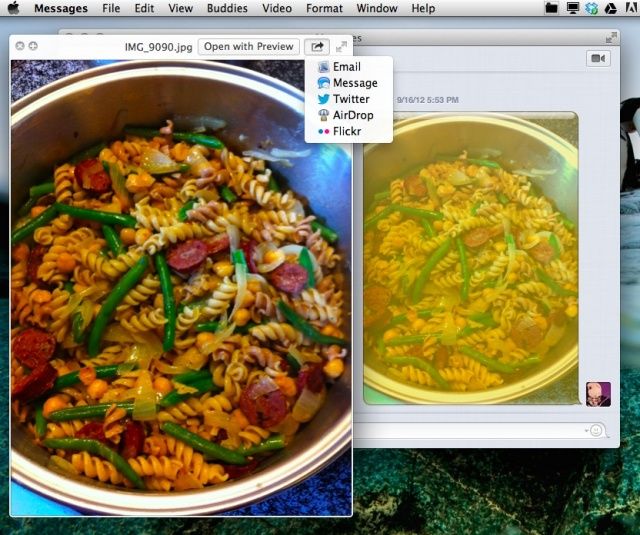
It used to be that in order to see images sent along to you in iChat, you’d open up the File Transfers window, click on the graphic, and hit the spacebar on your keyboard to see the image full size, just like you can in the Finder or Open/Save dialogs.
If you’ve migrated to Mountain Lion, however, you’ll know that iChat is no longer, and the replacement app, Messages, has a File Transfers window, but Quick Look won’t work in it any more. How do you see your images full size within the Messages app, then? Lucky you, we’re here to tell you.
When using Messages, you’re able to get images and graphics still from other users who use Messages on their Mac, or iMessages on their iOS device. When they send these images over, all you need to do is click on them.
Click on an image you want to see at full size, and hit the spacebar. Mac OS X’s built-in viewer, Quick Look, will kick in and work just like it does in the Finder or those Open/Save dialog boxes. And, since Messages saves the conversations, you can dip back in and do this whenever you want to check the images out in the future. Pretty slick, right? And, since you’re using Quick Look, you can do all the cool things that feature allows, like opening the image in PReview, or sharing to email or social networks.
This may seem like a simple tip, but for those of us who have used Macs a long time, figuring out how to do things a new way can not be as intuitive as it may seem.
Let us know about any other little workflow tricks you’ve noticed appearing or disappearing in OS X Mountain Lion, and we’ll post the good ones.
Are you using OS X Mountain Lion? Got a tip you want to share with us? Drop me a line or leave a comment below.
Via: Macworld

Rob LeFebvre is an Anchorage, Alaska-based writer and editor who has contributed to various tech, gaming and iOS sites, including 148Apps, Creative Screenwriting, Shelf-Awareness, VentureBeat, and Paste Magazine. Feel free to find Rob on Twitter @roblef, and send him a cookie once in a while; he’ll really appreciate it.

