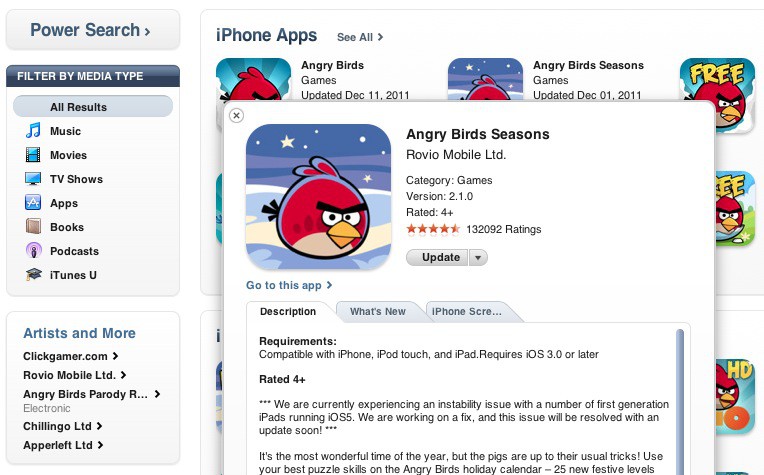
Apple has added a handy feature for finding apps and videos in the desktop version of iTunes. When searching for App Store apps, a new info button is available in the bottom right of each app icon.
Clicking this “i” button will open a preview of the desired app. From here you can quickly see the price, average rating, description, and screenshots.
The feature looks and feels like Mac OS X’s “Quick Look” Preview feature. When navigating through files in Finder, you can tap your Mac’s spacebar to get a Quick Look of the selected file.
You can also get quick previews when searching for movies or TV shows in iTunes now. Instead of the info button, a little play icon will initiate a quick video preview with more details. Searching for iBooks and music will also include these type of preview options.
(via iSpazio)

Alex Heath is a journalist who works for Tech Insider. He’s the former co-host of The CultCast. He has been quoted by the likes of the BBC, KRON 4 News, and books like “ICONIC: A Photographic Tribute to Apple Innovation.” He lives in Lexington, Kentucky. If you want to pitch a story, share a tip, or just get in touch, additional contact information is available on his personal site. Follow him on Twitter.

