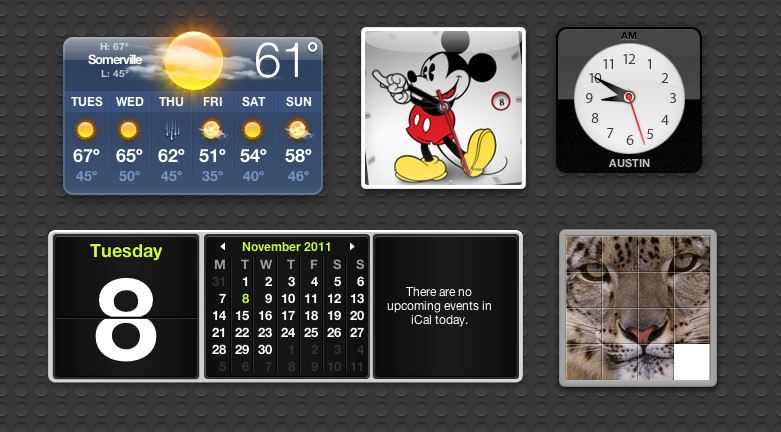
Noticing that people really liked to wrap the new iPod nanos around a wrist band and turn them into watches, Apple decided to embrace the Nanowatch movement with their latest update, specifically by rolling out a number of fun new watch faces. The most iconic of the new options, though, is the one that mimics the classic Mickey Mouse watch face, famous with Mouseketeers all around the world since the 1950s.
If you don’t have an iPod nano, there’s a cool, easy way to get yourself the nano’s Mickey Mouse watch face on your Dashboard. Here’s how.
1. Go to www.apple.com/ipodnano/ in Safari.
2. At the lower left, you should see an iPod nano product image with a functional Mickey Mouse watch face. It’s all done using standard HTML5, which is a nice trick.
3. Right click on Mickey, and select “Open in Dashboard.”
4. Once you do that, a white, resizable box will be overlaid atop the Safari page. Drag the handles so it completely overlays the clock, then click on the “Add” button at the upper right corner of the Safari window.
Voila! You now have an iconic Mickey Mouse watch on your Dashboard that will keep perfect time with your system. It’s easy to forget about Dashboard’s web clipping abilities, but even years later, they are still pretty neat.
[via Macworld]

John Brownlee is a writer for Fast Company, and a contributing writer here at CoM. He has also written for Wired, Playboy, Boing Boing, Popular Mechanics, VentureBeat, and Gizmodo. He lives in Boston with his wife and two parakeets. You can follow him here on Twitter.

