Mobile menu toggle

iOS apps - page 24

Keep Up With News In Facebook’s New App “Paper” [Video Review]

By

FacebookPaper
Facebook is reportedly working on a breaking news app to compete with Twitter.
Photo: Cult of Mac

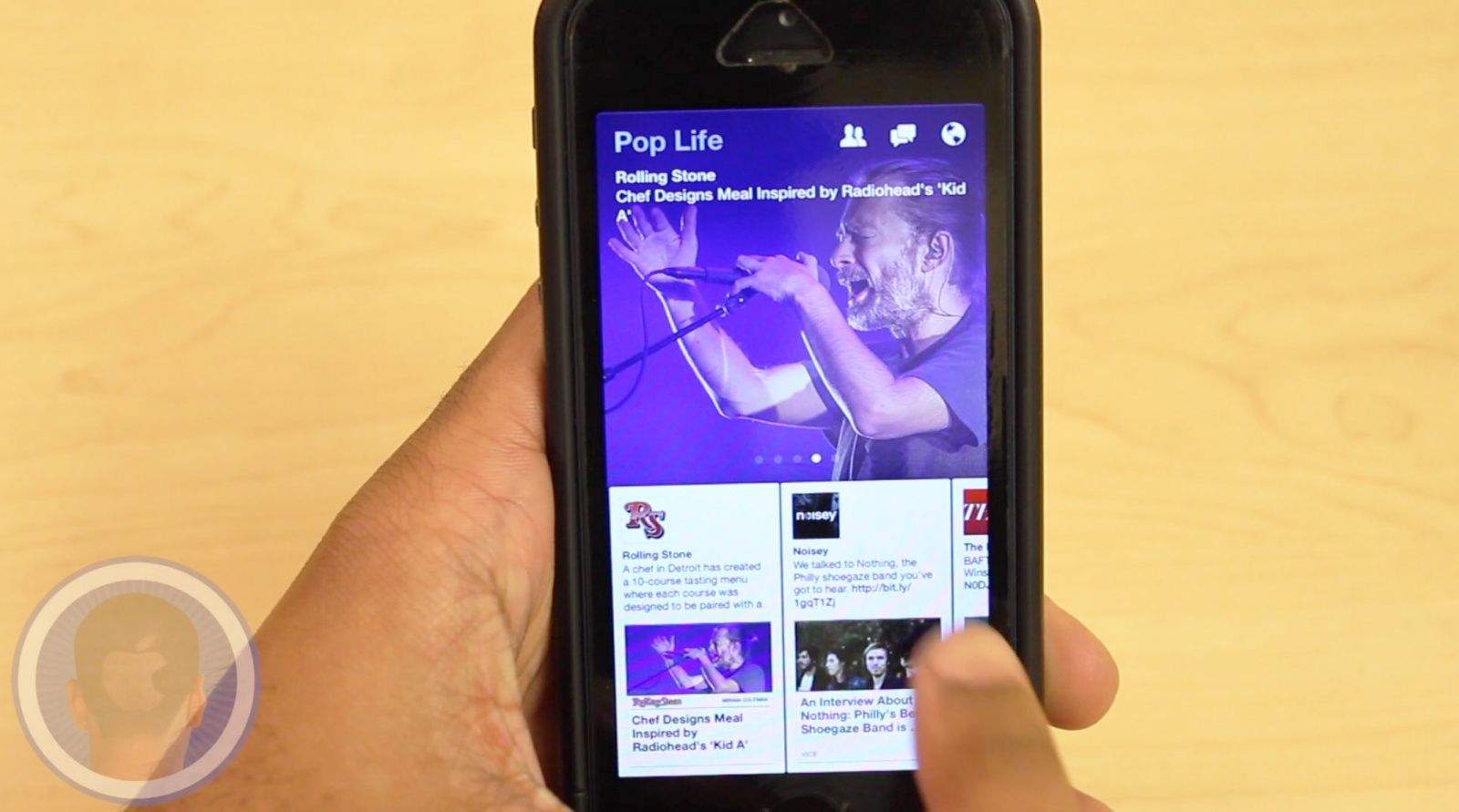
As Facebook tends to find itself on a decline of popularity, Mark Zuckerberg and the people of Facebook are making valiant efforts to refresh and revive their social networking site. With the introduction of their new app Paper – stories from Facebook, they strive to combine personal and world news together for a seamless enjoyable experience. Will Paper become your new go-to news app?

Take a look at the new Paper app and see what you think.

This is a Cult Of Mac video review of the iOS application “Paper” brought to you by Joshua Smith of “TechBytes W/Jsmith.”

Hit Play For A New Music Experience With “Beats Music” App [Video Review]

By

BeatsMusic

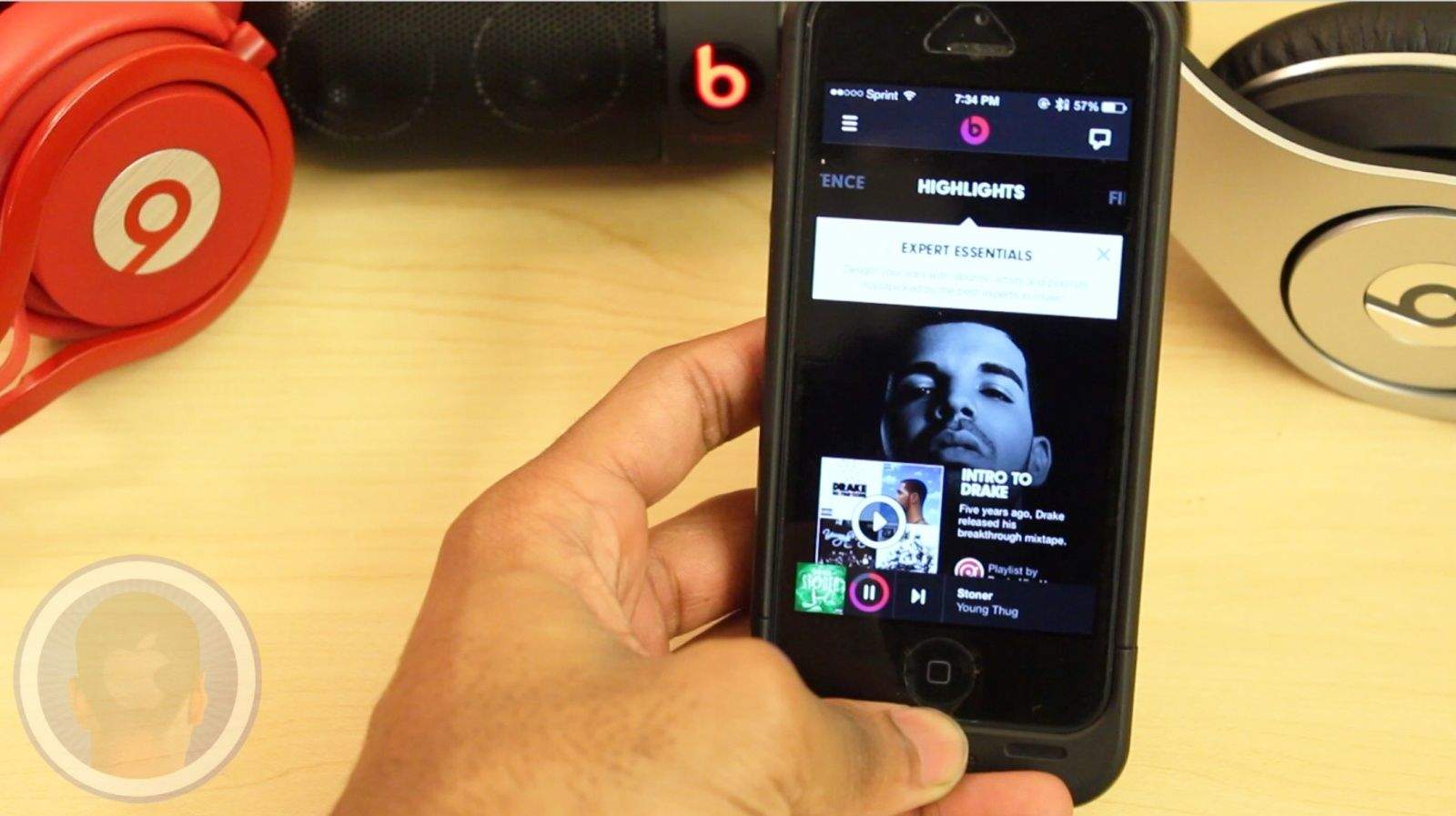
With popular music streaming apps like Spotify and Pandora already popular and on devices all over the world, any newcomers are faced with an immediate challenge. The makers behind the popular headphones and speakers Beats By Dre are taking their crack at the genre, with their new app and service Beats Music.

Take a look at the new Beats Music app and see how it compares to the competitors.

This is a Cult Of Mac video review of the iOS application “Beats Music” brought to you by Joshua Smith of “TechBytes W/Jsmith.”

Ellen DeGeneres’ Heads Up! Game Adds New Oscars Category

By

post-266361-image-1711dcb49a6abeedd7feca5809d78f0e-jpg

Ahead of the 86th Academy Awards show, the Heads Up! app dreamed up by this year’s host Ellen DeGeneres has received a timely update — offering questions related to the Oscars.

Joining existing game categories including Celebrities, Animals, Accents, and Characters, the new time-limited Oscars game deck offers users a chance to brush up on their movie trivia knowledge in the most time-pressured setting imaginable. “It’s perfect perfect for your viewing party, or preparing for the big night starring Ellen,” the app’s developers state.

Put Fashion First With New Blogger-Centric App, Flink

By

Flink

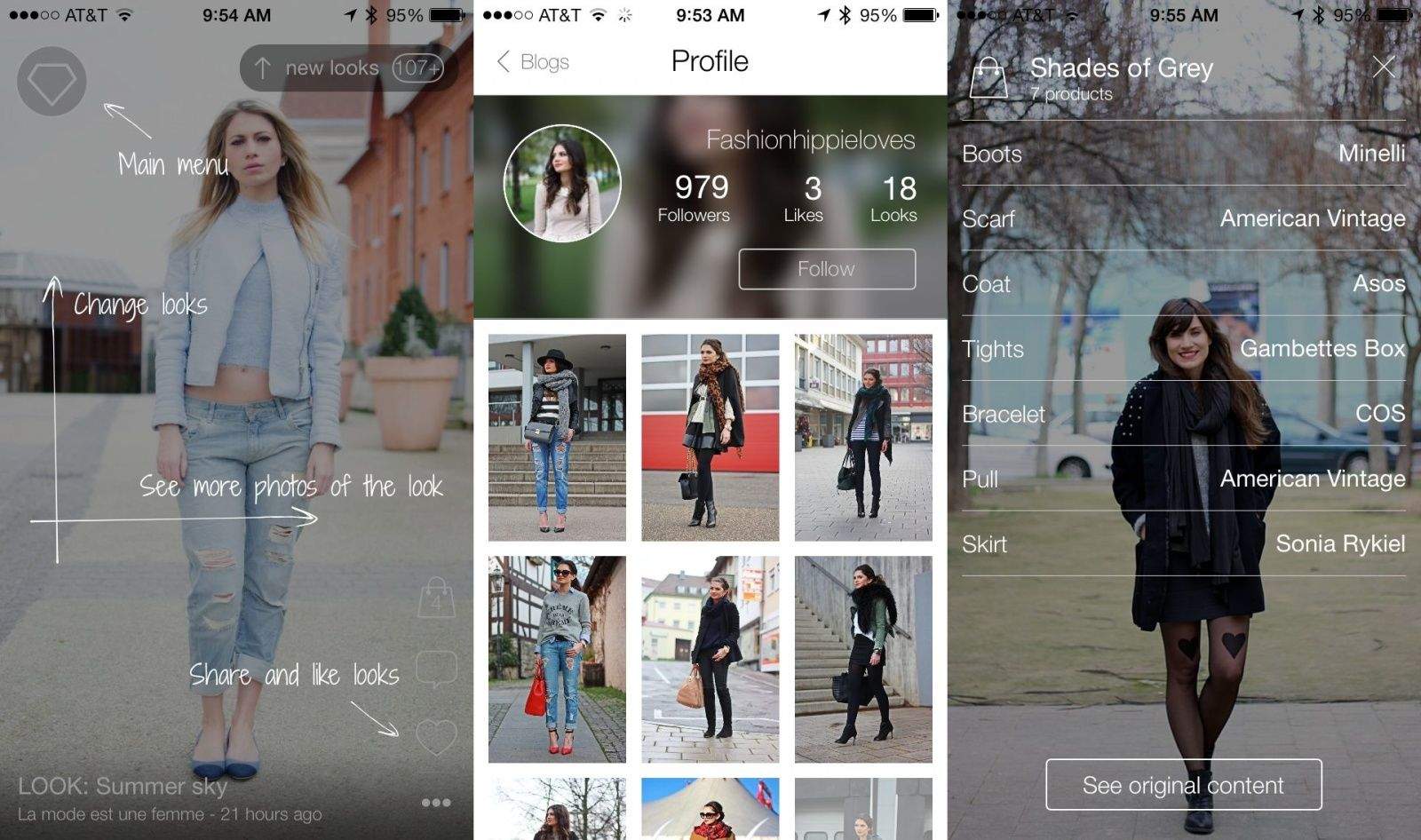
Whether you’re a fashionista looking for new sources of inspiration or a tone-deaf jeans and t-shirt kind of dresser, new app Flink will help you connect to the world of fashion blogging.

Flink allows you to see hot new “looks” from the top fashion bloggers around the web, including Garance Doré, La revue de Kenza, Adenorah, Absolutely Glamourous, Mercredie, le blog de Lilou, Modasic, and Blondie Baby. You can also save these looks for later, visit the original blog posts, and “heart” the looks you love.

When you first launch the app, you’ll tap to follow as many of the included bloggers, and then tap your way through each of the photos included in each screen. You can tap through to see what clothes and accessories make up each look, or you can just swipe through and see various images of the different parts.

All in all, if you’re looking to kick up your fashion knowledge, or just find some new looks to recreate in your own life, Flink just might be the free app you’re looking for.

Source: App Store: Flink | Free | Epic Dream

Hot App! Get Draw 2.0, The Poor Man’s Photoshop, For Just $9

By

Get a whole photo shop on your iPad for a tiny amount of cash.

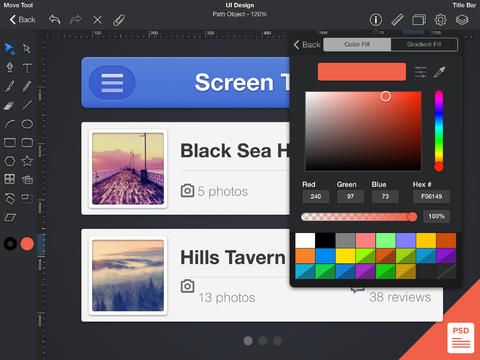
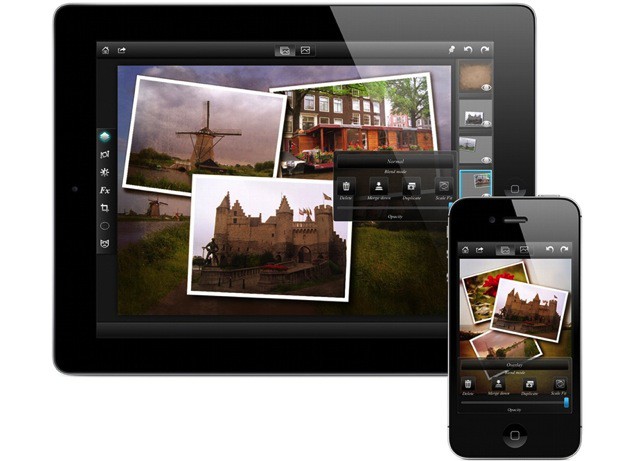
Image editing app iDraw has been around for quite some time, but the new 2.0 version (released this past week) really kicked things into high gear.

If you’re looking for a solid Photoshop-style image editing program for only a little bit of scratch, iDraw 2.0 has it in spades. The app now imports and exports PSD photoshop files with full vector path and effect support, as well as shape layers and layer effects. You can also export your designs as layered PSD files.

The app has been redesigned for iOS 7 as well, and it now takes advantage of the new 64-bit A7 processors on the new iPad Air.

Seriously, there is so much jam-packed into this release as to consider it an entirely new app, which is why we wanted to share it with you now.

Source: iDraw 2.0 – $8.99 | Indeeo, Inc.

Bored With Instagram Filters? Rookie App Has A Gajillion More

By

Photo editing for the obsessive compulsive in all of us.

Sure, the Camera app that came with your iPhone has a few filters, but we all know they’re pretty lame.

Instagram (and before that, Hipstamatic) made the quick filter process a no-brainer and popular to boot.

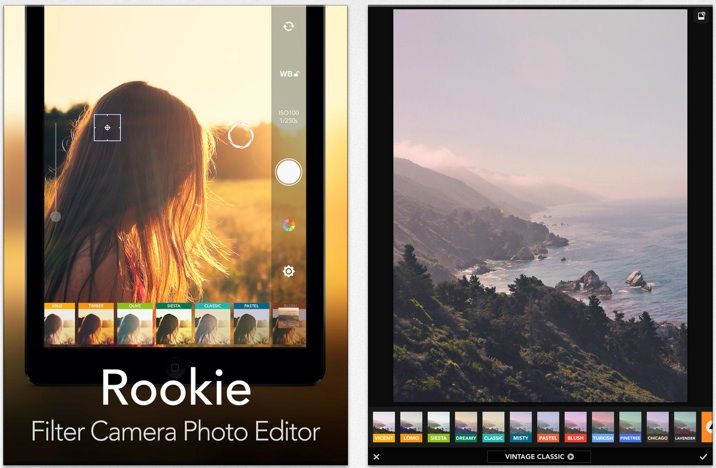
Jelly Bus’ Rookie, though, has all of them beat, with a veritable boat load of filters, effects, and all the settings you can possibly handle. If that’s not enough, there’s a bunch of stickers and text effects you can add to your photos to make even the most ordinary snapshot into a work of art.

Once you tweak and tap your way to photo-nirvana with Rookie, you can save your photo to pretty much every other photo sharing service out there, including Instagram, Facebook, Twitter, and Flickr.

Best of all? It’s a universal app and it’s free. Check it out now.

Source: App Store: Rookie – Photo Editor | Free | Jelly Bus

theScore Has All The Winter Olympics Coverage You Need

By

Winter Olympics coverage right on your iPhone

Winter Olympics fans rejoice, for theScore is here to deliver unique sporting content and breaking news direct from Sochi to your iPhone. The app has its own team of news hounds who will push news on heats, medals, and podium positions in real time right to the app, which has been updated for this specific feature.

The app will show new in little bites that break down the big stories in to easily digestible snacks. Each update will come in on top of the previous, along with images, animated gifs, videos, and tweets from the events.

Carrot Fit Is An Hilarious Fitness App To Make Losing Weight Suck A Bit Less

By

post-264592-image-b788730e7e0ef6493bdf63926143c31e-jpg

Carrot Fit is the new app-with-attitude from the makers of Carrot To-Do and Carrot Alarm.

Welcoming you with a message of “Greetings, tubby human” from “your new fitness overlord”, Carrot Fit is a harsh-but-hilarious taskmaster dedicated to making weight loss suck a little bit less.

As the developers explain, “Carrot is a sadistic AI construct with one simple goal: to transform your flabby carcass into a Grade A specimen of the human race. She will do whatever it takes – including threatening, inspiring, ridiculing, and bribing you – to make this happen.”

Make Your Own Goofy Sports Gifs With Updated Yahoo! Sports

By

Oofshakalaka.
Oofshakalaka.

The Yahoo! Sports app just received an update, bringing the interface more in line with iOS 7. The company also added a new feature to the app–Loops–which will let you and thousands of other sports fans create short animated gif-like clips of your favorite moments in sports.

Nothing says “I’m a super sports fan” than a carefully crafted photographic meme, complete with wacky motion and large outlined text.

Horrible Dating Sim Objectifies Women, Treats Men Like Idiots

By

Just, no. No.
ZOOB: Just say no.

I’d thought I’d seen it all when it comes to misogynistic, women-as-objects gamification strategies out there, but apparently there’s yet another fine example sent directly to our Cult of Mac inbox recently.

Here’s the pitch for oh-so-scintillating dating simulator, “Mingling At The Gallery:”

Don’t have the time or comfortability to go out, date and meet new people? That’s no longer a problem because ZOOB has created a game providing the experience of your own dating adventure, mingling with people through an engaging, fun and educational iOS app called “Mingling at the Gallery.”

Sure, the company name sounds like the ugly stepsister of n00b + boob, but it might be fun to play a game about the complex interactions needed in successfully navigating a night out at an art gallery, with maybe some tips thrown in for those of us who need a little practice.

Then I watched the promo video.

Google Search Update Guns For Siri With Voice Commands, More

By

googlenow

We’re not sure why Google just doesn’t change the name of their Google Search app for iOS, as it does pretty much everything Google Now does on Android, but this new update is pretty fantastic, whatever you want to call it.

Google Search is “now” updated to version 3.1.0, with a whole new set of features, including Notifications, Reminders, new Cards, and a Siri-like Handsfree voice. This last bit lets you command your iPhone to do stuff with the phrase, “OK Google.”

How cool is that?

iOS Apps Of The Week

By

Spark Camera 2

There are a ton of apps out there, both free and paid, that may or may not be worth your time and money.

Why waste either one? With over 600,000 apps to choose from, finding the most interesting and worthwhile apps is, at best, a tricky activity and, at worst, a fool’s errand.

Might as well let us find the cool ones for you.

Here are a few of the favorites to come across our home screens this week —  including a running app, PumaTrac, photography apps Spark Camera and Perfect Shot and more.

Check ’em out:
PumatracPumaTrac – Health & Fitness – Free

For a change of pace from bloated running apps, try PumaTrac. It’s made just for runners, and it will track distance, pace, and calories burned over time. It also keeps a log of outside conditions like weather, day of the week, and location as well as music choices and social media activity to help you figure out how these things affect your running performance. Share your routes with your running buddies, as well, or just find routes other locals are using to keep your routine fresh. Oh, and it supports the Pebble watch, too.

PumaTrac

Spark CameraSpark Camera – Photo & Video – $1.99

If you’ve played with Vine, you’ll get Spark Camera right away. Here you get a 30-second limit for your mini video masterpiece. Adding a soundtrack via  your iTunes library  is also super easy and so is sharing with your friends across social media like Instagram, Facebook, and Twitter, as well as via email and SMS. Just press and hold anywhere to record 720 p HD video then release to stop recording. Flip through a variety of live filter effects and then tap the note symbol to choose music.

Spark Camera


ListasticListastic – Productivity – free

Listastic is a great little collaborative to-do list app with an intuitive interface that’s easy on the eyes. It’s simple to use, too, so you can share a grocery list with a roommate or life partner, a gift list with friends and family, or plan a project at work with a group of co-workers. You can become a Listastic premium member for a small fee, which lets you share any list with other Listastic members, free or paid. Free members can use Listastic on their own device, or join and edit shared lists from premium members. New users get a free two-week trial of Premium service, as well.

Listastic


WheresMyStuffWherezMyStuff – Utilities – $0.99

Aside from the unfortunate spelling of the name, WherezMyStuff is pretty handy. I have a habit of putting things away safely only to discover, many months later, that my perfect hiding place is unknown to even me.  WherezMyStuff is a mini-inventory to prevent this common mind melt. You simply name the item, type in (or record via the mic) where you’re putting it, and snap a picture. When you want to find your stuff again, tap the name or search and voila’ your treasures are found.

WherezMyStuff 


Perfect ShotPerfect Shot – Photo & Video – $0.99

Ever taken a picture of a large group of people? It’s a huge a pain to get them all to smile at the same time, let alone refrain from blinking. Perfect Shot aims to make sure everyone in your group photo is smiling and their eyes are open with its face-detection technology. Aim your iPhone at the happy group and Perfect Shot will detect every face in the group choose the right moment and take the perfect picture–you don’t even have to press a button. Automagical, indeed.

Perfect Shot
Quickly Calculate Tips With 14-Year-Old App Developer’s Second App

By

Quick Tips!!

The now 14-year-old app developer we introduced to you last year, Nicholas G, has just released a second app, putting all of us adults to shame yet again.

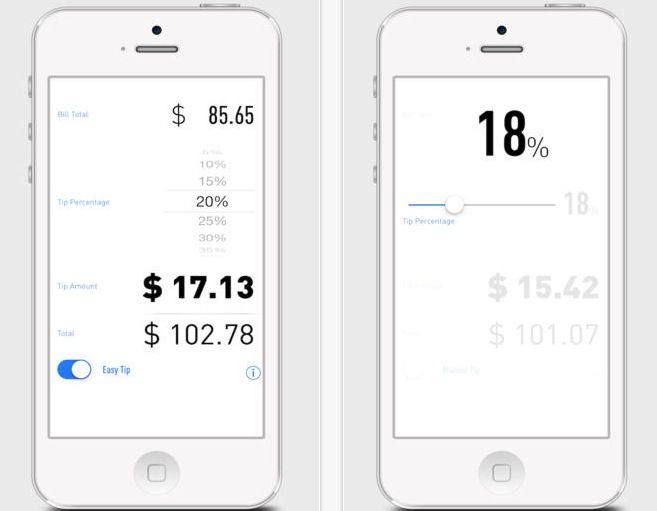
This year, Nicholas has put together a rather impressive looking tip calculator that makes it super easy to figure out an accurate tip without all that pesky math.

Called Quick Tips!! (yes, the exclamation marks are part of the charm), Nicholas’ latest app uses all the visual style of iOS 7 and it looks to be pretty as well as functional.

Sync All Your iOS, Windows, Android And Cloud Files For Free With mconnect [Sponsored Post]

By

LogoJPEG

If you are one of those people who have an iPhone or iPod for your telephony and music needs while out the house but still stubbornly keep a Windows desktop comp at home, perhaps for historical reasons or work purposes, you will most likely be missing out on a pile of great and super-convenient auto-syncing / streaming compatibilities of all your files, pics, videos, and so on that are the joy of Mac fans who use all Apple products.

Now, Korean tech company ConversDigital launches a new updated version of mconnect player free, which allows users to access media services and digital content anywhere, with any device, and “make connected digital media ubiquitous.”

iTunes Festival Channel Comes To Apple TV, Official App Gets An Update For 2013

By

zdjęcie2

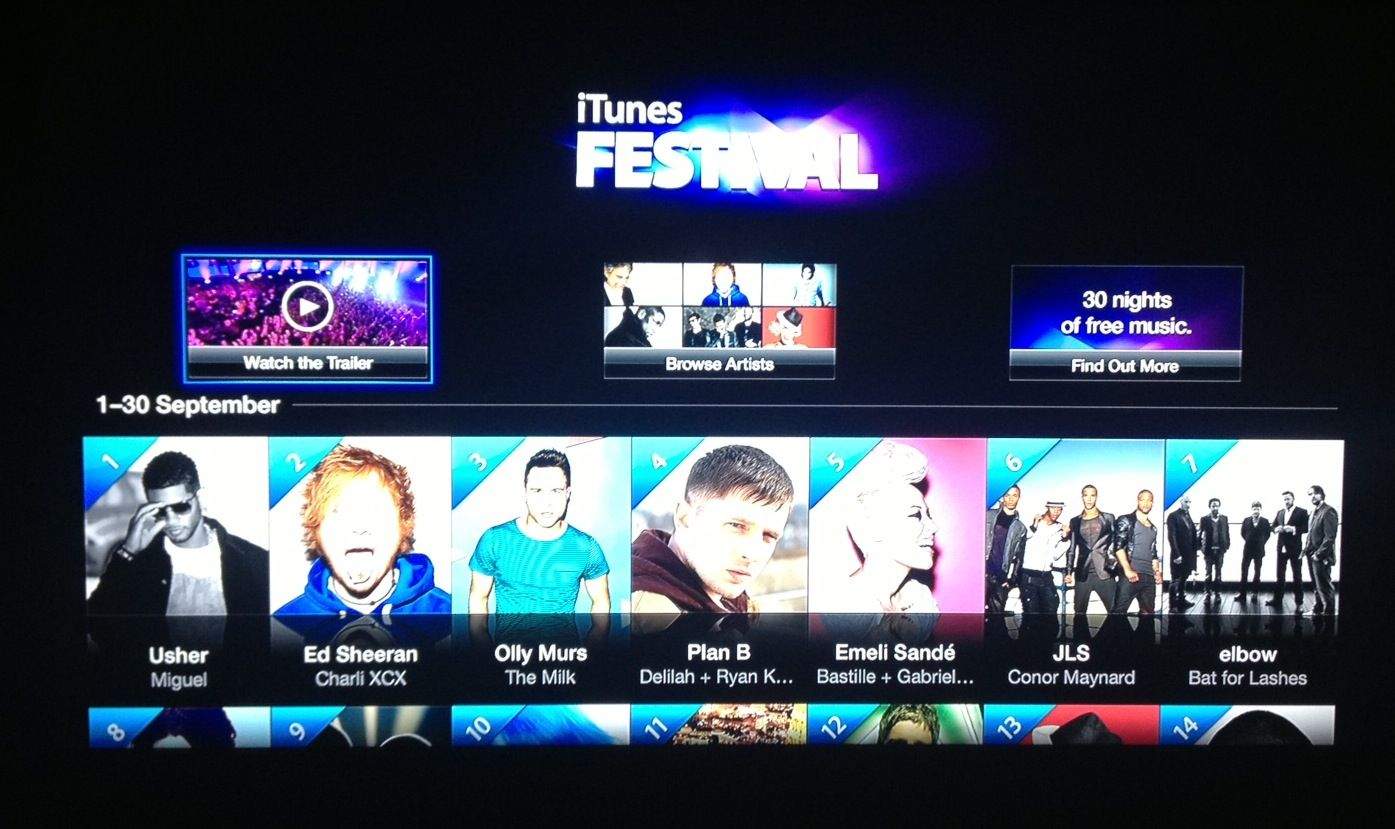
The iTunes Festival is an annual, month-long music festival and concert series that Apple has thrown since 2007 at the Roundhouse Art Centre in London. Earlier this year, Apple revealed the lineup for the 2013 Festival, but now Cupertino is starting to get the ball rolling on the festivities, updating the Apple TV with a new channel and updating the iTunes Festival iOS app accordingly.

WatchESPN Adds Split-Screen View, Live Toolbar, And Free ESPN3 For College Students

By

watchespn

Before college football season gets underway, ESPN is pushing out an update for its WatchESPN app that lets users stay plugged in to more games than ever before. The update adds a new split-screen view so you can watch two games at once, while keeping tabs on game day with the new live tool bar that displays scores and video highlights.

ESPN is also beefing up the content on WatchESPN by adding “ESPN on ABC” events to the app, but you’ll be pulled over to the WatchABC app when you choose them. To top it all off, WatchESPN users who connect through a military or college network now get access to ESPN3 events automatically.

Here are the full release notes:

Facebook For iOS Gets #Hashtags, Ability To Make Restaurant Reservations With OpenTable

By

facebook-opentable

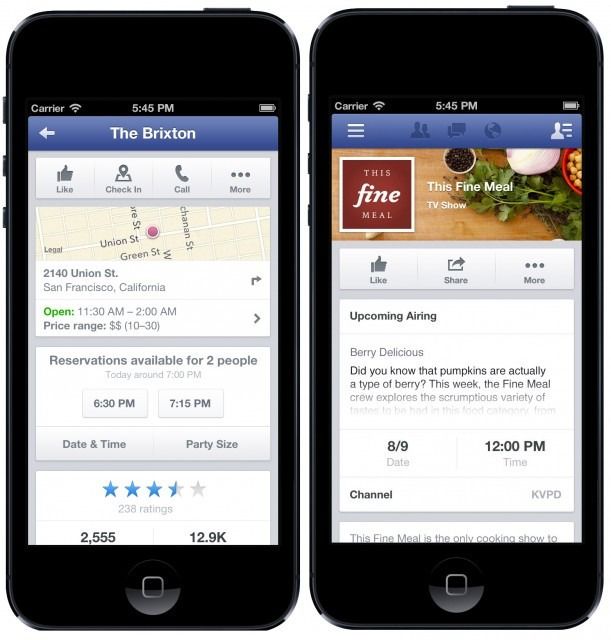
Facebook released an update for its iOS app today that adds support for hashtags, an aspect of Twitter that Facebook recently added on its desktop site. Users can now add hashtags in statuses and such to filter topics.

Another notable new feature is the ability to make a restaurant reservation within the Facebook app through OpenTable. Using “Nearby Places” and official pages for restaurants that have added OpenTable integration, Facebook users can quickly make reservations without needing to open a separate Web page or app. Apple has integrated OpenTable into Siri to help make restaurant reservations as well.

TV listing information for U.S. prime-time shows and movie pages are now displayed in the app, too. Facebook notes that today’s update also introduces “faster loading and a cleaner design for timelines on iPad,” so be sure to grab it in the App Store.

Source: App Store

Help Your Kids Manage And Block Tracking And Targeted Ads On Their iOS Devices With Disconnect Kids

By

DIsconnect Kids

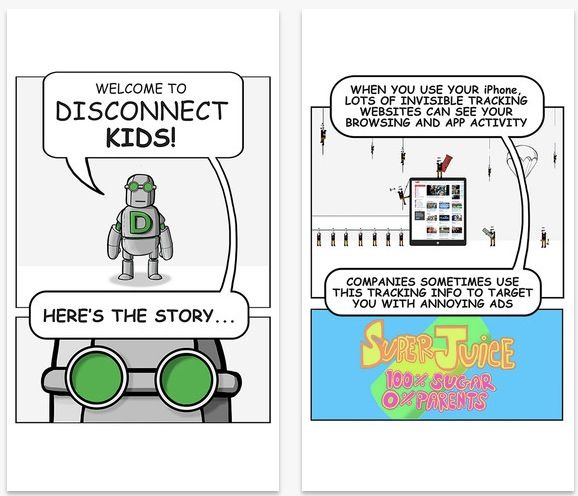
I have to admit, I’m less than wary of all the tracking that goes on with the iOS devices my kids have access to. Now that they both have at least an iPod touch and access to my iPads, I’m feeling a bit on the worried side about them sharing any of their web or app activity.

Luckily, there’s an app called Disconnect Kids that installs on any iOS device and then helps kids (and their parents) understand what this tracking stuff is, and how to block it. It then helps those very same kids and parents do just that.

CBS Sports iPad App Updated With Live Video Streaming

By

cbs-sports

With college football, the NFL and the MLB post-season all knocking on the door, CBS has pushed out an update for its iPad app which allows users to stream live video of sporting events.

CBS has been streaming video to the iPhone for a while now, but it’s finally bringing it to the iPad with a full tablet experience. Now you can stream on-demand clips or live events to your iPad and push it to your TV via AirPlay via the free update.

Here are the release notes:

New Disney iPad App Offers A Colossal Treasure Chest Of Disney Animation

By

disney-animated-ipad-2
Every scene of every Walt Disney Animation Studios feature ever made.

Just like the Disney theme parks, the new Disney Animation iPad app is saddled with a heavy price for admission—but reveals a vast trove of wonder once inside.

For $14, the app makes an immense amount of material available—almost two gigs worth—from Disney’s digitally and traditionally animated titles.

Roku Updates Its iOS App To Include Video Streaming From iPhone, iPod Touch

By

Roku Video Streaming

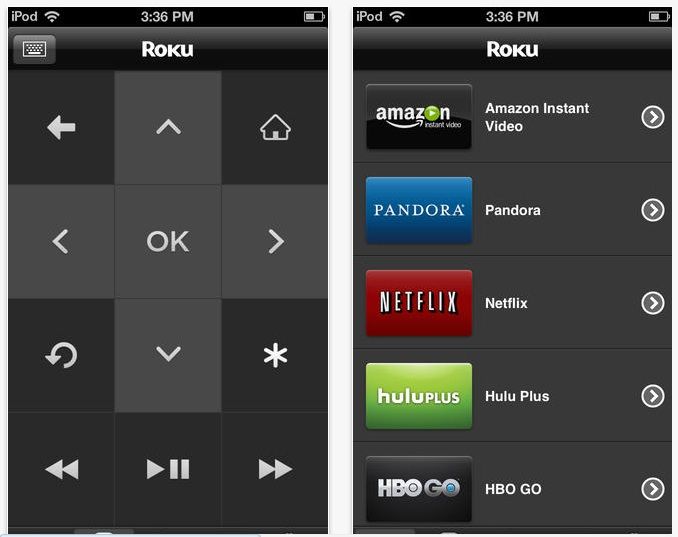
The Roku iOS app got another update today. In addition to the previous “Play on Roku” feature which let users stream music and static images to the set top media box, the company has now added the ability to stream video directly from the iOS app as well.

In a market that includes Apple TV and Google’s nascent Chromecast technology, Roku is making some positive steps to stay relevant.

Social Enterprise App Anchor Loosens Up And Adds Email, Evernote Integration

By

anchor-3


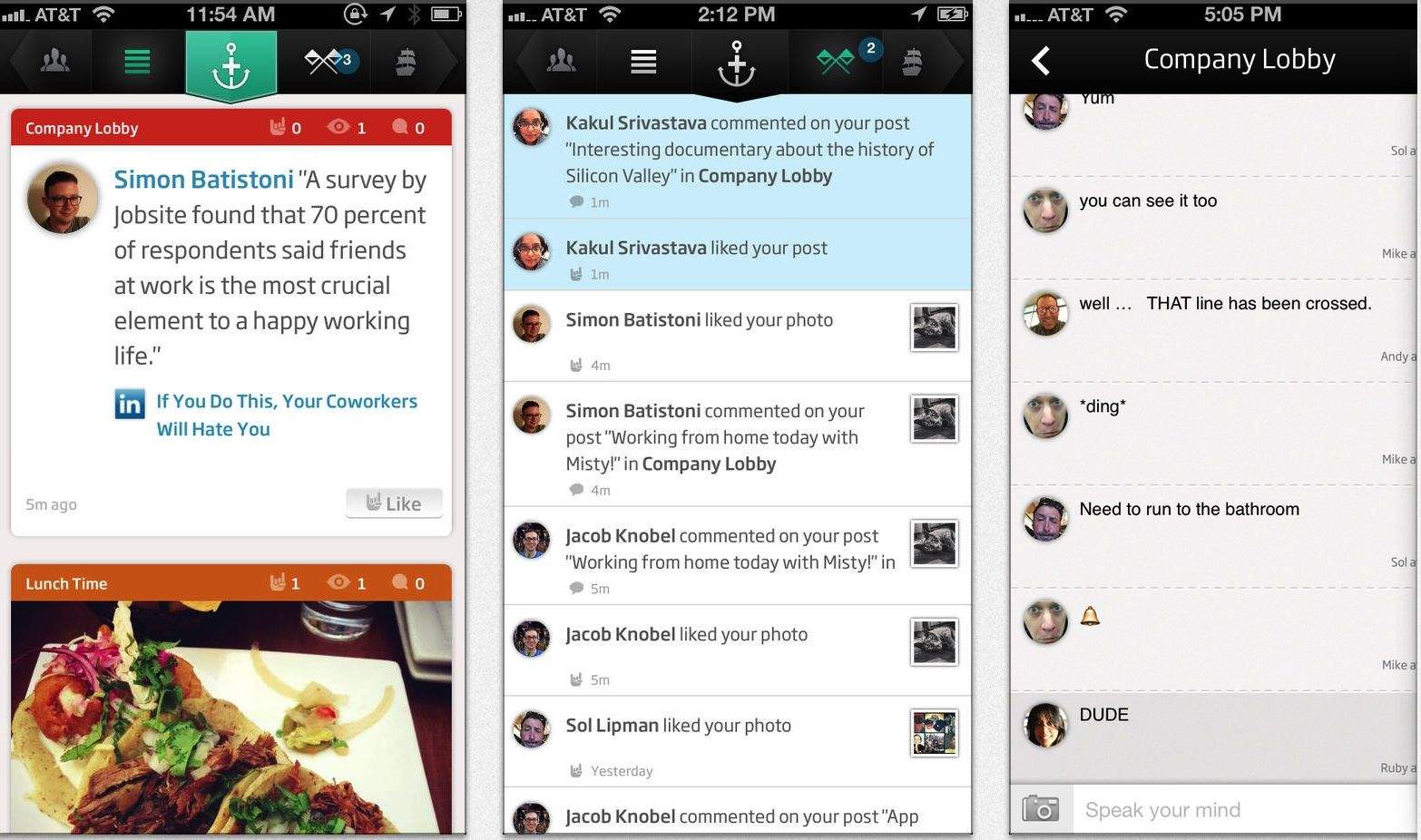
When we first took a look at Anchor back in June after it had just launched, the social platform for coworkers was a decidedly walled-off environment; just like Hotel California, you could check out any time you like—but you could never leave. At least, your ideas couldn’t.

But that’s changed today, as the app sees its first big update and adds integration with Evernote, and the ability to email outside of the platform.