Some people accept that many computers and external displays have pretty good speakers in them and leave their computer setup audio at that, plus maybe a pair of headphones or earbuds. Others accept no such thing and insist on cranking up the volume and ripping the knob off with killer audio gear. My roundup of cool setups below focuses on stellar workstation audio and those who, like me, take it as seriously as living room audio.
This post contains affiliate links. Cult of Mac may earn a commission when you use our links to buy items.
These go to 11: Rock out to a dozen killer audio setups
Adding high-quality audio gear to a computer setup is important for improving sound quality, offering better control and enabling professional-level recording and playback, whether you’re a podcaster, streamer or musician. High-quality components provide a more detailed and dynamic listening experience, while external hardware like audio interfaces offer features for professional recording and easier adjustments compared to software controls. Click on each linked headline below to go to the original Setups article for more information.
12. Trim M2 MacBook Air rig packs stellar audio
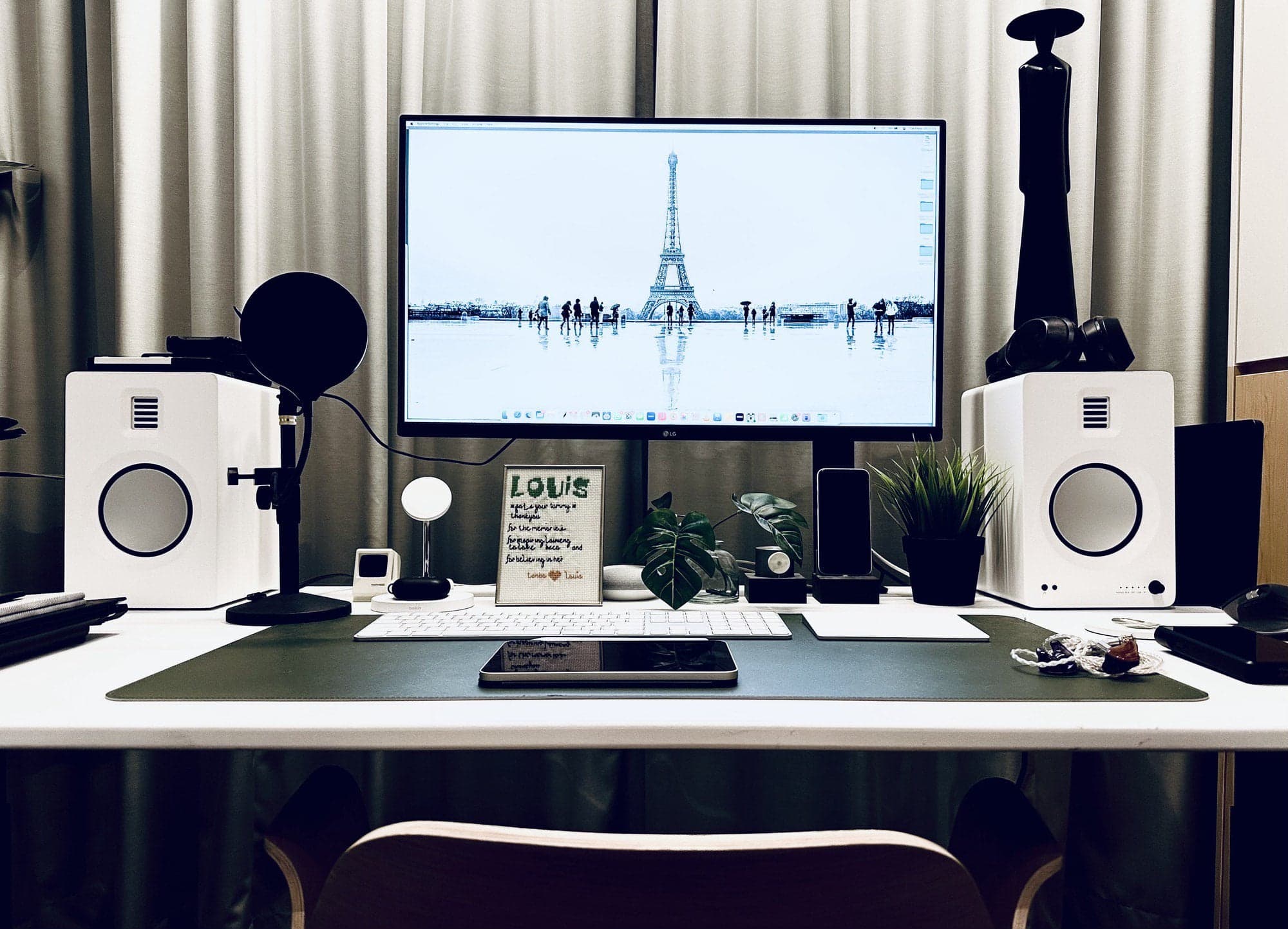
Photo: [email protected]
Look a little more closely than a glance, and this spare M2 MacBook Air setup’s audio gear grabs attention. AirPods Pro (2nd gen) make the cut, as do two other sets of premium earphones, outstanding speakers and one of Sony’s super-high-end Walkman MP3 players. The setup includes quite pricey Vision Ears Elysium custom in-ear monitors (over $2,000) as well as Sony MX1000 M2 wireless behind-neck Bluetooth headphones ($200 – $300).
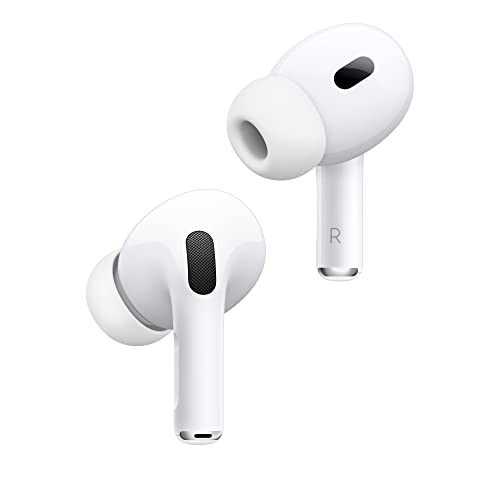
AirPods Pro 2 are a fantastic pair of earbuds for your iPhone, delivering terrific sound quality, excellent ANC, and advanced features like Personalized Spatial Audio.
- Fab sound quality
- Excellent ANC
- Hearing Health features let them double as clinical-grade hearing aids and active hearing protection
- USB-C wireless charging case
- Hard to come up with one
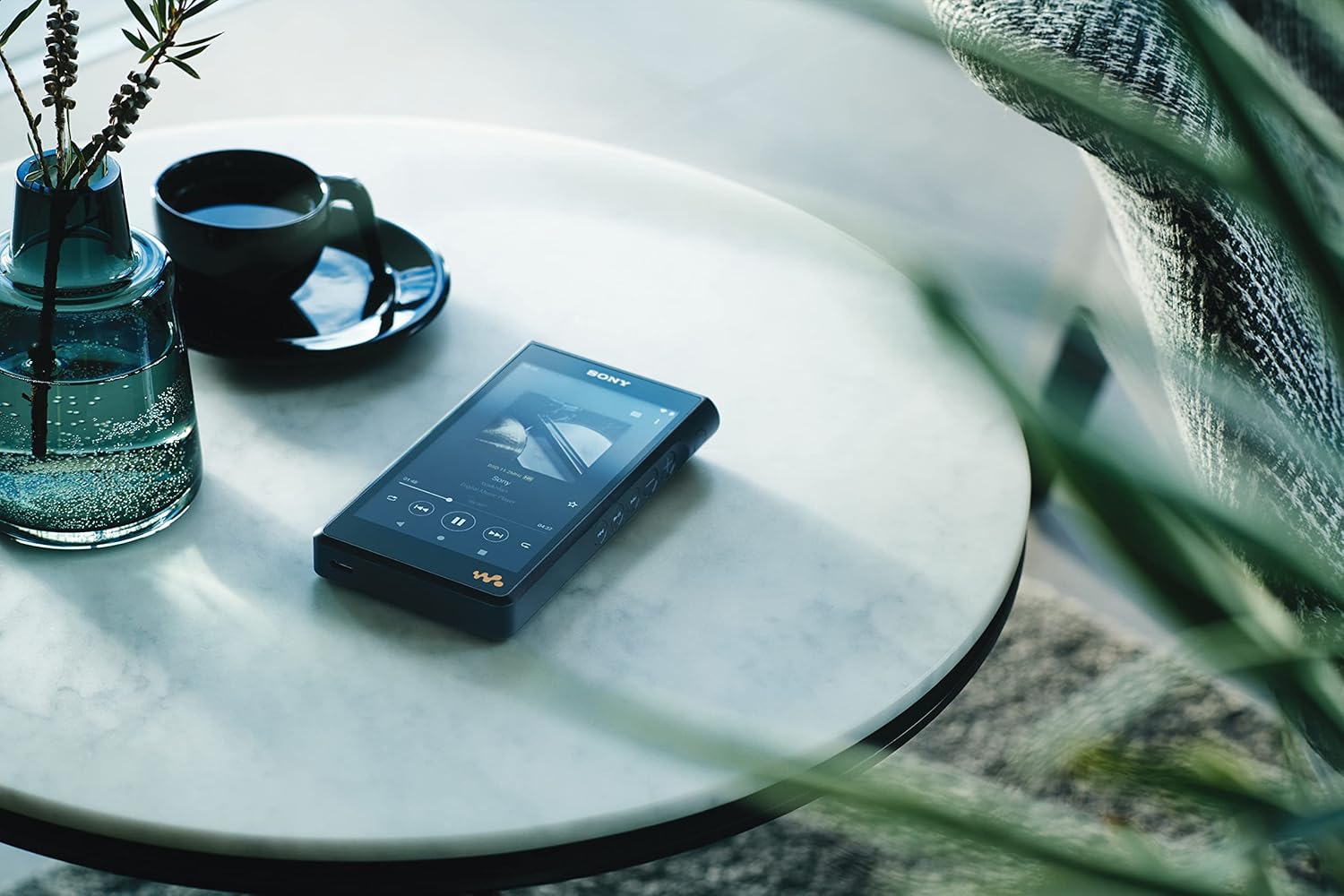
This isn't your grandpa's Walkman. It features dynamic and transparent sound, with a rich, expansive sound field. And of course the ease of downloading and streaming music enhances the experience.
- Hi-res audio support
- Premium build quality
- Long battery life
- Expensive
11. MacBook Pro rig rocks Sonos sound system

Photo: [email protected]
Sonos audio products are popular for a reason — they sound great and they’re not too far from affordable. This MacBook Pro and Studio Display user thinks the monitor’s built-in speakers are good for many uses, but when they really want the big sound — for gaming, it turns out — they’re all about their Sonos One SL speakers and Sonos Beam soundbar.
Sonos' powerful microphone-free speaker is great for music and more, especially when two or more are paired for stereo sound. It comes in black or white.
- Powerful sound in sleek design
- Multi-room functionality
- AirPlay 2
- No mic enhances privacy
- No built-in voice control
- No Bluetooth connectivity

"From music to movies, the latest generation of Beam enriches all your entertainment with powerful and precise sound from wall to wall," Sonos says. The soundbar features Dolby Atmos.
- Compact, stylish design
- Dolby Atmos
- Simple setup and Sonos integration
- No HDMI passthrough
- No Bluetooth

10. Stunning Mac Pro rig sees massive audio upgrade
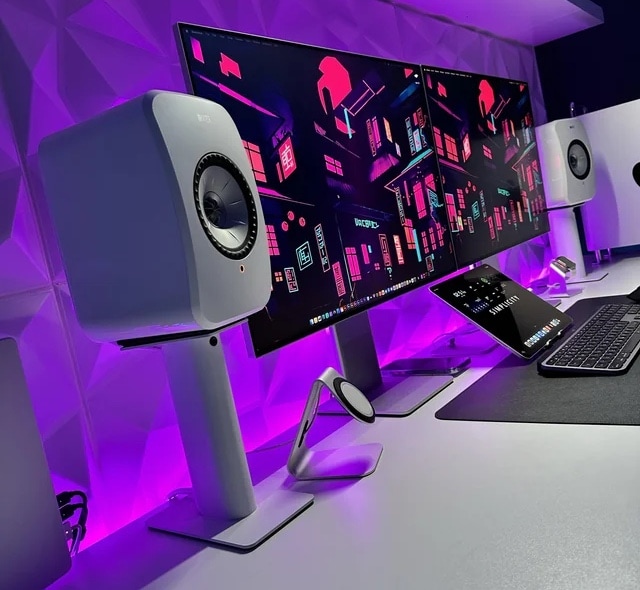
Photo: [email protected]
There’s nothing like a major upgrade. One of the most magnificent computer setups we saw in 2023 somehow found a way to top itself. When you’ve already got a loaded Mac Pro, two Pro Display XDRs and a top Apple laptop and tablet, where do you go from there? You thank the HomePod mini for its service and welcome new $1,250 speakers to the party.
KEF offers high-fidelity desktop sound in a compact package, with streaming up to 24bit/384kHz. The speakers support numerous media formats and streaming services. They come Apple AirPlay 2-ready.
- Streaming up to 24bit/384kHz
- Supports many streaming formats and services
- Apple AirPlay 2
- Supports Bluetooth 5.0, not the latest

These stands suit small-to-medium kookshelf speakers and compact-to-midsize studio monitor speakers.
- Brings speakers to ear level
- Absorbs resonance to avoid muddy sound
- Adjustable placement and height
- Takes up some space
- Adds to sound system cost

Apple's AirPods Max are among the best-sounding consumer headphones you can buy. They offer pro-level active noise cancellation and advanced features like Adaptive EQ and Personalized Spatial Audio. Treat your ears!
- Superb sound
- Pro-level Active Noise Cancellation
- Long battery life (and now USB-C)
- Much-hated Smart Case
- On the heavy side

9. Top audio interface sculpts software engineer’s sound
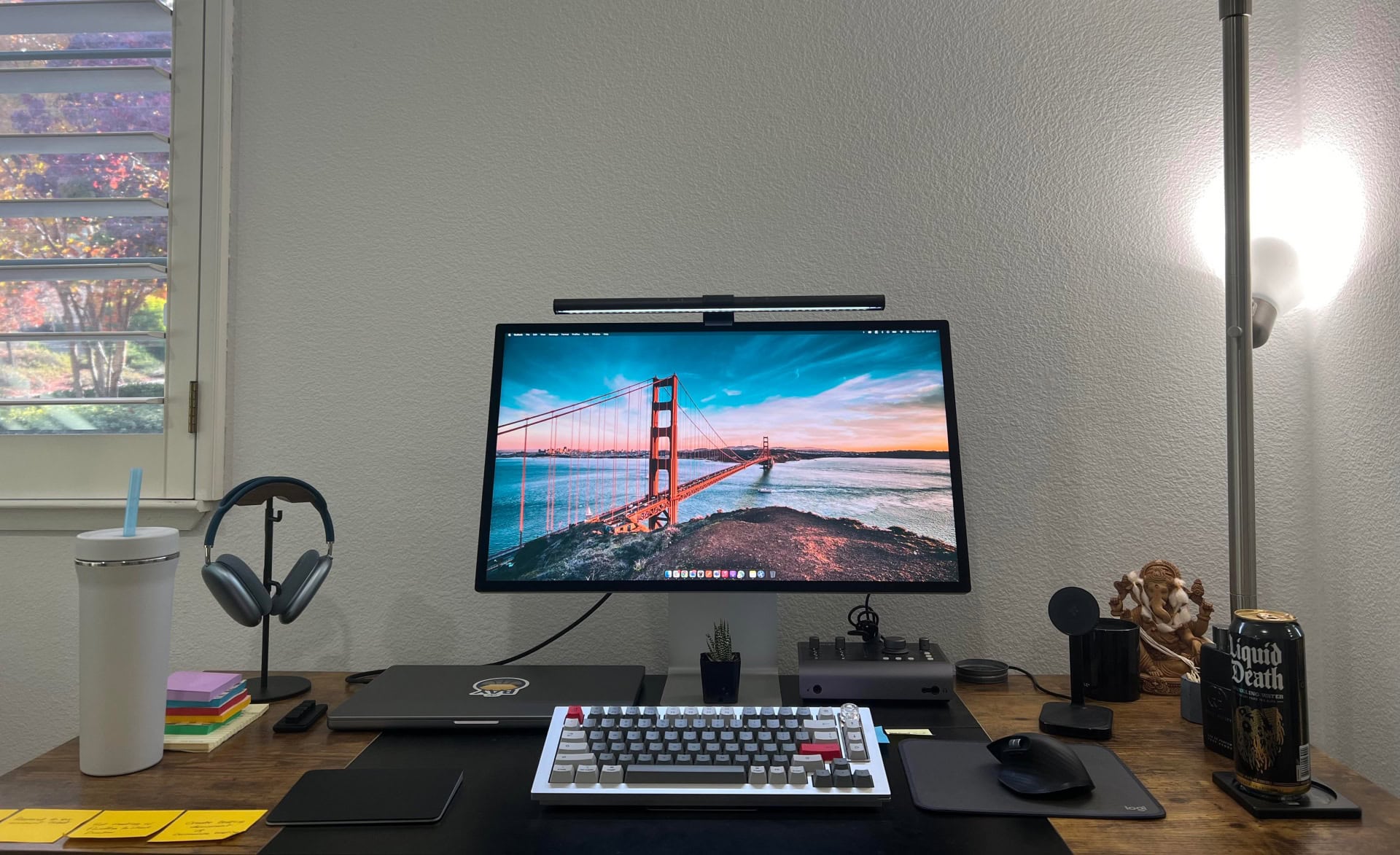
Photo: [email protected]
In this enviable computer setup, a software engineer drives a Studio Display with an M2 Pro MacBook Pro. But among other impressive peripherals connected in the rig we found a great version of one of Cult of Mac‘s Best Audio Interfaces for Mac. An interface serves as a bridge between your Mac and external audio sources like microphones and musical instruments to make the most of recording and mixing.
This audio interface works with your Mac and various instrumental inputs for mics and musical gear, with up to 10-in, 24-out input/output functionality.
- High-quality preamps
- Useful features
- No MIDI input
- Shared headphone volume control

8. Top audio interface shapes MacBook Pro rig’s sound

Photo: [email protected]
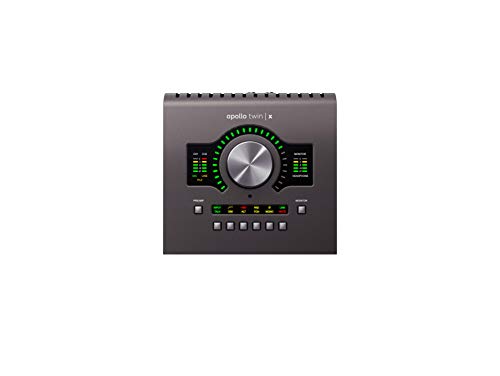
If you want to make great music, try what Cult of Mac named the best audio interface for Mac under $1,000.
- Superior sound
- Vintage hardware emulation
- Low latency
- High cost
7. Killer MacBook Pro rig enjoys awesome audio recording and playback

Photo: [email protected]
If you’re going to sound your best on podcasts, online videos or conference calls, it helps to invest in a USB microphone. This MacBook Pro setup takes advantage of a USB mic from the excellent brand Shure. And the user throws in a nice pair of Audioengine speakers for loud-and-clear playback, too.
This USB/XLR mic for podcasting, recording, live streaming and gaming includes a built-in headphone output and all-metal construction.
- Popular multi-use mic from legendary maker
- Built-in headphone output
- All-metal construction
- Not cheap -- many lesser mics cost less

Suitable for music or gaming, Audioengine's compact but powerful desktop computer speakers can operate via wire or wirelessly via Bluetooth. Power level: 60 watts.
- Great for music or gaming
- Wired or wireless Bluetooth connectivity
- Some might prefer higher wattage
- Desk stands sold separately

6. Powerful speakers and subwoofer blast MacBook Pro rig’s sound
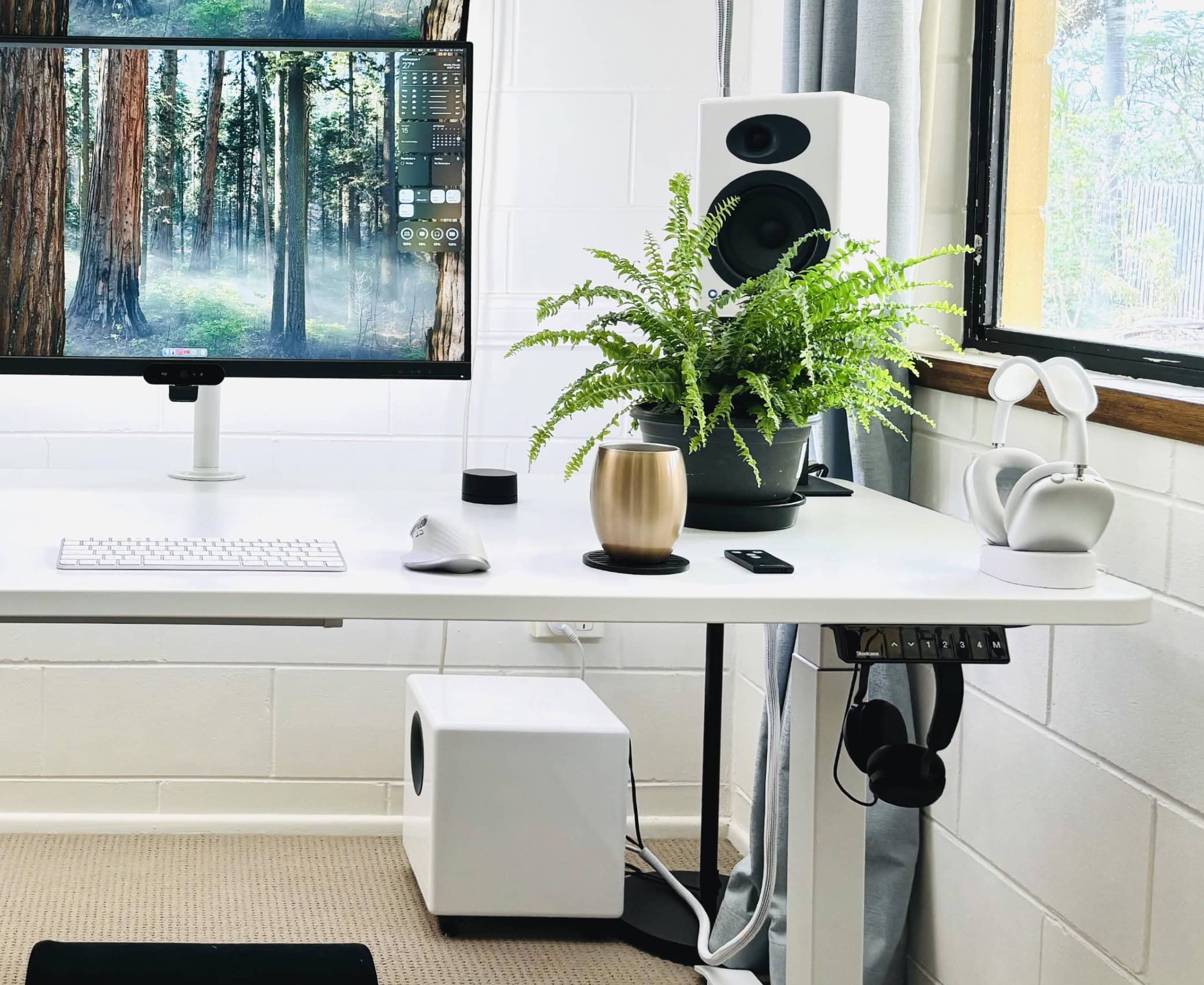
Photo: [email protected]
If you’re serious about high-quality audio, you should crank up the quality level of audio components in your computer setup just like you do in your living room. This MacBook Pro user maxes out sound using Audioengine speakers mounted on stands along with a powerful Audioengine subwoofer on the floor under the desk. So they can get clear and detailed audio at low volume, but they can also shake the whole room with powerful sound when they want.
These premium 150-watt stereo studio-monitor speakers are great for music, gaming and home theater use.
- Great sound with detailed highs
- Versatile connectivity
- Limited on-speaker controls
- Somewhat pricey

Add more bass for a big low end with this compact, wireless, 8-inch subwoofer. It packs 250 watts of power with a built-in amplifier and dual audio inputs.
- Compact enough for easy placement
- 250 watts for powerful sound
- Dual audio outputs
- Suitable for home use, not enormous spaces

These stands suit small-to-medium kookshelf speakers and compact-to-midsize studio monitor speakers.
- Brings speakers to ear level
- Absorbs resonance to avoid muddy sound
- Adjustable placement and height
- Takes up some space
- Adds to sound system cost
5. Why some audiophiles choose AirPods Pro 2 over wired headphones and earbuds

Photo: [email protected]
In a face-off like wireless earbuds vs. wired earbuds and headphones, most self-described audiophiles will insist wired wins. But Bluetooth headphones and earbuds have come a long way in recent years in terms of solid audio quality and reliable connectivity. That’s a big part of the reason why this featured MacBook Pro setup user chooses AirPods Pro 2 almost all of the time, despite owning excellent wired headphones and in-ear monitors. It really just comes down to convenience.
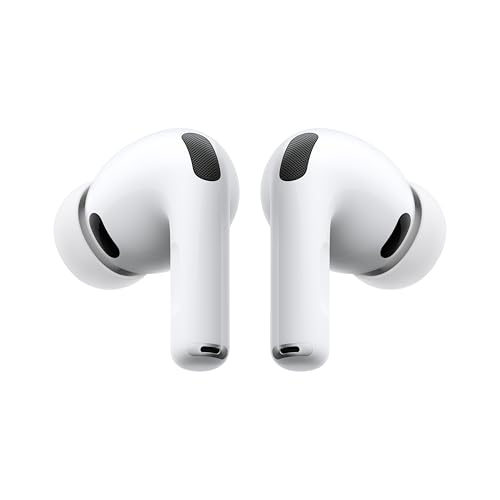
Apple's best wireless earbuds get even better, adding a heart rate monitor and tweaks that boost active noise cancellation and deliver even better audio quality.
- Supports Live Translation feature
- Foam-infused ear tips for better fit and ANC
- Built-in heart rate monitor
- Can function as hearing aids
- Only available in white
These 4-inch near field-monitor speakers offer optical and coaxial inputs, 42 watts per each wood-framed speaker and Bluetooth 5.0 wireless connectivity.
- Lossless connectivity
- Subwoofer output
- Side panel controls
- Bluetooth 5.0 (not the latest)

These closed-back wired headphones excel at studio use and refined home listening.
- Durable and comfortable
- Detailed sound
- Best with a headphone amp

4. New audio interface and microphone give good voice to MacBook Pro rig

Photo: David Snow/Cult of Mac
After finally incorporating a proper pair of speakers into my evolving MacBook Pro setup in late 2024 — following years of writing Cult of Mac setups articles, often with a focus on high-quality audio gear I shamelessly envied — I upped my rig’s audio ante in March 2025 (again). And that time it was mainly from the input perspective. I added a new Focusrite Scarlett 2i2 audio interface, a condenser microphone mounted on an arm and, ridiculously, two more pairs of over-ear headphones (I already have too many cans and earbuds).
This USB audio interface bundle for recording, streaming and podcasting comes with a dual-input interface for microphones and instruments, a condenser microphone, closed-back headphones, cables and a suite of software.
- Studio-quality recording and streaming with Mac
- Comes with Pro Tools, Ableton Live and more
- Detailed condenser mic comes with pop filter
- Affordable
- Not the most sophisticated option

You can choose from a mic desk stand or a desk-mountable boom arm that can fit most microphones via included accessories. Shock mount, pop filter, mic clip and cable ties included.
- Set up mic for recording or podcasting in minutes
- Works with different mic types
- Inexpensive
- Not the sturdiest option

3. Add great audio to your workstation the easy way
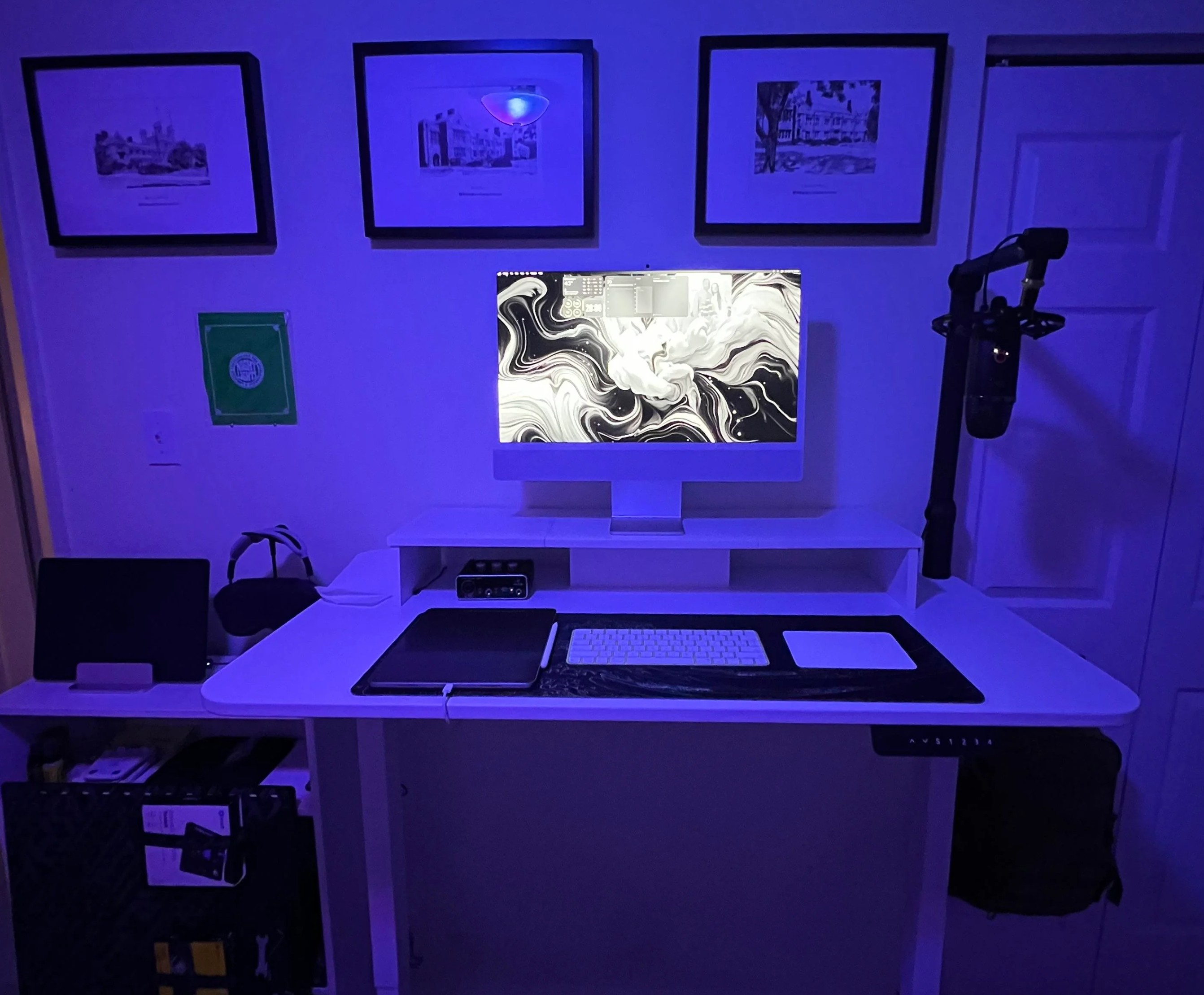
Photo: [email protected]
Sometimes a computer setup showed off on social media demonstrates just how easy and affordable it can be to add a nice set of audio gear for podcasting, streaming, Zoom meetings and more. This M4 iMac workstation sets a good example. It not only includes AirPods Max, Apple’s premium over-ear headphones. It also features one of the most popular USB microphones mounted on a boom arm, plus a capable audio interface. And it’s all pretty much plug and play, so the user can start broadcasting or recording in minutes.
Logitech's Blue Yeti USB condenser microphone is for recording, streaming, gaming, podcasting and more on Mac or PC. Includes Blue VO!CE Effects and adjustable stand. Also available in bundle with boom arm.
- Great for many uses with Mac or PC
- Choose from 4 pickup patterns
- Comes with effects software
- More money buys higher audio quality

Behringer's affordable audio interface helps you record with quality via Mac or PC. It brings top-notch connectivity for your microphone, headphones and a musical instrument.
- 2-channel USB audio interface with 1 XENYX microphone preamp
- Instrument input
- Phantom power
- 48kHz audio resolution
- Limited inputs for mics and instruments

2. Here’s how to go way past ‘adequate’ with workstation audio
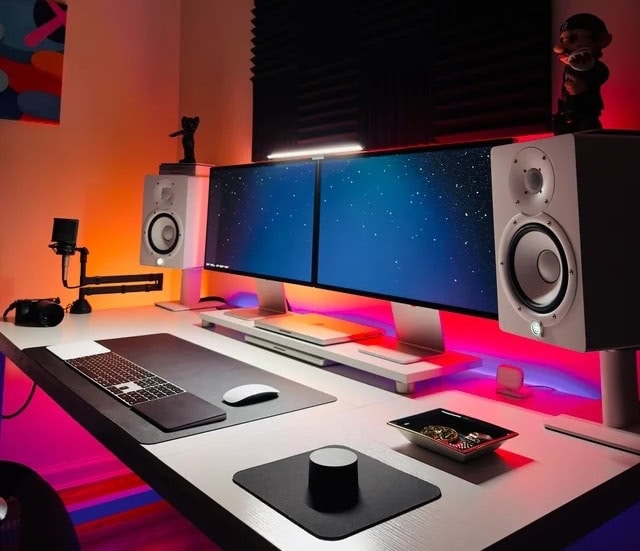
Photo: [email protected]
What would the computer setup that has everything — in fact, two of many things — be missing? Well, in the case of today’s dual MacBook Pro workstation, it’s not excellent audio gear. Not only does it double up on high-end laptops, Studio Displays, Trackpads and more. It also mounts powerful Yamaha HS7 speakers and an AKG condenser microphone to help provide a fabulous soundtrack.
This pair of 7-inch powered studio monitors put out a maximum of 95 watts of amplification with an emphasis on transparency and clarity.
- Clear sound
- Powerful amplification
- Good build quality
- Bass may seem weak without subwoofer

1. Polk Audio system brilliantly boosts Mac mini’s sound
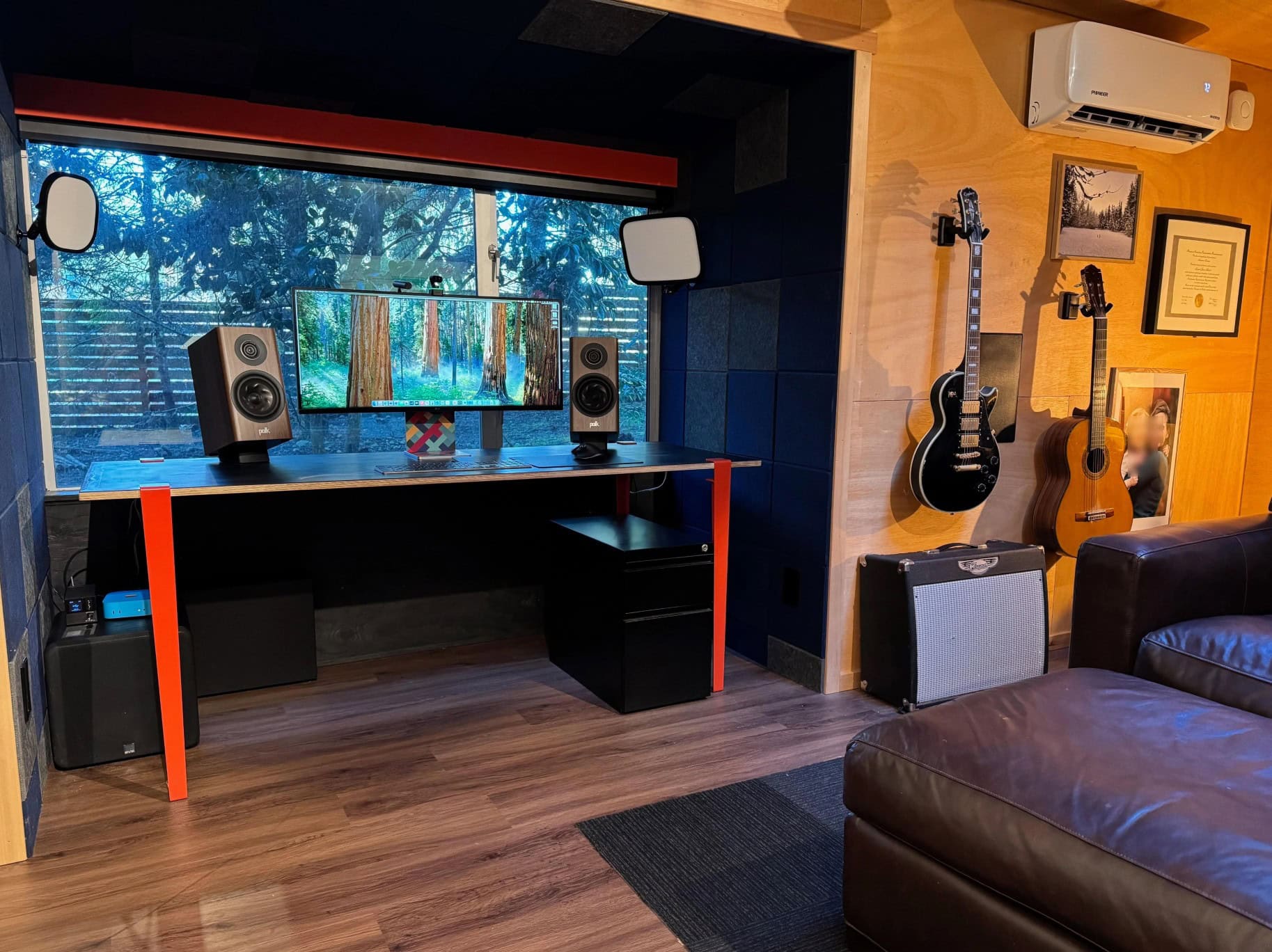
Photo: [email protected]
In this setup from the Pacific Northwest, Polk Audio boosts Mac mini sound with bookshelf speakers on the desk as well as a subwoofer under it. But that’s not the extent of the user’s devotion to Polk, an admired longtime brand we rarely, if ever, see in setups coverage. The Mac mini setup is just one part of a magnificent man shed. The other part is a home theater festooned with more than enough Polk Audio hardware for stellar surround sound.
These relatively small bookshelf and desktop speakers feature dynamic, detailed home theater audio through 1-inch Pinnacle Ring Tweeters and 5.25-inch Turbine Cone Woofers. Hi-Res Certified, Dolby Atmos and IMAX Enhanced.
- Good power and clarity for small speakers
- Hi-Res certified
- Dolby Atmos
- Somewhat pricey

This DSP-controlled 12-inch sealed subwoofer maintains 550 watts of power (1,500W peak). Comes in Black Ash color.
- Powerful low-end
- Good for home theaters
- Not for budget setups


David Snow, an expert on Apple hardware and software, writes on a variety of technological and cultural topics for Cult of Mac. They include Apple news, technology buying guides, and features about computer setups and Apple TV shows and movies.
With 30 years of experience covering technology and other subjects, he has written and edited for numerous print and online publications, including CMP Media, TechTV.com, CNET, Wired News, Red Herring magazine, Law.com, The National Law Journal and Law Technology News magazine. Among other roles, he served as executive editor of the Law.com network of websites and editorial director, technology, for ALM Media.
Snow graduated with a B.A. from Syracuse University with majors in magazine journalism and psychology. While there, he worked as a reporter for The Daily Orange newspaper and associate editor of Equal Time magazine.
Founder of the blog At the Waterline, he can be reached on X (formerly Twitter) via @atthewaterline and on Mastodon via @dsnow.

