Mobile menu toggle

Search results for: jailbreak app

Blacksn0w Add-on For blackra1n Unlocks Any iPhone 3G / 3GS, Enables Tethering

By

blacksn0w2

GeoHot, creator of the famous blackra1n jailbreak tool has now released blacksn0w. Blacksn0w is a full fledged software unlock solution for iPhone 3G and iPhone 3GS, having baseband version 05.11.07 found in firmware version 3.1.2. Unlocking the phone enables you to use it with any carrier in the world.

This means if you have older firmware, you can now upgrade to a stock 3.1.2 and still have the ability to remain unlocked. Blacksn0w also enables the tethering option on these iPhones for you to share the data connection with a laptop or desktop computer.
blackra1n_update

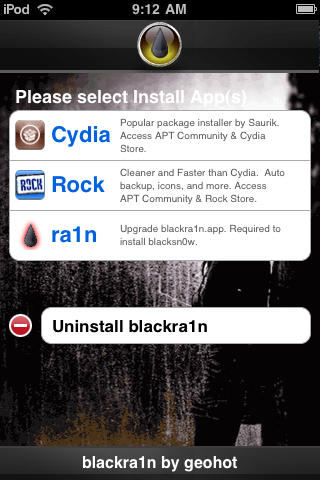
The blackra1n application for iPhone installed as a result of the blackra1n jailbreak process then allows you to run blacksn0w and finally unlock the phone. However, those who already have the old version of blackra1n application installed on the iPhone can upgrade to the latest version by selecting the new ‘ra1n’ option inside the application. After installing the updated version, tap ‘sn0w’ in the application to unlock. For those who used the DevTeam’s PwnageTool to jailbreak, blacksn0w will soon be available on Cydia.

To accompany blacksn0w, there is a new hacktivation feature added to blackra1n, which activates the iPhone to be used without the iPhone specific plans from carriers like AT&T, O2 etc. But, if you have an officially activated phone already, this won’t interfere. The update to blackra1n tool also makes it  a lot faster, enabling it to jailbreak the iPhone / iPod Touch in just 15 seconds. It also adds support for Mac OS X Tiger and PPC Macs along with the existing Windows and Intel Mac support.

Please note that if you have an iPhone 2G, you can still jailbreak using blackra1n but blacksn0w will not unlock for you. You must use BootNeuter available in Cydia for that purpose. Also, if you purchased an iPhone 3GS or iPod Touch (any capacity) in October or later, there is a high probability that you have a new model. Blackra1n currently performs only a tethered jailbreak for these new devices, which means you need to use blackra1n every time you boot the device, otherwise all your jailbreak data gets wiped.

The new version of blackra1n is available to download at blackra1n.com

Check out our guide on how to jailbreak and unlock using blackra1n and blacksn0w here.

DevTeam Updates PwnageTool for Mac, iPhone 3.1.2 Now Supported

By

post-18449-image-38850d2092778a88b34ba080ed9b3ebb-jpg

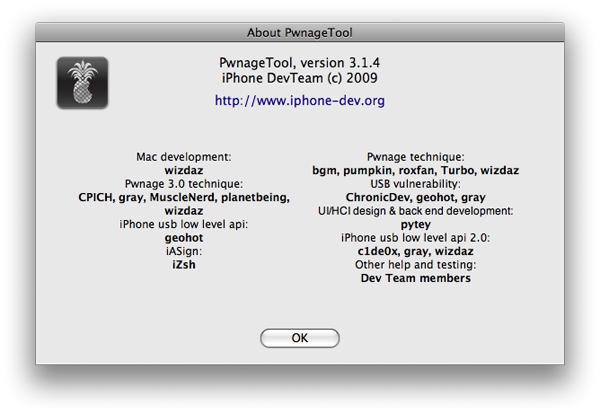
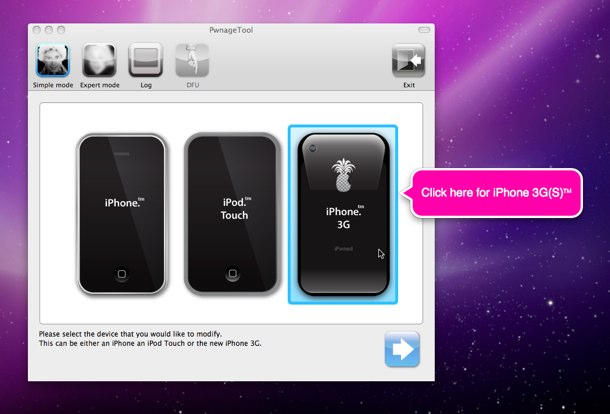
PwnageTool for Mac has been updated to version 3.1.4 by the DevTeam. This new update basically adds firmware 3.1.2 jailbreak support. It currently supports jailbreaking all the devices except iPod Touch 3G.

PwnageTool is currently compatible with Intel Mac only. The reason some would prefer it to blackra1n is that it allows you to ‘hacktivate’ the phone (use it without AT&T’s iPhone data plan) and the unlock is preserved even through firmware updates. However, to unlock an iPhone 3G or iPhone 3GS, make sure that you have a firmware 3.0 (or 3.0.1) baseband on the phone.

Blackra1n for Windows Is Released, But Unlock Not Supported

By

post-18351-image-711c72d1b82d9461ee1a024ababb7584-jpg

Blackra1n, iPhone hacker George Hotz’s software for 1-click jailbreaking, has been released for all existing iPhone and iPod Touch devices. However, it will NOT unlock the device, enabling it to be used with different GSM carriers worldwide.

Blackra1n is currently compatible with Windows only — or “all Windows that matter,” in GeoHot’s words. I am supposing that means Windows XP, Windows Vista and hopefully Windows 7 RC. Currently, there is no word on a Mac version — but it should be released soon as well.

What blackra1n does is…

Dev-Team Releases Pwnage Tool 3.1.3 for iPhone 3GS and iPod Touch 2G

By

PwnageTool-1

You’ll have to read through and decipher if this update applies to you but the Dev-Team has released Pwanage Tool 3.1 for the iPhone 3GS and iPod Touch 2G.

Using Pwnage Tool 3.1 you can upgrade your iPhone 3GS or iPod Touch 2G to firmware 3.1 as long as your device is currently running a custom (jailbreak)  3.0 or 3.0.1 firmware.

Those of us who are not able to jailbreak because our phones shipped with 3.1 or hastily ran the update to 3.1 and can’t go back will have to wait a while longer for freedom.

On Monday, Cult of Mac release a handy and complete guide to jailbreaking your device, which can help you use this newly released Pwnage Tool to update your device.

Craig Smith Interview: How Frotz Brings Interactive Fiction to iPhone and iPod touch

By

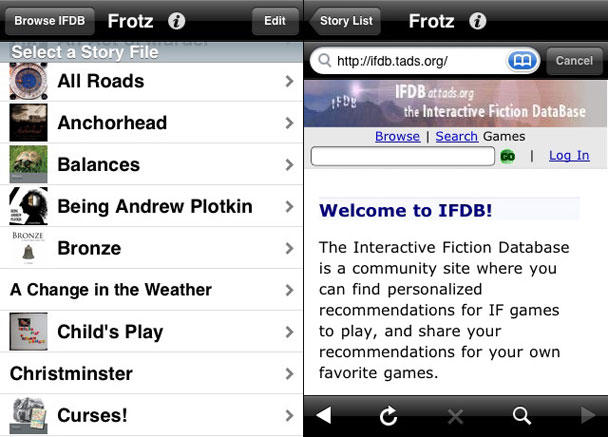
Frotz: text adventure goodness on your iPod touch or iPhone

When people talk about classic gaming, they usually rattle on about really simple, playable games that are challenging but that a five-year-old could conceivably master. Such people were clearly traumatised by text adventures (now referred to using the rather loftier term ‘interactive fiction’) and have therefore removed them from memory.

These games were primarily text-based, with you solving puzzles via verb-noun parsers. As time went on, adventures gradually became increasingly complex and elaborate, with Infocom arguably leading the genre to its height.

Sadly and perhaps predictably, text adventures eventually got a thorough kicking. In the words of Richard Harris: “Graphics came along and the computer-using portion of the human race forgot all about 500,000 years of language evolution and went straight back to the electronic equivalent of banging rocks together—the point ’n’ click game,” which, he argues, signalled the arrival of the post-literate society.

But via the magic of the internet, interactive fiction clings on, and apps for playing the Z-machine format are commonplace. Frotz is one of the best, and it now exists as a free iPod app. I interviewed its developer, Craig Smith, to find out what he thinks of interactive fiction and why he brought Frotz to Apple handhelds.

Make Free Calls on your iPhone with Google Voice and Fring

By

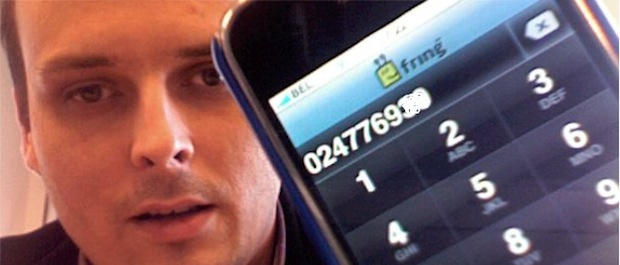
Make free calls on your iPhone with Fring and Google Voice. CC-licensed pic by damienvanachter on Flickr.

If you have a Google Voice account, you can make free VoIP calls on your iPhone. You’ll need to sign up for an account at Gizmo.com and download the free Fring app for your iPhone, but after that you’re done. You can make free outgoing calls to (up to three minutes) and receive unlimited incoming calls through Google Voice.

Hit the jump for instructions.

Turning on iPhone Tethering Even Easier Than We Thought

By

post-12341-image-e4a0f903b90662b7e07f8016e4555d97-jpg

Remember when Lonnie told you about an easy, fool-proof way to turn on iPhone tethering in the US? Well, there’s a way, way easier method, and it’s much, much more foolproof.

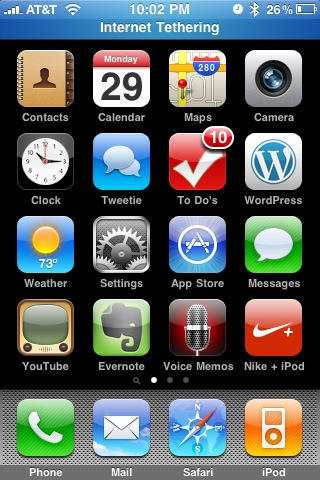
Simply point Mobile Safari to https://help.benm.at, select your country, download the profile for your carrier, and install. The settings menu will add an Internet Tethering toggle in the Network section. Then just pair with your computer over Bluetooth or plug in via USB  and go. No restart required. It’s really that easy.

Performance has been rock-solid in my experience, both for tethering Mac and Windows machines. Performance is terrible on EDGE and very nice on 3G, with battery life not noticeably worse than just browsing on Safari. And maybe a little bitter once the display goes to sleep. But I’m not running BitTorrent through the thing, either.

AT&T should have a killer offering on their hands once this actually ships. It would also be nice if AT&T tweaks the interface so you can turn on tethering without pulling your phone out of your pocket. Honestly, the only complaint I have. Anyone tried it outside the US? Really seems like something that should fly under the radar so long as you’re not downloading the whole Internet over it…

And, it goes without saying, this is use at your own risk and Apple will laugh at you if you brick your phone.

(And yes, I know we’re late, but I never recommend running something risky on your hardware if I haven’t done it myself. This is as close to safe as it gets.)

Richard Lai via Engadget

Hacker May Have Found Unlock For iPhone 3GS

By

post-12115-image-618bce24341cd6a979e4bd6c5e30444f-jpg
George Hotz is one of the leading iPhone hackers.

Hacker George Hotz appears to have found a way to jailbreak and unlock the iPhone 3GS.

The 19-year-old Hotz, better known as GeoHot, may have found a hole in the iPhone 3GS boot sequence, which will allow hackers to unlock the device.

The crack comes just days after the release of the new iPhone. Previous jailbreaking hacks have sometimes taken weeks.

Details are hazy, however. Hotz has posted a screenshot that appears to show a custom command inserted into the iPhone’s iBoot, implying that signature checks had been bypassed, according to one explanation in the comments of the post. If so, it’s the first step in jailbreaking the device.

In addition, the just-released UltraSn0w unlock should also be compatible with the iPhone 3GS.

Via iClarified.

Unlocking Software for iPhone 3.0 Released

By

post-12089-image-5b5f93904c0e60b55a2afddbcbaacd6a-jpg

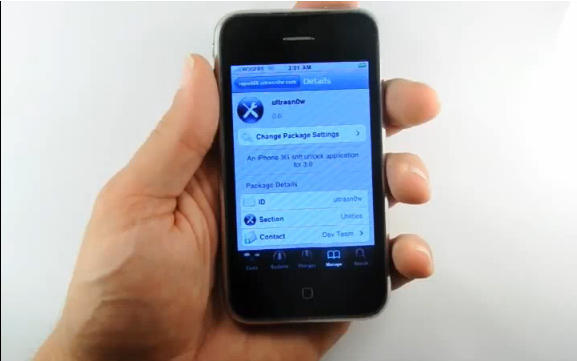
The Dev-Team, an iPhone hacking group, has released a free jailbreaking and unlocking tool for the iPhone 3.0 OS.

Called UltraSn0w, the easy to use unlocking tool jailbreaks the 3.0 iPhone to allow unauthorized apps and unlocks it for use with other carriers.

iPhone Users Worldwide Are Hot for Tethering

By

post-11948-image-750836b318c3101e92f71518501289c2-jpg

Not content to sit back and enjoy the many feature upgrades of iPhone 3.0’s official release, iPhone users worldwide exchanged various methods for enabling tethering on their phones Thursday, pulling an end-around on carriers who failed to have tethering plans in place for Wednesday’s release of the new firmware.

Even prior to the official release of the new operating software for Apple’s popular mobile devices Wednesday, 9 to 5 Mac had published detailed instructions for enabling tethering, which AT&T – iPhone’s exclusive carrier in the US – does not at present officially support.

In response to questions about tethering with iPhone 3.0, Mark Siegel, AT&T’s Executive Director of Media Relations told Cult of Mac Thursday “anything to do with the software and what it can or can’t do is an area that Apple needs to comment on.” He had no further comment from AT&T regarding tethering on the iPhone, other than to reiterate that “We will offer a tethering plan in the future but have not set a date at this time.”

Tethering is a process that allows two devices to share an internet connection over a carrier’s data network, seen in many cases as preferable to using insecure public WiFi connections. Carriers typically offer tethering plans that increase a customer’s monthly spend from between $15 and $30 per month for the access to extra data, which can be limited to 500MB on the low end of the price range, up to unlimited extra data at the high end.

AT&T at present already charges iPhone customers $30 per month over and above the cost of a calling plan for “unlimited data,” which many believe is exorbitant in the light of how much data a user typically accesses with normal browsing and emailing on the phone.

Be sure to let us know in comments below if you’ve downloaded the config files necessary to enable tethering on your phone, whether tethering is an important option for you to have, and what you’d be willing to pay to have it legitimately.