Hey, did you know that the Veronica Mars movie is out now? I didn’t until I saw it listed on HypeDrive. I’m not interested in the Veronica Mars movie, but good looking out, HypeDrive.
It’s an app that lets you keep track of all the movies, TV shows, games, and other projects that interest you. You can add them to a list to stay up-to-date, but that requires a login. If you don’t feel like registering, you can also just look stuff up, but it won’t save. You’ll have to write it down or something. Like a caveman.
While new movies and TV shows appear every day on iTunes, it’s rare that a movie debuts on iTunes and in movie theaters on the exact same day.
Veronica Mars does just that.
The revival of the cult classic TV show — which was cancelled after just two-and-a-half seasons — was funded via Kickstarter and is now available for viewing both in movie theaters, and (thanks to iTunes) the comfort of your own home.
Gadget-loving Steve Wozniak sounds like he won't be queuing for the iWatch on its day of release.
Steve Wozniak hasn’t been involved in Apple business for a long, long time. However, that wasn’t enough to stop him from participating in a recent, wide-ranging discussion at CeBIT 2014 in Hannover — on everything from Tim Cook’s performance as CEO, to whether or not Apple still has the cool factor.
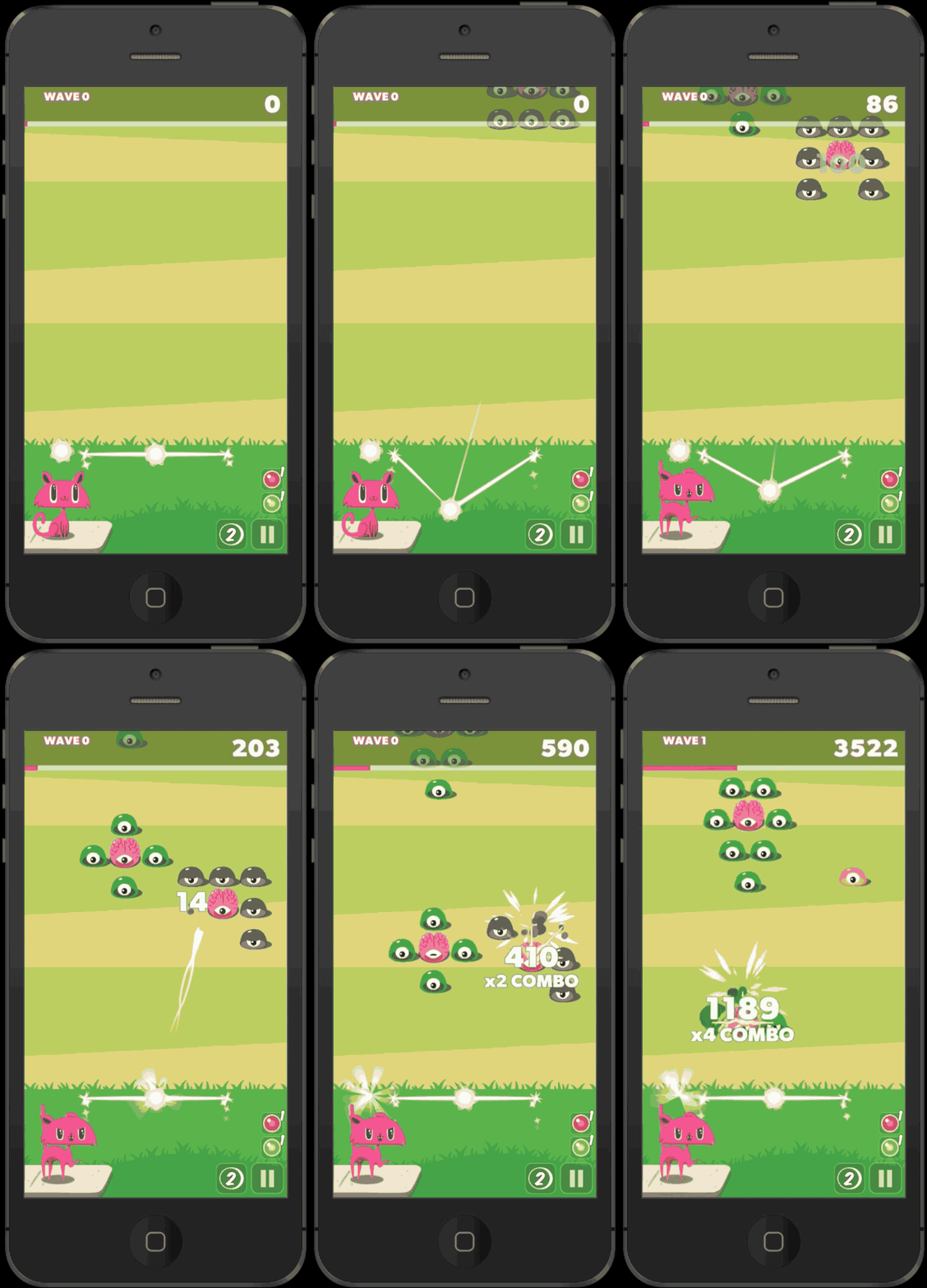
ALIENS ARE DESTROYING HUMANITY.
CAT MUST STOP THEM. WITH MIND BULLETS.
CAT MUST REMEMBER: AIM FOR THE BRAINS.
CAT MUST SURVIVE.
Seriously, do you need more from the press release than that? You do? Really?
Ok, fine. Ignoring the fact that you already knew your cat had mind-bullets, Team Chaos announced Wednesday that its latest free-to-play iOS game, Cat vs. Aliens, is live and in the App Store.
We owe at least one dark corner of iTunes to sneaky parents.
Back in 2011, Apple listened to what sounded like a chorus of adults who didn’t want their kids to know what mommy and daddy were doing on the family iPad by allowing users to “hide” purchases.
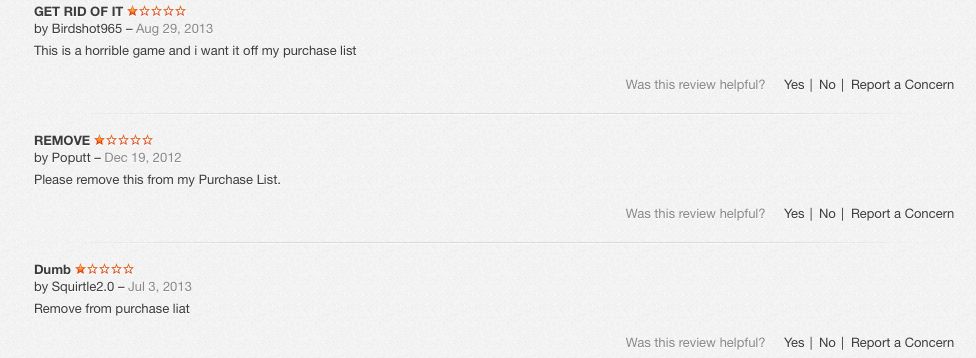
If you spend any time lurking around the more shadowy parts of the store, you’ll note how many of the reviews of these apps are comments from desperate users who want the traces of their momentary lapse in judgement wiped clean. The ability to hide purchases and downloads changes that, to a point.
Reviews from an adult “Truth or Dare” game.
Like a lot of things in iTunes, the destination may be straightforward but the road is tortuous, making it easy in effect for multiple users (parents, kids, co-workers) to hide what they buy (or download) on iTunes.
The key word here: hide. Apple will not delete a record of anything you download or buy on your devices, unless in the first 90 days you ask for a “refund” or “report a problem.” (More on this below). Note that Apple considers free downloads “purchases,” so those go on your permanent record “purchase history,” too.
This means that you can delete the dubious Kama Sutra app that your co-worker downloaded on the company iPad while at SXSW, but a record of its passing across your device will live on, forever, in the purchase history, even if it was free.
That said, there are two ways to squirrel your not-for-public-viewing materials under the virtual mattress. The first is the one authorized by Apple, the second one we stumbled across researching this story.
Method One: Create a “hidden list” of purchases or downloads
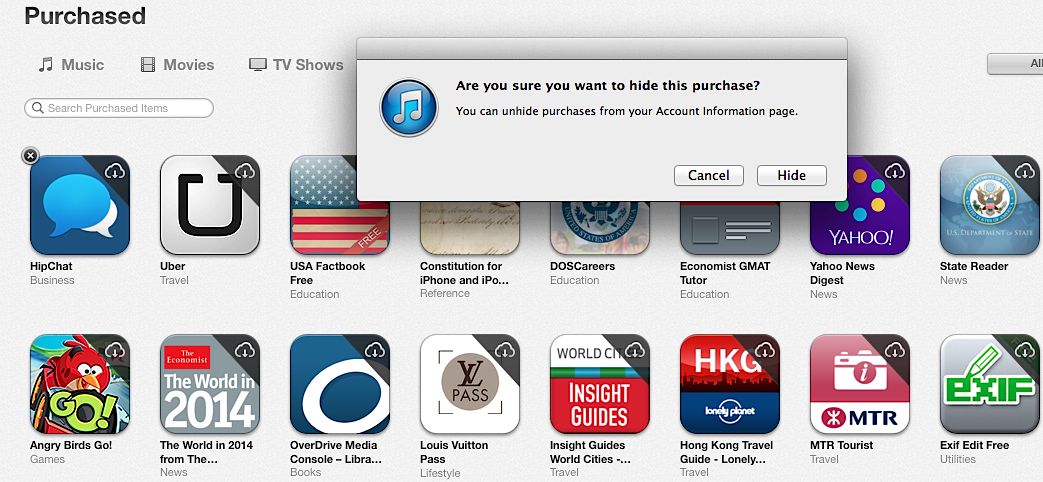
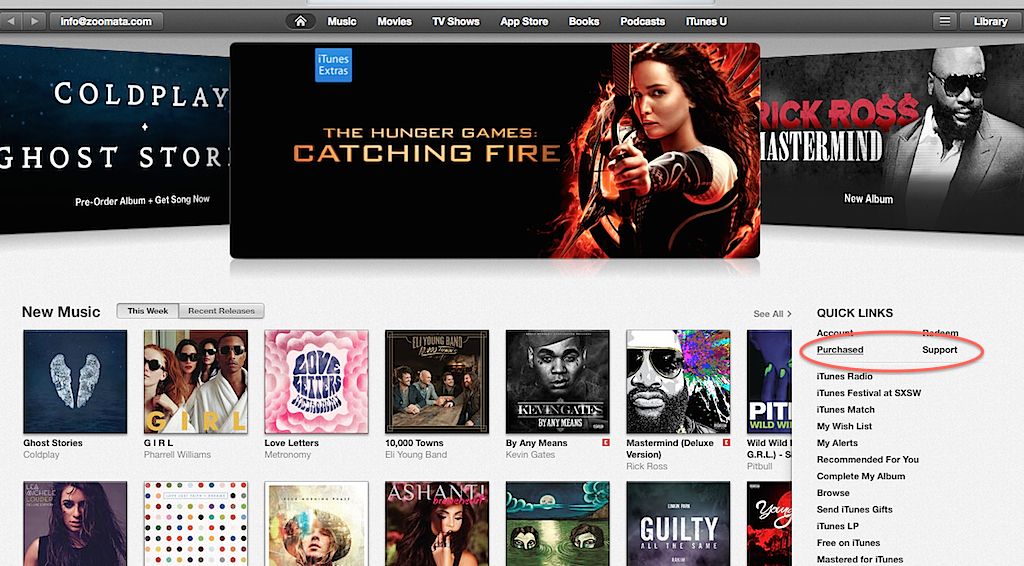
Once signed into your iTunes account, click on the “purchased” link under the Quick Links section on the right.
Remember, this “purchased” also list includes any free media downloaded across any devices linked to this account — music, movies, TV shows, apps and books.
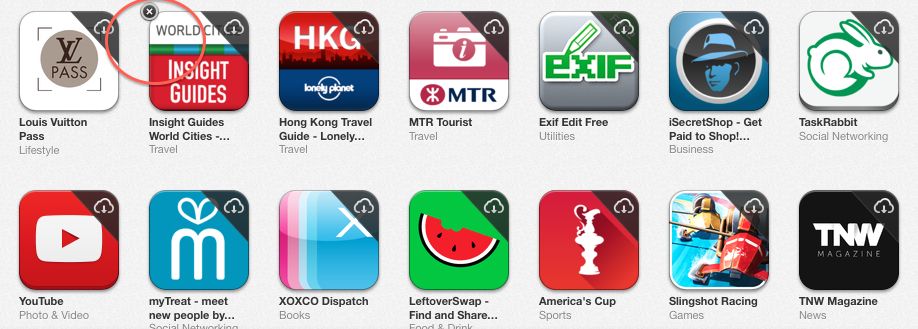
Using apps as an example, inside the purchase list, all the icons will appear with a “x” in the left-hand corner when you mouse over them. Clicking on the “x” hides them across all your devices. (Note: not deleted. I mean it: they will not be deleted from your device or your purchase history. Just hidden from view.)
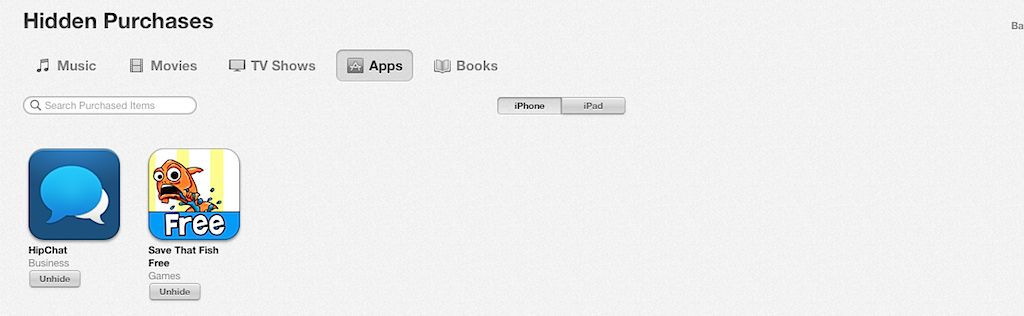
These records live on in the cloud. To see what may be hidden — or unhide them — head back to your “Account” section. Scroll down to iTunes in the Cloud and select “manage” under Hidden Purchases.
From here, you can “unhide” them for easy access.
Method two: Smokescreen
You may have noticed a problem: while it’s easy to hide questionable music and such, what about in-app purchases? These don’t show up on the previous menu, making, for example, a monthly Grindr Xtra subscription out in the open in your purchase history.
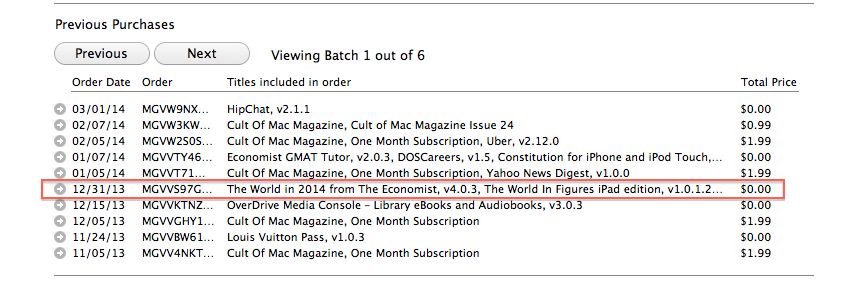
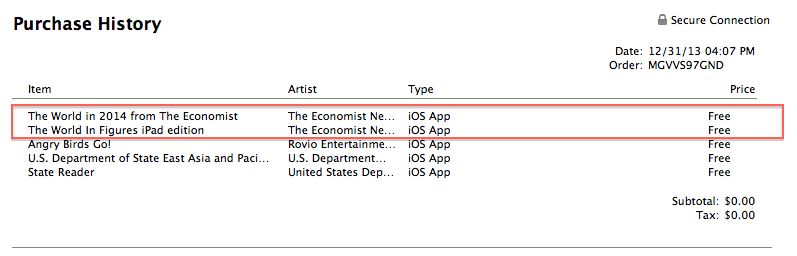
Under account information, click on “purchase history.” Here’s where the smokescreen comes in: Apple lumps all activity for one day together in a tiny, difficult-to-read grid with room for the barest description.
So it’s easy to bury something by downloading a couple of free, innocent-sounding apps at around the same time; without going inside the history for that particular day, you miss the whole picture.
Here’s a concrete example of what looks like account activity for December 12 – note: only two virtuous-looking downloads.
To see the whole enchilada, you have to click on the tiny, left-hand arrow to open up that day’s worth of activity. Here you’ll note that three more downloads — look mom, Angry Birds! — didn’t make it on to the first page.
We’re going to bet that if your iTunes account gets heavy use by multiple people and multiple devices, you’d have to be a determined snoop to a) know Apple doesn’t list everything on the first page and b) open it up to see what else might be there. It’s also from this inside page with the full day’s purchases that you can “report a problem” and lobby to have the purchase removed, though many people have reported getting no satisfaction.
Browsing the App Store can be a bit overwhelming. Which apps are new? Which ones are good? Are the paid ones worth paying for, or do they have a free, lite version that will work well enough?
Well, if you stop interrogating me for a second, hypothetical App Store shopper, I can tell you about this thing we do here.
Every week, we highlight some of the most interesting new apps and collect them here for your consideration. This time, our picks include a comparison shopper for books, a route-maker that factors in current traffic, and a couple things to keep your pictures nice and pretty.
Here you go:
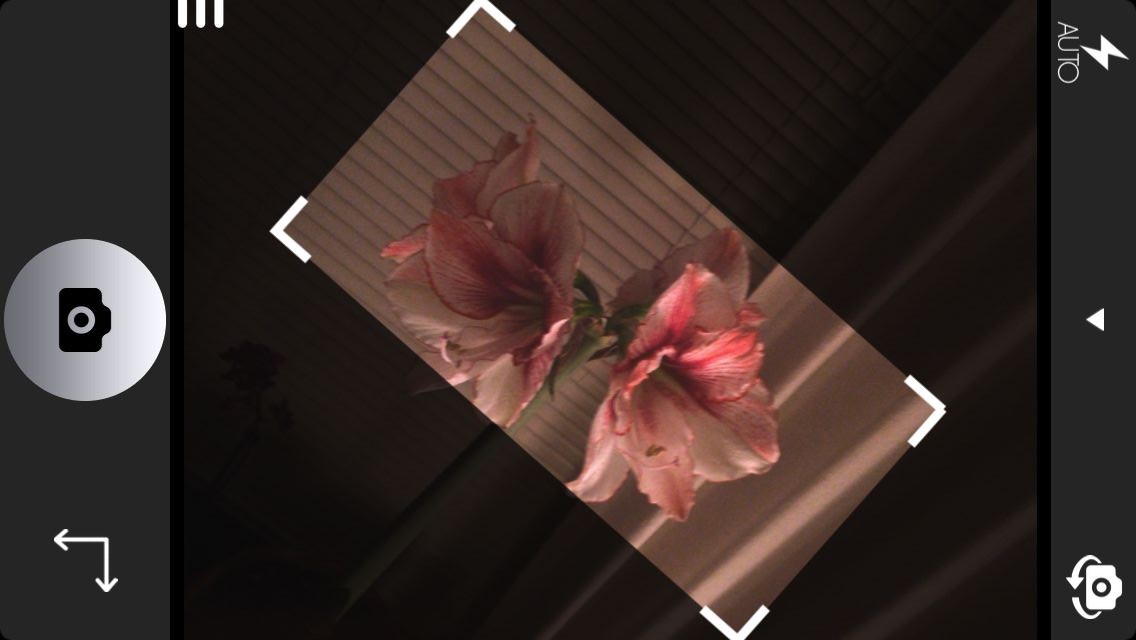
It’s not likely that anyone consistently takes pictures that look like one of the supervillains’ hideouts in the old Batman TV show, but even a slight tilt can make a photo look strange. Orient is an app that will eliminate your photography’s chronic case of the skews by using your iPhone’s gyroscope to ensure that every shot you take is level and straight.
You can choose from a bunch of aspect ratios, and then Orient works almost exactly like your regular Camera app, complete with Instagram-style filters.
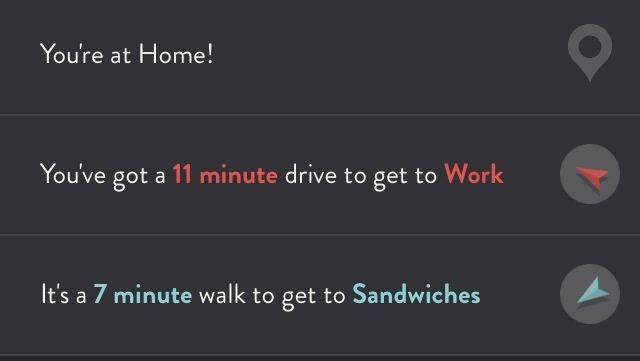
ETA is all about telling you how far you are from your favorite places. It’ll also point out which direction they’re in, in case you have to know that at all times.
But Maps will do that, too, so to distinguish itself, ETA lets you build up a list of your most-traveled spots, and it’ll tell you at a glance how long it will take to get there in current traffic. And with a couple taps, you can get directions from either your built-in navigator or Google Maps. And that’s really handy because I always like to know how far I am from sandwiches.
I love living in the future, but sometimes I feel a little spoiled. This app wants you to find useful things, but it thinks that your iPhone or iPad keyboards are just too hard to use.
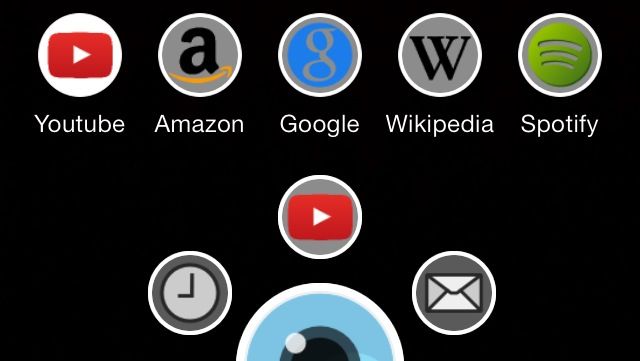
Shot & Find is a visual-search app that lets you quickly search YouTube, Amazon, Google, Wikipedia, or Spotify just by snapping a picture of a movie, video game, or CD cover. It works really well, too. I did a YouTube search from a DVD, and it pulled up the trailer. A Wikipedia search from a 12-year-old video game also worked just fine.
The app’s effectiveness is almost as ridiculous as its premise, but you can’t argue with results.
Now that you know where to find all those DVDs, video games, and CDs with Shot & Find, you might want something to read. All Librarist needs is an ISBN, a keyword, or a quick scan of a barcode, and it’ll let you compare prices from stores all over the world.
The scanning works really well, and it includes an impressive selection of stores to choose from. Now if only it actually had some way to give me more time to read, it would pretty much be the perfect app.
Admit it: You have trouble keeping your camera level when you’re taking a picture of an important document. And then the text looks all weird, and it’s embarrassing.
Alright, maybe it’s not super embarrassing, but it’s nice to avoid skewing anything if you can help it. With Photo Copy Level, you just place your iOS device against the thing you’re shooting and set the level, and then a handy circle tells you when you’re shooting straight. The upgrade unlocks features like an automatic shutter.
Gameloft has released the trailer for its forthcoming The Amazing Spider-Man 2 mobile game.
Timed to coincide with the build-up to the movie sequel of the same name (which hits theaters Friday, May 2), the game will land in the App Store sometimes in April.
Macs are solid machines, but just like their owners they have a tendency to get lethargic as they age. Launching and switching programs takes longer, simple tasks become arduous, and the dreaded beach ball of doom appears more often. The Operating System just starts to feel crufty, and can get worse over time. I see these issues in my IT consulting business regularly.
You may be asking, why does this happen? There are many reasons, but some are more common than others. Sometimes your hard disk (or SSD) gets too full and interferes with normal computer operations. Crashes or misbehaving programs can corrupt the disk directory or application cache files. Remnants from old software may still be running behind the scenes, or you don’t have enough RAM to deal with your OS and workflow.
OK, so is there some sort of tune up or spring cleaning you can do that sorts it out? Your tech always tells you to just reboot the computer, but there’s got to be more than that. The good news: yes, there are some things you can do. And, perhaps, adopt some more efficient computing practices for yourself along the way.
It’s not likely that anyone consistently takes pictures that look like one of the supervillains’ hideouts in the old Batman TV show, but even a slight tilt can make a photo look strange. Orient is an app that will eliminate your photography’s chronic case of the skews by using your iPhone’s gyroscope to ensure that every shot you take is level and straight.
You can choose from a bunch of aspect ratios, and then Orient works almost exactly like your regular Camera app, complete with Instagram-style filters.
Compact Bluetooth speakers are one of the most useful electronic inventions since the MP3 player. Though smaller, more portable speakers are great on the go, but they lack the power often needed around the house or in the backyard. Cult of Mac Deals has a special edition Bluetooth speaker that doesn’t just sound great…it looks great, too.
Freaq n’ Fabulous is a re-envisioned version of Soundfreaq’s highly-praised, compact Bluetooth speaker, the Sound Step. This hi-fi speaker delivers crystal clear audio with its signature sound profile, crafted for natural bass response and vocal clarity. And you can get it for only $99 – 34% off the regular price – during this limited time offer from Cult of Mac Deals.