Mobile menu toggle

Search results for: Apple One

Sonos Controller For iPad Now Available In App Store

By

post-61054-image-422b1e1a919cb82d14e83f3075f5d18d-jpg

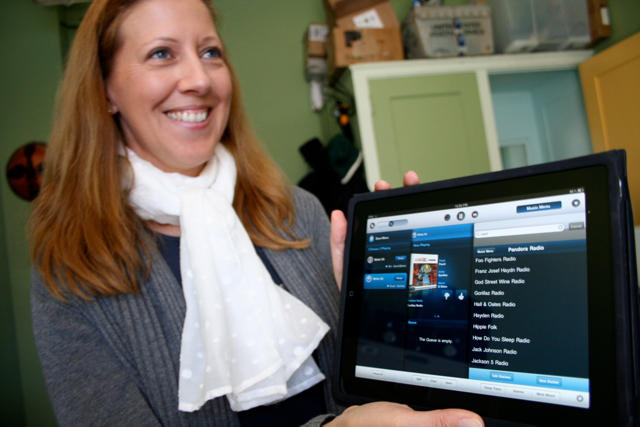
The Sonos Controller for iPad is now available on the iTunes App Store.

The app turns the iPad into a music hub for WiFi-connected Sonos players, streaming music from a variety of online music sources.

We got a sneak peek earlier this summer and were very impressed. The slick app makes digital music very easy — especially listening to online music services like PandoraRhapsodyLast.fm and the fantastic Mog.com. Using the iPad as a big Wi-Fi remote control, you can play music from your iTunes library, thousands of online radio stations, satellite radio subscriptions, or online sources.

Sonos sells wireless music players that make it easy to get multi-room audio around your house. Plug in a player in each room and stream music to each one (or the same music to all of them). Sonos’ products have won kudos for painless setup, ease of use, relative low-cost (you can spend a lot more) and innovation — this is the home stereo of the future. The iPad app takes it to the next level.

Analyst Michael Gartenberg is a fan. “I’ve been testing for a while and it shows the power of the tablet platform perfectly,” he just tweeted.

Sonos Controller for iPad [Sonos]

Sonos controller app page [iTunes]

Obama Can Work An iPod, Here’s His Playlist

By

post-60997-image-1abe84e99df19513c628b862dd41713e-jpg

President Obama may be running the most Mac-friendly White House to date — including launching the health care reform program from a MacBook Pro — and even though he famously quipped he was too clumsy to work an iPod, he has now opened his iPod playlist for Rolling Stone — at the tail end of an exhaustive interview —  to reveal what music gets him moving.

Like a lot of people, the 2,000-tracks on Obama’s Apple MP3 player skew towards old favorites:

“I am probably still more heavily weighted toward the music of my childhood than I am the new stuff. There’s still a lot of Stevie Wonder, a lot of Bob Dylan, a lot of Rolling Stones, a lot of R&B, a lot of Miles Davis and John Coltrane. Those are the old standards.”

To infuse some new life into his old school tastes, he gets suggestions from his personal aide, Reggie Love.

Improve Your Texting With ‘Texting of the Bread’

By

cult_logo_featured_image_missing_default1920x1080

httpvhd://www.youtube.com/watch?v=TmF5_b40swc

I type over one hundred words per minute, and by and large, they are the words zombies taught me to type thanks to the fantastic 1999 title, Typing of the Dead, in which wave after wave of flesh eating zombies are splattered into gibs not by the rapid fire staccato of a machine gun, but by quickly typing words like ‘daffodil’ and ‘snapdragon.’

For years, I’ve been waiting for Sega to port Typing of the Dead to iOS to help me do for my texting what I once did for my typing… to no avail. But Screw Attack’s tribute title Texting of the Bread might fill the same void with twice as much cuteness: it takes the central gameplay of Typing of the Dead, adjusts it to fit the iPhone’s soft keyboard and changes the villains to bloodthirsty ginger bread men.

If you’re interested in knowing more, Touch Arcade has posted a thorough review of the game here. Texting of the Bread can be downloaded now on iTunes for just $1.99.

Daily Deals: $850 MacBook, $930 iMac, $1,175 Mac Pro 4-Core Xeon Desktop

By

cult_logo_featured_image_missing_default1920x1080

794332-large794332-large794332-large

We start off with three hardware deals. MacConnection.com has a bargain on a 13-inch 2.4GHz MacBook for just $850. Next is a 20-inch iMac desktop running at 2.66GHz for $930. For the more demanding users, there is also a deal on a Mac Pro 4-Core 2.66GHz Xeon desktop for $1,175.

Along the way, we’ll also check out new iPhone cases, more software and many other items. As usual, details on these and more bargains can be found at CoM’s “Daily Deals” page after the jump.

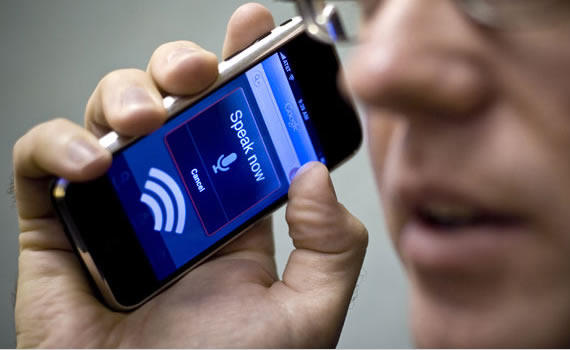
Official Google Voice Client Has Been Approved For The App Store

By

google-voice-iphone

Ever since Apple finally published their long-requested App Store Review Guidelines, we’ve been seeing a lot of reversals in previously unbendable policies, with no example of that phenomena being more striking than Apple’s decision to let third-party Google Voice apps back on the App Store.

So far, though, Google’s own official Voice client has yet to be republished to the App Store. Things are looking good, though, that Google Voice for iOS may once again be on its way, with sources telling Techcrunch that Google has already submitted the application to Cupertino.

Interview: PlainText For iOS, And A Plan For The Future

By

20100928-plaintext.jpg

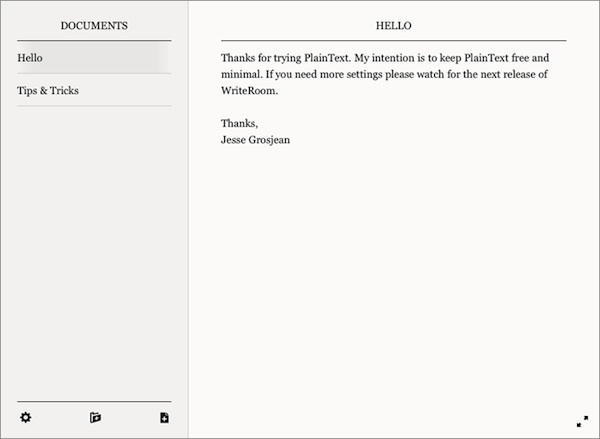
PlainText is the latest text app from Hog Bay Software‘s Jesse Grosjean.

Jesse, as many of you will know, is the genius behind several other apps for iOS and the desktop, including WriteRoom and TaskPaper.

PlainText is very similar to, but not exactly the same as, another of his apps called SimpleText. Where SimpleText was built to sync with a home-made service called simpletext.ws, PlainText has been built from scratch to sync with Dropbox.

PlainText is a simple text writing tool for iPhone and iPad. It will sync with Dropbox, and includes support for TextExpander snippets if you use them. It’s free, supported by adverts. If you want to switch them off, you can for a one-off payment of $4.99.

Amazon Unveils Web-based Kindle

By

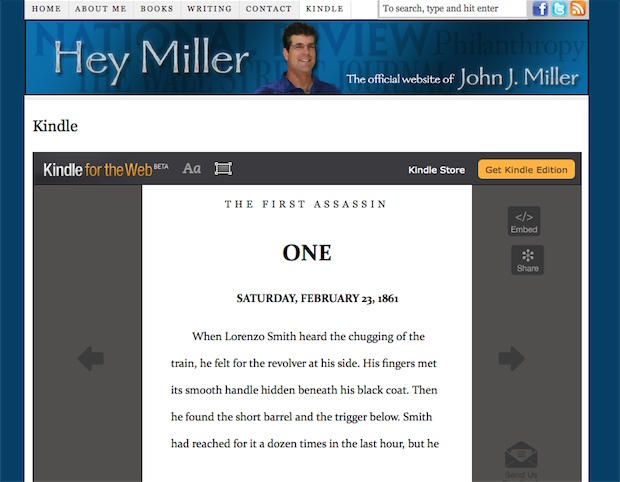
An example of Kindle books embedded in web sites.

Amazon announced Tuesday morning the first chapter of Kindle books can now be embedded and viewed on web sites. “Kindle for the Web” also allows the initial chapter to be shared on Twitter, Facebook and e-mail.

“With Kindle for the Web, it’s easier than ever for customers to sample Kindle books — there’s no downloading or installation required,” Amazon Kindle Director Dorothy Nicholls said. Along with allowing authors to provide a sample of their books, the new Web application permits bloggers and website owners to earn money when visitors purchase a Kindle title on their websites.

WTF iPad App Of The Week: Poo Log HD

By

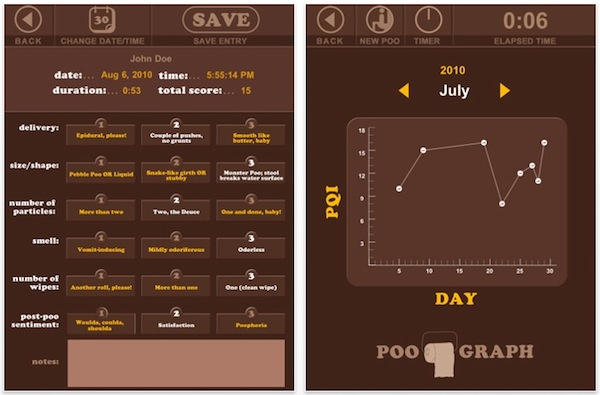
20100928-poologhd.jpg

Long time readers of Cult of Mac may remember a series we carried a year or so ago, under the title WTF App Of The Week.

We’ve not had any of those apps for a while now, but I saw something today that made me reach for the old WTF-ometer, because this most certainly qualifies.

Ladies and gentlemen, I give you: Poo Log HD. Readers of a squeamish disposition may wish to stop reading right here.

50 Mac Essentials #14: Secrets

By

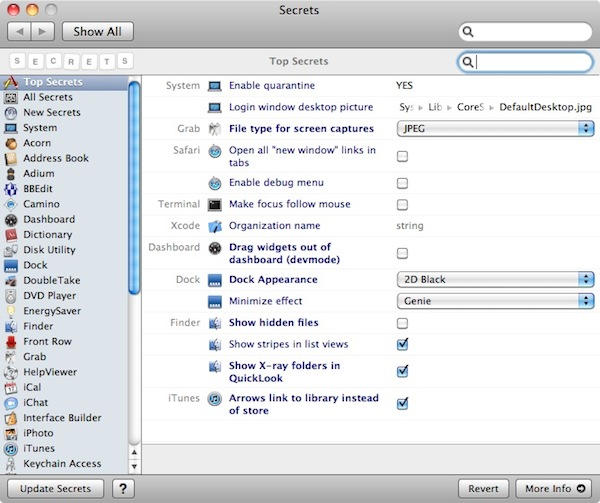
20100927-secrets.jpg

Secrets is a preference pane rather than an app, so once you’ve installed it, you’ll find it inside System Preferences, not in your Applications folder.

What is it? Think of it as “System Preferences Plus”. Secrets gives you point-and-click access to hundreds of hidden preferences in OS X and many applications. Without Secrets, the only way of changing these settings is by using a Terminal window and typing stuff like “defaults write com.apple.iTunes hide-ping-dropdown -bool TRUE” (which is the secret setting for hiding the Ping drop-down menu in iTunes.)

So if you’d rather avoid having to mess around with geekery like that, Secrets is your friend. You can browse through all the hidden preferences on your system, or filter them by application. So if you want Mail to always display messages in plain text, or if you want Safari’s tab bar to stay in view even when there’s only one tab open, or if you want to change how often Time Machine does its backups – well, you can change all of those, and loads more, inside Secrets.

It’s free to download, and frequently updated with new items as and when Apple and third party developers push out updates to software packages.

Senior Advisor Plays Pac Man on his iPad during White House Meetings

By

post-60787-image-b2c3990c25ec373a657ff180e82ec556-jpg

Proof that politicos are just like the rest of us: David Axelrod, senior advisor to President Barack Obama,  keeps himself entertained during meetings by playing video games.

Axelrod confessed to logging in some quality time with old-school favorite Pac Man on his iPad.

Site Real Clear Politics asked Axelrod what does with the iPad he’s been “known to sneak into meetings with.” His answer: “It depends on whether my Cubs are playing…(but) it’s really actually very useful to keep track of what’s going on….I google things all the time.”