Mobile menu toggle

Search results for: Apple One

How to completely uninstall software under Mac OS X [MacRx]

By

Mac Uninstall

Uninstalling software under Mac OS X is generally a straightforward procedure — just delete the program from the Applications folder. Few vendors offer uninstallers on the Mac, and generally they’re not necessary. Most programs don’t run background components or alter system settings files (like the Registry on Windows), and leaving old preferences and support files on the hard drive generally doesn’t do much harm.

But if you are trying to remove an old or corrupt component, reinstall software to change a serial number, or just free up disk space, removing all components of the old application can be important. These components include the application itself, preferences and support items, and sometimes hidden files or kernel extensions. Anyone who’s had problems installing an Adobe CS application or removing Symantec AntiVirus will appreciate how hard it can be to fully remove old software.

Do-Not-Track Tool Added To Latest Safari Browser

By

Safariicon

The latest beta version of Safari now features a do-not-track privacy setting to prevent online advertisers from tracking users as they surf the Web.

The tool has been added to the latest version of Safari in Lion, the upcoming update to OS X expected to go public this summer.

Safari is the third major browser to add a do-not-track setting. It joins Microsoft’s Internet Explorer and Mozilla’s Firefox include it, but Google’s Chrome does not — yet.

Google, of course, is one of the web’s biggest online advertisers. It’s also worth noting that Apple offers an in-app advertising program called iAds that competes with other forms of advertising, online and off.

Wall Street Journal: Apple Adds Do-Not-Track Tool to New Browser

Pogue Pans the PlayBook

By

blackberry_playbook

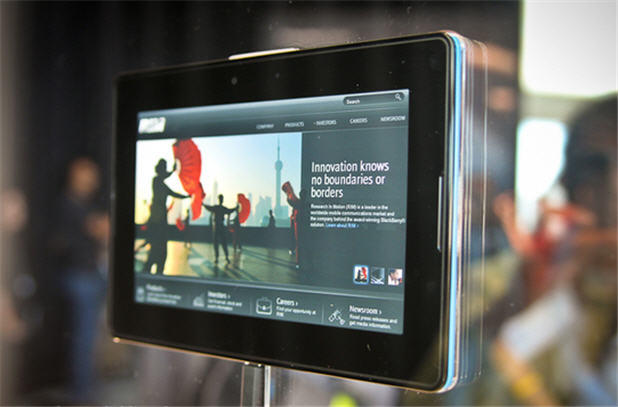
Oh dear. RIM’s iPad competitor, the PlayBook, gets a solid panning from the New York Times’ David Pogue.

The main problem is the lack of apps. Not even native apps. It doesn’t even have built-in email! The hardware is pretty limited too — no 3G or GPS.

The PlayBook, then, is convenient, fast and coherently designed. But in its current half-baked form, it seems almost silly to try to assess it, let alone buy it.

Remember, the primary competition is an iPad — the same price, but much thinner, much bigger screen and a library of 300,000 apps. In that light, does it make sense to buy a fledgling tablet with no built-in e-mail or calendar, no cellular connection, no videochat, no Skype, no Notes app, no GPS app, no videochat, no Pandora radio and no Angry Birds?

On the bright side, it does have a couple of spectacular features: its secure, can be synced wirelessly, and can power an external screen independently (the iPad only does mirroring). RIM promises updates to the hardware and software throughout the year, but by then, Apple will be finishing the iPad 3. It looks like a bomb.

New York Times: A BlackBerry Tablet, but Where Are the Apps?

UPDATE: WSJ’s Walt Mossberg slams it too: “I recommend waiting on the PlayBook until more independently usable versions with the promised additions are available.”

MPlayerX Could Be the Best Mac Video Player Ever [Daily Freebie]

By

mplayerx

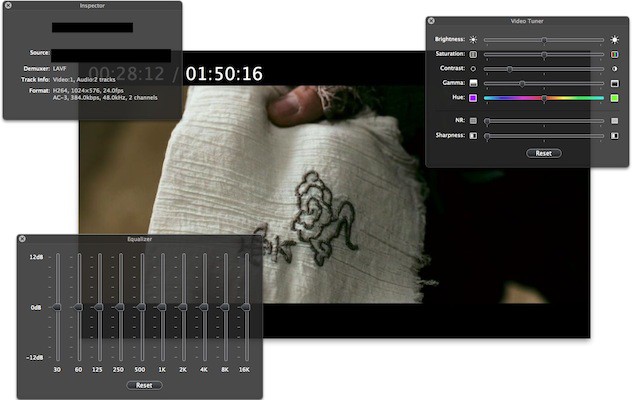
If you haven’t downloaded free MPlayerX yet, do it now. The newish player (it;s been around for just over a year) is the perfect balance between simplicity and performance. It’s the player QuickTime should have been — it’s simple, it’s pretty and it plays absolutely anything you throw at it. It has features like multitouch control via a trackpad that allows you to not only jog control — in a way that makes QuickTime seem awkward and clumsy — but also control volume. Here’s a full list of features from the app’s Mac App Store page:

Daily Deals: 2.4GHz MacBook Pro, 2.8GHz MacBook Pro, $349 Wi-Fi iPad

By

cult_logo_featured_image_missing_default1920x1080

846408-large846408-large846408-large

We start off the day with two MacBook Pro laptops and an iPad. First up is a Core 2 Duo 2.4GHz MacBook Pro with a 13″ screen for $1,049 from Expercom. Next is a MacBook Pro with a 2.8GHz chip and a 15″ screen for $1,439 from the Apple Store. Finally, we have a 16GB Wi-Fi iPad for $349 from the Apple Store.

Along the way, we check out a blast from the past – a 1.33GHz iBook G4 for $215. There is a leather case for your iPad, as well as several software packages – including Microsoft Office 2011 for the Mac. As always, details on these and many other items can be found at CoM’s “Daily Deals” page right after the jump.

8 of the Best Third-Party Twitter Apps for iOS [App List]

By

Twitter-icon-wall

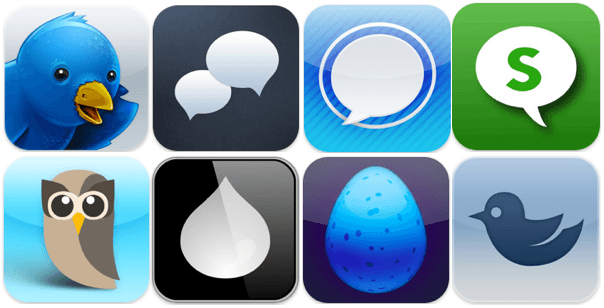
One of the best things about a device like the iPhone is that you can enjoy constant connectivity with your favorite social networks – wherever you are, whatever you’re doing. As one of the most popular social networks, it’s no wonder there’s a shed-load of third-party Twitter clients in the App Store, but how do you separate the good from the poor and decide which is best for you?

If you’re not keen on the official Twitter app, check out our list of the best 8 third-party Twitter apps for iOS after the break.

Public Health App Helps Find Condoms on the Go

By

Picture 2

It’s always sexy time in Philadelphia, apparently.

Public health officials there are the latest in the U.S. to arm horny inhabitants with info on where to find condom dispensers via mobile phones in the hopes of helping bring down STD rates in young people.

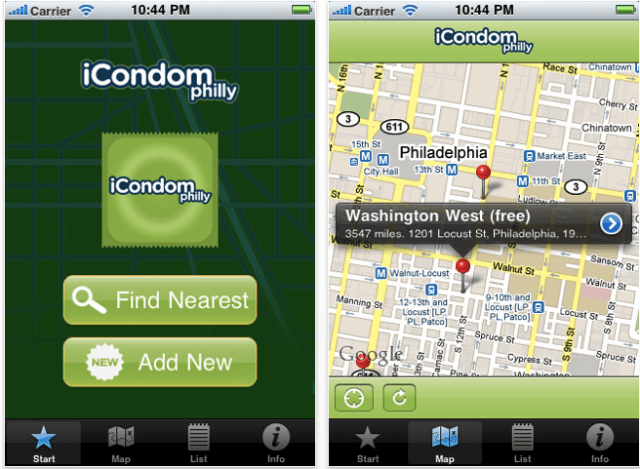
iCondom Philly, offered free in iTunes, is launching as part of a health campaign that includes a sex ed site called Take Control Philly. The city is in the top 10 U.S. cities for sexually transmitted diseases with a disproportionate number of adolescents affected.

If you don’t live in Philadelphia, you may still be in luck. iCondom Philly piggybacks off an app called iCondom, which provides the same info for New York City and Washington D.C.

Gratis to download but ad supported, thanks to hordes of helpful randy regular joes (and josephines) who have added condom dispenser info,  it can also help you locate the goods in Brazil, Spain, Australia, Canada, UK, France, Italy, Switzerland, Sweden and Ireland.

“When we designed iCondom, we had in mind that the application could be easily developed to meet the needs of each city’s publicly-run condom programs that exist worldwide. Philadelphia immediately understood how useful the application could be in targeting youth 11 to 19 years old,” said Morgane Danielou, Founder of iCondom.


Angry Birds Update to Bring Game Syncing, Easter Edition

By

angry-birds-twitter-syncin.png

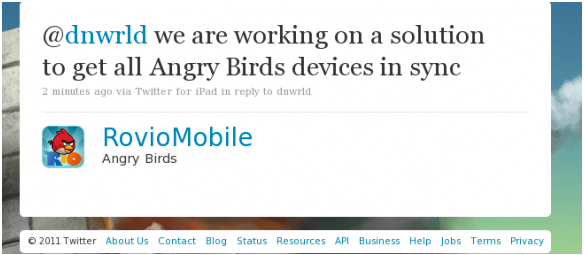
Rovio Mobile, the creator of the hugely successful series of Angry Birds games, has revealed in a message posted on Twitter that it is working on a solution to bring game syncing across all devices. The feature would enable players to begin a game on their iPad at home, which they could then continue from where they left off on their iPhone on the train. When you unlock a new level on one device, you unlock the level on all devices.

Game syncing is a feature that many iOS games would benefit from. As more and more games and applications become universal and playable on both the iPhone and the iPad, one of the biggest frustrations is that you have to complete the same levels, missions, and objectives twice – once on each device. The same goes for high scores.

Rovio has also confirmed a forthcoming Easter update to Angry Birds Seasons – due sometime next week – which will deliver 15 brand new levels to enjoy while you devour your eggs. And if you didn’t have enough platforms the play Angry Birds on, the Facebook version of the game will also get three new levels so that it doesn’t feel too left out.

[via AppAdvice]

Make Wild Stylized Cartoon Videos, Or Download a Free Pocket Darkroom App [Daily Freebie]

By

cartoonatic

What’s better than a free app? Yeah, two of them — so today’s Daily Freebie is actually a twofer. Both are from MacPhun, developer of the PhotoStudio app we reviewed yesterday.

The first is a free version of PerfectPhoto, macPhun’s iPhone photo editor. It may lack the fancy filters of the paid version, but it comes with all the darkroom tools you’ll need to edit photos on the iPhone: adjust exposure, contrast, color temp, shadows, crop images and even a posterize and vintage effect. Frankly, you’re going to be using PhotoStudio for the effects anyway.

The second app, Cartoonatic, (that’s a screencap from its App Store page, above) is where the real fireworks are, though — it’ll let you transform a video clip with nine different, wild-looking effects, with live previews while recording, the ability to play around with the clip’s speed, add a soundtrack from your music library and all kinds of other neat stuff. That’s a lot of wow for free.