New on the App Store is Paper for iPad, made by the team at 53. It’s a gorgeous, simple digital notebook that deliberately ditches features in a bid to keep things simple.
The result is something that’s unusually elegant, and a delight to use.
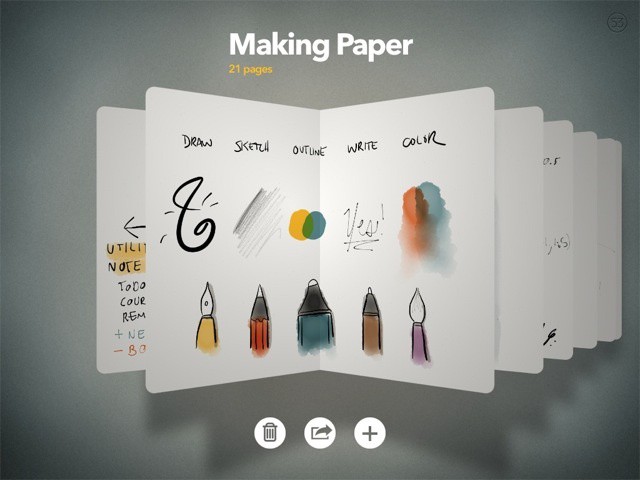
New on the App Store is Paper for iPad, made by the team at 53. It’s a gorgeous, simple digital notebook that deliberately ditches features in a bid to keep things simple.
The result is something that’s unusually elegant, and a delight to use.

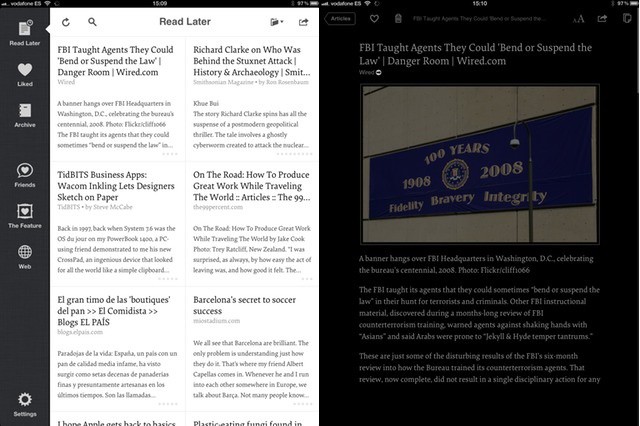
Instapaper has just been bumped from v4.1 to 4.1.1, But despite this tiny numerical increment, there are a few big changes worth writing about.
Marco Arment, the coffee-slurping, BMW-driving playboy developer of the iPad’s best read-later app, has fixed a few bugs introduced in the Retina-ready v4.1 released last week. These include some odd rendering problems for the new default font, Elena, and some speeding up to the page animations which were slowed down by some weird iPad 3 oddities.
But there are also a few new features, and one reversion that should please the luddites who hate the cool cell-table layout of the article list.
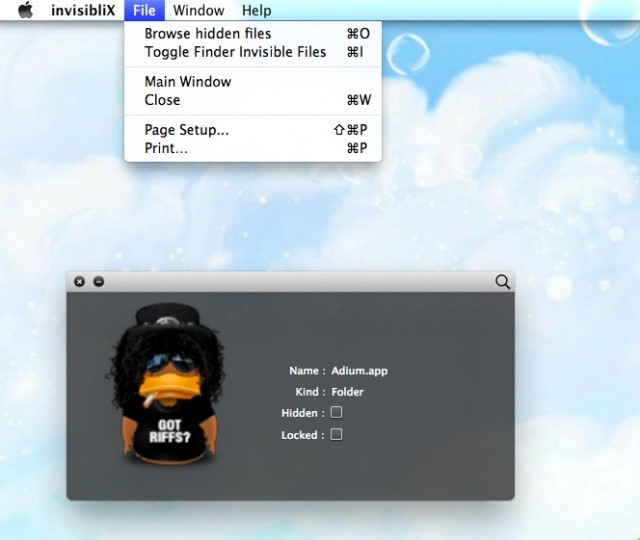
Mac OS X hides files in many ways. One way, a holdover from its Unix legacy, is with dot-files. In other words, if a file is named with a period before the file name (.Hiddenfile), that file will not show up in the Finder. One way to show these files is with a Terminal command like this:
defaults write com.apple.Finder AppleShowAllFiles YES
This works all well and fine, but requires a second trip to the Terminal to reverse it (by changing the YES to NO, natch). Today, we’re going to tip you off to an app that does something similar, yet without the need to hop into Terminal.

Apple CEO Tim Cook has been spending some time in China this week, meeting with officials and even posing with fans at the company Xidan Joy City retail store. He also paid a visit to Foxconn’s new plant in Zhengzhou, where the company employs around 120,000 employs, some of whom are assembling Apple’s iPhone.

Ubisoft has confirmed that its future iOS games will store your save data in the cloud, allowing you to sync your progress across multiple devices. That means you can beat missions and levels on your iPhone in your lunch break, then continue your game right where you left off on your iPad when you get home.
It’s a feature that almost every game — especially those build for both the iPhone and the iPad — should not be without.
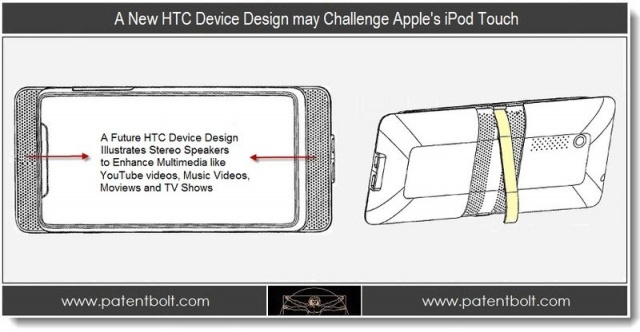
According to an HTC patent filed back in 2011 and a new device design discovered by Patent Bolt, it appears HTC is working on a handheld PMP device to rival the ever dominant iPod Touch. With companies like Philips, Sony, and Samsung all failing to chip away at the iPod Touch’s domination, I guess it couldn’t hurt to give HTC a chance. This new device combined with the new Google Play model could give this HTC device a fighting chance but I wouldn’t put my money on it.
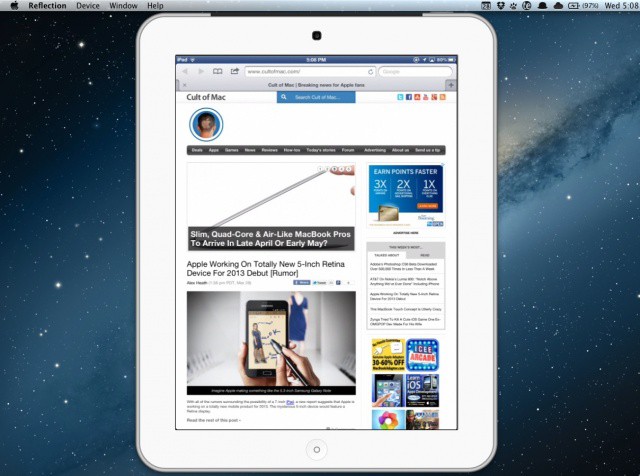
Remember when we told you about the amazing Reflection Mac app that lets you mirror your iOS device screen over AirPlay? Well, the developer of Reflection just updated the app with support for Apple’s latest iPad and its beautiful Retina display.
The huge update also includes support for recording audio as well as video from your iPhone or iPad. Several new features, including full screen ‘theatre’ streaming to your Mac, have been included in version 1.2 of Reflection as well.
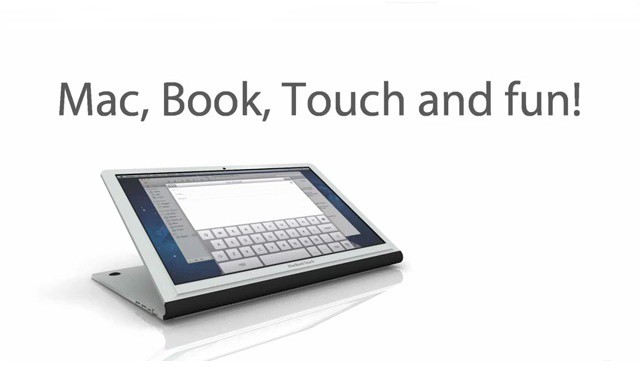
I’ve never had an insatiable hunger to fondle my MacBook Air’s screen. I got an iPad, and she gets the job done. But some people are dying for touchscreen MacBooks because of some weird delusions that having a keyboard attached to their device at all times is an absolute necessity – nevermind that voice-dictation will be the input method of the future. This MacBook Touch concept video/commercial attempts to envision what a touchscreen MacBook Air would look like. I think it’s crazy in the “damn-that’s-so-silly-ugly-it’s-neva-gonna-happen” sense, but you might think it’s crazy in the “cool” sense.
Take a look and let us know what you think:
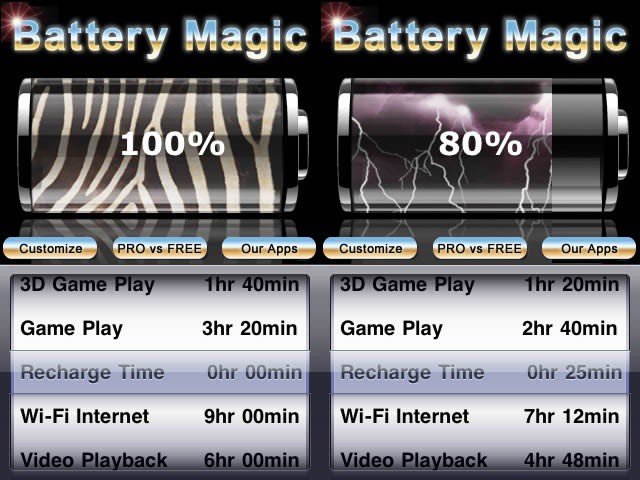
Most days, our iPhones sit in our pockets, not seeing too much use, maybe a phone call here, a tweet or text there. Then there are the days where we’re on Facebook all lunchbreak, playing games on the train both ways to and from work, and then watching a little Netflix while cooking dinner. You know, a heavy use day. There are a kajillion power managers out there, but this one seems to have enough cool features that we thought we’d pass it along to you as today’s iOS tip.

IPhoto for iPad is pretty amazing and, like most of Apple’s iApps, much of the functionality is hidden away like the sweet, sweet meat of a walnut hidden inside its shell. Much of the app is gesture based and, while many actions have menu-driven alternatives, some tricks are gesture-only. Here’s a long list of ways that you can navigate and control iPhoto, using just swipes, taps, twists and pinches.