Some wildflowers, a filthy table, the Cirago Aluminum Bluetooth Keyboard Case for iPad, and an enantiomorph.
How much extra are you willing to pay to get the best iPad keyboard case possible? If your answer topped out at $10, then we’ve got the keyboard case for you, courtesy of Cirago. It works just fine, really, but you won’t mistake it for a Zagg.
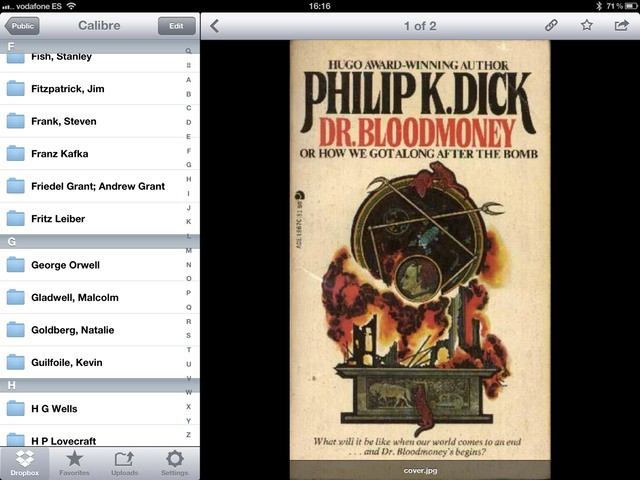
I love e-books. I love them so much that I’m considering buying a double-sided, sheet-feed scanner, chopping the spines of all my dead-treeware books and having an OCR frenzy on their asses.
What I don’t like is DRM. Not for any idealistic reasons (well, maybe a few) but for practical ones. My bookseller of choice is Amazon, as it has the best range and Kindle books work on any device. But the Kindle app for the iPad sucks, and with an update this week it is almost unusable. If only I could read my Kindle books in the beautiful iBooks app. Well, it turns out that I can. And what’s more, I can keep all of my books in a DRM-free format in the cloud, ready to be downloaded to any device, whenever I like. Here’s how.
New Macs! Mountain Lion! iOS 6! The second part of our WWDC special edition CultCast is now on iTunes, and in this brand new episode, no fruity pebble is left unturned.
Join us as we discuss the pros and cons of Apple’s new Macbook Pro with Retina display, the mysteriously missing iMac and Mac Pro updates, and the best and worst new features of Mountain Lion and iOS 6. Yes sir, we cover it all on this special WWDC edition MEGASODE of the CultCast.
Subscribe now on iTunes, and find out why 2012 is going to be a great year to be an Apple fan.
If you’re an iPhone user who plays Angry Birds and watches YouTube videos all day long, you probably think your handset’s battery life is terrible. In reality, the iPhone often provides you with a lot more energy than many rival smartphones, and as for the iPad, well, no other tablet beats it when it comes to staying awake.
But there are some things you can do to make your battery life even better. In addition to obvious fixes — like turning down your brightness when you don’t need it to melt your retinas, or killing apps like Skype that constantly run in the background — identifying buggy apps that might be using battery unnecessarily could make a huge difference. And Carat for iOS helps you do that.
The new Retina MacBook Pros are only Apple's first step towards the living display of the future.
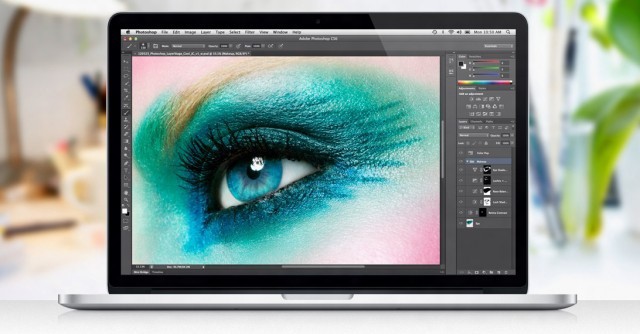
Apple’s new MacBook Pro follows the fine tradition of the iPhone 4 and third-gen iPad in that it has a super high-resolution Retina display: a 2880 x 1800 panel with an amazing 220 pixels packed in per inch.
It’s an incredible display. In fact, it’s such an incredible display that it actually has about one million, seven hundred thousand pixels more than it needs to satisfy Apple’s definition of Retina, leading some to claim that those pixels are all going to waste.
Nothing could be further from the truth.
Apple’s new MacBook Pros have absolutely great displays, but they need every single pixel they have, because the truth of the matter is that Apple’s got a long way to go before it catches its display tech up to the incredible power of human vision. And that’s a good thing, because it means we’ve got a lot to look forward to.
In iOS 6, the status bar changes color to match the app that's running.
As we detailed in another post earlier this week, Apple’s new iOS 6 beta features a nifty new status bar that changes color to match the app you’re currently running. We provided a number of screenshots that showed the status bar in three different shades of blue, and in silver — colors the status bar never displayed in iOS 5.
So how does the status bar determine which color to use? Well, it’s actually pretty simple.
Aviary is a weird old service. It’s a web-based photo-editing suite that runs in HTML (and therefore the iPhone and iPad), but there’s no actual Aviary site where you can upload images and fiddle with them.
Previously, the easiest way to get access was to go to Flickr, but since nobody uses Flickr anymore, that was kind of lame. Now, though, somebody has licensed the Aviary APIs and made an iOS app. Right now it’s iPhone-only, but it’s pretty damn good.
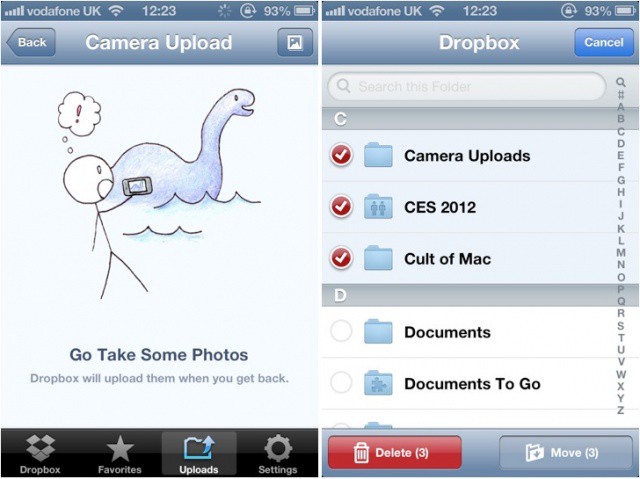
Dropbox has issued an update to its iOS app this morning, introducing the ability to automatically upload photos and videos from your iPhone, iPad, and iPod touch to the cloud. Version 1.5 also delivers a new gallery view for your images, the ability to move and delete multiple files simultaneously, and more.
Star Walk is one of my favorite iPad apps which I use all the time. So I was really interested to meet the people behind this app when its developer, Vito Technology, hit town for WWDC this week. And as their demonstration shows, they’ve gone all out to enhance even further the beauty of their wares.
Apple touts their new 3D maps in iOS 6 as being brand new, but as it turns out, Nokia — of all companies! — beat them to it. That’s right, if you head over to maps.nokia.com right now, you can use what is essentially iOS 6 maps from your desktop browser.