Mobile menu toggle

Search results for: Apple One

JailbreakCon Schedule Includes Star-Studded Roster Of Developers And All-Star Hackers [Jailbreak]

By

JailbreakCon

It’s a great time for jailbreakers. With iOS 6 and the next iPhone right around the corner, it’s never been a more exciting time to for the iOS jailbreak community. If you’re into jailbreaking, you’ll be pleased to know that the world’s first jailbreak convention is headed to San Francisco, California this September, and I’ll be there representing Cult of Mac.

We’ve already given you initial details about JailbreakCon 2012, and now the full convention schedule has been posted for all to see. The lineup of speakers and workshop leaders includes some of the premiere members of the jailbreak community, including the hackers that are already working on a jailbreak for iOS 6.

The Retina MacBook Pro Gets Some Sick (And Expensive) New Build-To-Order Upgrades [Updated]

By

Screen Shot 2012-08-01 at 9.58.38 AM

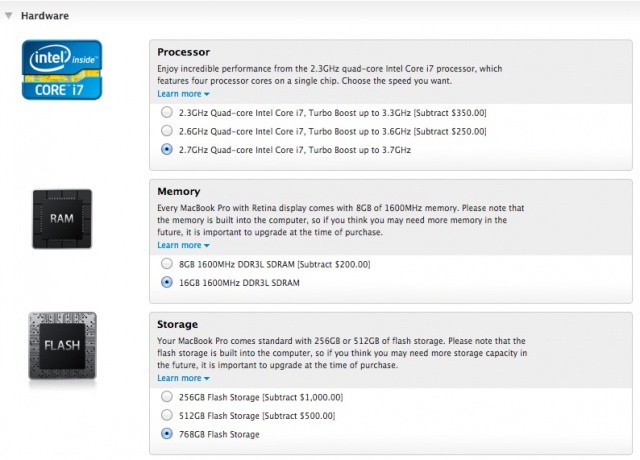
Want a Retina MacBook Pro? Want to spend gobs more money on it? Apple has just expanded the build-to-order options for their most powerful notebook, allowing you to jack up the CPU to up to a 2.7GHz Quad-Core Intel Core i7 processor, or even upgrade the SSD to up to 768GB of flash. Now the most expensive Retina MacBook Pro you can buy is a whopping $3,749.00!

Update: We originally misunderstood the nature of these new build-to-order options. It is only the 2.3GHz Retina MacBook Pro that has recently gotten the option to upgrade to up to 768GB of flash storage; previously, Retina Display MacBook Pros with a faster processor were the only ones capable of being upgraded in this manner. We’re sorry about the confusion. Either way, it now looks like Apple has pulled these build-to-order options from their online store.

Source: Apple
Via: SlashGear

Use The New Inline Find Feature Of Mountain Lion’s Mail App [OS X Tips]

By

Searching in Mountain Lion Mail App

Mail app, while not my favorite email client, is one that comes with the Mac OS X operating system. That hasn’t changed with Mac OS X Mountain Lion, either, and the Apple team has added quite a few enhancements and extra features to make Mail a nicer email client.

One such feature is In Line Find, helping you find text within the body of emails. Until now, you’d have to use a separate Find dialog that only gets you one result at a time. Hitting Command-G would take you to the next instance of the text you were looking for, and you’d repeat that keyboard combination over and over to find all occurrences of the text in your email. Not any more – it’s a lot better in Mountain Lion.

Google Chrome Updated For The New MacBook Pro’s Retina Display

By

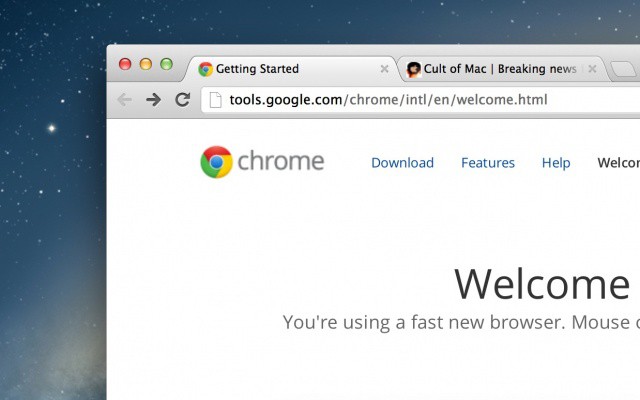
Google Chrome for Mac now looks good on a Retina display.

Good news for Google Chrome lovers: the popular third-party browser has been updated on the Mac with Retina graphics for the new MacBook Pro. This makes Chrome the first browser besides Safari to take full advantage of Apple’s ultra-high resolution display tech. Google has also included built-in webcam and microphone support and several other improvements.

Gmail for iOS 1.3 Gets Faster Scrolling, Animations & Attachment Saving

By

gmail-icon1

Google’s official Gmail app has had a sordid history. It launched so broken it had to be pulled from the App Store, and when it relaunched, it came without push notifications… a pretty big oversight in an iOS email client. Gmail finally got push notifications, but the app overall still felt a little clunky.

Enter version 1.3. Google says the latest update to their official Gmail app for iOS makes a bunch of under the hood changes to improve animation, scrolling and responsiveness.

Keep Up On All The London 2012 Olympic Results With The Official App [iOS Tips]

By

Don't miss a thing.
Don't miss a thing.

Not getting enough Olympic information to feed your habit? Are you obsessing over every event, every result, cheering your team to victory? Well, perhaps the official London 2012 Summer Olympics App from The London Organising Committee of the Olympic Games and Paralympic Games Limited will fit the bill.

This app promises all the latest Olympic news, schedules, and result, letting you stay up to date with the latest happenings from all Olympic sports live while the games are happening. Here’s what it has.

Five Ways To Replace Safari’s RSS Reader In Mountain Lion

By

wpid-Photo-31072012-1519.jpg
The simplest way to bring back RSS to Safari is with Daniel Jalkut's extension.

Mountain Lion’s version of the Safari browser brough many great things: a unified URL/search bar, iCloud tab syncing and some neat new gestures (try pinching when you have a few tabs open). What it also did was remove the RSS button, replacing it with the Reader button found in iOS. This – apparently – pissed off a lot of people.

So, for those of you who used this button daily, we’ve put together a list of alternatives. None of them will give you the same functionality, but all of them are great RSS readers which work in slightly different ways.

New Gorgeous Checkers Game For iPad Blends Analog Gameplay With Digital Charm

By

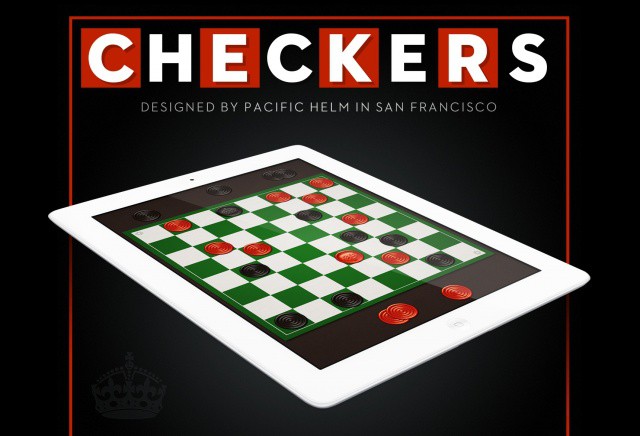
Checkers. On your iPad.

If you’ve never been to a Cracker Barrel restaurant, then I feel sorry for you. Where I live, Cracker Barrel is where you go for hearty, good ol’ fashioned, country cooking. Breakfast is always especially good.

The only times I ever played checkers growing up was at Cracker Barrel. While you wait for your food, there are boards set up around the restaurant with rocking chairs. There’s something about sitting down with a friend or loved one to just play a simple game of checkers. In the age of Xbox LIVE, Draw Something and Scrabble apps, face-to-face gameplay is sadly becoming a thing of the past.

A new iPad game called Checkers blends traditional board gaming with pixel-perfect digital charm.