Next week sees the beginning of CES, and with it I’m hoping to see a deluge of new Lightning accessories. All of Apple’s star mobile devices have switched over to the new connector, but the accessories industry still hasn’t caught up.
I have a few adapters to make my old gadgets play nice with my new iDevices, and they work great. But the tiny new Lightning plug will not only shrink current accessories, but also make whole new classes of gear possible.
Zinio, the popular digital newsstand available to Android and iOS devices, has slashed up to 50% off its top 100 magazine subscriptions until. The deal includes titles like Macworld, GQ, Wired, Playboy, PC Magazine, and many more, and it’s valid until Monday, January 7.
So you’re starting a new venture in 2013. Need a new logo for it? What about getting that web design dealt with so you can launch your first website? Perhaps it’s time to finally consider styling up your business cards?
Cregle, the makers of the iPen, a Kickstarter-funded iPad stylus, have upped their game with plans for a second generation digital pen, called appropriately enough, the iPen 2. It’s also gotten a Kickstarter project, and it’s also going to have an iPad model. What’s different this time, though, is that the iPen 2 will have a Mac version of the digital pen, allowing you to write directly on your iMac or Apple Cinema Display.
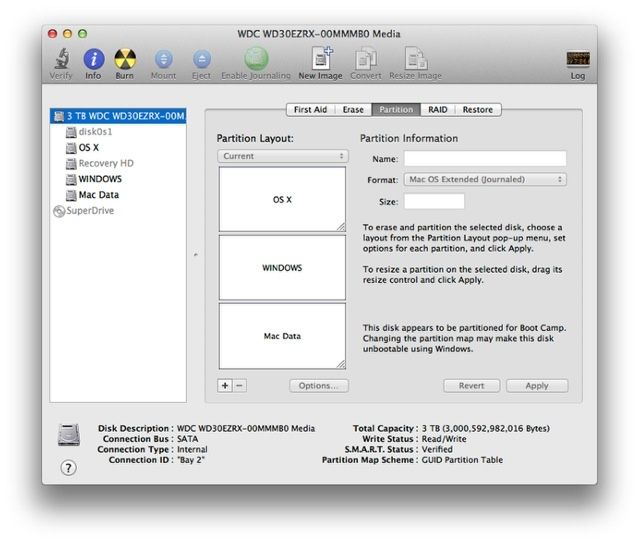
One frustrating aspect of Boot Camp is that it doesn’t support hard drives larger than 2.2TB. That means that if you custom install a larger hard drive, or order a new iMac with a 3TB hard drive, you won’t be able to use all of that space to run Windows. Luckily, there’s now a partial fix, thanks to the developer of Winclone.
Remember Canabalt? It’s the game that kickstarted the endless runner craze, and it’s been a big hit on iOS, receiving heaps of praise from gamers and critics. Its developer has been working on a new iOS game called Hundreds, which is said to be a minimalist yet challenging puzzler that’s set to hit the App Store at midnight tonight. Check out the teaser trailer below.
A new year is upon us, and with that comes a time to refresh and renew your Mac. Cult of Mac Deals has a stellar offer to kick off the new year – one that will give you 4 powerful apps that will make your Mac faster, smarter, and stronger. And all for just $25!
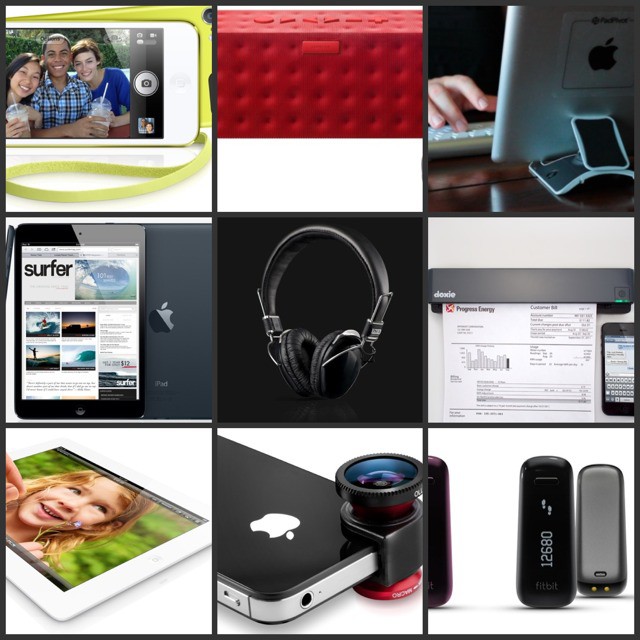
Apple was on fire in 2012. Along with the incredible iPhone 5, we saw the first retina tablet and the pocketable iPad mini. This was also the year in which Apple let the iPod touch out to play, giving it features on a par with the iPhone 4S instead of using leftover components from Google’s leftover Nexus parts bin.
But not everything from Apple made it into our top ten. The Retina MacBook Pro, despite being an amazing machine, is still a laptop, albeit one with a hi-res screen and no DVD player. And the new iMac’s most interesting contribution to tech is the HDD/SSD Fusion Drive. Sure, it’s skinny, but who really cares about a thin desktop machine? It’s like making the world’s thinnest lawnmower.
Most of the rest of my picks reflect the fact that high-tech consumer electronics are now as utterly mainstream as the iron or the microwave oven. Sure, us nerds still love to play with the latest crap, and there will always be plenty of ill-informed consumers who are suckered into buying cheapo Android tablets, but these days gadgets generally Just Work, and the differences are in the little details.
That’s why we have fitness widgets alongside fancy portable speakers and implausibly good-for-the-price headphones.
So, should you be in the mood to read yet another end-of-year best-of list, carry on.
Looking to design an app that gets the attention of those shopping in the iTunes Store? Today’s Cult of Mac Deals offer consists of a free video tutorial that explains important aspects of design – aspectx that propel apps ahead of the competition.
Just in the last year, we’ve published over 400 helpful tips and tricks for both iOS and OS X. That’s a lot of learning, and a lot of information for you to go through. We though it might be nice to take a look back through them all and come up with our favorite tips, organized into topical sections for your browsing pleasure, below.