Mobile menu toggle

Search results for: Apple One

Mastering Mac OS X Calendar: Fix The Default Notification Center Alerts [OS X Tips]

By

Calendar Alerts

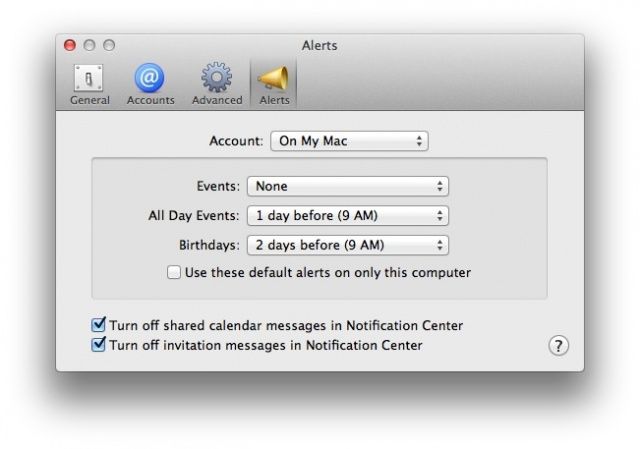
In Mac OS X, Calendar now uses Notification Center to let you know when events are coming up, by default. What if you don’t want these notifications, or want them only for a certain kind of event, like a birthday or timed event?

Well, using the preferences in Calendar, you can do just that, setting things the way you want them, rather than the way Mac OS X has them by default. Heck, you can even turn them off completely. Here’s how.

Twitter-Owned Vine Hits Top US Free App Spot, Co-Founder Announces It On…Twitter

By

Top free app in the US is nothing to sneeze at.

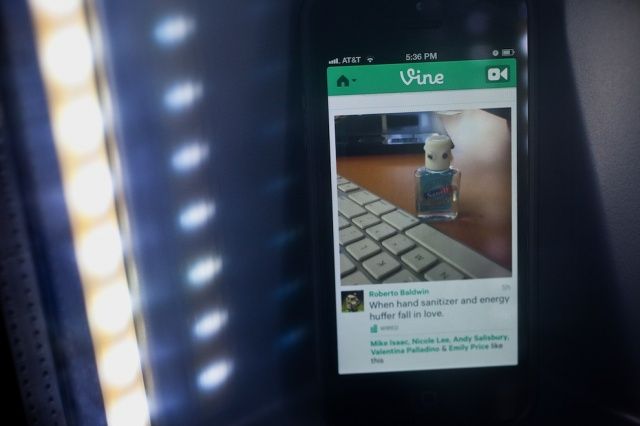
Vine’s co-founder and Creative Director, Rus Yusupov, tweeted today that Vine, the social video app of the moment, has hit the top spot on Apple’s own Top Free Apps list in the App Store. He attached a screenshot of the App Store from his iPhone, showing Vine sitting on top, ahead of hot (and highly advertised) games like Warner Bros’ Injustice: Gods Among Us, and Sega’s Sonic Dash.

Here’s what Yusupov said on Vine’s parent company’s own social networking service: “Hey guys, remember that time we made the No. 1 most popular app in the world? @ckb @dhof @bobby @vineapp”

Create, Search, And Add To Notes With Siri [iOS Tips]

By

Siri Notes

Ever been driving along when inspiration strikes? When the perfect line for that song you’ve been writing appears in your head and you just have to write it down? How about when you’re listening to the radio and you want to remind yourself to look up a book you’re hearing about on NPR?

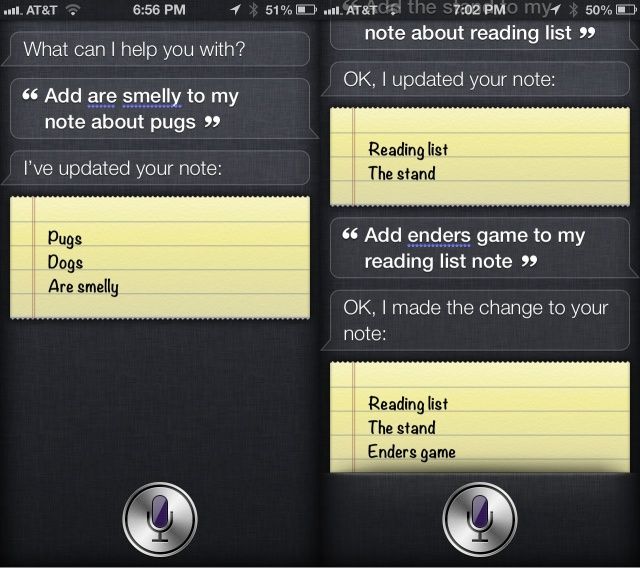
You could pull over and rummage around your glove box for a pen that works and some paper, or pull out the Moliskine notebook you carry around everywhere (you hipster). Or, you can just have Siri create a Note about it on your iPhone. You can even have Siri add stuff to Notes you’ve already made. That way, you can just make a note of it, using your voice and the power of Apple’s personal assistant, and it will sync to iCloud (if you have it enabled), ready for action when you get home, or back to your Mac.

Android & iOS Drove 13.4 Billion App Downloads, $2.2 Billion Revenue In Q1 2013

By

post-222525-image-de884929fb440d49640aa12388f865a4-jpg

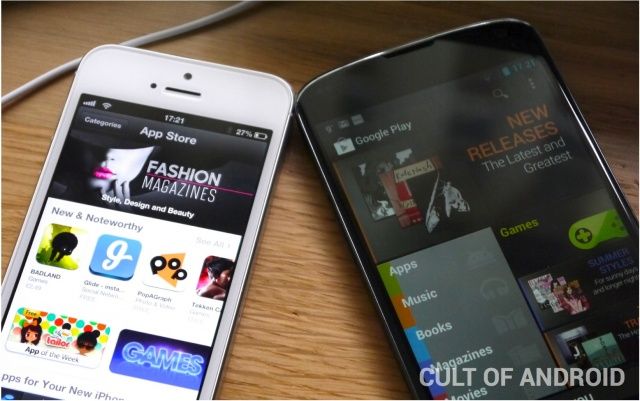
The App Store and Google Play continued to drive mobile app downloads during the first quarter of 2013, while BlackBerry World and the Windows Phone Store remain “distant challengers.”

That’s according to the latest figures from Canalys, which say a whopping 13.4 billion apps were downloaded across these four stores over the last three months, raking in $2.2 billion in app sales, in-app purchases, and subscriptions.

Patent Troll Lodsys Attacks Another 10 iOS Developers Over In-App Purchases

By

If only
If only

Remember Lodsys, the patent troll that began suing a bunch of indie iOS developers back in 2011 over their use of in-app purchases? Well, it’s back to do more trolling. The company has targeted another ten mobile game makers in its latest complaints, which it has been quietly filing in an East Texas court throughout 2013.

The studios named include Gameloft, Walt Disney, BackFlip Studios, and Gamevil.

Pluck Lets You Pick Your Music From The Lock Screen On iOS [Jailbreak]

By

Pluck-iPhone

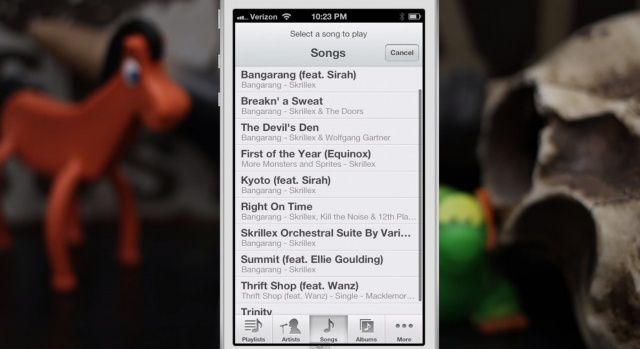
Apple lets you control music playback on your iOS devices from the lock screen, but your options are very limited; you can play or pause tracks, and skip back and forth between them. But if you want to listen to another album, you’ll need to unlock your device and open the Music app to find it.

But not if you have Pluck installed. Pluck is a new tweak for jailbroken iOS devices that lets you access your entire music library from the lock screen.

Mastering Mac OS X Calendar: Create A Quick Event Using Natural Language [OS X Tips]

By

Calendar QuickAdd

As a user of Google calendar, I’ve often ignored Mac OS X’s Calendar app, formerly iCal, for the bright internet lights of the easy to use, sharable online calendar from the folks in Mountain View, California.

I forget, though, that Calendar has a ton of great features for folks who really don’t need or want to use Google’s option, or who just want to stick with Apple products. One of the cool features that I didn’t realize Calendar had until researching this week’s tips is natural language event creation in Calendar itself.

Check it out.

Five Secret iOS Gestures You Need To Know About [Feature]

By

Swipe, tap, repeat.
Swipe, tap, repeat.

The iPhone and iPad are magical devices because of one thing: the well-designed hardware and software works in conjunction to make everything just work. The iOS operating system is a thing of beauty, not least of which because there is so much to explore and learn about.

As a touch-based platform, iOS uses gestures like swipes and taps to let you control things with intuitive ease. However, there are bound to be less well-known gestural commands in such a complex set of software. Here are five of the better ones.

Grab Another World – 20th Anniversary Edition On Steam For A Weekend Gaming Treat

By

Don't all physicists have a Ferrari?

Another World (or, originally, Out of This World) is available on Steam for Mac now for ten bucks. The game has been likened to a proto action/platformer game, having been released in 1991, and then ported to the Super Nintendo Entertainment System (SNES), the Sega Genesis, and the Apple IIGS in 1992. It’s a cult classic, exhibited at New York’s Museum of Modern Art, and you can grab the 20th Anniversary version for Mac now on Steam.