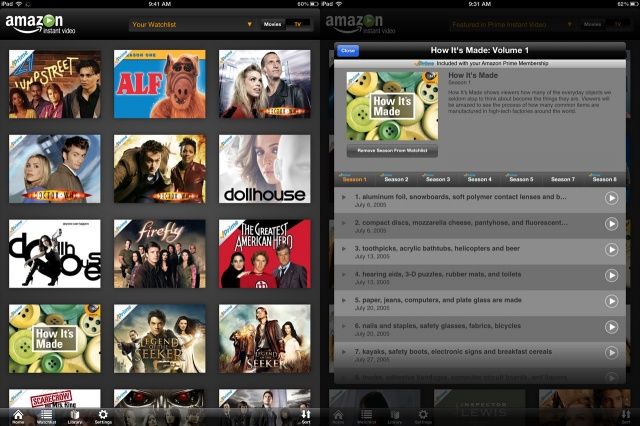
Amazon has just update its Instant Video app for the iPhone and iPad today. The bad news is there’s still no AirPlay video support, but there is a new interface that makes it a lot easier for you to discover movies and television shows you want to watch.
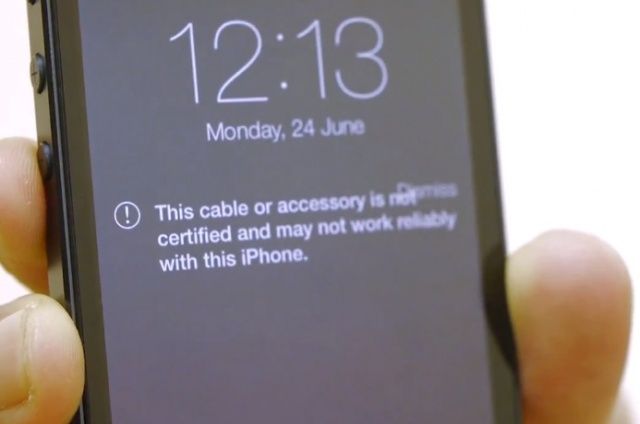
With iOS 7, when you plug an unauthorized Lightning cable into your iOS device, you’ll get a notification that informs you you’re not using a “certified” Lightning accessory, and that it “may not work reliably” with your device.
But after just two weeks, one accessory maker has already cracked Apple’s detection and fooled iOS 7 into thinking uncertified Lightning accessories are certified ones.
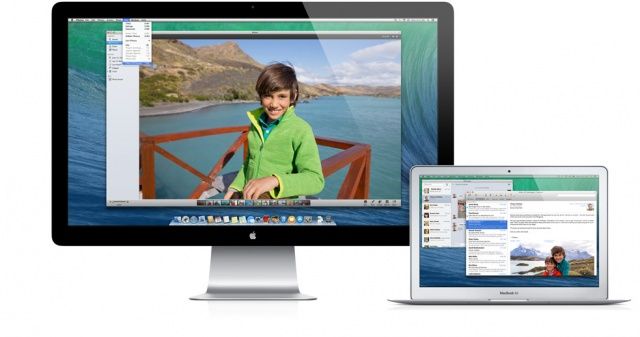
OS X Mavericks (named after a surfing hot spot in California) was announced recently, and it contains a ton of new features for Mac users to pore over and learn anew. While not as incredible an overhaul as the concurrent update to iOS 7, Mavericks still contains some fairly helpful features and additions to make it worth some poking around, even in the beta.
Speaking of the beta, remember that any of the stuff we talk about below may only exist in the beta, or in some other form, so enjoy playing around with these things, but don’t worry when things are different when Mavericks releases for real in the Fall.
That said, let’s take a look at five new, hidden, and above all, interesting, features of the latest beta for OS X: Mavericks.
This time on The CultCast: Microsoft disses Siri but becomes her go-to search; Apple TV gets better with new apps; new Airport routers get even better; Anchorman 2 gets classier; we answer your Facebook questions; we pitch our favorite tech and apps on an all new Faves N Raves; and… WHEW! Just press play already.
All that and more on this week’s CultCast! Stream or download new and past episodes on your Mac or iDevice by subscribing now on iTunes, or hit play below and may the shwartz be with you.
Disclaimer: Seriously, folks, iOS 7 beta is a pre-release version of iOS. Don’t use these tips as proof that anything will be in the final release, or that they’ll work past the beta. We’re providing these as a fun way to explore Apple’s new mobile OS, is all.
The iPhone’s built-in navigation system has profoundly changed my life. No longer do I need to plan extra time to get to a meeting so I can deal with my ability to get lost on even the most benign route in my own hometown, since I can use turn by turn spoken directions to get me to my destination.
When walking however, I’m the guy who’s usually staring down at his iPhone, waving it around in some weird figure eight pattern to resolve interference, and generally bumping into things along the way.
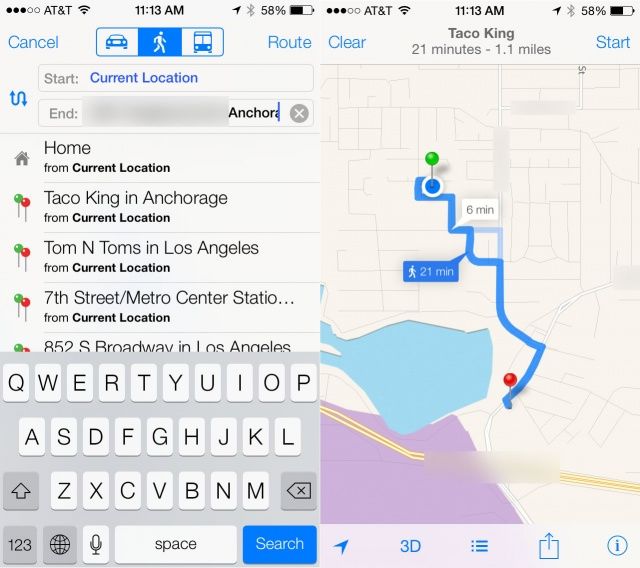
No longer, though, as iOS 7 beta has turn by turn walking directions. Here’s how to use them.
Kanye West and Kim Kardashian have had their baby, and word on the street is that the name is “North West.” KimYe’s creation may very well be the most popular baby on earth right now, but no one has seen it yet. Well, no one except… wait for it… Apple co-founder Steve Wozniak.
In what is probably the most random connection between celebrities in recent memory, the Woz has been chilling with Kim, Kanye, and baby North West.
Google has today updated its official YouTube app for iOS to introduce annoying suggestion overlays that offer recommendations on what to watch next over the top of the video you’re currently watching. The update also adds closed captions for live streams, and more.
I remember when I got my first computer, ever, at the age of 24. It was a Macintosh Performa 638CD, and it came with this sweet little 14.4 baud modem that was my entree to the whole of the internet, which really wasn’t that popular back then.
I remember finding this cool little icon on the Mac with a little hand-drawn person on it, called eWorld. Hmm, I wondered. What the heck was eWorld?
Clicking through, I found an adorable little electronic village, all in that hand-drawn, gentle style. Oh, this must be like Compuserve, or Prodigy, right?
Well, yes and no. The softer, gentler world of eWorld was only for Macs, and it was my favorite place to go. Never mind that it was kind of empty; it was beautiful and I loved it.
Remember that any of the iOS 7 beta features and tips we share with you could change before the latest mobile operating system from Apple hits the streets this coming fall.
Also, be sure that you’re not using a beta iOS 7 on an iPhone you need to get work done on–-Apple has provided it without guarantee for developers to start working with, not for you to use on any mission critical tasks.
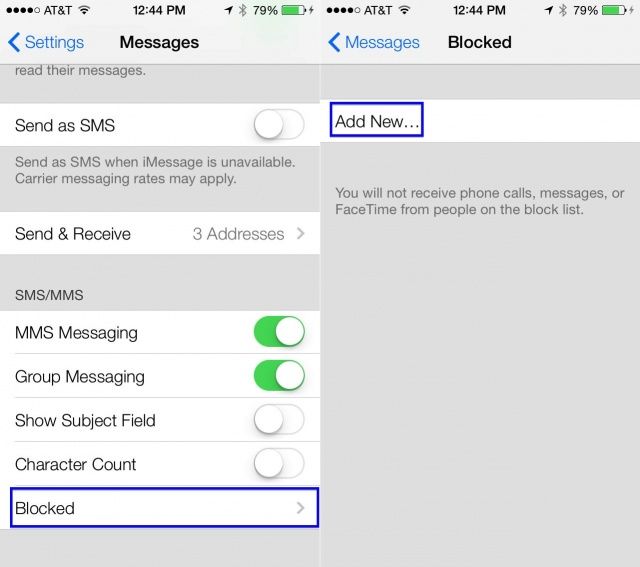
Another of the most exciting new features coming to iOS 7 is call blocking, in my opinion. To be able to keep folks from texting or calling has got to be one of the more requested features on the iPhone, since the beginning.
iOS 7 beta has two places to block numbers. Here’s where they are, and how to add numbers to your blocked list.
It’s not uncommon for new Macs to have issues that require a firmware upgrade down the line to fix, and it looks like that’s true of the new Haswell-boasting MacBook Airs, which are reportedly having a lot of problems with their new 802.11ac WiFi chips.