Mobile menu toggle

Search results for: Apple One

Space Chicks Keeps You (And A Friend) Running And Jumping Well Into The Future

By

space chicks

Crescent Moon Games, the studio behind quite a few amazing mobile iOS games (Siegecraft, Pocket RPG, Paper Monsters), has just released its latest: Space Chicks.

Ignoring the obvious “damsel in distress” trope, this game plays like a spectacular mashup of games like Little Galaxy, Tiny Wings, and Jetpack Joyride, with gravity-affected planet hopping, coin collecting, and space-girl saving that will keep you playing long into the evening.

There’s something here for every one, and it’s all of $0.99.

Ask A Genius Anything: Keeping Your Data Secure, Skipping Troubleshooting And Secrets Staff Won’t Tell You

By

askageniusanything

This is Cult of Mac’s exclusive column written by an actual Apple retail store genius who answers all your questions about working at an Apple Store. Our genius must remain anonymous, but other than “Who are you, anyway?” ask anything you want about what goes on behind that slick store facade.

This week our Genius dishes on how to make sure technicians don’t snoop through your personal data when you bring your Mac into the Genius Bar to get fixed. We also talk about the most polite ways to explain to a genius that you’re not an idiot, as well as other secrets the Genius Bar staff won’t tell you.

Got a question you want an inside scoop on? Send us your questions and the answers will be published first in Cult of Mac’s Magazine on Newsstand. Send your questions to newsATcultofmac.com with “genius” in the subject line.

Q: Can you trust the Genius Bar to not access the data on your Mac when you take it in for service? What should I do before going in to make my data safe?

A: I don’t think technicians are accessing people’s data as often as the internet confessions make it sound. Sure, there have been abuses, just as with any other company, people can’t always be trusted to follow policy or respect privacy.

For me and my coworkers, it’s never been a question. We have far too many other repairs and tasks to bother with anybody’s personal data, aside from the many practices and procedures of the store that prevent such abuses like requiring more than one technician in the Genius Room while doing repairs.

If you don’t like the idea of your data possibly being accessed while it’s in for service, you may want to create a Time Machine backup of your Mac and erase its contents for service. For very sensitive information, one might go as far to zero all the data on the disk multiple times, but no one in the Genius Room is going to try to recover data on a disk. Then again, I don’t know what you might be trying to hide.

To erase and reinstall OS X, create a Time Machine or other backup of your preferences on an external hard drive and check to make sure the contents are intact. Afterwards, restart your Mac and hold down the “Command + R” keys to boot to the recovery disk. Then you can go to disk utility and select your startup disk and erase it. Once erased, you can reinstall Mac OS X and set up the Mac so your technician can boot it up. Once service is complete, restore your data to your Mac using Migration Assistant or your method of choice.

Q: What is the least douchey way to explain to an Apple Genius that I know a fair bit about computers to skip past the dumbed-down troubleshooting, questions and explanations?

A: I love it when people come in and they can explain the problem clearly. Tell your technician what troubleshooting steps you have taken to reproduce or fix the issue. Explaining the issue clearly and describing proper steps for determining the need for service tells me you know what you’re talking about. It also helps speed up the process. There may be some required procedures — as in any other warranty or paid service — but hopefully your explanation has answered most of these and will make the process quicker.

Q: What are some of craziest things you seen while working on someone’s computer?

A: I actually haven’t seen anything that ridiculous…There are so many customers to help that most geniuses don’t have time to run through your iPhone or MacBook and see all your naked selfies — but that hasn’t stopped some customer’s private stuff from just popping up. One time I was helping a mom and her 17-year-old son who had a problem with his iPhone.

I had the kid unlock the iPhone and then proceeded to troubleshoot his Wi-Fi issue. Keep in mind that I always make sure to keep the customer’s screen visible to them so they can see what I’m doing on their device. So I opened up Safari to run some diagnostics and the first thing that came up was a big porn site with huge images of the some of the best, most vile debauchery the world has to offer. I closed the tab as quickly as I could, but the damage was done. His mom saw it and just exploded — launching into a loud, anti-porn rant right there in the store.

That was awkward.

ESPN Launches SportCenter For iOS As Redesign Of Old ScoreCenter App

By

espnsportscenter

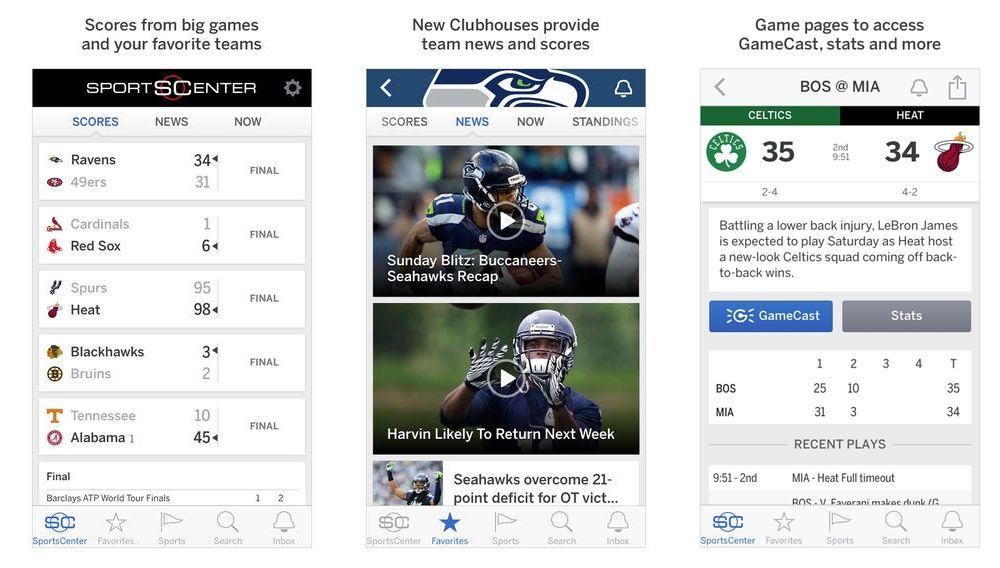
The worldwide leader in sports announced today that it is rebranding its ScoreCenter app for iOS and Android into an all-new, totally supercharged SportsCenter app that comes with a sleek iOS 7 design scheme to go along with some speed enhancements and a host of other new features.

The new SportsCenter app makes it easier than ever to track your favorite teams with the “Clubhouses” feature that brings in content focused for your favorite teams in the NFL, NBA, MLB, NHL, NCAA and more. A new Favorites tab also lets you keep tabs on your teams’ scores along with the new Inbox feature that becomes your hub for alerts on personalized news and scores.

Here are the full release notes:

I Absolutely Did Not Make A Post About ‘Writedown Lite’ From The Bathroom At My Day Job

By

Writedown

Writedown — Productivity — Free (Pro version: $2.99)

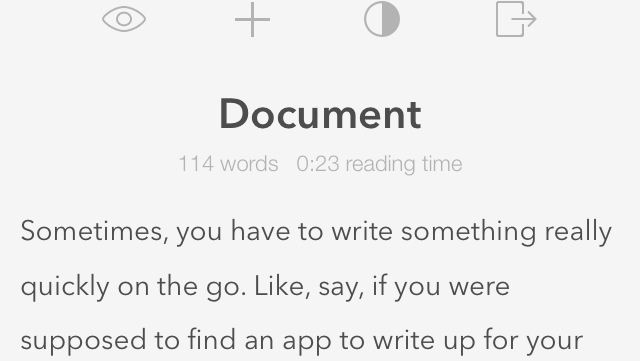
Sometimes, you have to write something really quickly on the go. Like, say, if you were supposed to find an app to write up for your daily post on a tech blog.

Actually, nevermind that example. It’s crazy and would never happen. But if it did, Writedown might be a good fit. It’s a quick and easy document creation tool that cuts out all the distractions (other than ads, in this Lite version). You just type your thing in a clean interface, and then you can export it to a text, e-mail, social media, or share it with AirDrop.

It’s bare-bones, quick, and easy to use. Not that I’m using it right now.

Crazy.

Writedown

Why Do YOU Think You Should Play The Shivah: Kosher Edition? [Review]

By

The Shivah

The Shivah starts with a joke:

The Shivah: Kosher Edition by Wadjet Eye Games
Category: iOS Games
Works With: iPhone, iPad
Price: $1.99

“A goy came up to Rabbi Moishe to ask, ‘Why do rabbis always answer with a question?’

To which Rabbi Moise replied, ‘Why not?'”

First released in 2006, The Shivah is a noirish, murder-mystery adventure game centered around a money-deficient New York synagogue. Its hero, Russell Stone, is not a hardbitten private investigator or a disgraced former police officer like the genre typically demands. He’s a cynical rabbi with a heavy conscience who stumbles into the investigation completely by accident. It sounds odd, and it is, but it also totally works.

Now, developer Wadjet Eye Games has released The Shivah: Kosher Edition, an updated iOS and PC version of the original game with all-new graphics and music. If you’ve never played the original and you’re a fan of adventure games and (well-meaning) Jewish humor, it’s a great take on the well-trod genre.

Xspin Bluetooth Sensor Is Like GPS Tracking For Indoor Bicycle And Elliptical Rides [First Look]

By

xspin-3
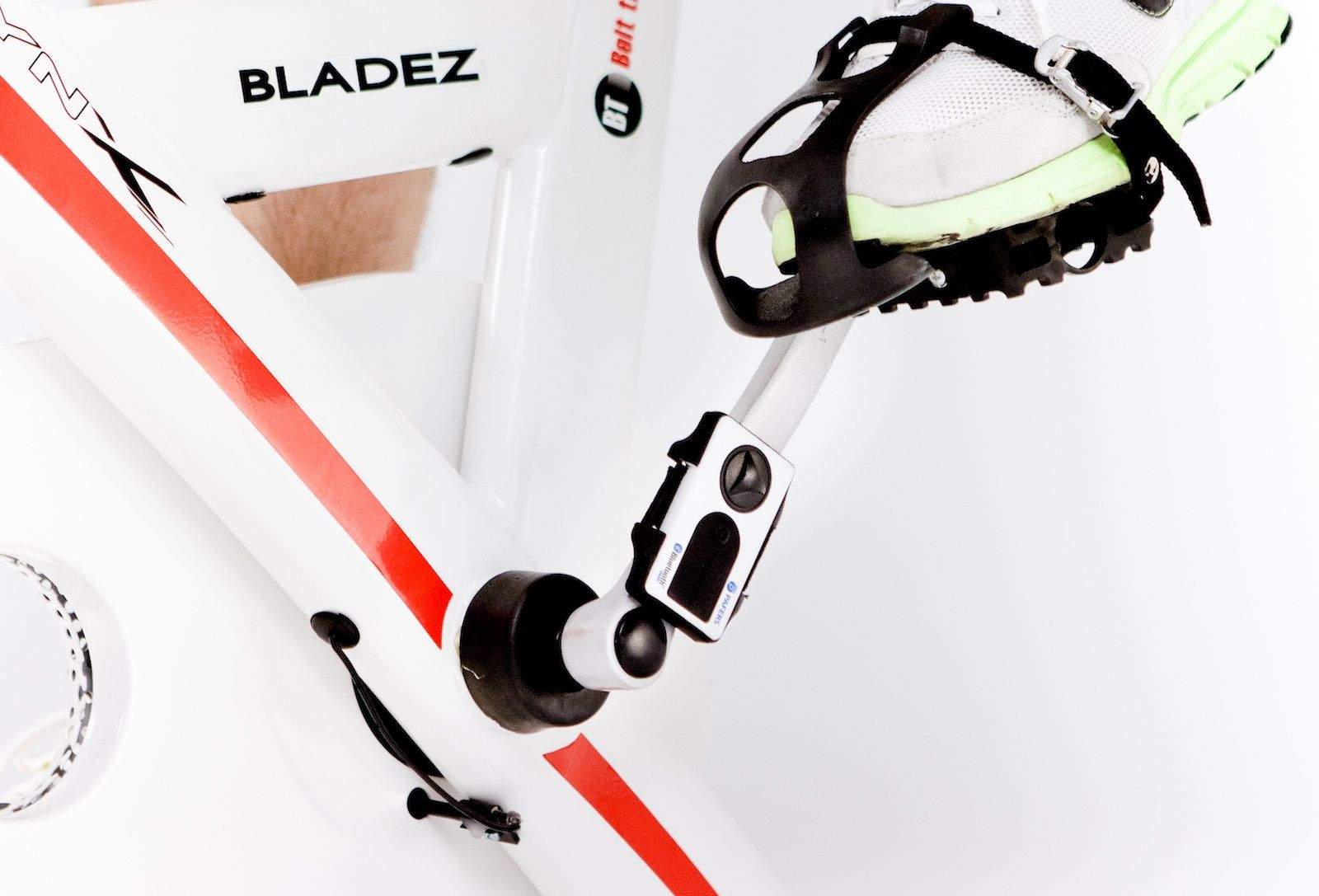
Image courtesy of Pafers.


Now that winter has hit the country, cycling has moved indoors for much of the U.S. That means straddling a stationary bike or throwing your trusty road or mountain bike up on a stand (or if you’re really brave, rollers).

That’s where the Xspin comes in. it’s a small box filled with sensors and a low-energy Bluetooth 4.0 radio that attaches to a crank arm and sends speed, distance and cadence data to an accompanying app — either one of two developed by its parent company, Pafers, or a handful of popular third-party cycling apps, like Strava or MapMyRide. It’ll also work with ellipticals (though it obviously attaches differently, since ellipticals don’t have cranks).