Mobile menu toggle

Search results for: Apple One

It’s Hard To Review Ski Safari: Adventure Time — Because I Can’t Stop Playing It [Review]

By

Ski Safari: Adventure Time

That headline isn’t hyperbole. I’ve started this review three times, but I kept thinking of things I should “check out” in the game so that I could make sure I was writing the thing properly. But mainly, I just wanted to keep playing the new Adventure Time version of Ski Safari.

Ski Safari: Adventure Time by Cartoon Network
Category: iOS Games
Works With: iPhone, iPad
Price: $0.99

If you haven’t played the original, it’s a twist on the endless runner genre: The endless skier. The hapless hero has to give it all he has to outrun an avalanche that is barreling down the hill behind him. He can do backflips for points and can hitch rides on the local wildlife for speed boosts, and all the while, he’s collecting as many coins as he can.

Ski Safari: Adventure Time is the same thing only with 100 percent fewer skis and way more characters from Pendleton Ward’s awesome cartoon series. So basically, it’s better in every way.

Tired Of Clicking? Use The Keyboard To Navigate The Menu Bar [OS X Tips]

By

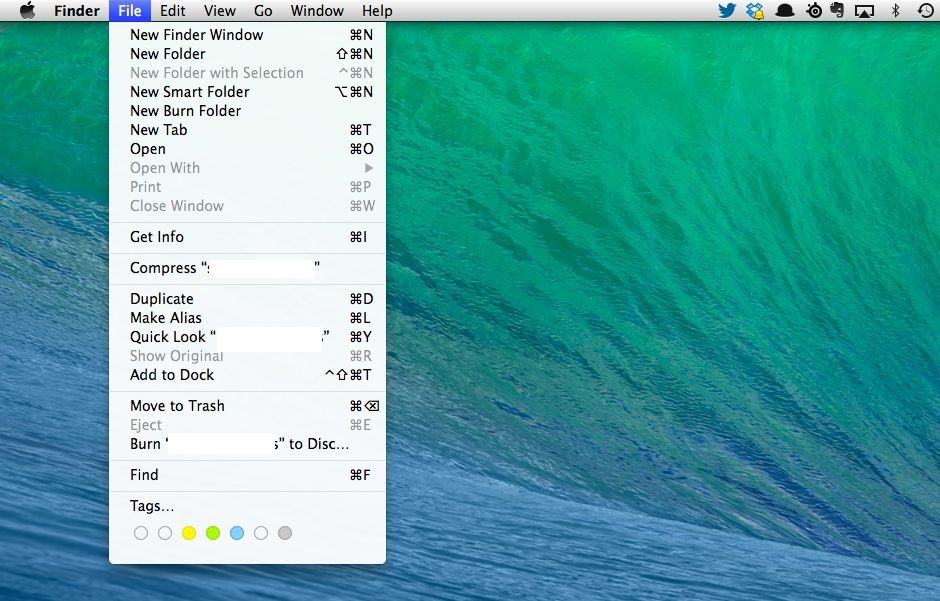
Look, ma, no mouse!
Look, ma, no mouse!

Back in the day, Apple popularized the point and click interface so well that Microsoft decided it would use the same system, thereby paving the way for decades of mouse pointers and menu systems.

Still, one of the great things about Mac OS X is the way it caters to the power user with keyboard shortcuts, both built in and customizable. Heck, in Mavericks, you can even sync these custom tricks with iCloud.

It comes as an obvious surprise, then, when you realize that you can even navigate that most mouse-centric of innovations, the menu bar.

Just In Time For The Holidays, 1Password For Mac Is 30% Off [Deals]

By

mzl.sammiflo

iOS 7 and OS X Mavericks have made passwords easier to deal with than ever thanks to iCloud Keychain, which saves your passwords and logins and syncs them across your devices, but it comes with a downside: you have to use Safari on all of your devices.

That cuts Chrome users like me right out, but luckily, there’s great apps like AgileBits’ 1Password, which does everything iCloud Keychain does and much, much more. In fact, I’d go as far as to say it’s the best password manager out there, full stop. So here’s good news: AgileBits has dropped the usually steep price of 1Password by 30%, allowing you to buy the award-winning, ultra-secure password locker for just $34.99.

1Password is an expensive upfront purchase, but once you make it, it’s worth it: free solutions like LastPass just have none of 1Password’s polish.

You can buy 1Password on the Mac App Store here.

Nintendo Is Experimenting With iOS Apps

By

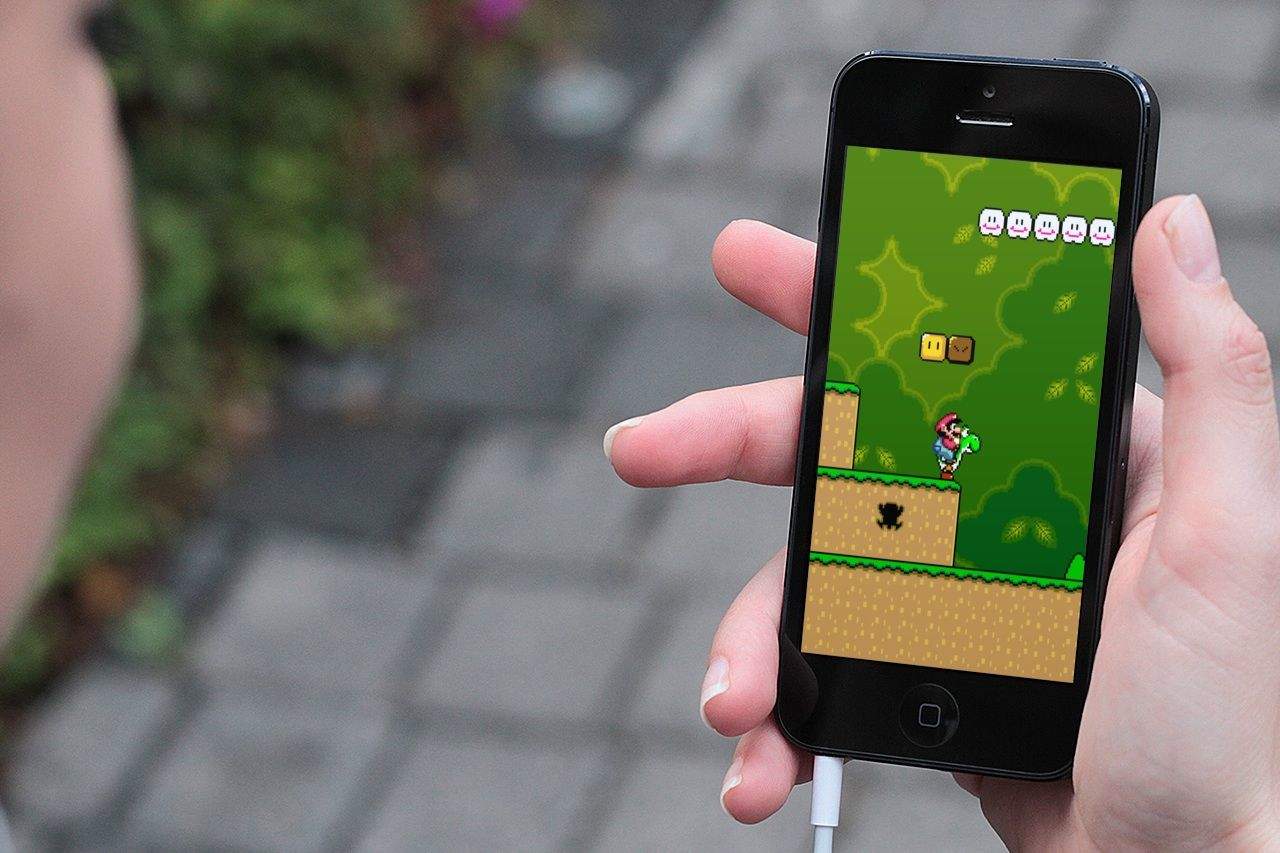
As crazy as it may seem, this year marks Nintendo's 125th anniversary, from its origins as a playing card company back in September 1889, to its status as a gaming powerhouse today.As much as we love Nintendo, however, it has been pretty reticent about embracing the world of mobile gaming; refusing to port any of its core titles to iOS and forcing the takedown of emulators that have tried to provide this (slightly illegal) service. True gamers that we are, though, we hold out hope that one day Nintendo may see the light. With that in mind, here's our list of the 8 Nintendo titles we'd love to see on our iPhone screens.Scroll through our gallery to see which ones made the cut.

As crazy as it may seem, this year marks Nintendo's 125th anniversary, from its origins as a playing card company back in September 1889, to its status as a gaming powerhouse today.

As much as we love Nintendo, however, it has been pretty reticent about embracing the world of mobile gaming; refusing to port any of its core titles to iOS and forcing the takedown of emulators that have tried to provide this (slightly illegal) service. True gamers that we are, though, we hold out hope that one day Nintendo may see the light. With that in mind, here's our list of the 8 Nintendo titles we'd love to see on our iPhone screens.

Scroll through our gallery to see which ones made the cut.


Once the king of mobile gaming, over the past few years, Nintendo has found itself caught flatfooted by the rise of smartphones. Although the company’s 3DS portable game console can’t be said to be a total flop, it’s certainly not selling in gangbuster units compared to previous consoles, like the DS or Gameboy. The reason why is simple: most people have a perfectly good gaming device in their pockets all the time now in the form of their smartphone, and don’t want to have to carry around (let alone buy) an entirely separate device dedicated to gaming.

Many critics have suggested that it’s time for Nintendo to give up and just start releasing games based on its prize characters such as Mario or Link as iOS apps. Such advice is short-sighted, but that doesn’t mean Nintendo can’t be better leveraging Apple’s iOS platform… which is exactly what the Big N seems to have in mind.

Steve Wozniak Backs Kickstarter Kit Computer

By

post-258785-image-dfbf103e63930249542cf5acf965779f-jpg

Would Steve Wozniak and Steve Jobs have created the Apple I as a Kickstarter project had they been born in, say, 1985 and 1990 rather than 1950 and 1955?

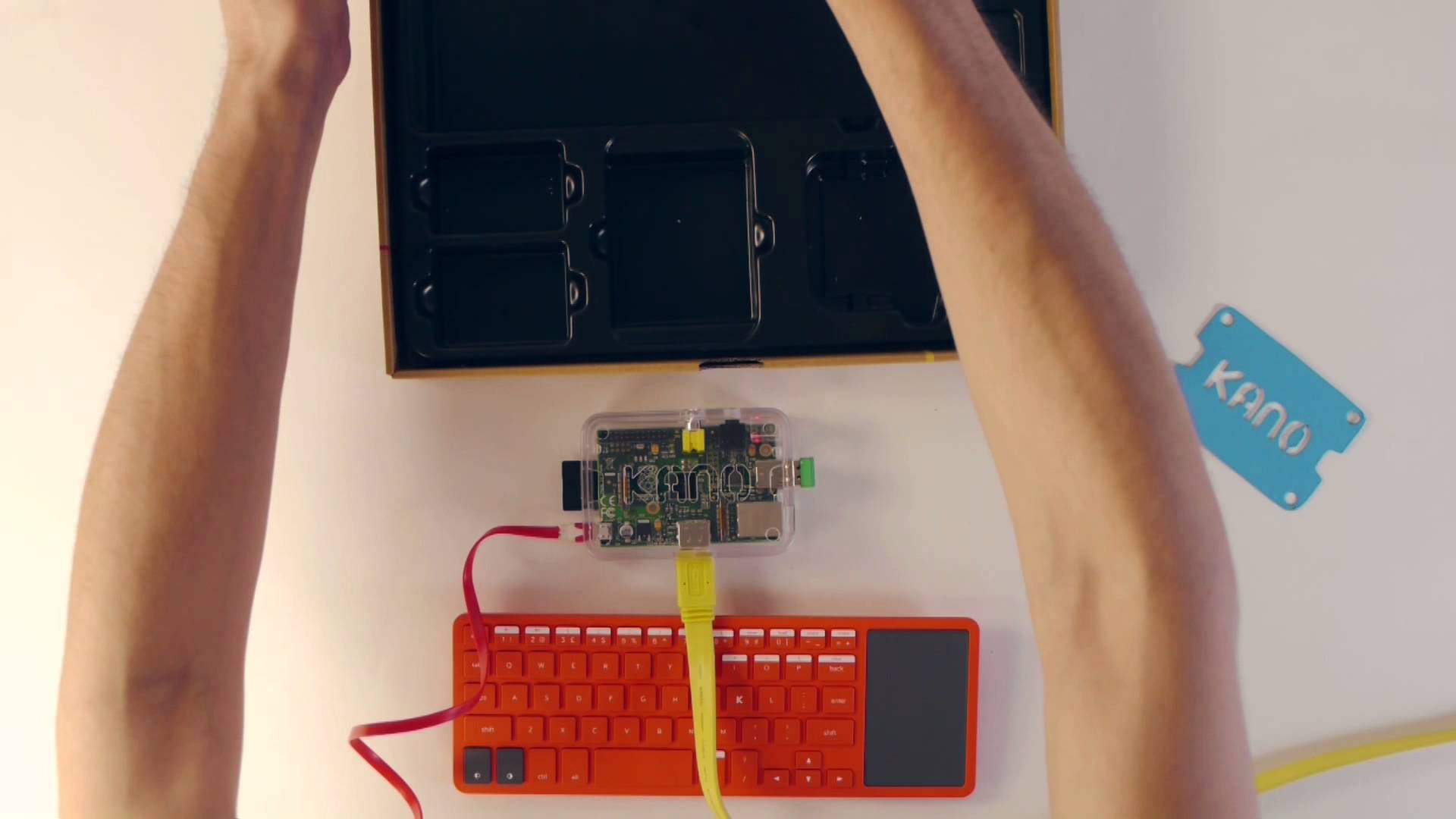
Certainly Apple co-founder Wozniak has clearly always seen a bit of himself in other would-be homebrew engineers — which is why he has supported the creators of kit computer Kano.

Target Won’t Sell New Beyoncé Album Because iTunes Had It First

By

Queen B, Apple, and Target do not all see eye to eye.

Beyoncé rocked the internet last weekend when she released her self-titled album in the iTunes Store as a total surprise. In exchange for launch exclusivity, Apple gave her the red carpet treatment in iTunes and iTunes Radio. The move was a smart one, as Beyoncé is the fastest selling album in iTunes history, moving an insane 828,773 units within the first three days of availability.

Target, another big music retailer that prides itself on exclusive deals with artists, isn’t too happy about Beyoncé’s decision to go the iTunes route.

Obama Is A House Of Cards Fan, And Tim Cook Says They Had A “Great Meeting” Today

By

Screen Shot 2013-12-17 at 3.49.30 PM

Yesterday the White House announced that President Obama would be meeting with a number of tech executives today about HealthCare.gov, the NSA, and how tech is converging the public and private sectors. Another topic of discussion ended up being Netflix’s popular House of Cards series, and apparently Obama is a fan.

While leaving the panel with the President and 14 other American executives, Tim Cook told a reporter that they had “a great meeting.”

Google Glass Companion App ‘MyGlass’ Lands On The App Store

By

googleglassapp


Google Glass isn’t expected to hit the market until sometime next year , but if you just can’t wait another minute to feel the tingle of  the futuristic spectacles on your face you can at least set a placeholder in your heart and on your iPhone with the companion app that just hit iTunes.

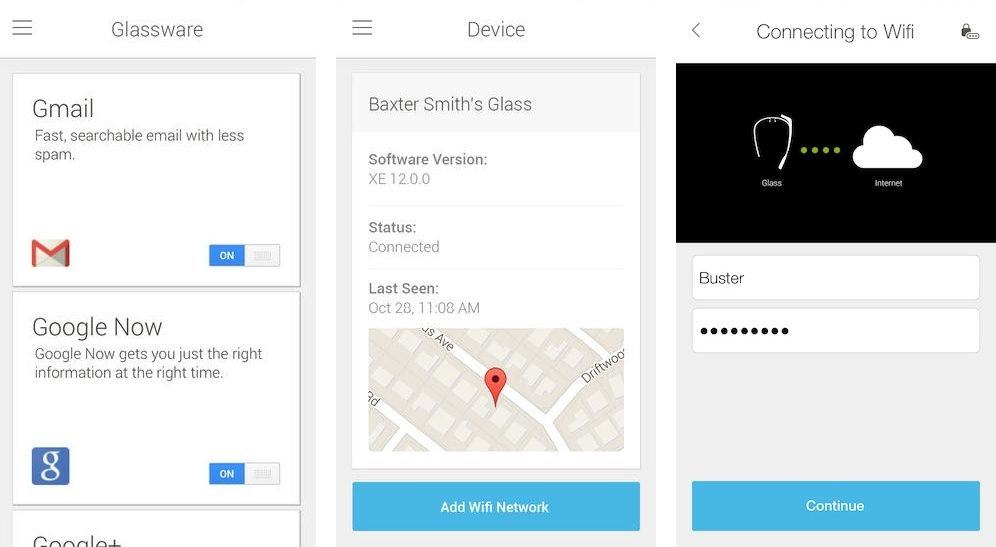
MyGlass, the official Google Glass companion app for iPhone, was just released on the App Store today for free. The app delivers better compatibility between iOS and Glass by letting users configure and manage Glass devices from the app.

Unless you already won a pair of Google Glass there’s not much to see, but the app does finally give iOS users the ability to screencast what you see on Glass to your iPhone – something Android users have enjoyed for a while now – as well as option to add Glassware and contacts.

Here are the release notes:

Editor’s Letter

By

striscia

I’ve been a fan of Apple products from way back. As I left for college, my dad bought an Apple IIGS for the home. All I remember was a ton of boxes and a computer that came with big, fat manuals.

When I got my first Mac, it was a Performa 638CD. It was a beige box contained in (I think) white boxes. It wasn’t very exciting.

Then, back in 2008, I bought the very first model iPhone, the one with a silver back and a black plastic area on the bottom to let the signal in. The box was delightful.

Everything was sensual, from the solid rigidity of the glossy cardboard box to the way each piece nestled gently, safely, inside its own separate section. The iPhone was the first thing I saw when I opened the box.

This first iPhone iteration was a brand new object of desire. I’d never seen such a device, let alone the kind of phone that would all but become ubiquitous over the next five years. If the choirs of angels didn’t sing when I lifted the rectangle of glass and plastic from its carefully molded resting place inside the packaging, but they should have.

Underneath the iPhone were three separate sections: one for the headphones, one for the iPhone dock and a final one for the charging brick. Under those glorious white accessories was the 30-pin connecting USB cable.

What an achievement of design, this box. The packaging alone proved that Apple was making this iPhone for people like me. This wasn’t just messing around; this device was worth some seriously put together casing.

When I was the tech guy for a small non-profit in Alaska a few years back, we used to order new Macbooks every few years to replace the ones that were obsolete or end of life. We’d purchase a dozen or more, depending on the budget.

Opening the boxes to set the MacBooks up became a ritual: I knew exactly what I would find in each box. Every piece had its special place inside the package, which itself had a foam piece glued to the inner top of the flip-up lid to help cushion the MacBook from any inadvertent harm when being transported in the retail carton. There was a handle built in to each container, and everything just, well, fit.

That’s the thing about every product Apple designs these days: the stuff each device comes in is as much an object of attention as the actual iPhone or Mac that it comes in.

It says to purchasers: “Yes, your device is special. It is made just for you (in California).”

It’s yet one more thing that Apple gets right: the box that brings your new miracle of technology into your life makes you feel good even before you use the device itself.

So as you open that shiny new iOS or Mac that came from under the tree in brightly wrapped paper, pause a moment to notice the attention to detail heaped upon the lowly packaging.

You’ll feel good, and be glad you did. Happy Holidays!

Rob LeFebvre is Cult of Mac’s Games Editor.

 

‘Thyme’ Has Your Entire Stove And Oven Covered

By

Thyme

Thyme — Utilities — Free

Here’s an app that might come in useful for any big meals you might be planning.

Thyme lets you set individual timers for each burner of your stove and your oven so that you can see at a glance how much longer everything has to go. It sure beats my usual method of setting one timer on the microwave, one on my phone, one on the back of the stove (which never works, anyway), and then just watching the clock.

We’re all about simplifying here, people.

Thyme: A kitchen timer for your culinary arts