Mobile menu toggle

Search results for: Apple One

How to make AirPods Pro fit any ears

By

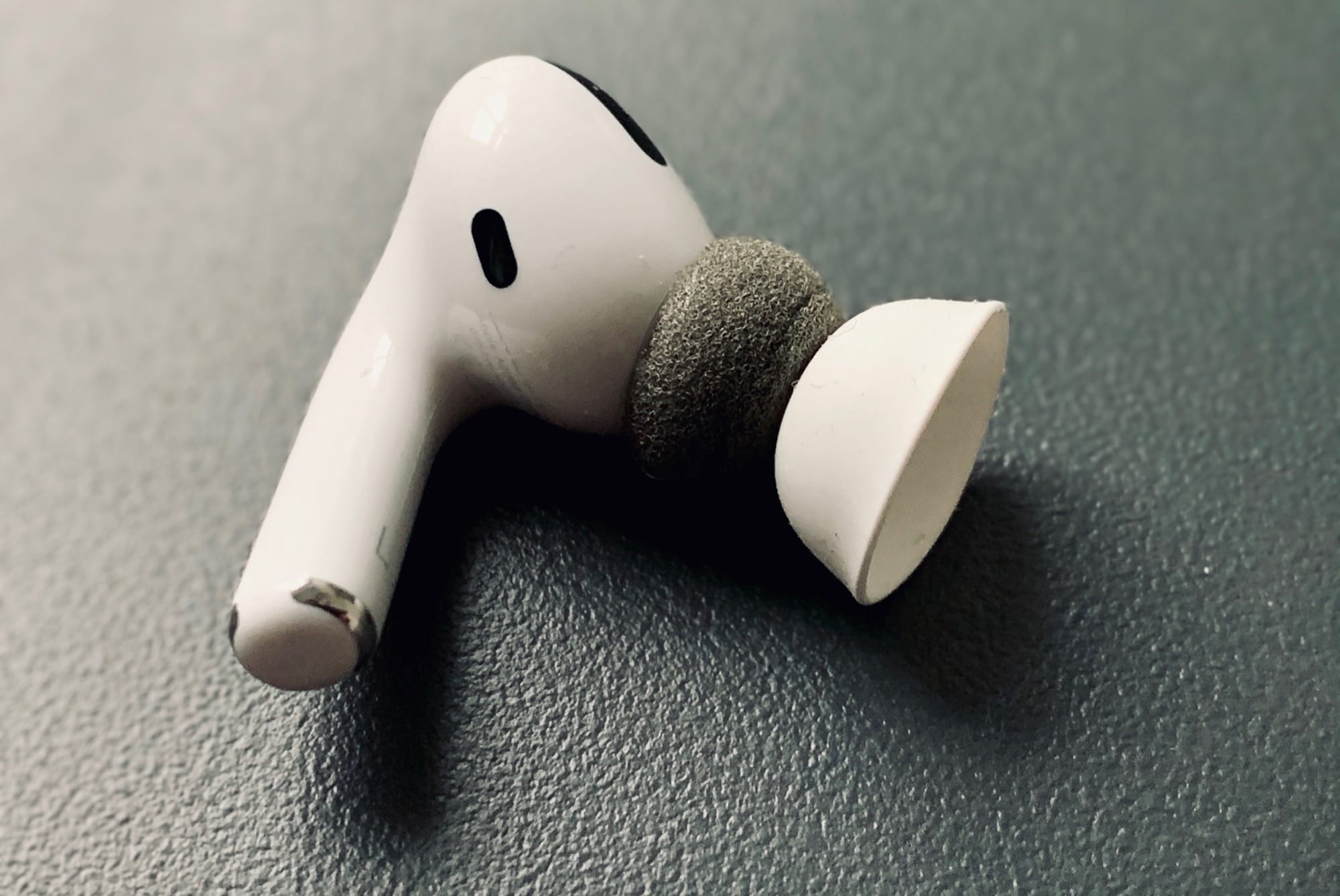
AirPods pro memory foam
This is the simplest "hack" ever.
Photo: Cult of Mac

I sent my first pair of AirPods Pro back to Apple soon after buying them. Why? Because they were too small for my ears. Even with the biggest silicone tips fitted, I could never get too green checkmarks on the Ear Tip Fit Test. But, thanks to an absurdly simple hack, I’m back in the game. Now my AirPods Pro past the fit test every time. More importantly, noise really is sealed out, and the AirPods Pro are super comfy.

Power up all your gear at once with these multi-device chargers

By

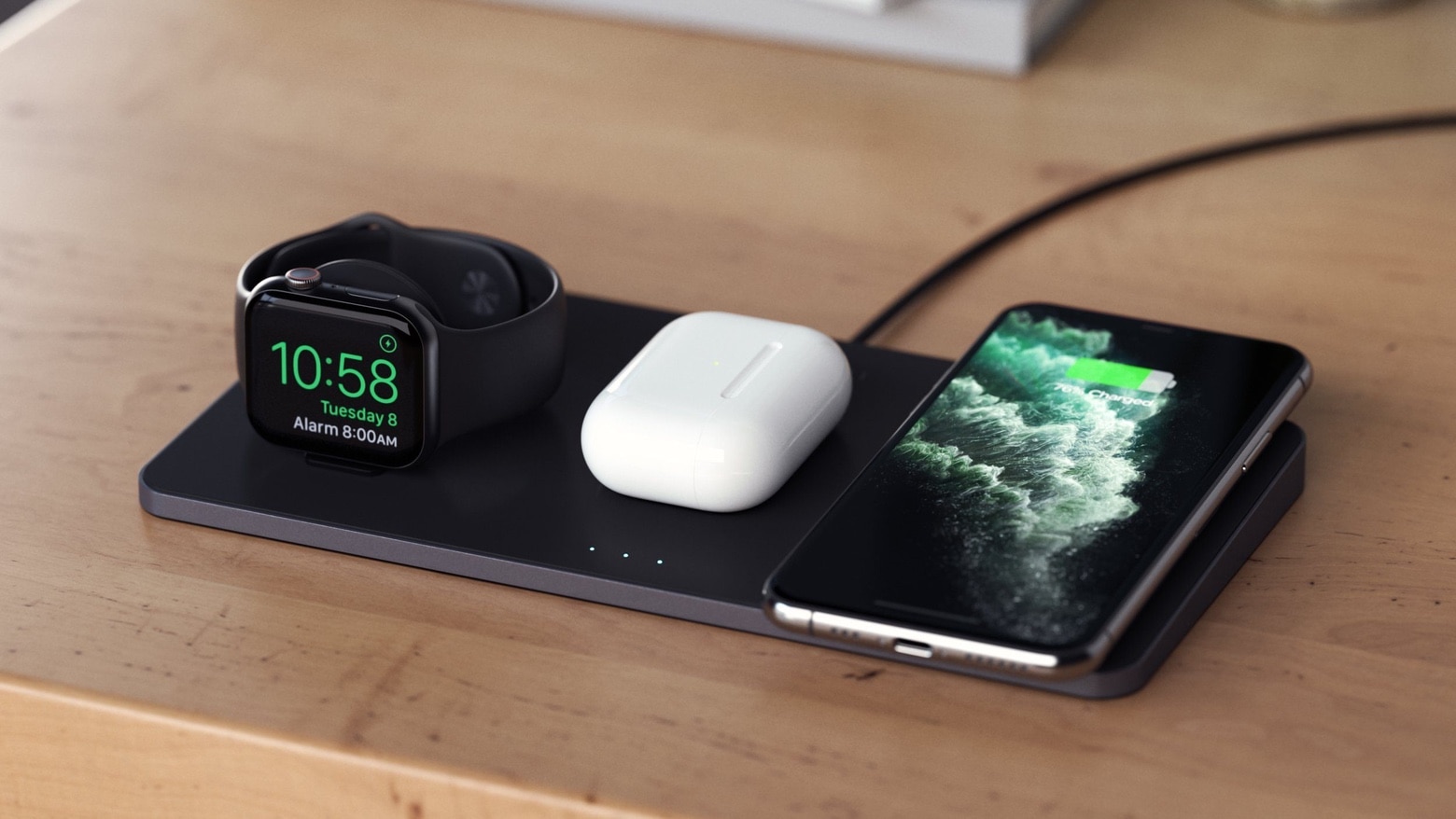
Satechi Trio Wireless Charging Pad
Satechi’s Trio Wireless Charging Pad is one of the multi-device chargers unveiled at CES 2020.
Photo: Satechi

CES 2020The number of Apple products with wireless charging support keeps growing. Accessory makers responded by unveiling multi-device chargers at CES 2020 that can send power to iPhone, AirPods, Apple Watch and other accessories all at once, with no wires needed.

Both Satechi and Pitaka unveiled wireless multi-device chargers at this trade show, going on now in Las Vegas.

Make tracking your budget easy and even kind of fun [Deals]

By

MoneyWiz
This powerful bookkeeping tool makes tracking your budget easy and enjoyable.
Photo: Cult of Mac Deals

Staying on top of our budgets and finances is just part of being an adult. No one said growing up would be all fun and games, but that doesn’t mean it can’t be enjoyable. This personal finance app sports intuitive tools and features for managing money so managing your money feels easy satisfying.

Glitch Clip makes music-video art on the iPad

By

Glitch Clip
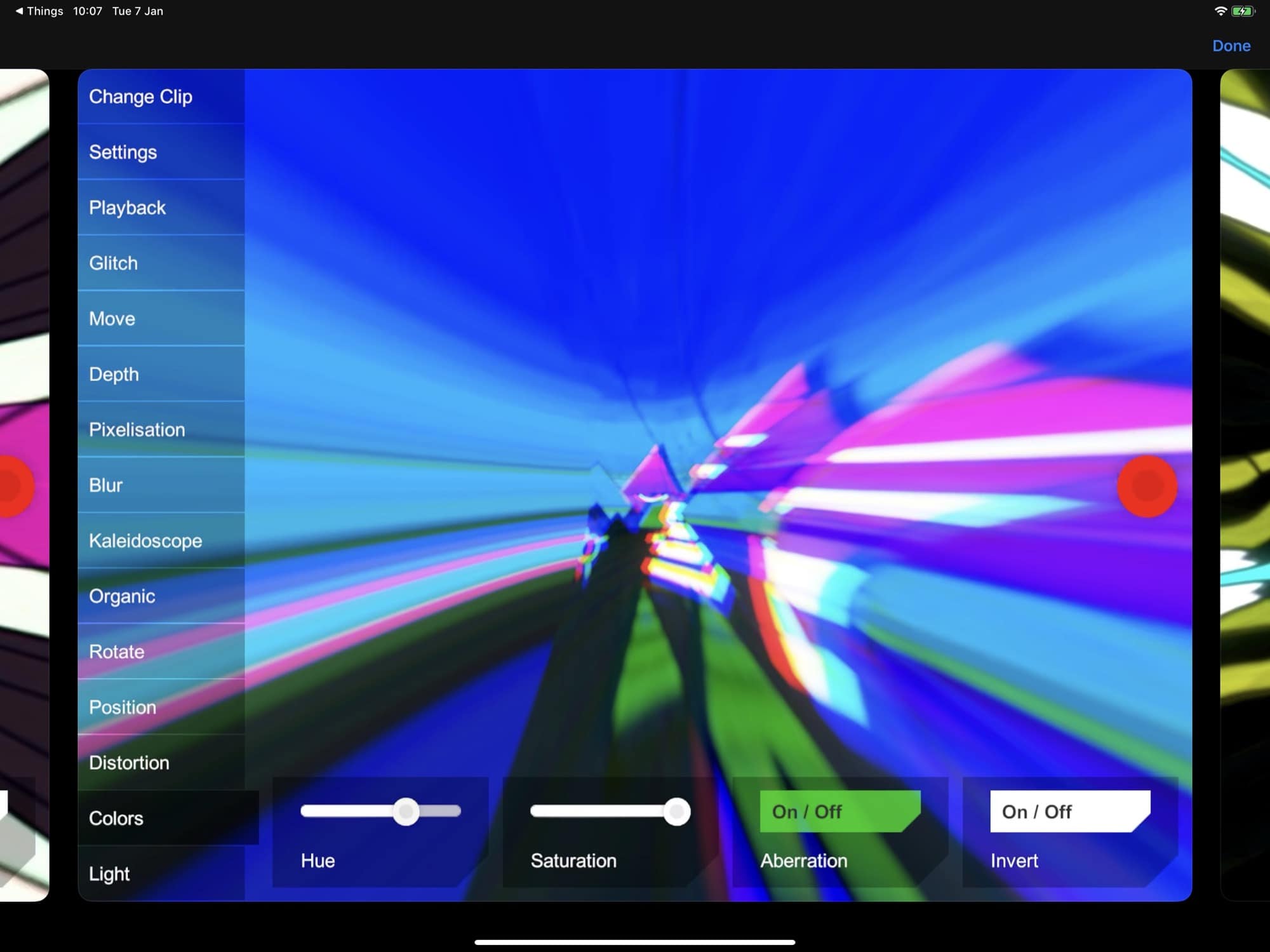
Glitch Clip glitches clips
Photo: Jerôme Gangneux

Glitch Clip is an iPad app for VJs. That is, Glitch Clip lets you combine video clips with in-app effects and visuals, and sync them to music. Thus, you can create live video performances, or you can just make killer music videos for when you put your own songs up on YouTube.

Previously this kind of power was found in apps like Isadora for the Mac, which costs over $500. And while Glitch Clip is no Isadora, it’s only 1/100th the price.

How to stop Safari asking permission to download everything

By

safari download
Imagine if real deliveries had to be given permission to arrive. What a second…
Photo: Kelli McClintock/Unsplash

Ever since Safari 13, the Mac browser now prompts you every time you try to download a file. In this way, it behaves much like Safari for iOS. It’s a security feature, clearly designed to stop websites sneaking files onto your computer. But perhaps you value the convenience of uncontrolled downloads more than this added security? If so, you’re in luck, because you can turn this feature off. Better still, you can still block Safari downloads from “bad” sites, even while allowing new ones automatically.

Why Samsung will probably get away with ‘borrowing’ Face ID icon

By

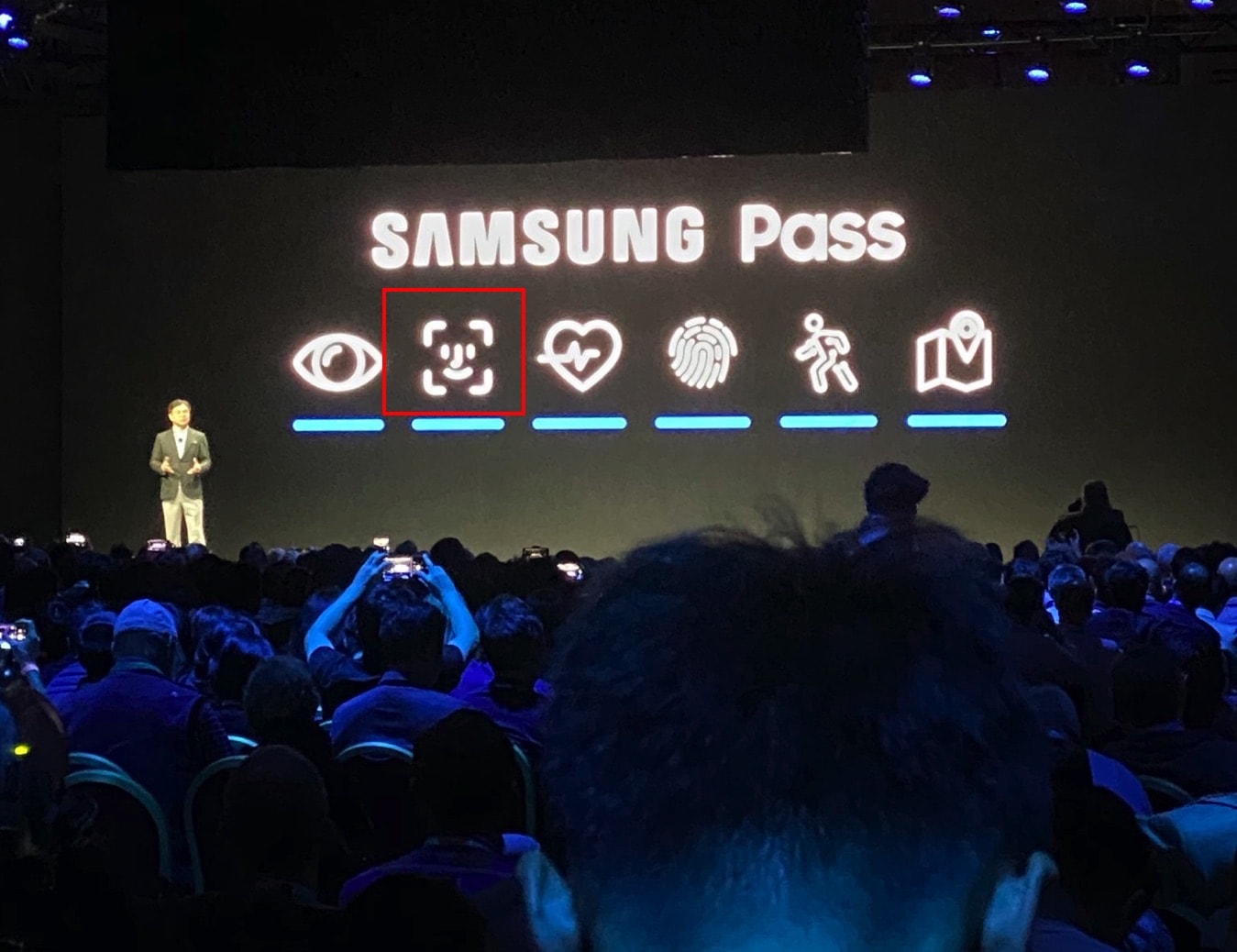
Samsung Pass logo
That logo certainly looks familiar.
Photo: Parker Ortolani/Twitter

Eagle-eyed viewers spotted something oddly familiar during Samsung’s CES keynote Monday. On a slide regarding Samsung Pass, its new biometric “identity management as-a-service” product, Samsung included a logo that looks (to be polite) “borrowed” from Apple’s Face ID.

Yes, this not-quite-identical logo is the latest chapter in Samsung being, err, inspired by Apple designs. But should Apple be firing up its on-call lawyers for an easy win over Samsung? Legally speaking, things might be a bit more complicated than they initially seem.

JBL takes on AirPods with cheaper, more colorful wireless buds

By

JBL earbuds
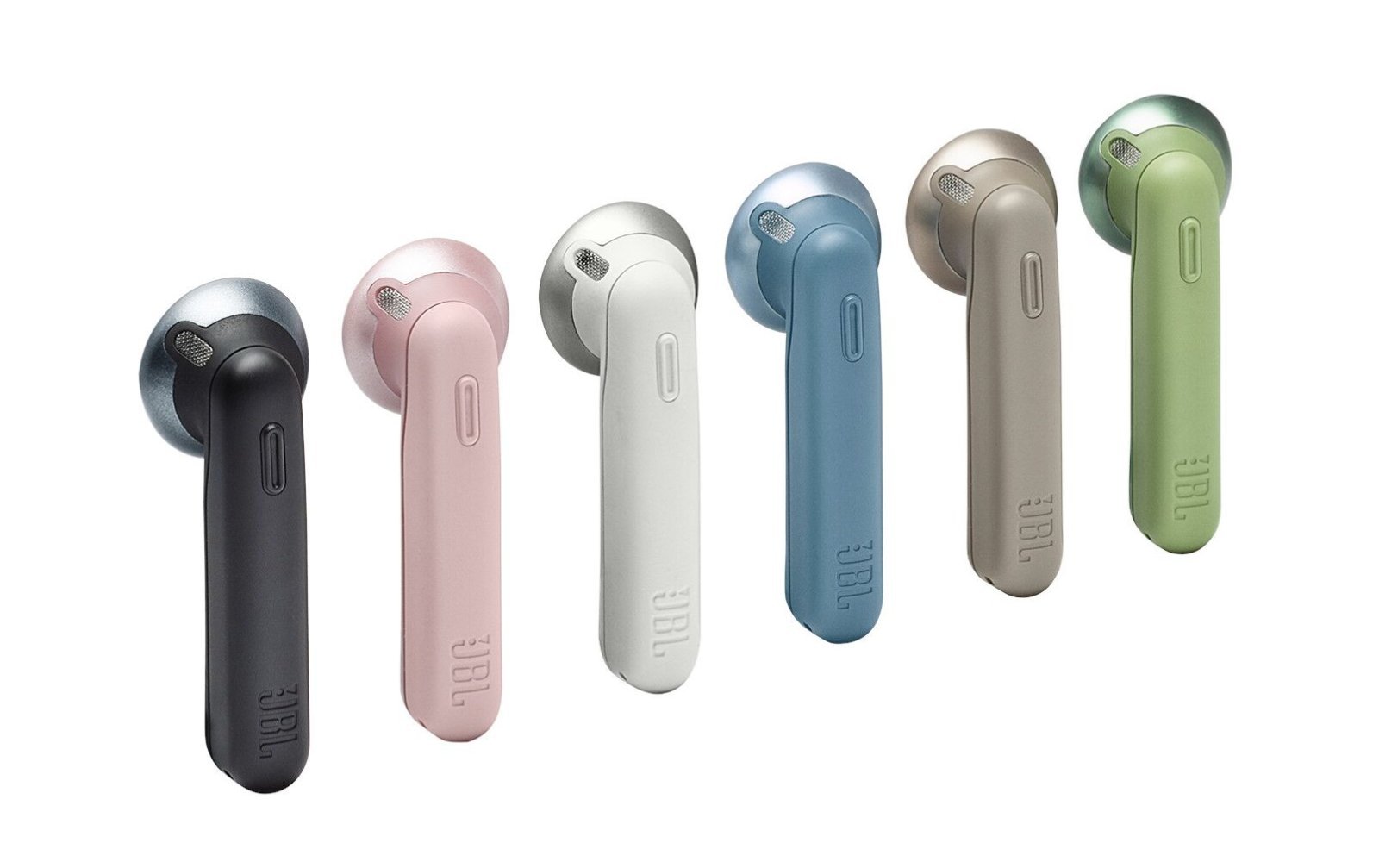
These AirPods rivals are cheaper and, with their range of colors, more cheerful than Apple's.
Photo: JBL

CES-2020-bug-2Given what a ridiculously massive hit the AirPods have been for Apple, it’s no shocker that other companies are keen to jump aboard the wireless earbuds train with their own rival versions. This one, from America audio company JBL, looks highly reminiscent of Apple’s AirPods.

The main differences? It comes in a range of colors, and costs just $99.95. That makes it a cheap and cheerful alternative to Apple’s premium version.

Zagg loads up 10.2-inch iPad with keyboards and cases

By

Zagg Slim Book Go and Zagg Messenger Folio
Versions of the Zagg Slim Book Go and Zagg Messenger Folio for the 2019 iPad were unveiled at CES 2020.
Photo: Zagg

CES 2020Those with the 10.2-inch iPad launched last year will soon have significantly more case options, thanks to announcements made today at CES 2020. Zagg unveiled a collection of three keyboard cases, while its Gear4 subsidiary added two protective cases.

How to fake Finder Quick Actions on older Macs

By

Finder quick actions
Who doesn't love the Finder?
Photo: Cult of Mac

MacOS Mojave and Catalina both have Finder Quick Actions. These are buttons that sit in the preview panel of any file, and let you perform quick actions of the selected file with one click. Actions vary depending on whether you’ve selected an image, a video, and so on. The defaults let you rotate images, crop video, and turn most other things into PDFs. You can also add your own Quick Actions, using Automator.

But what about Macs running macOS High Sierra or earlier? Can you add Quick Actions? The answer is yes, kinda.