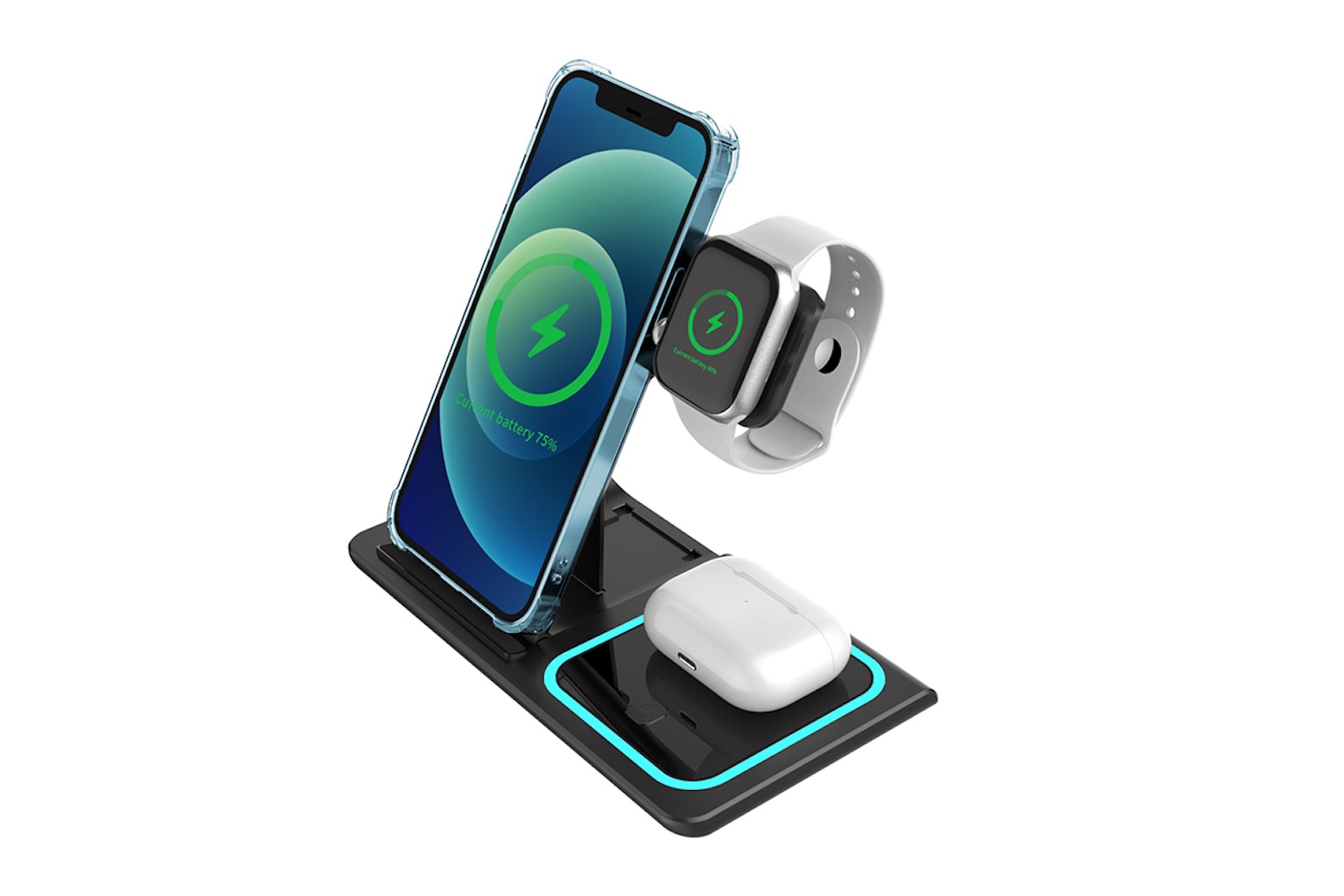
This compact charger can handle iPhone, Apple Watch and AirPods. Photo: Cult of Mac Deals
Why settle for a boring charging stand that is so big it becomes a permanent fixture on your desk or nightstand? This fast, space-saving charging station looks like something out Tron. It juices up three Apple devices at once, and folds flat so you can take it on the road easily.
The Charge & Fold 3-in-1 Docking Station will charge your iPhone, Apple Watch and AirPods simultaneously. And while similar multi-device chargers can cost a fortune, this one’s on sale for just $35.99 (regularly $119).
M1 iMac in orange looks sleek and understated Photo: Apple
Looking to buy a new M1 iMac for your home or office? Amazon is offering a sweet 10% discount on the M1 iMac that drops its price to $1,345 — down from $1,499.
Stocks are limited, so take advantage of the deal as soon as possible.
Many apps can make using your MacBook or iMac even easier, as well as more productive. Photo: Apple
Want more out of your Mac? These six suggestions for solid software are presented by our friends at SaaSGenius.
Though many of us associate the wide world of apps with our iPhones and iPads, they’re crucial for making the most of your MacBook or iMac, too. The best Mac apps can help you expand on your Mac’s capabilities in fun and interesting ways.
Macs are famously easy to use, but great apps make them even easier. And the right apps can jack up your productivity, too. Sometimes the only trouble is finding the best ones.
The list below covers some of our favorite apps to install on a new Mac. Some are free in the App Store (available in your Mac’s Dock or under the Apple menu at top left of your screen). Others you can download from developers’ websites.
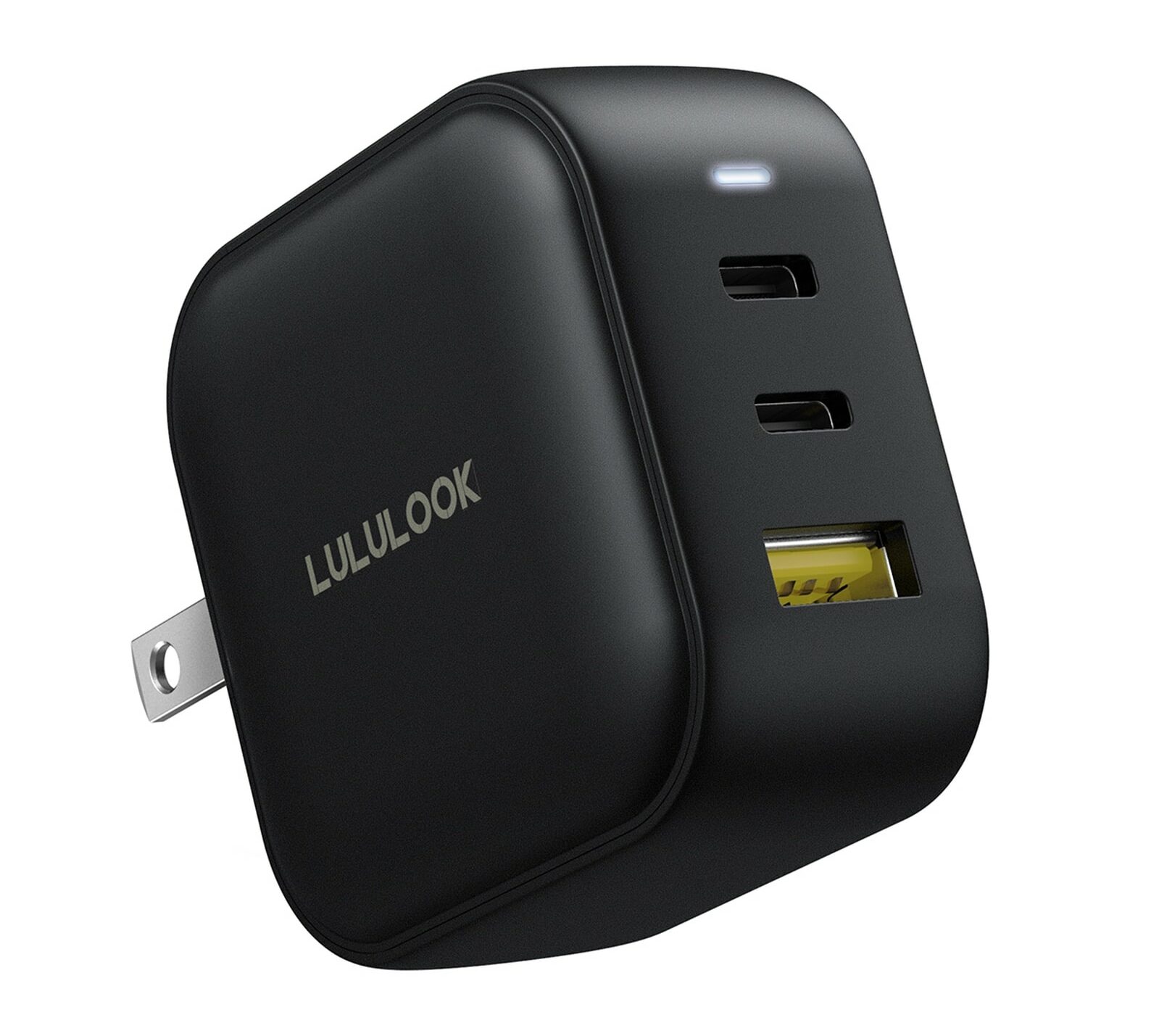
With three ports and plenty of power, this is a great charger for anyone using multiple devices at once. Photo: Lululook
The Cult of Mac giveaway prize this week is a perfect fit for anyone who needs a powerful yet compact charger. We teamed up with Lululook to give five lucky winners a chance to get their hands on a three-port, 65W gallium nitride charger.
This thing can charge everything, from your iPhone mini to your MacBook Pro.
Save on this mini golf simulator that helps improve your swing from home. Photo: Cult of Mac Deals
Nothing quite beats a round of golf when the weather gets warmer, but those sizzling summer days don’t last forever.
Right now, you can get a great deal on TruGolf Mini, a golf simulator that lets you practice your swing at home, in the office or anywhere you want. It usually costs $399, but it’s $100 off for a limited time.
That might sound like a lot of money to play virtual golf. Gut this at-home entertainment system can essentially pay for itself when you use it as a fun party game or save money on buckets of balls at the driving range. And it’s great for when the weather won’t cooperate with your trip to the golf course.
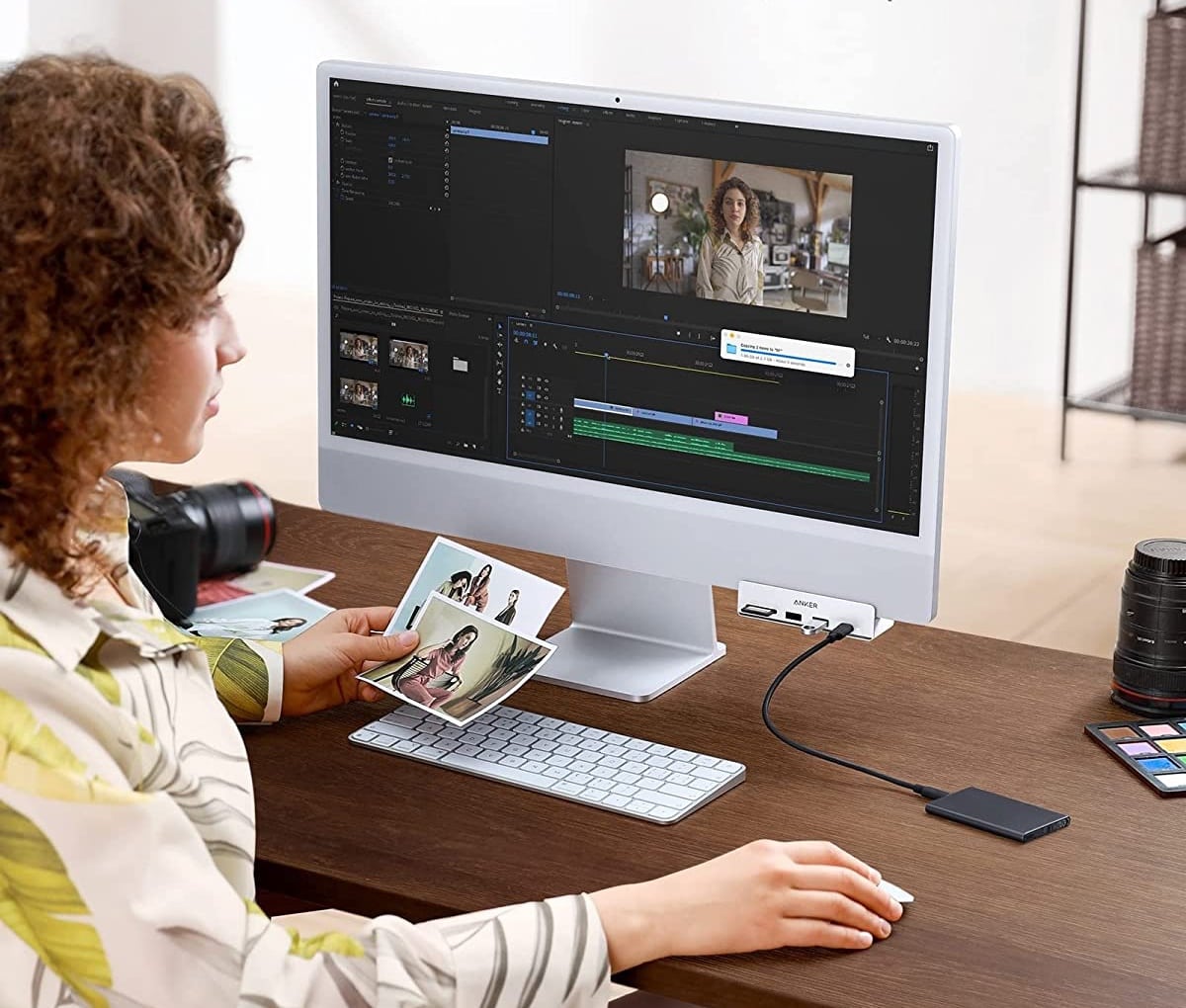
The new Anker 535 puts five ports on the front of your iMac. Photo: Anker
Anker targeted a pet peeve of some iMac users Friday when it introduced a USB-C hub that puts useful ports on the front of the machine. The desktop’s own hubs are on the back, which not everybody likes.
The company designed the new 535 model, a 5-in-1 USB-C hub made of metal, specifically for the 24-inch M1 iMac, though it also works with other iMacs.
And you can get it at a launch discount. See below.
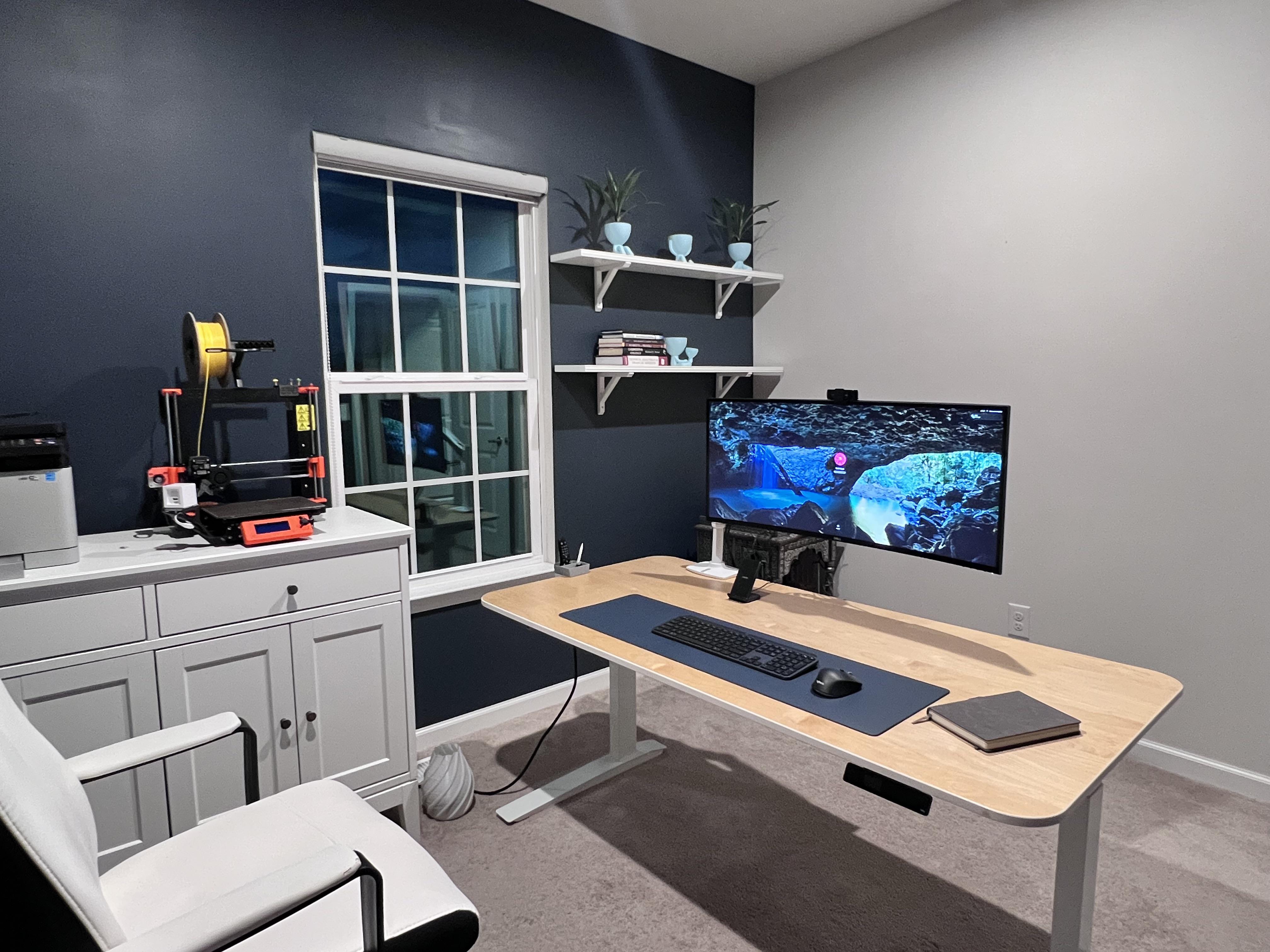
That 38-inch monitor is almost too much for the standing desk to handle. Photo: [email protected]
In a world of ever-increasing monitor sizes (and weights), you need a pretty tough, supportive desk — especially if it’s a motorized one for sitting or standing. Otherwise, the whole thing might wobble all over the place under the combined, imbalanced weight of your fabulous gear.
Today’s featured Mac mini computer setup copes with an electric desk that struggles under the weight of a behemoth of a curved ultra-wide monitor.
A great design and smart features are some of the reasons why I love Overcast. Screenshot: Joe White/Cult of Mac
This definitely isn’t the first time we’ve talked about Overcast here at Cult of Mac. But since I’ve been spending time rounding up my must-have apps as part of our Awesome Apps series, it makes sense to tell you why Marco Arment’s podcast client is the best podcast app out there.
It’s actually a great time to introduce anyone unfamiliar with Overcast to the app, since it recently received its biggest redesign ever. Part of this change includes a new home screen with some smart features. I love Overcast for a number of reasons, but the app’s home screen is probably chief among them.
★★★★★
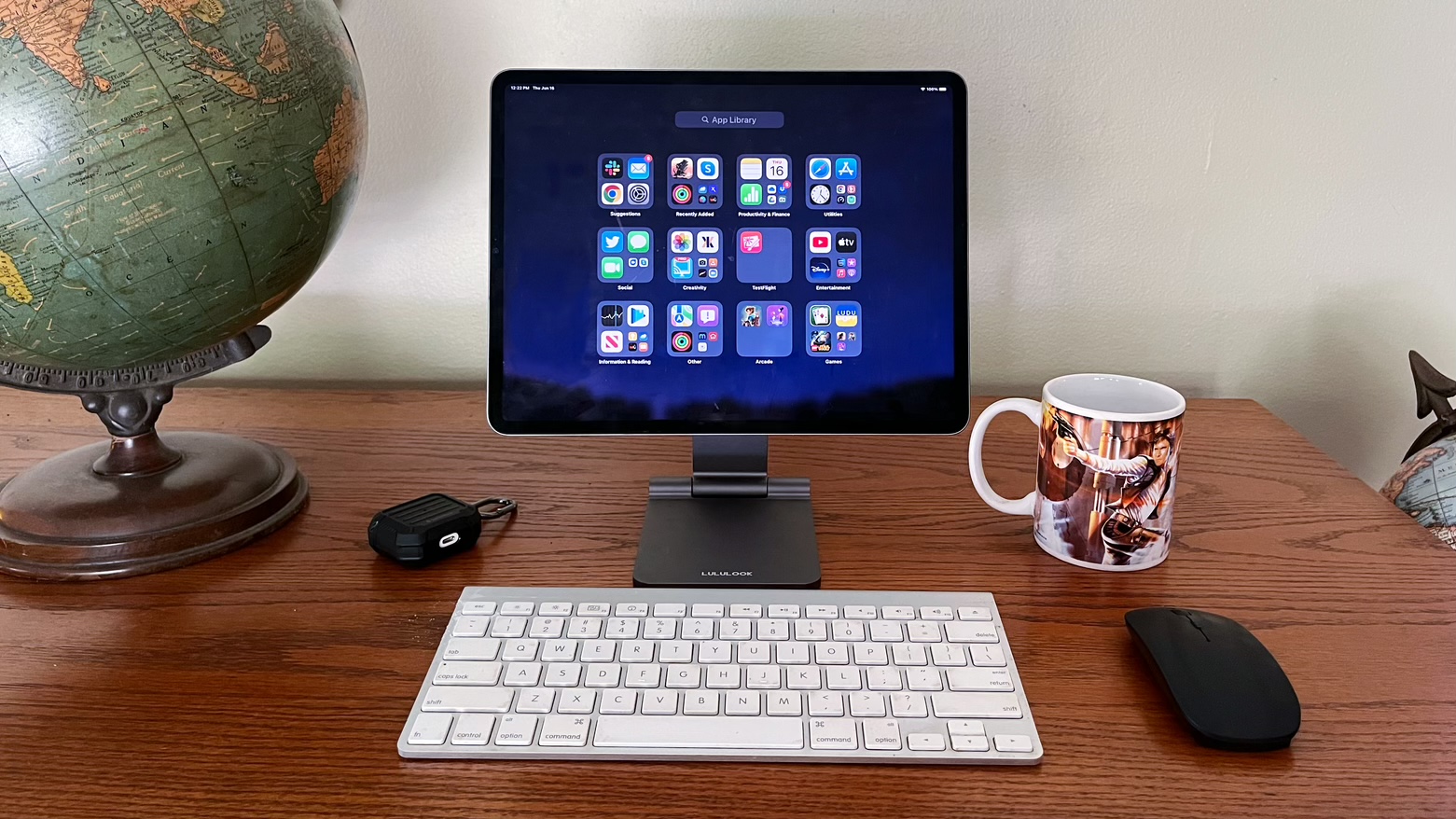
Your iPad can also be your desktop with the Lululook Foldable Magnetic iPad Stand. Photo: Ed Hardy/Cult of Mac
The Lululook Foldable Magnetic iPad Stand is ready to help turn your tablet into a small desktop computer. Your iPad attaches to it magnetically, and you can easily adjust the height and viewing angle. Or switch between portrait and landscape.
Just as importantly, when you don’t need it, the desktop stand folds up so you can carry it with you or easily put it out of the way.
This is absolutely one of the best iPad Pro or iPad Air stands I’ve ever used. Here’s why I love it.