Mobile menu toggle

Search results for: Apple One

Kingston’s securely encrypted SSD unlocks with built-in touchscreen [Review] ★★★★

By

Kingston IronKey Vault Privacy 80 review★★★★
Unlock the 256-bit encryption on the Kingston IronKey Vault Privacy 80 by tapping in a passcode on the convenient touchscreen.
Photo: Ed Hardy/Cult of Mac

The Kingston IronKey Vault Privacy 80 External SSD includes a touchscreen and hardware encryption to protect user data. Unlock it by tapping in a password or numeric passcode onto the touchscreen.

It’s available in capacities ranging from 480GB to nearly 2TB. And it’s accessible from just about any device with a USB port — no special software needed.

I went hands-on with the secure SSD. Here’s why I like it.

How to get the latest iOS 17 and iPadOS 17 public betas

By

iOS 17 and iPadOS 17
Here's how to install the iOS 17 and iPadOS 17 public betas on your iPhone or iPad.
Image: Apple/Cult of Mac

The second iOS 17 and iPadOS 17 public betas became available Monday so anyone who wants to start tinkering with the new features can try these well before the autumn release.

Among the more significant changes in iOS are personalized contact posters in the Phone app, home screen widgets go interactive, and autocorrect is smarter. iPadOS gets many of those same features, as well as signifi can’t Lock screen improvements.

Want to try the changes out for yourself? We’ll show you how.

Change the X icon back to Twitter

By

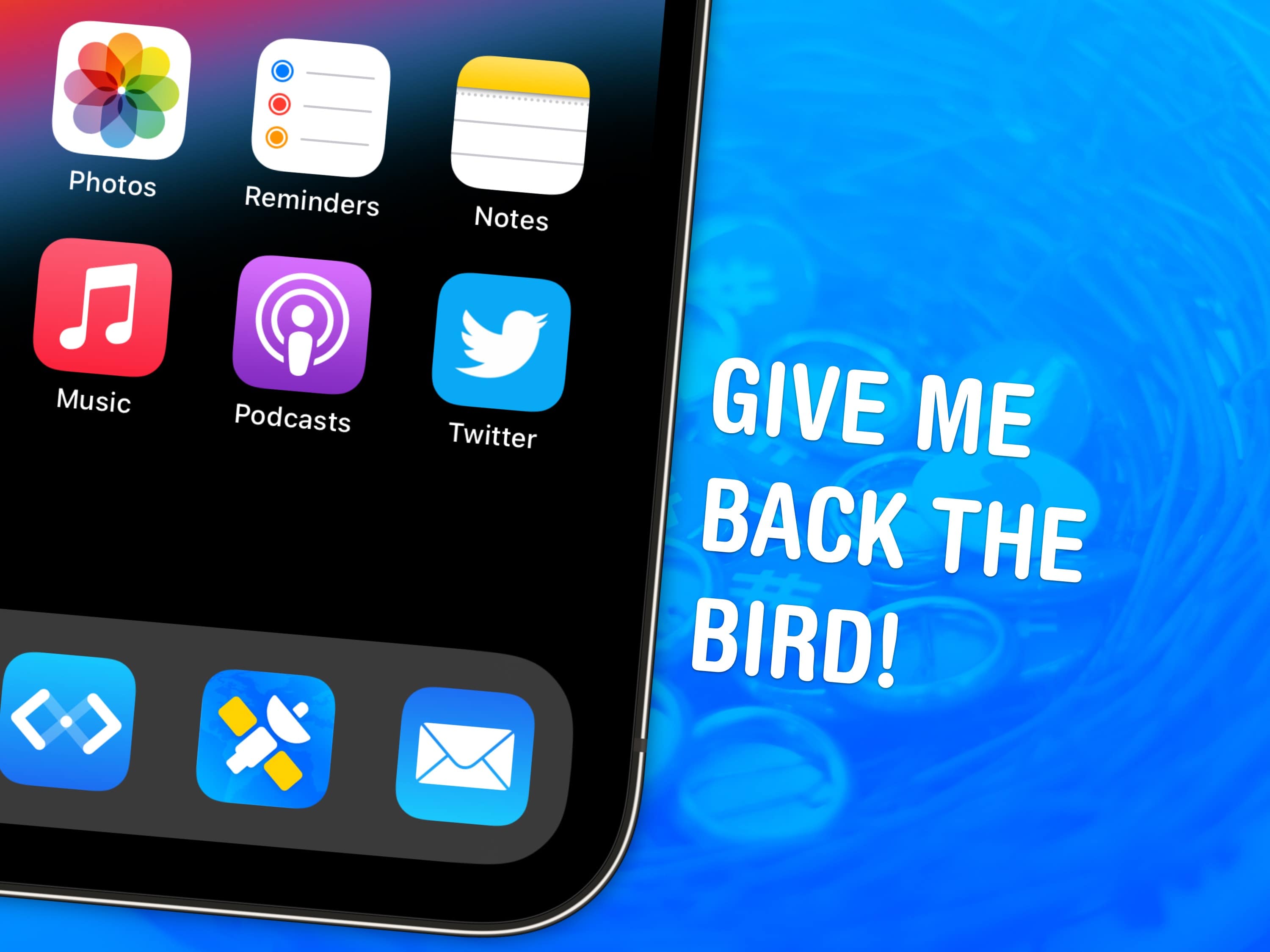
Give me back the bird!
Everyone’s favorite bird icon is back… kind of.
Image: Garrett Heath/Wikimedia Commons/D. Griffin Jones/Cult of Mac

If you miss the Twitter icon, you’re not alone. But there’s good news: You can easily change the app’s new X icon back to Twitter’s blue bird on your Home Screen by using a shortcut.

While it’s too late for Elon Musk to backtrack on many of the questionable business decisions he made since buying Twitter, you can at least patch over this latest one using my free downloadable Shortcut.

If you’re still using X, née Twitter, you might want the bright blue bird back on your Home Screen. I’ll show you how to get it.

Grab a refurbished MacBook Air for just $299.99

By

Looking to save ahead of back to school? This refurbished MacBook Air is just $299.99.
Avoid the back-to-school rush and grab this $300 refurbished MacBook Air for a limited time.
Photo: Cult of Mac Deals

It happens every year. The summer flies by, and before you know it, the words “back to school” are popping up everywhere. We know that pain.

It’s smart to get ahead of the back-to-school shopping game and snag supplies early, especially when those supplies are a great deal, like this refurbished MacBook Air. Get one through August 13 for just $299.99 and cross one thing off your list now.

Why it’s time to grab your wand and play Harry Potter: Hogwarts Mystery again

By

Why it’s time to play ’Harry Potter: Hogwarts Mystery’ again
The new Beyond Hogwarts expansion pack to Harry Potter: Hogwarts Mystery lets players grow up and start careers.
Image: Jam City

Harry Potter: Hogwarts Mystery just got its largest-ever game expansion. Dubbed Beyond Hogwarts, it offers 50% more content as players leave the hallowed halls of Hogwarts and visit the magical haunts of London.

With the expansion, those who played the original game when it launched 5 years ago can come back and find plenty more to enjoy.

Win a posh leather iPad Pro sleeve from Harber London [Cult of Mac giveaway]

By

Keep your iPad protected in luxurious Leather
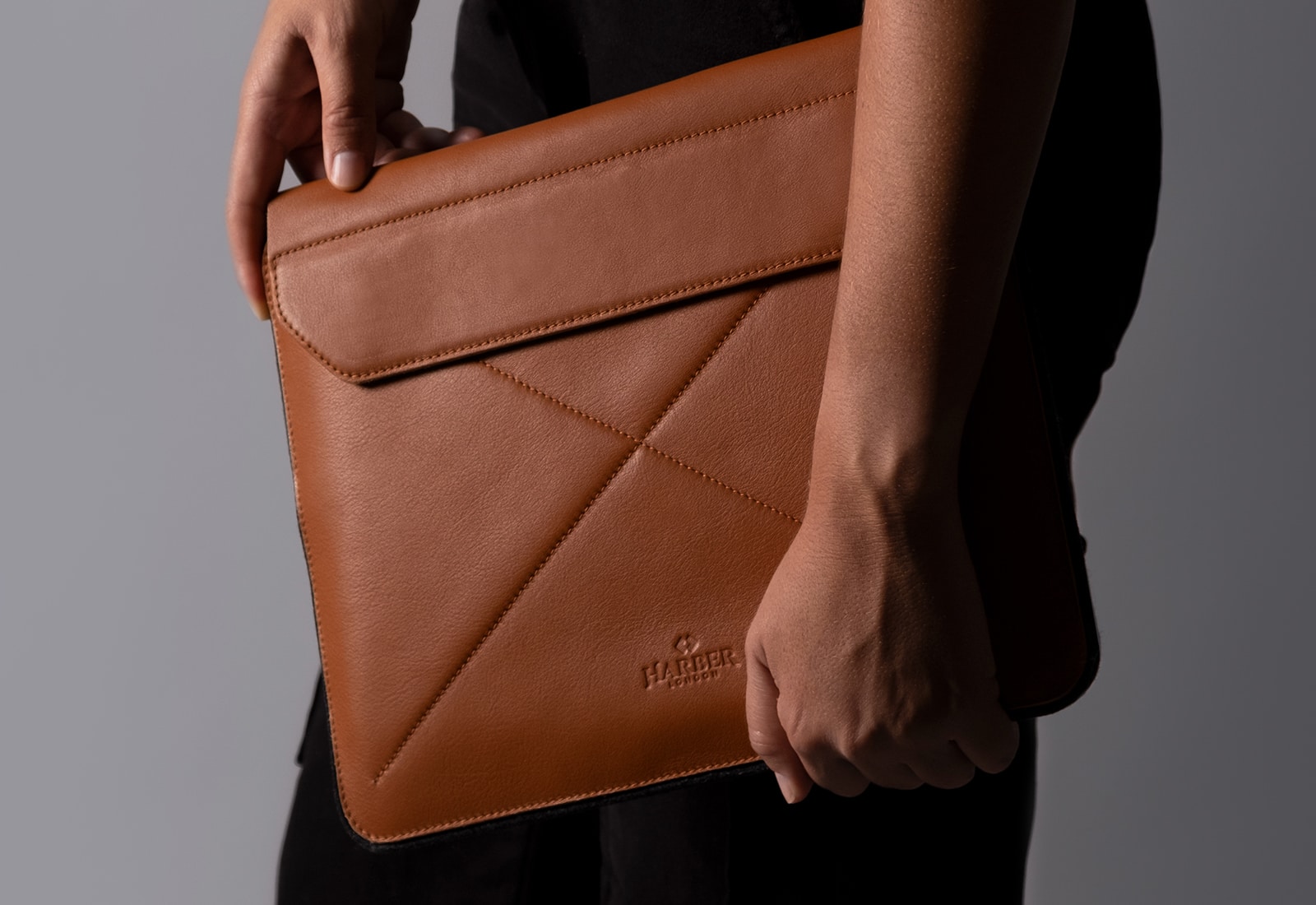
Keep your iPad protected in luxurious leather.
Photo: Harber London

For this week’s giveaway, we partnered with Harber London to offer you an opportunity to win an exquisite, handmade Magnetic Envelope Sleeve for iPad Pro valued at $118.

This gorgeous, full-grain leather iPad sleeve exudes elegance and durability, boasting a sleek design and robust construction. Crafted in either black or tan, the sleeve is made of top-quality leather, with 100% wool felt on the back and inner sleeve. This combination ensures comprehensive protection for your prized iPad, shielding it from potential scratches and impacts while providing a comfortable touch.

Brilliant Brydge iPad keyboard selling for a mere $30

By

Brydge-Pro-iPad
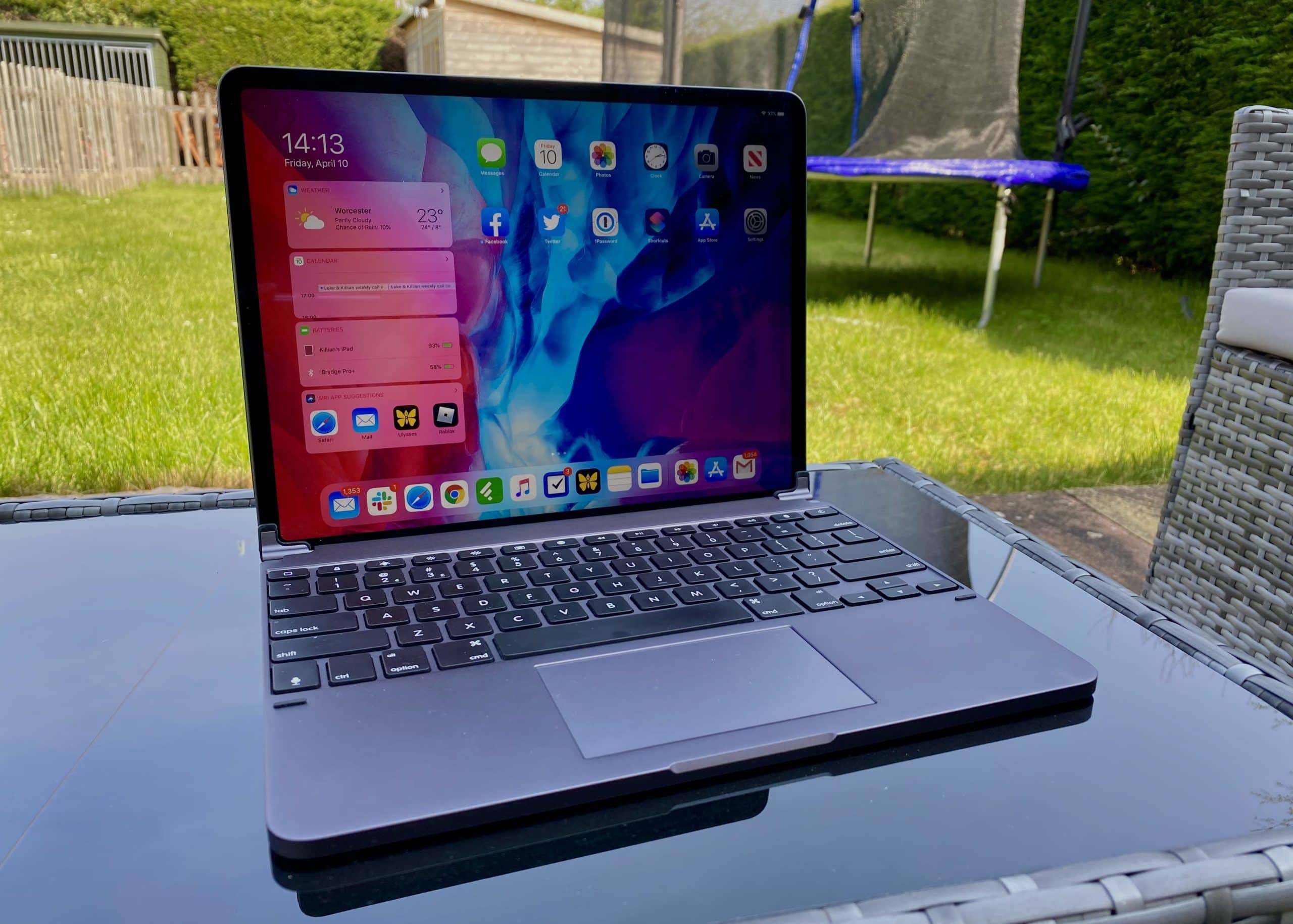
Turn your 11-inch iPad Pro into an MacBook Lite with Brydge Pro+, now available at a rock-bottom price.
Photo: Killian Bell/Cult of Mac

Clip the Brydge Pro+ keyboard to an 11-inch iPad Pro to make an ultraportable laptop ready for school or work. And the useful add-on is available now for just $29.99.

If you’ve been thinking about upgrading your first, second or third-generation iPad Pro 11-inch with a keyboard and trackpad, there’s never been a better time.

This post contains affiliate links. Cult of Mac may earn a commission when you use our links to buy items.

Arc is a bold new web browser for Mac

By

Arc web browser
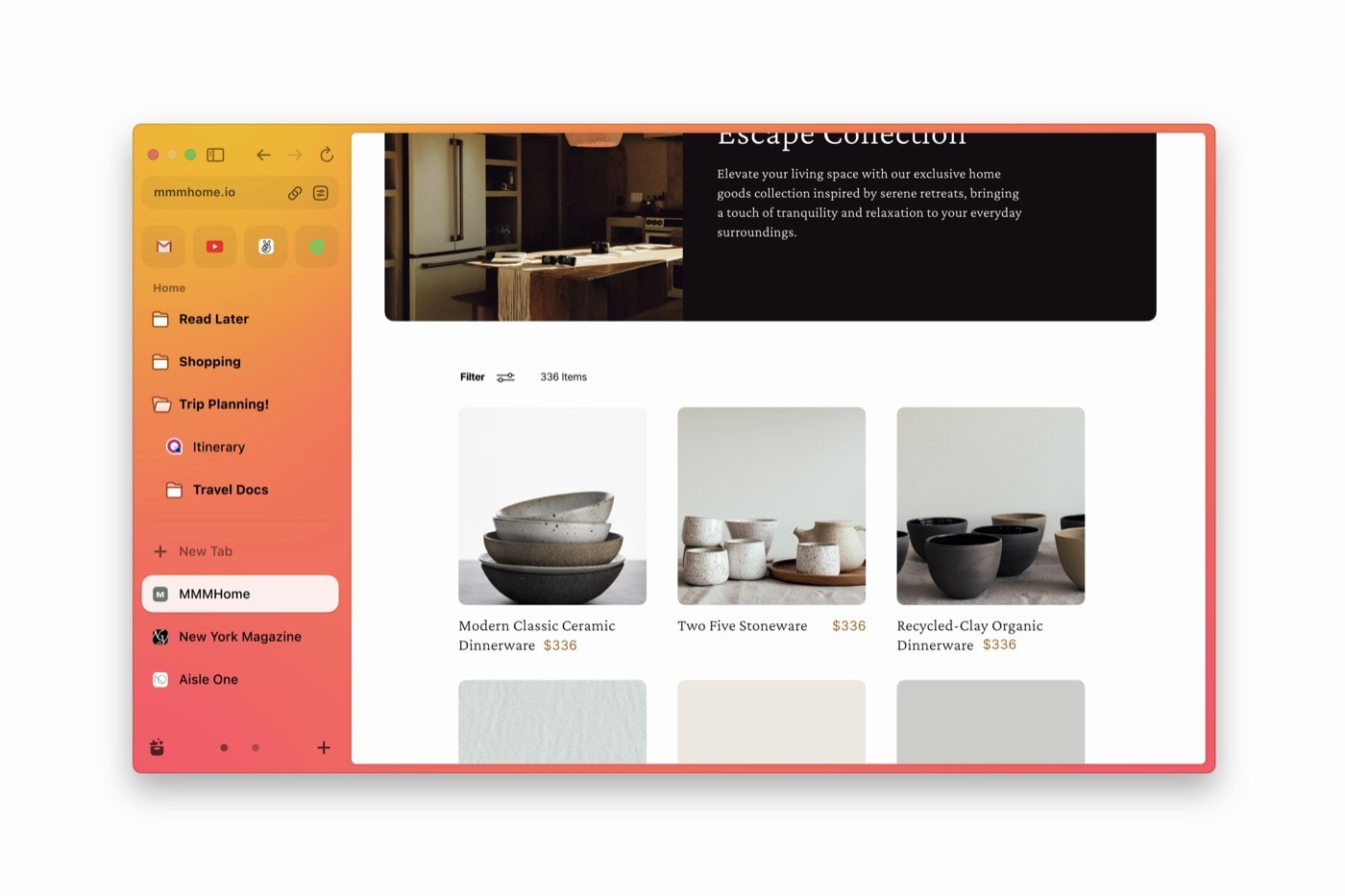
The Arc web browser is an all-new approach to the web.
Image: The Browser Company

Arc is a new kind of web browser that recently launched for Mac. It breaks free of the conventional tabbed window design with an all-new approach to organizing your internet activity without slowing you down along the way.

The top talent at The Browser Company, Arc’s developer, are taking bold approaches behind the scenes as well. The Windows version won’t be rewritten in C++ as with most Windows programs. Instead, the team is creating a custom toolkit to compile its code in Apple’s Swift language on Windows.

You can download Arc here for free from The Browser Company.

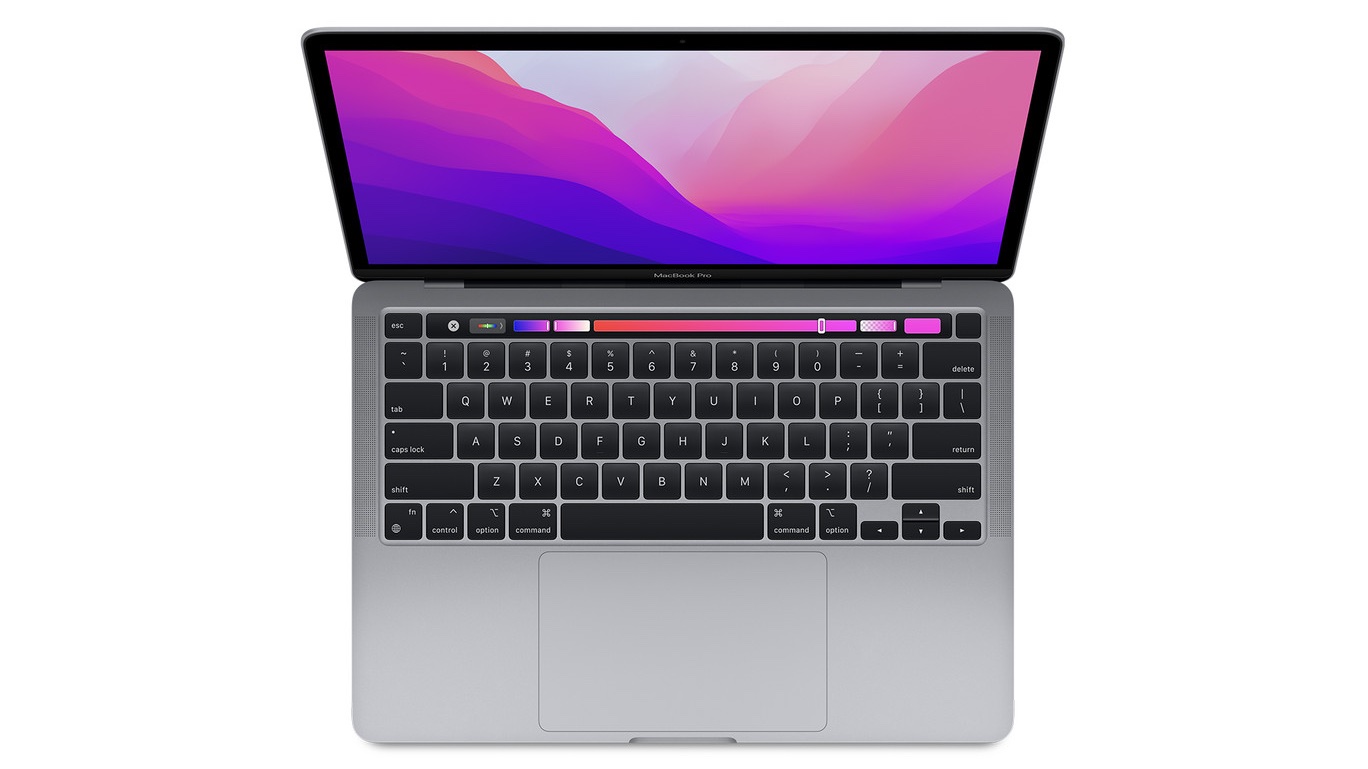
13-inch M2 MacBook Pro gets a big $200 discount

By

13-inch MacBook Pro with an Apple M2 processor
Look past the dated design, and the M2 MacBook Pro is a great deal at its discounted price.
Photo: Apple

Looking to buy a new MacBook Pro but find the 14-inch and 16-inch models expensive? You might consider buying the 13-inch MacBook Pro, which costs a much more reasonable $1,299.

And if you jump on Amazon’s latest deal, you can get the 13-inch MacBook Pro with M2 chip for just $1,099, a sweet $200 off.

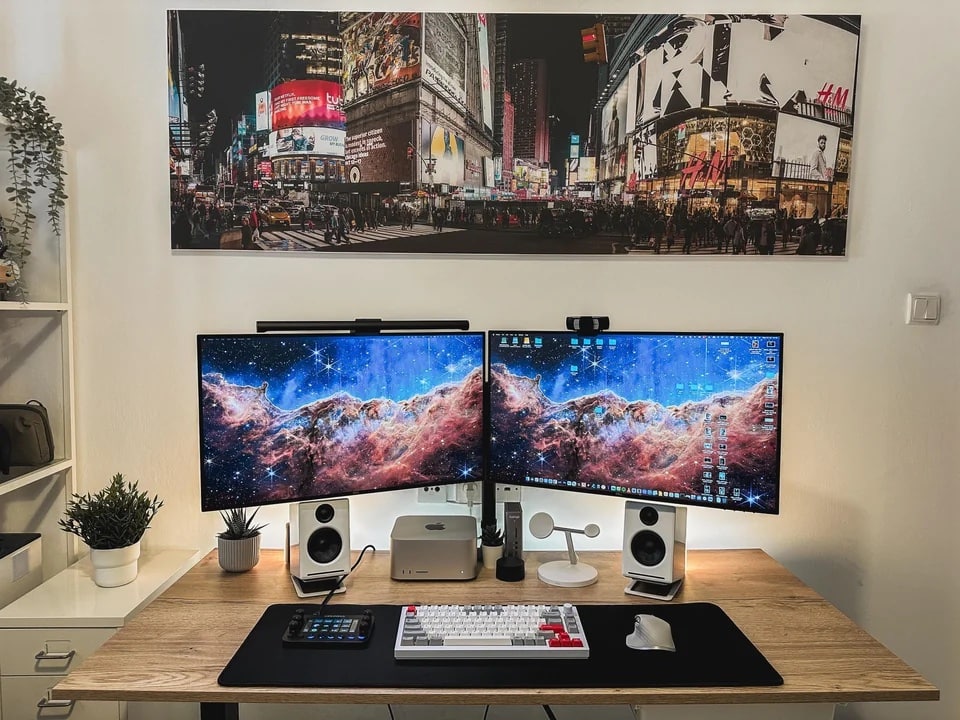
Powerful Mac Studio rig brings the symmetry [Setups]

By

An M1 Ultra Mac Studio drives this setup.
Photo: [email protected]

Computer-setup gawkers on social media love their symmetry. It’s really just human nature to prefer those clean lines and even spacing — you know, stopping short of full-blown obsessive compulsive disorder and blowing a gasket if one little cable appears out of place.

Today’s M1 Ultra Mac Studio workstation brings not only powerhouse computing, but a few tricks of the trade when it comes to creating that pleasing symmetry. And it packs an interesting device we don’t see very often.