Mobile menu toggle

Search results for: Apple One

Emergency SOS via Satellite saves family from Maui wildfires

By

iPhone 14's Emergency SOS via Satellite comes to the rescue again.
Photo: Apple

iPhone’s Emergency SOS via Satellite got credit for saving lives Wednesday when it was the only way a family trapped in a van amid raging wildfires on the island of Maui, Hawaii, could call for help.

The service has brought aid to plenty of people in need so far in its short life, since launch in 2022. This emergency seemed even more fraught than many, as you can see from the frantic texts shown in a post on X below.

Download pretty wallpaper inspired by … cable management?!?

By

The new
The new "Flow" got inspiration from cable management, of all places.
Photo: Basic Apple Guy

Mac maven and designer Basic Apple Guy pumps out intriguing desktop wallpaper you can put on your Apple devices like Mac, iPad and iPhone.

But the latest one, “Flow,” which he put out Wednesday, came from a truly surprising place — his obsession with cable management in his home office and computer setup.

Disney+ joins Netflix in cracking down on password sharing

By

Disney+
Disney is taking multiple steps in hopes of making its streaming service profitable, including trying to end password sharing.
Photo: Disney

Disney CEO Bob Iger said Wednesday that the entertainment behemoth is exploring ways to prevent subscribers of its video streaming service from sharing passwords. Rival Netflix saw a surge in subscribers after it did its own crackdown.

The ad-free versions of Disney+ and Hulu are also getting a price increase this autumn.

Ingenious ErgoFlip mouse works for righties and lefties [Review] ★★★

By

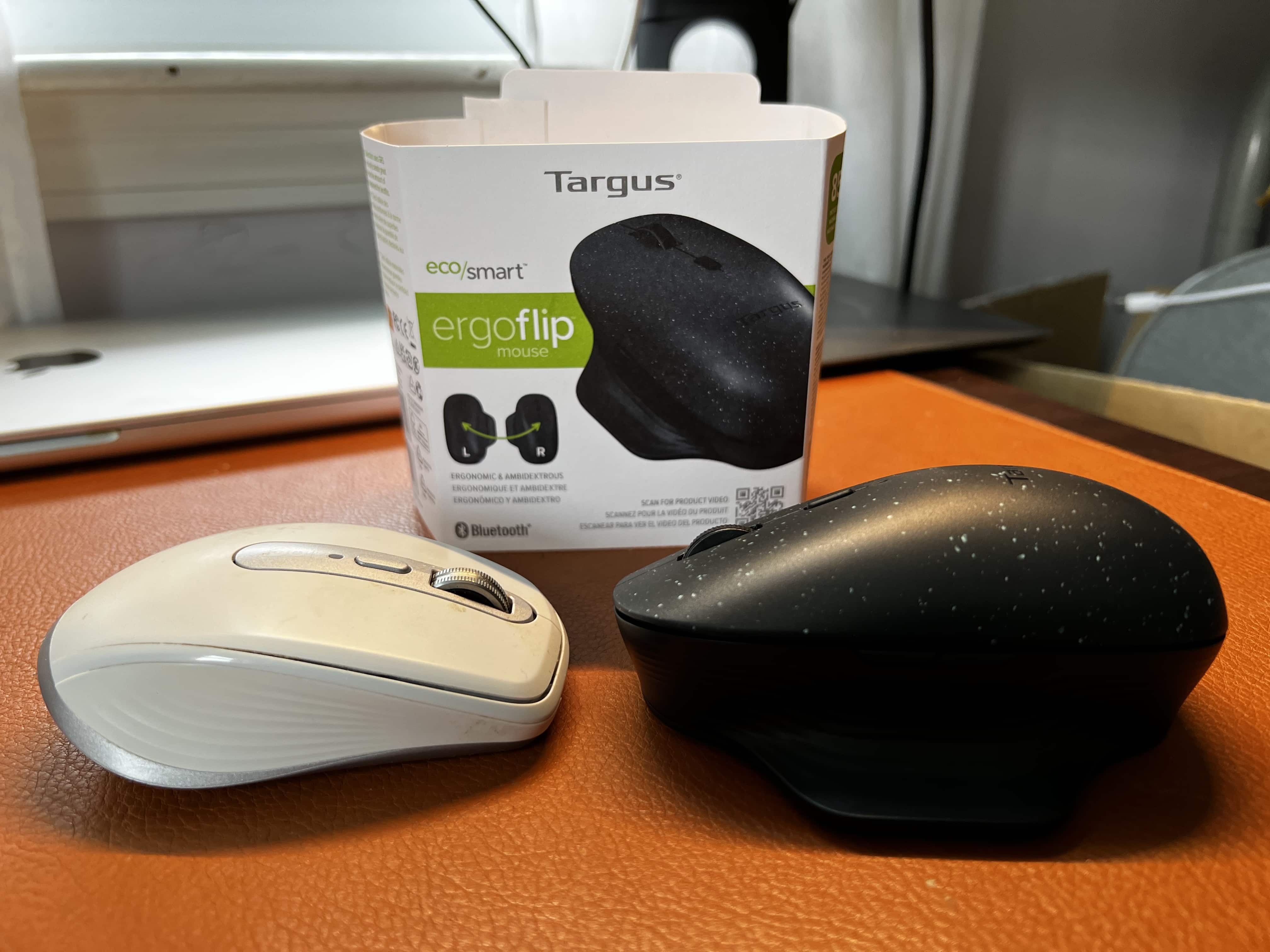
The bulkier Targus ErgoFlip mouse looks like it could take the slender Logitech Anywhere mouse in a fight.★★★
The bulkier Targus ErgoFlip mouse looks like it could take the slender Logitech Anywhere mouse in a fight.
Photo: David Snow/Cult of Mac

If you’ve ever suffered hand or wrist discomfort from long sessions at the computer, you probably wished you could switch mousing hands, or maybe use a trackball device. Now Targus has addressed that very issue in ingenious fashion with its new ErgoFlip wireless mouse.

With a magnetic top and a stationary base, the mouse lets you “flip” it anytime you want, using a comfortable, ergonomic grip with either hand, with no need to adjust for right- and left-clicking.

Hands on with Stage Manager improvements in iPadOS 17

By

Hands on with Stage Manager improvements in iPadOS 17
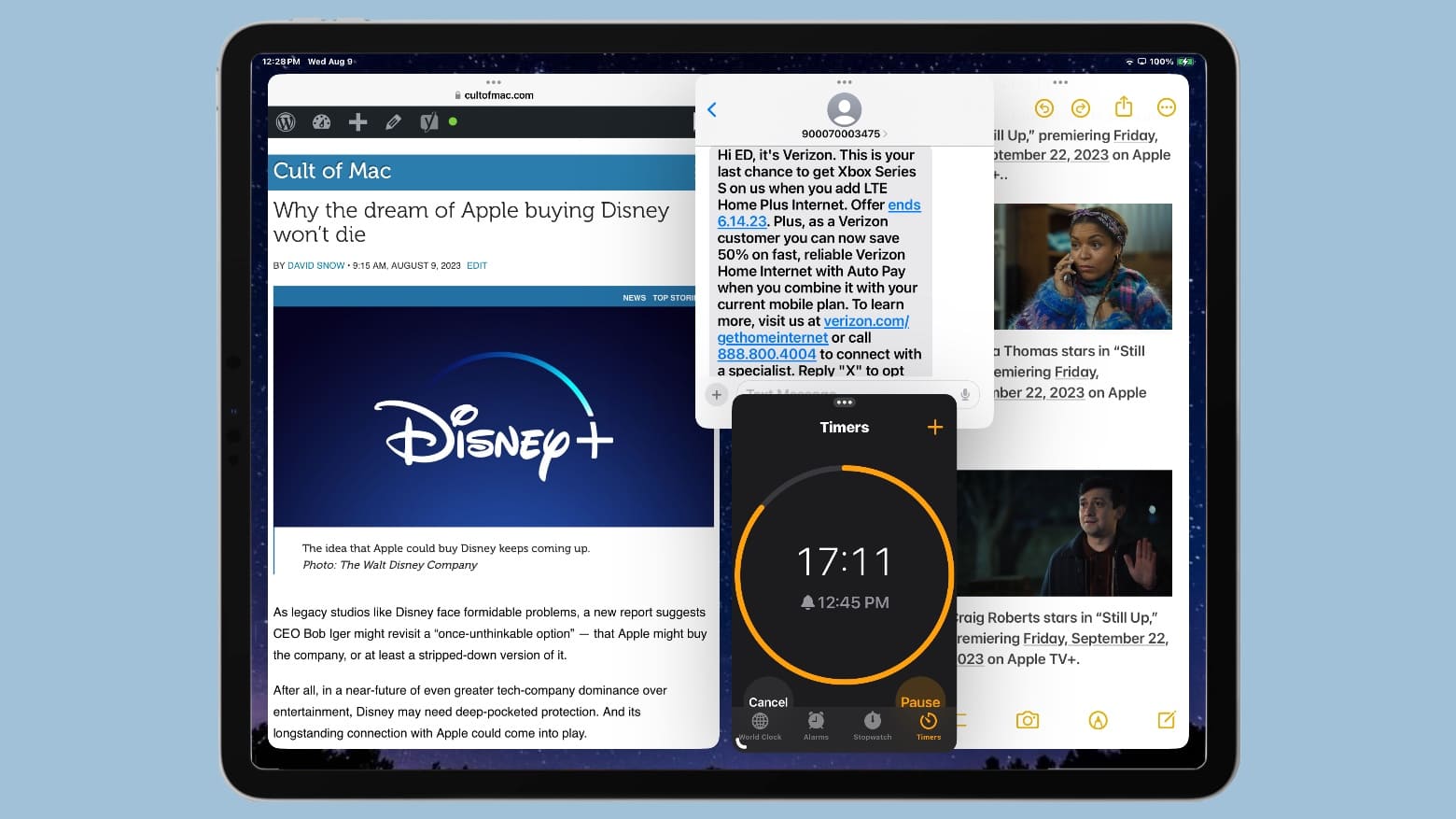
With Stage Manager in iPadOS 17, you can arrange app windows however you like.
Graphic: Ed Hardy/Cult of Mac

Apple is making significant improvements to its Stage Manager multitasking system so iPads can work even more like Macs. The iPadOS 17 version offers additional freedom in window sizing and position.

I’ve been testing the update since Apple began releasing beta versions of iPadOS 17 in June. I already liked the original version of Stage Manager — but the new one is even better.

Supreme Court refuses to speed up major App Store change

By

Is Apple’s deal to make Google Safari’s default search engine anticompetitive?
The Supreme Court won't immediately end Apple's anti-steering policy for third-party app developers.
Photo: Sora Shimazaki/Pexels CC

The U.S. Supreme Court denied a request by Epic Games that would have required Apple to immediately get rid of its “anti-steering” rule for third-party applications — a major change. Instead, the Mac-maker can wait until there’s a final decision by the high court.

This means Apple doesn’t have to change its policy that prevents developers from sending customers from their applications to their websites to pay for subscriptions or services … yet.

Mac Studio drives wild 4-monitor formation with Bat-Signal [Setups]

By

The Bat-Signal is displayed on a giant screen atop three other monitors in a Batman-themed computer setup.
Gotta love the Bat-Signal.
Photo: [email protected]

Today’s featured Mac Studio setup found an interesting way to arrange its four displays — three little ones in a row and one huge one broadcasting the Bat-Signal on top.

With Batman undoubtedly on his way (OK, maybe it’s just the logo, not the actual signal), the workstation also boasts a 12.9-inch iPad Pro with Apple’s Smart Folio and a remarkably affordable mechanical keyboard for use with the desktop machine.

XuperCable’s 3 retractable connectors quick-charge your gear [Review] ★★★

By

It's a funny-looking critter, but it's useful.★★★
It's a funny-looking critter, but it's useful.
Photo: David Snow/Cult of Mac

In a world of ever-more-compact-and-potent chargers, Mobfree launched a surprising and innovative entrant Wednesday on Kickstarter. It’s XuperCable, a three-in-one gadget with three retractable connectors to fast-charge a variety of devices at up to a 100 watts

It’s a funny-looking critter with its tentacles (cables), but it’s quite useful. It sticks to surfaces, it rotates and its three cables unspool and retract — what could possibly go wrong? Not much, as it turns out. The company sent me a XuperCable to try out.

College students, you don’t need a MacBook Air

By

2022 iPad Pro gets speed boost from Apple M2 processor but no new ports
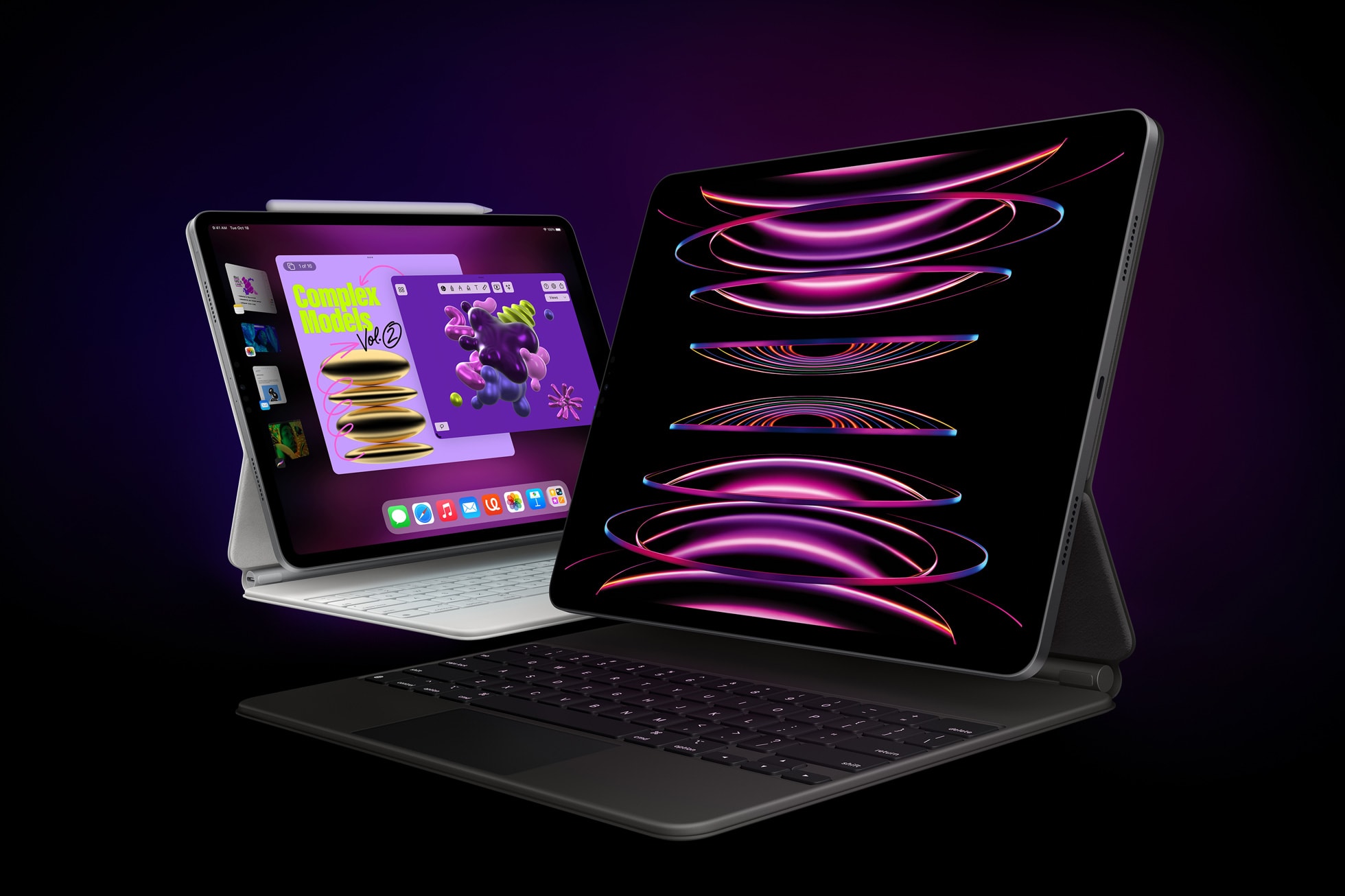
An iPad Pro or iPad Air with a Magic Keyboard is a better choice for most students than a MacBook Air.
Photo: Apple

Dear university students: While it’s tempting to buy the hot new MacBook Air, doing so would mean a huge loss of flexibility. You simply don’t need to pay hundreds of dollars more for a laptop that’s less versatile. An iPad Pro with a Magic Keyboard and Pencil fits your needs much better, especially now that it has the very same M2 chip inside.

And beyond the versatility, the whole iPad lineup can do just about everything you can expect a Mac to do every day.

To be clear, there are exceptions to this — some students really do need a Mac. But odds are you’re not one of them.

New quad dock drives extra displays and other gear [Review] ★★★★☆

By

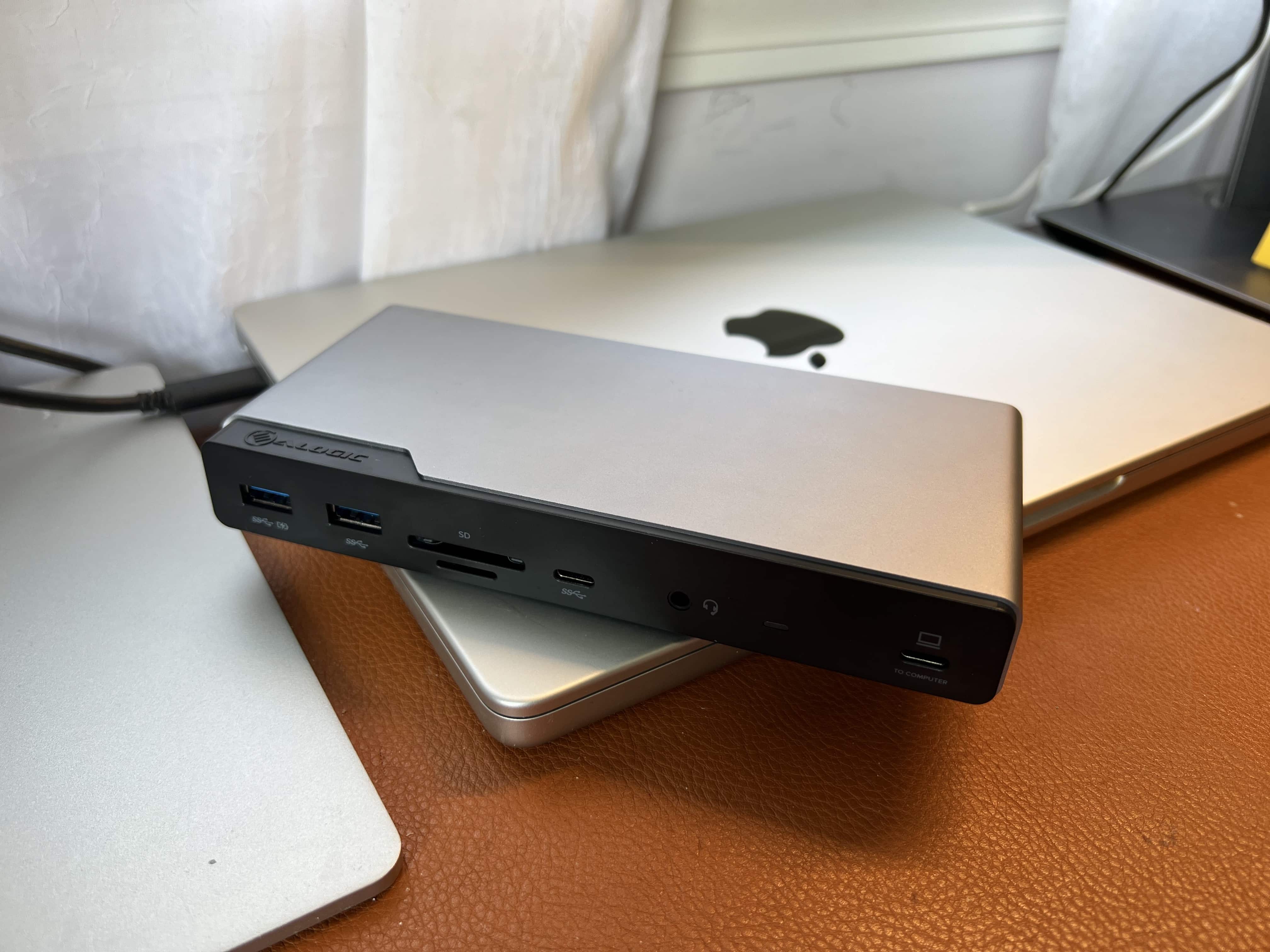
This slim dock does a lot. You can run three external displays with your MacBook and hook up several other peripherals.★★★★☆
This slim dock does a lot. You can run three external displays with your MacBook and hook up several other peripherals.
Photo: David Snow/Cult of Mac

Advanced computer docking stations keep getting better. The new Alogic Quad Display DV4 Universal Docking Station is a fine example, easily connecting up to four screens and several other peripherals to a computer.

That’s important for anyone relying on a laptop with limited ports — like many MacBook Pro and MacBook Air users over the years — who can appreciate a good docking station that broadens limited connectivity options.