Netbooks are still shipping, but the market has spoken
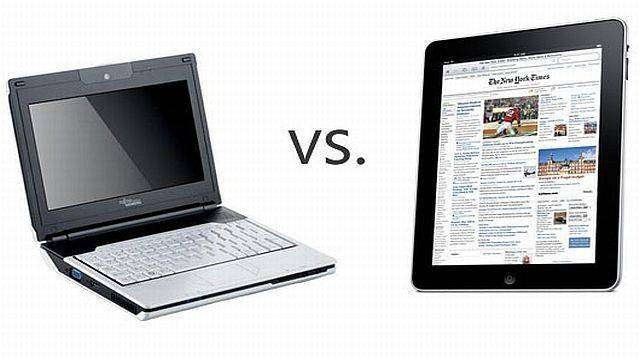
While we can debate how much the iPad cannibalizes Apple’s MacBook sales, there’s no doubt that the device is continuing to kill of the entire netbook industry. While iPad sales are literally selling as fast as Apple can make them, netbook sales continue to plummet – with the first quarter of this year representing a sixth consecutive quarter in which shipments of the small, inexpensive, and often low quality PC notebooks have declined sharply.
Type “Mother’s Day” into Google and right above the search results it’ll say “Mother’s Day is on Sunday, May 13, 2012.” Put it in your diary, order some flowers and get ready to spend some money on the woman who gave the best part of her life just so you could sit around reading sites like Cult of Mac on your iPhone.
To help you repay her frankly pointless sacrifice, here’s our Grand Cult of Mac Mother’s Day Gift Guide 2012, the best and most definitive gift advice guide you’ll read this year. Whether you mother is a nerd, a technophobe, a globetrotting traveller or just plain lazy, we’ve got you covered. There’s a Mac- or iOS-centric gift for every kind of Mom in here… even yours! Read on:
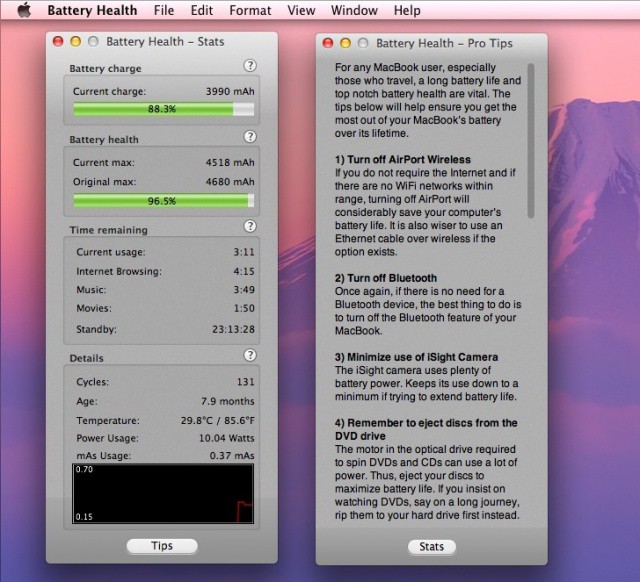
Let’s face it, having the best laptop in the world doesn’t exempt us road warriors from having to deal with reality. Batteries are so much better these days, sure, but they’re still the failure point for most of us traveling types. In between charges and external battery boosters, it’s up to us to keep an eye on how fast the old power cell is draining. The app in today’s tip should help with that very thing. Go figure, right?
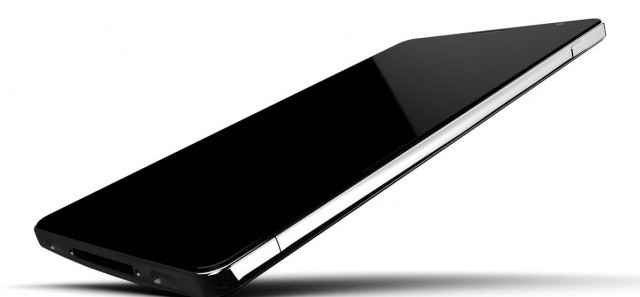
Liquidmetal iPhone concept by NAK Studio • http://bit.ly/ITBqrf
Rumors have been flying about Apple’s next-gen iPhone featuring a liquidmetal alloy casing, unlike the glass backing that currently cradles the iPhone 4 and 4S’s precious internals. Liquidmetal would assumedly create a lighter iPhone that’s also more durable and scratch resistant. There’s also been rumors that the next-gen MacBooks will be made of liquidmetal, but no hard evidence has surfaced to support the speculation.
Two years ago Apple bought exclusive rights to use material from Liquidmetal Technologies in its products, but we have yet to see a liquidmetal iPhone. The only liquidmetal material to be incorporated was the pin used for ejecting the iPhone 3G SIM card. Will 2012 be the year Apple’s product line goes liquidmetal? Sadly, the odds don’t look good.
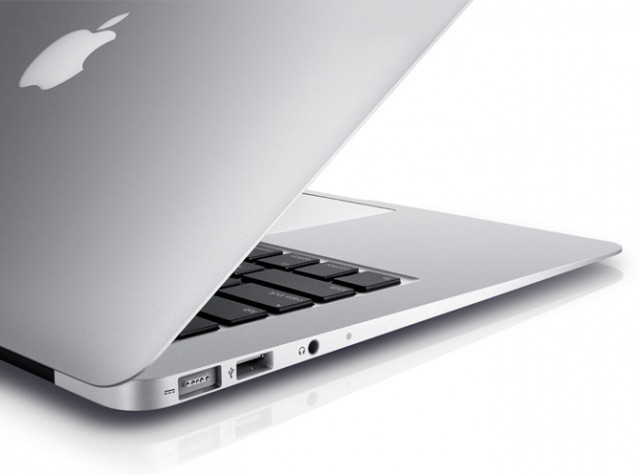
When Apple introduced the MacBook Air without an optical drive, everyone freaked out. “How on earth will we be able to watch all of our DVDs and listen to our CDs?” cried the internet. And sure, totally disowning physical media with a disk drive-less laptop may have been a little preemptive of Apple back in 2008, but the times have changed since then. We live in a world of digital media and digital software distribution. The success of services like Netflix and the Mac App Store proves that.
With rumors saying that Apple will introduce new and improved Macs in the coming weeks, what can we expect? Faster processors? Solid-state hard drives? Retina displays? While these features certainly seem to be on the table, there’s also the chance that Apple’s next-gen MacBook Pro will sport significant physical changes. Namely, we could finally see the optical drive retire from the MacBook line once and for all.
Apple’s longtime head of industrial design has won yet another prestigious award. As part of its World Intellectual Property Day celebration, Britain’s Intellectual Property Office has given Jony Ive the title of British Visionary Innovator for 2012. The award is given ” to celebrate people who have achieved considerable success or developed innovative products, services or designs.”
The recent Office 2011 issues highlight the importance of testing updates before deployment
Last week, Microsoft pulled its Service Pack 2 update for Office for Mac 2011. As we reported earlier in the week, the update could result in the corruption of the Office database and issues with Office identity files could make resolving the problem difficult. After initially posting advice about the update and its potential problems, Microsoft pulled it from the company’s update servers.
Microsoft has now re-released the update. In addition to not creating the problems that plagued the original update, the new version will also correct problems for users that had downloaded the initial.
The entire situation illustrates why most tech companies, including Apple, advise business customers to wait before rolling out any new updates.
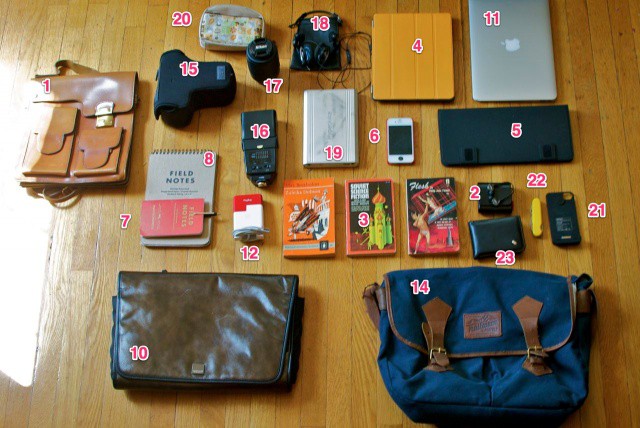
The contents of all my bags, organized semi-neatly and labeled for your inspection.
We’re nosey as anyone here at Cult of Mac. We are also complete nerds, which means that we’re always peeking into people’s bags at conferences, or checking out what gear people use.
And we figured that you all might be just as bad, so we figured we’d rip open our man bags, handbags and purses and show you what’s inside, and why we carry what we do.
We’ll be doing this periodically from time to time. This week, we’ll be checking out what’s usually in the three (!) separate gadget bags of Cult of Mac Deputy Editor John Brownlee, and he’ll be filling us in on what everything is and why he carries it.
Oh, man. Today is totally turning into Kickstarter day here on Cult of Mac. The latest accessory from everybody’s favorite crowd-funded idea factory is the Brydge, another keyboard case which will turn your iPad into a miniature MacBook Air-a-like.
This case has a little twist, though. Instead of offering an entire laptop-shaped shell into which you can drop the tablet, it has a clever hinge which holds the iPad and uses it as the entire lid of the clamshell case.
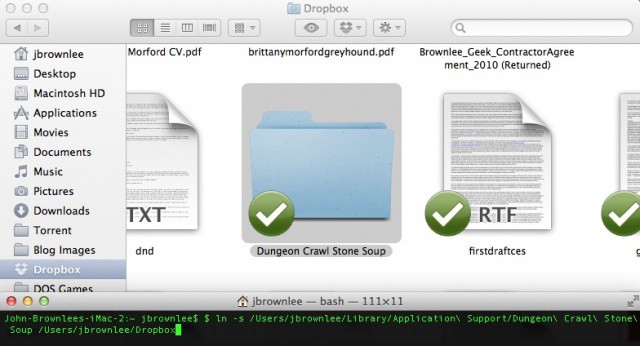
Syncing any file or directory to Dropbox is easy using Terminal.
One of the greatest things about a service like Dropbox is that as long as you are either using apps with support baked in or can save your files to a Dropbox folder, you can keep all your data synced between multiple Macs.
What if you want to keep app data synced between Macs that don’t lend themselves to being saved to a Dropbox folder or don’t come with Dropbox support, though?
For example, most Mac games don’t allow you to specify where you keep your saves, but what if you want to be able to save your game on your iMac and then load it up again on the road on your MacBook Pro? Or what if you want to keep your app settings synced between your iMac and MacBook Air? Settings files are usually stored in a hidden system folder on your Mac, so how do you keep things synced then?
It’s actually way easier than you might think. Here’s how to keep any file or folder synced between Macs using the cloud, no matter where it’s stored.