Mobile menu toggle

Search results for: "MacBook Air"

For health’s sake, get a standing desk [Setups]

By

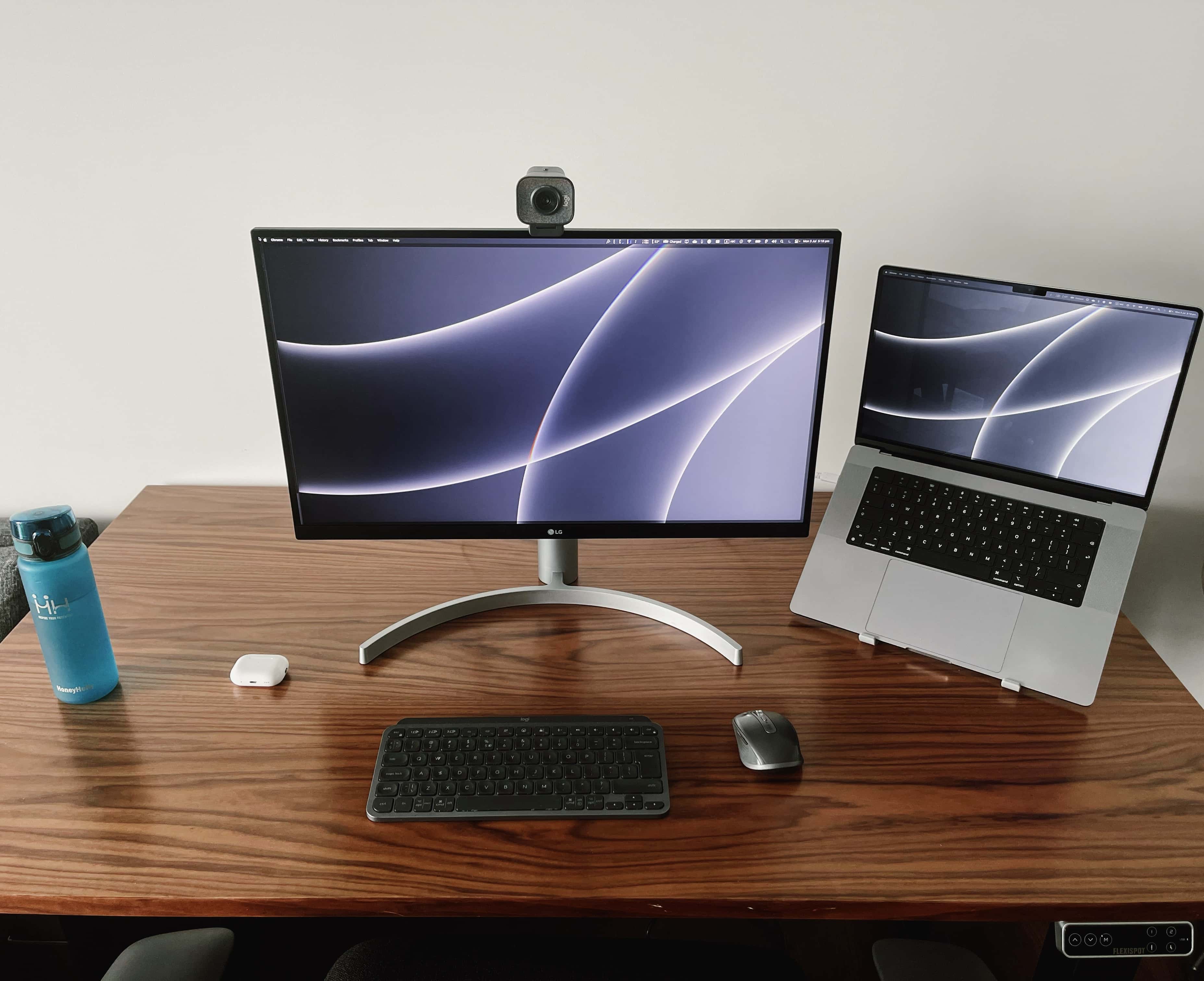
Even if you have a lot more gear than this, a standing desk can make a world of difference.
Photo: [email protected]

Maybe you’ve got back pain, or maybe your rear end falls asleep too much when you sit for long periods. Whatever the case, you, like many Apple fans, can benefit from a standing desk in your computer setup.

Today’s featured MacBook Pro setup features an affordable sit-stand desk, but there are many options. We’ll go over some of them below.

Our ultimate guide to the best monitor for your Mac in 2026

By

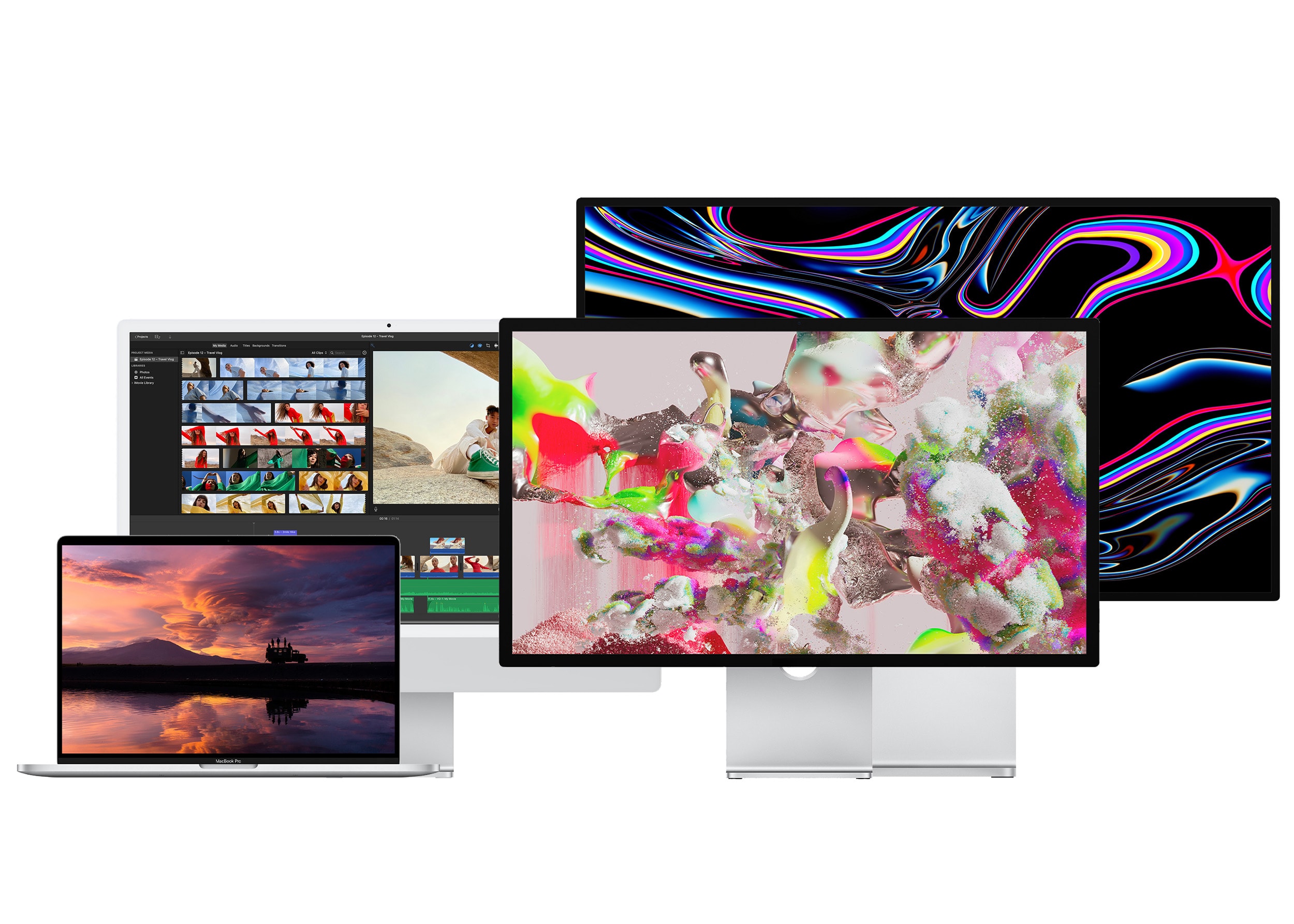
The Studio Display, Pro Display XDR, iMac 24″ and 16″ MacBook Pro.
From left to right: The 16-inch MacBook Pro, the 24-inch iMac, the Studio Display and Pro Display XDR.
Photo: Apple

If you’ve shelled out hundreds or thousands of dollars on a new computer, you’ll want the best monitor for your Mac to go along with it. There are many different kinds to choose from.

Macs and MacBooks play nicely with Retina displays, which have twice the pixel density and four times the resolution. But they can also be quite pricey — while there are new third-party options that are half the price of Apple’s, the cheapest is still around $800. You can choose from standard 27-inch displays, ultrawide panels with acres of screen space, or even small monitors ideal for a crowded dorm room desk. 

Here’s a display buying guide to help you find an appropriate monitor to go with your Mac.

Easily connect your Mac to a TV with this very affordable 4-in-1 USB-C dock [Review] ★★★★

By

Easily connect your Mac to a TV with this very affordable 4-in-1 USB-C dock [Review]★★★★
The Plugable USBC-4IN1 can connect a 4K HDMI TV to a Mac or iPad, and add more high-speed USB accessories, too.
Photo: Ed Hardy/Cult of Mac

The movies and shows on a MacBook or iPad can be easily played on a full-size TV, but many computers need an adapter to add the HDMI port. The Plugable USBC-4IN1 has just what’s needed, offering 4K video at 60Hz. Or Plugable’s USB-C dock is well suited for using an HDMI monitor to get work done.

Plus, it stands out from the pack with a USB-C port that supports simultaneous 100W power pass-through charging and 10Gbps data transfers. There’s a couple of high-speed USB ports, too.

I put the surprisingly affordable accessory through a series of test to see if it lived up to its promises. Here’s what I found.

Here’s your chance to grab refurb MacBooks on the cheap

By

Woot's latest sale offers a selection of reconditioned MacBook Air and MacBook Pro models.
Photo: Cult of Mac Deals

Amazon bargain website Woot! is offering a sale on factory-reconditioned and refurbished MacBook Air and MacBook Pro models — with prices as low as $280!

That low price is for a 2017 MacBook Air, but you can also score hot deals on 2022 M2 models. See below. The sale ends Tuesday, August 22, at 10 p.m. Pacific.

Get a new MacBook every 2 years with this subscription service

By

Happy MacBook Pro user
Rather than pay for a MacBook upfront, get one with a monthly subscription from Upgraded.
Photo: Upgraded

Upgraded, a MacBook upgrade program that offers month-to-month subscription for new laptops, launched in the United States on Thursday.

Subscribers pay for their MacBook with a monthly fee, and can trade up to a new model every two years at no additional cost.

Slender new Spigen hubs greatly expand MacBook connectivity

By

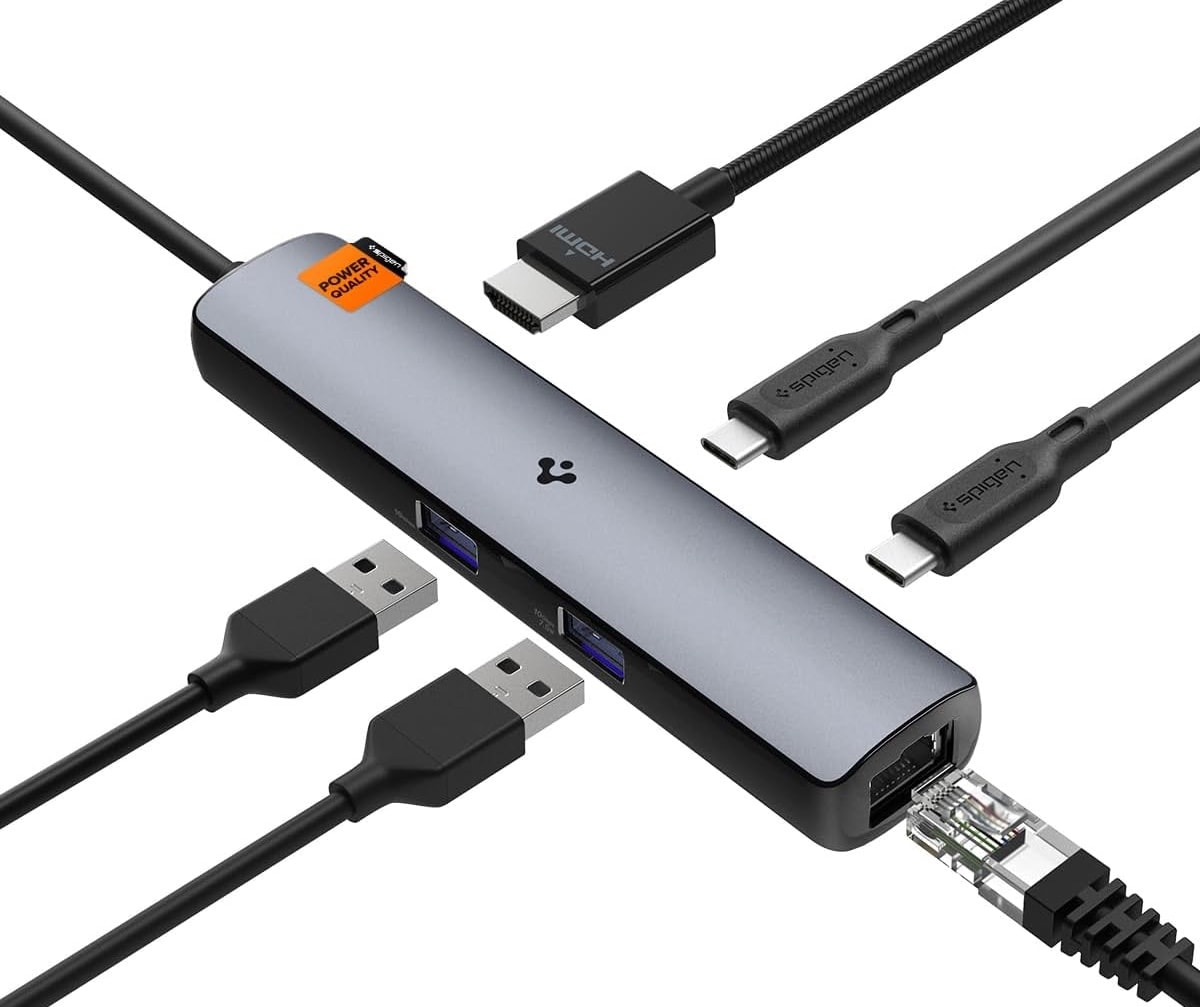
Spigen's new 6-in-1 hub opens up the connectivity options for MacBook.
Photo: Spigen

Mobile accessories-maker Spigen rolled out two new USB hubs for MacBooks and other laptops Monday: Spigen ArcDock Pro Multi Hub 6-in-1 and ArcDock Multi Hub 8-in-1.

In each case, a plethora of ports give you plenty of options for connecting your MacBook Air or MacBook Pro to loads of peripherals, including a high-definition external display.

Mark your calendars for iPhone 15 launch [The CultCast]

By

iPhone 15: Coming soon! The CultCast logo, episode 607.
What will iPhone 15 look like? We're about to find out.
Image: Cult of Mac

This week on Cult of Mac’s podcast: Looks like we have an iPhone 15 launch date. An early hint pinpointed September 13, but now it looks like the big reveal might come a day earlier. Mark your calendars (but maybe use a pencil rather than a Sharpie).

Also on The CultCast:

  • We take a closer look at what the iPhone 15 Pro’s A17 Bionic chip can do.
  • Apple’s working on a wide array of M3 Macs — here’s a rundown. Plus, the M3 Max chip sounds particularly beastly.
  • Total Mac aficionado Griffin explains why an iPad makes a better choice than a MacBook Air for college students.
  • Apple TV 4K is about to get a sweet upgrade just for AirPods fans.

Listen to this week’s episode of The CultCast in the Podcasts app or your favorite podcast app. (Be sure to subscribe and leave us a review if you like it!) Or watch the video live stream, embedded below.

New quad dock drives extra displays and other gear [Review] ★★★★☆

By

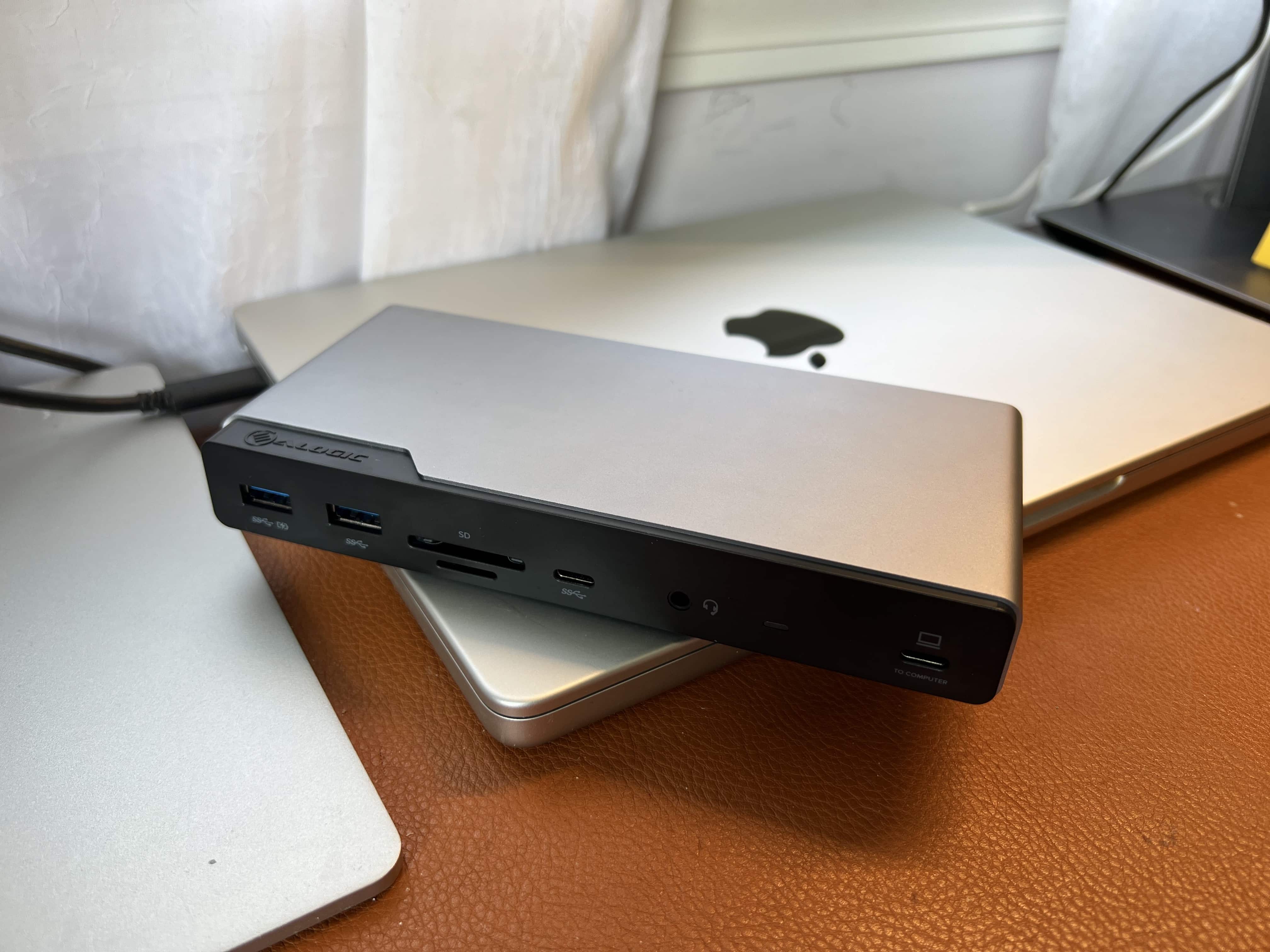
This slim dock does a lot. You can run three external displays with your MacBook and hook up several other peripherals.★★★★☆
This slim dock does a lot. You can run three external displays with your MacBook and hook up several other peripherals.
Photo: David Snow/Cult of Mac

Advanced computer docking stations keep getting better. The new Alogic Quad Display DV4 Universal Docking Station is a fine example, easily connecting up to four screens and several other peripherals to a computer.

That’s important for anyone relying on a laptop with limited ports — like many MacBook Pro and MacBook Air users over the years — who can appreciate a good docking station that broadens limited connectivity options.

College students, you don’t need a MacBook Pro

By

M2 MacBook Air comes i 13-inch and 15-inch versions
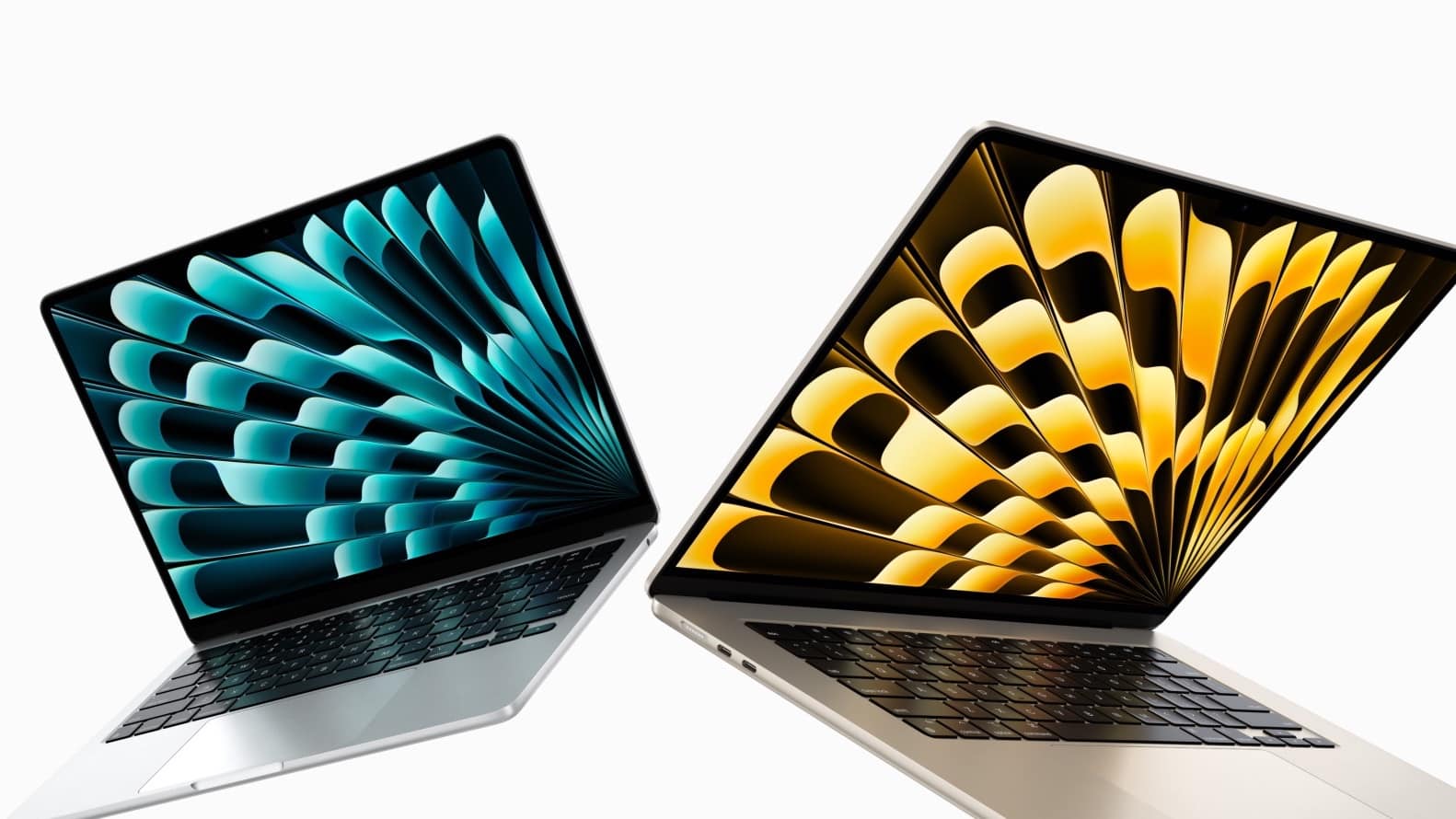
A MacBook Air with either a 13-inch or 15-inch display is a better choice for most students than a MacBook Pro.
Photo: Apple

Dear university students: While it’s tempting to buy the top-tier MacBook Pro, it would be a huge waste of money. You simply don’t need to pay an extra $1,000 or more for a notebook that powerful. A MacBook Air fits your needs much better, especially now that there’s a 15-inch version.

And beyond the higher price, the increased performance of the MacBook Pro comes with a drawback you’ll notice every day.

To be clear, there are exceptions for this — some students really do need a MacBook Pro. But odds are you’re not one of them.

Apple’s M3 Max chip spotted with 16-core CPU and 40-core GPU

By

Apple M3 processor
Apple could bump the CPU and GPU core count on the M3 Max.
Image: Ed Hardy/Cult of Mac

Apple’s next-generation M3 Max could feature a staggering 16-core CPU and 40 GPU cores. A third-party Mac developer spotted the chip in test logs running inside a high-end MacBook Pro.

This new high-end Apple silicon should find its way inside the 2024 MacBook Pro. It should also power other high-end Macs due to launch in 2024.