Left: Labyrinth 2 HD. Right: Cliffed: Norm's World XL
It’s time for our weekly digest of tiny iPhone reviews, courtesy of iPhoneTiny.com, with some extra commentary exclusive to Cult of Mac.
This time, we review Baseball Fever HD, Blackjack Free HD, Break HD, Cliffed, Compression HD, JamPad, Labyrinth 2 HD, Labyrinth 2 HD Lite, Paper Football HD, Paper Football HD Premium, Pukk HD, Sir Revs-a-Lot HD, Tangle Plus Lite, Tap Blaster HD, WeatherBug Elite for iPad.
I find my cinema display offers plenty of screen real estate for the things I do everyday, and with my MacBook Pro hooked up, having two displays is a real benefit. It’s nice to have the ability to browse through one document whilst typing up another on a separate screen, or have easy access to my music library or my Twitter feed without having to move or minimize the application I’m working on.
However, I don’t always want to be sat at my desk. I often like to get stuff done from the sofa when I’m feeling a bit lazy, or from the garden on a nice day. Now I can have two displays wherever I’m working thanks to Air Display from Avatron Software on my iPad.
Billed as the first real tennis game on iPad, Ace Tennis HD 2010 doesn’t disappoint. Boasting gorgeous graphics, Ace Tennis HD has a great multiplayer mode, wich matches you with other players online.
Be warned — this kind of competition really brings out the John McEnroe in you — dominating other players is dangerously addictive.
If you’re a fan of Flight Control HD, you’ll love Harbor Master HD for the iPad from Imangi Studios. It shares the same principles as Flight Control, although instead of planes you’ve got boats, which you must guide to their corresponding colored docks by drawing their route with your finger, ensuring the boats do not make contact with each other along the way.
The way in which Harbour Master is different to Flight Control is that once you have guided a boat to its dock, you must wait for it to unload its cargo before you can guide it back off to sea. This adds just enough complexity and challenge to the game to prevent it being too simple and boring.
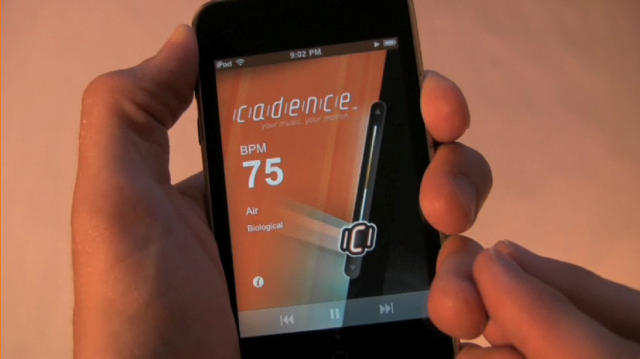
As you might recall, I reviewed Cadence for iPhone several months ago. I found it a useful app and a fun way to browse your music collection by tempo, not title. It did, however, have a near-killer flaw: a setup process that consumed hours as it added (with lots of errors) tempo data to the entire iTunes library.
The creators of Cadence have released a new version that resolves these problems by connecting the app to EchoNest to just grab tempo information over the air. You simply go into the settings on iPhone, ask it to grab info, and after a few minutes, you’re good to go. Having used Cadence for more than six months, I can say with some confidence that it’s most useful in a party setting, when you’re not sure what you want to hear, but you know the mood you want to bring about. Bear that scenario in mind when contemplating the new, elevated $4.99 price tag.
I have been enamored with Urban Tool ever since I stumbled upon their booth at Macworld. The Austrian company sells a range of super-hip gadget bags, slings and holsters that are as unique as they are hip. Their bags have a modern and sleek look to them.
The company recently released a pair of carriers just for the iPad, the PocketBar and the SlotBar. They are not to be missed. Go ahead, release your inner hipster.
It’s time for our weekly digest of tiny iPhone reviews, courtesy of iPhoneTiny.com, with some extra commentary exclusive to Cult of Mac.
This time, we review Amazing Animals: Savanna, Battle Bears: Zombies!, Creepy Caverns, Easy Checklist, Find in Page, Flaboo!, Truckers Delight, Tune Runner, and War Chess (iPad).
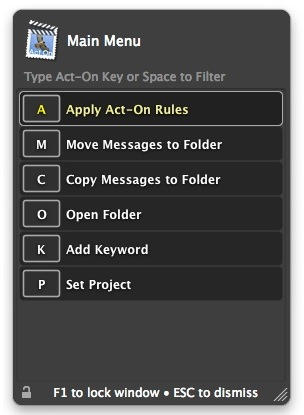
Mail Act-On is a unique plug-in for Apple’s own Mail application. It won’t appeal to everyone, but it is an excellent tool for managing lots of email and keeping it all organized.
It serves the needs of two distinct sorts of person: those who live most of their working hours inside Mail, and those who want to minimize the time they spend in it. Either way, Mail Act-On is a godsend.
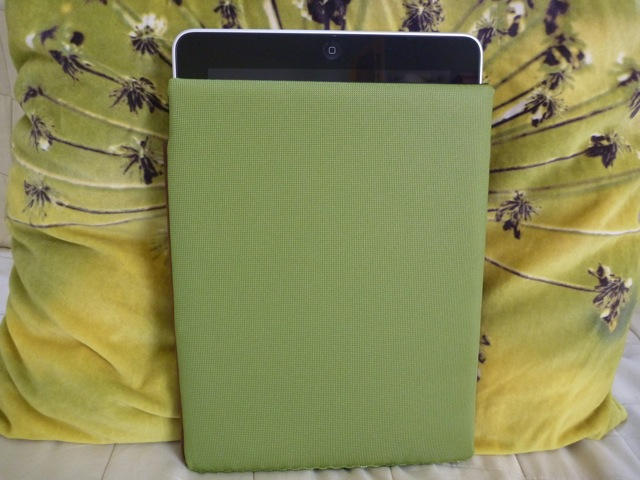
The iPad Smart Case is the latest iPad case from Waterfield, a San Francisco-based Company. The Smart Case provides maximum protection of the iPad in the thinnest of cases. Available in six colors, the $59.00 sleeve is sleek and stylish.
Can’t decide whether to get the iPad with or without 3G? It looks like AT&T will soon be adding tethering, but you can already share your iPhone’s 3G data connection using a $10 app called MyWi.
All you need to do is jailbreak your iPhone — a painless, two-minute process that unlocks the iPhone’s full potential, including turning it into a personal Wi-Fi hotspot using MyWi.
Passwords. Loathe them or detest them from the depths of your innermost soul, they are a fact of life on today’s internet. And so many people use the same one everywhere.
1Password is aptly named. Once you give it control of your passwords, you don’t ever have to worry about remembering passwords again. You’ll only have to remember one – the one that unlocks 1Password itself.
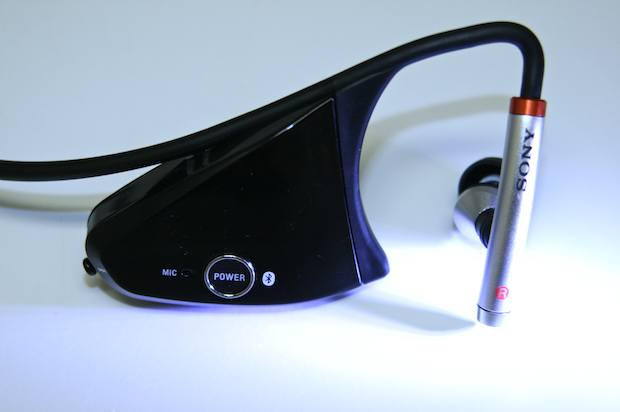
Y’know how you’ll be watching a basketball game and your team’ll be winning fairly comfortably, and then, bam — they’ve suddenly lost the game and you’re not quite sure how it happened? So it goes with Sony’s somewhat aging DR-BT160AS Bluetooth headset: It hits the mark on many elements, misses slightly on a few — and then somehow drops the ball at one critical spot.
With Twitter gaining so much popularity in the mainstream, there seem to be hundreds of Twitter clients available for Mac. But what about us Tweeters who still have old Macs and are running OS X Tiger or even Panther? Twit Menulet fills the gap for those Mac users who still want to Tweet without having to upgrade their entire system. Read on for the full review and an exclusive offer for the Cult of Mac audience:
It’s time for our weekly digest of tiny iPhone reviews, courtesy of iPhoneTiny.com, with some extra commentary exclusive to Cult of Mac.
This time, we review Azkend HD, Dizzypad HD, GTA: Chinatown Wars, LetsTans 8-in-1, Plants vs. Zombies HD, Scrabble for iPad, Scrabble Tile Rack, and The Catching.
What it is:We Rule is an addictive world-building iPhone game that blends Sim City with Facebook’s Farmville. Set in medieval times, you must build a prosperous kingdom by micromanaging the peasants and expanding trade with other online players.
Why it’s good: The game blends the best empire-building aspects of Sim City with the social aspects of Farmville.
As a teenager, I was totally addicted to games like Sid Meier’s Civilization, and Sim City. Even though they had terrible graphics and long load times on my old Pentium 1 PC, the sense of being a ‘god’ and having power over all those little guys made it a deep and immersive experience. Now Ngmoco has brought this gaming experience to the iPhone.
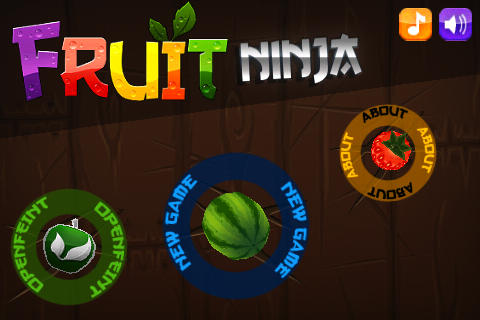
Fruit Ninja incorporates the speed and simplicity of games like Doodle Jump with an innovative control method that makes the game addictive. I love this game. The graphics look like crap but the game proves the old adage — gameplay is king!
So you’re busy chugging away on your computer, downloading loads of video as you do, and suddenly there’s a problem. Your computer says it’s running out of disk space. WTF?
The sad truth is that as fast as hard disk capacity increases, we come up with new ways to fill up our hard disks with digital stuff. Video, in particular, swallows up huge amounts of disk in the blink of an eye. How do you keep track of the state of your hard disk? GrandPerspective is one way to do it.
Say hello to Goober, the next in a long line of applications aimed at becoming the unified communications solution to bridge your highest aspirations for chat, SMS, VoIP and videoconferencing.
A far-flung diaspora of those disenchanted with legacy voice providers has been champing at the bit promised long ago when engineers at Cisco perfected devices for turning voice into 1s and 0s — and Goober offers a promising stab at something close to 21st Century communication’s reach for the Holy Grail.
It’s not easy to buy good headphones these days. There are so many companies that produce good stuff. Choosing is impossible. Especially when you are OCD and everything has to be perfect. Well, I’ve discovered the perfect headphones: The Beats By Dre ‘Studio’ Headphones, which cost $229. I previously owned a pair of plain old Apple earphones. But after listening to a friend’s Sennheisers one day, I couldn’t tolerate the crappy Apple earphones any more. I have been testing the Beats rigorously for the past three months, and now my friend’s Sennheisers sound like those Apple earphones. ;)
It’s time for our weekly digest of tiny iPhone reviews, courtesy of iPhoneTiny.com, with some extra commentary exclusive to Cult of Mac.
This time, we review AlphaBattle, Chop Chop Runner, Compression, ESPN Pinball on iPad, Mini Golf Wacky Worlds Free, Opera Mini, Parcel Panic, and Pinball HD.
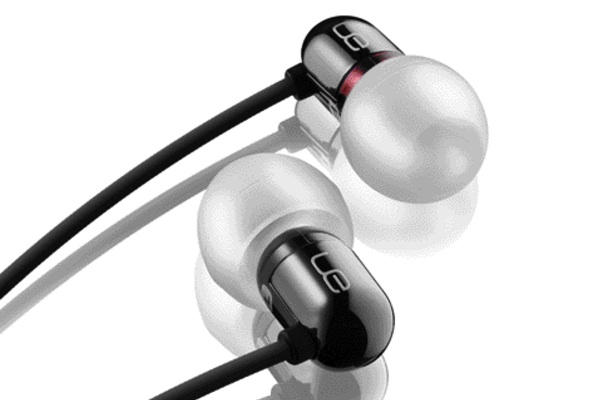
Things sure have changed for music-lovers in a big way over the last decade; I still remember balking at paying $50 for a pair of Sony earbuds not so long ago. Then the iPod ushered in the age of the portable MP3-player revolution, and things would never be the same — the earbud market exploded, and a wealth of hi-fi earbuds roared onto store walls.
The $200 Ultimate Ears 700s, with their phenomenal performance, compact, whisper-light profile and no-frills approach, could be considered the two-seater sports car in this mass of earbuds; right down to their lack of tolerance for abuse.
Perian calls itself “the Swiss Army knife for QuickTime,” a description that’s pretty much spot-on.
Technically, Perian is a “QuickTime component” and it’s a preference pane rather than an application (which means that after installing, you’ll find it in System Preferences, not in your Applications folder).
Scrivener is quite simply an excellent tool for writers.
Packed with features but not overwhelming you with them, it is particularly well suited for writing long-form works: books, screenplays, academic papers, and any other text work that can be broken into chapter-sized chunks.
Scrivener was developed by a writer, so it works the way a writer’s brain works. It knows that long written works are likely to be written in these scattered chunks, not always in the order they will appear in the finished book, and not always published in the order they were written. Scrivener lets you write, then re-arrange your writing using smart outliner modes.
The chunks of writing are known as “Scrivenings”, and if you use the “Edit Scrivenings” command you can edit each chunk in context alongside its siblings. It’s a terrifically useful way of writing.
Scrivener is flexible. There are loads of features on offer, but you can switch off anything you don’t need. It handles big projects with many hundreds of text pages and associated research files, it saves everything automatically (you never need to hit Command+S), and it offers excellent value for money.
For basic writing, you have TextEdit which comes pre-installed on your Mac and is excellent for many tasks (I use it for writing articles every day). But for anything beyond basic writing, Scrivener is well worth considering – and is a great deal cheaper – than the likes of Microsoft Word. For long-form writing, it’s hard to beat.
(You’re reading the 3rd post in our series, 50 Essential Mac Applications. Read more.)
Blue Microphone’s Yeti – a versatile $150 USB device from the company behind the legendary Snowball and the must-have Mikey – would be an absolute steal at twice the price.
In applications from podcasting to studio recording the Yeti delivers intimacy and clarity rivaling the output of some of the best microphones from better known companies such as Shure and AKG – all from a single package with setting versatility neither can touch for such little money.
The Yeti has been loose in the wild for a while now so the info and conclusions in the following review may be old news to some. But the quality and value of such a well-made, high performing product deserves an encore.