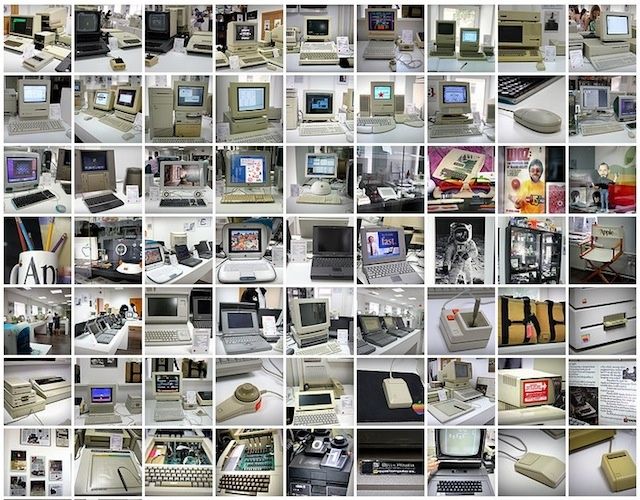
At first glance, it looks as if someone’s raided a high street Apple Store, stolen all the iPhones and iPads and MacBooks Air, and dumped a load of retro computers in their place.
Look closer, and you’ll begin to understand what a remarkable achievement this place is.
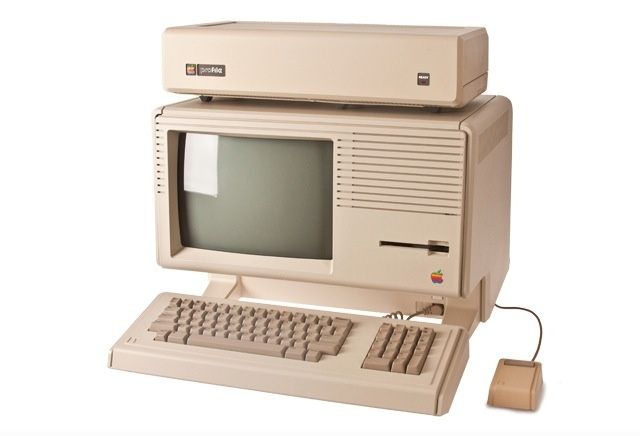
Welcome to the Moscow Apple Museum, owned and operated by 46-year-old computer engineer Andrey Antonov. If ever you felt the need to explain to your kids how Apple got where it is today, this is the place to take them.
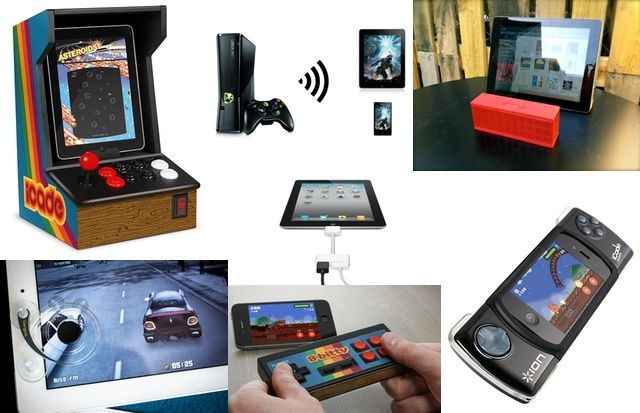
Reliving your childhood with retro games on iOS is, I find, one of the best ways to spend a quiet Sunday afternoon — until you get frustrated with the virtual controls that keep getting you killed and you threaten to throw your iPad out of the window. But thanks to the iCade 8-Bitty, a new Bluetooth control pad for iOS, you can now play your favorite titles with real controls.
I'd actually buy one of these to use as a retro iPhone case.
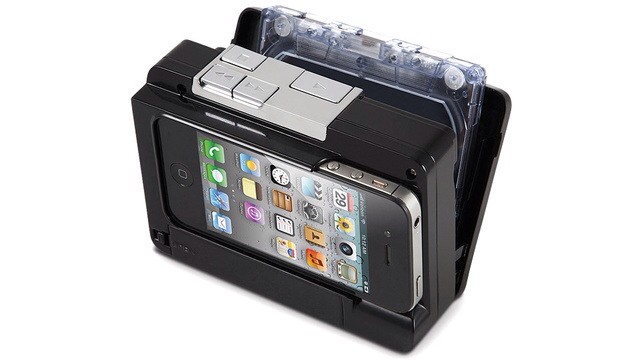
Do you still own a collection of music stored on cassette tapes? Then I have some advice: STOP LIVING IN THE PAST! Those things’ll kill you eventually. If the wow and flutter doesn’t get you, or the ridiculous rewind times don’t drive you crazy, then the magnetic tape will probably spool out at nights and strangle you in your sleep. Probably.
But before you ditch those mix-tapes, you might want to transfer them to your iDevice. And wouldn’t you know it, but Hammacher Schlemmer will sell you a device almost as useless as your own (probbly perfectly-preserved) Walkman to do it.
Turn your iDevice into an arcade machine or PSP beater with these amazing accessories.
iOS is the gaming platform of the future. Just ask Nintendo, who this year posted its first annual loss (nearly half a billion dollars). And while Game Boy-esque portable playing is good enough most of the time, you only need to add a few accessories to turn the iPhone into a full-on be-buttoned handheld, and the iPad into the center of a big-screen home gaming system. Read on to find out our picks for the best iOS gaming accessories.
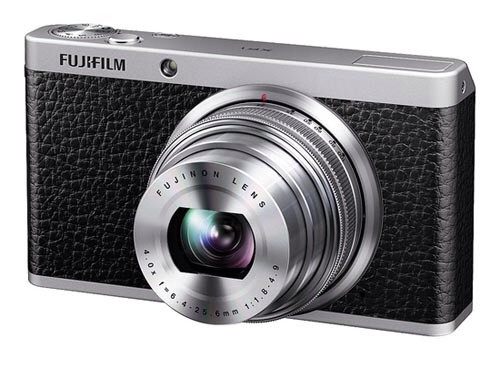
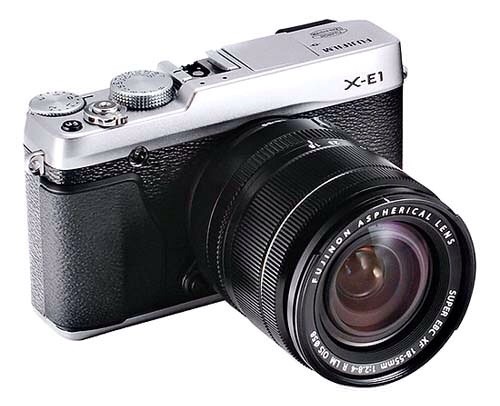
Like shipping an iPhone with Android OS, the X-E1 drops the most important part of the X-range.
What’s the single standout feature that makes you want to buy Fujifilm’s retro-tastic X-series cameras? It’s that neat hybrid viewfinder, right? That’s the real innovation, and the real difference not only between the X cameras and your screen-only iPhone, but between the X-series and all mirrorless cameras.
Which brings us to leaked news of the forthcoming X-E1, a new budget-friendly X-series body which trims the cost by… ditching that viewfinder.
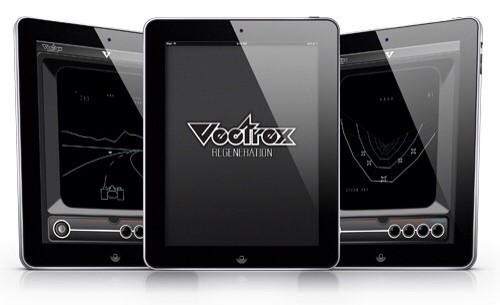
Retro heaven: Vectrex is on its way to the iPhone and iPad.
Vectrex, the sent-from-the-future vector-based games console from 1982, is soon to come to iOS. The Vectrex Regeneration emulator, complete with the entire original game catalog, will launch soon as a Universal app, and will use optional expansion packs to enable extra features.
Jonathan Zufi is the curator and owner of the Shrine of Apple, a web-based museum with a single, slightly obsessive goal: to obtain one of every single Apple product ever produced, and display them all online as beautifully as possible.
Zufi wants to do for all the retro Apple stuff what modern bloggers (not unlike our very selves) do for every newly announced product.
If ever a website earned membership of the Cult of Mac, this is it.
Cult of Mac got in touch with Zufi to ask him a few questions about the project. Here’s what he said.
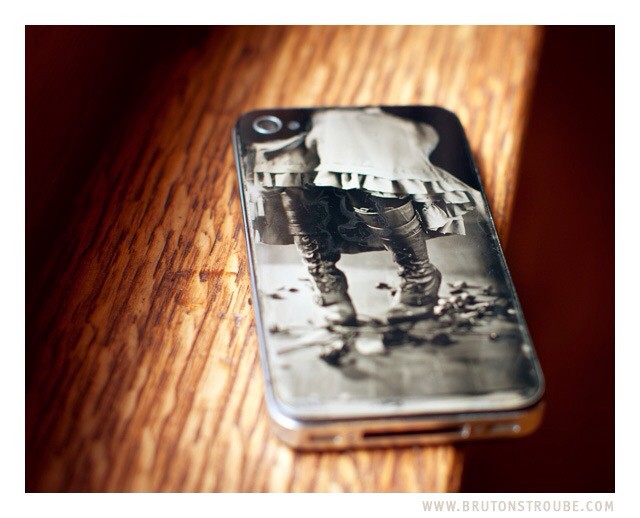
When it comes to iPhoneography, “retro” usually refers to adding some light leaks, desaturating some colors or adding fake grain. But for Jake Potts, it means taking the iPhone’s rear glass panel, turning it into a wet collodion plate and taking a real photograph with it. And because he’s a true photo nerd, he also documented every step of the process.
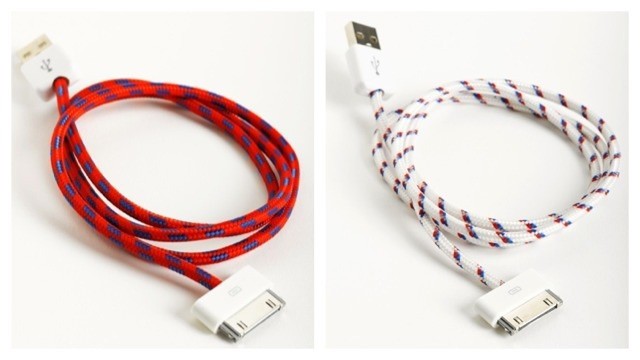
This handsome retro-styled accessory is the Textile iCable from Eastern Collective, a dock-connector with its wire wound in cotton to make it look like an old-timey kettle lead or even a bicycle pump adapter. And if I wasn’t banking on Apple switching over to a new dock connector for all future iDevices (and if I didn’t already have a drawer full of white cables), I’d probably already have ordered a few.
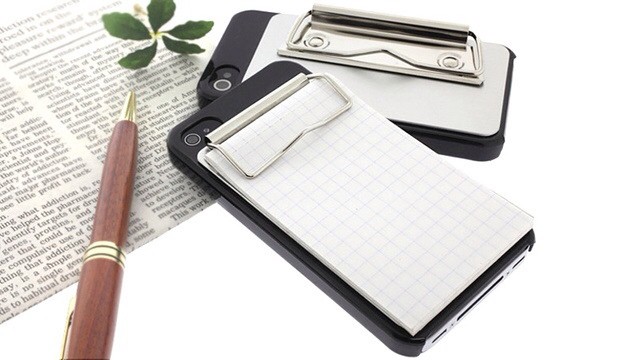
Noteshelf? Evernote? Wacom’s amazing Inkling? Pah! These are all electronic pretenders to the crown of the real portable note-taking king: paper. And with the Binder Clip Case, you can add this noble, non-shareable, non-searchable technology to your iPhone 4/S.
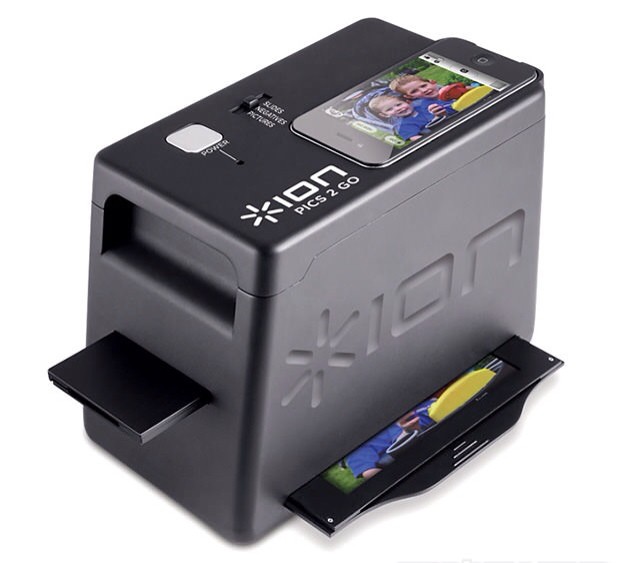
Use your iPhone to turn those old snaps into digital photos.
If you have a huge stack of old negatives or slides, your best bet is to send them off to India. Seriously: there are services which will scan all your negs, let you choose which ones you actually want to keep via a web browser and then get the digital files returned to you. Apparently it’s pretty cheap.
Or you could do it yourself, with the iPICS2GO Negative to iPhone Scanner. It’s a black box which uses your iPhone 4/S’s camera to snap photos of your own old film and then feeds them into software to produce the photos
If there was ever a company mired in Microsoftian corporate nonsense, it’s IRIS, the scanning and OCR company. Clunky, ugly and ridiculously overpriced software combined with hideous hardware, and a lame bird-based logo to boot – if IRIS were a human, it would be a taste-free middle-manager from the early 1990s.
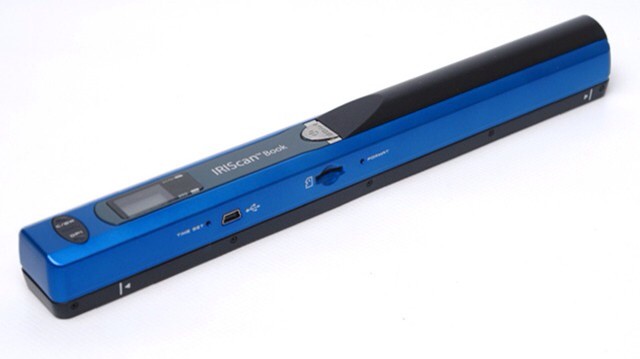
The latest example is the IRIScan Book 2, a scanner which you have to drag over each sheet of paper by hand in order to digitize the letters thereon.
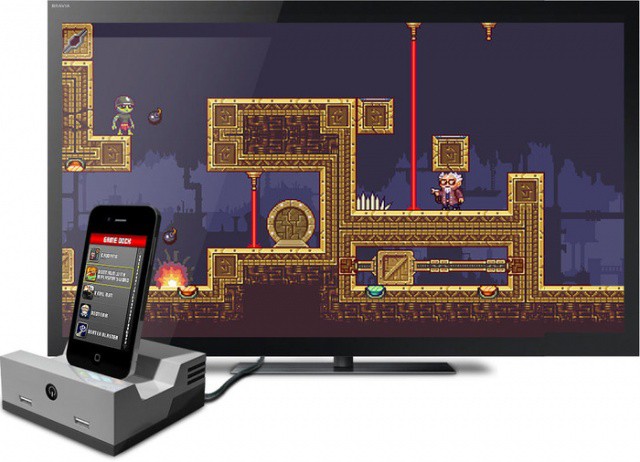
Turn your iOS device into a classic console with the GameDock.
If you’re reluctant to spend $99 on an Apple TV just to enjoy your iOS games on your HDTV over AirPlay, check out this Kickstarter project for the GameDock by Cascadia Games, the team behind Cavorite for iOS. It plugs into your TV via a HDMI connection and allows you to “play classic games the way they were meant to be played,” in full 1080p. It even has two USB ports on the front so that you can hook up a pair of retro gamepads.
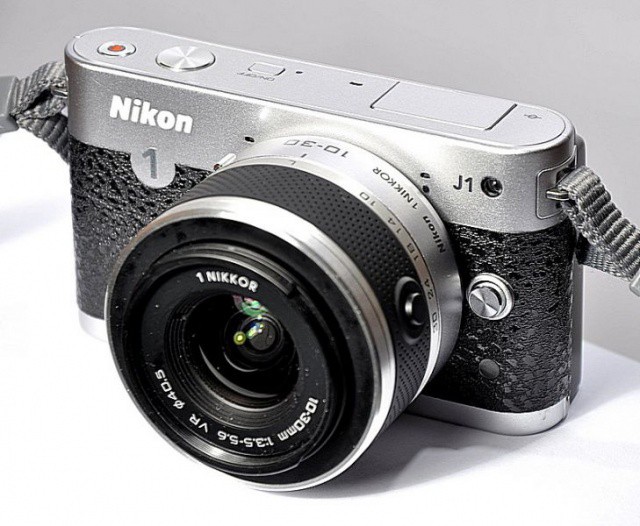
Bought a new shiny, silvery compact camera? Think that maybe it’s a bit too silver? Then why not make it less silver by covering up the silver with some non-silver grip-tape? That’s exactly what PimpMyDigicam is offering in its Leather Kit for the Nikon J1, which guarantees that you’ll see less silver.
Take photos that will make the pictures from your 2004 cellphone look good
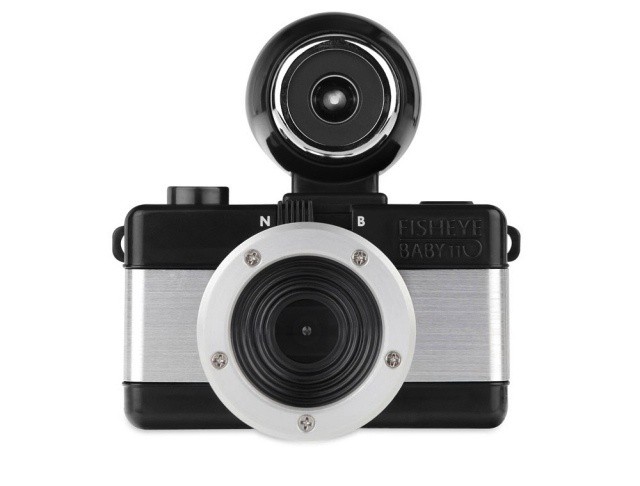
Just a few weeks ago, Lomo started selling craptastic 110 film cartridges so you could relive those bad old days of ugly, grainy photos you thought you’d left back in the 1980s.
Now, the horror is complete, for Lomo will also sell you a 110 camera to go with the film.
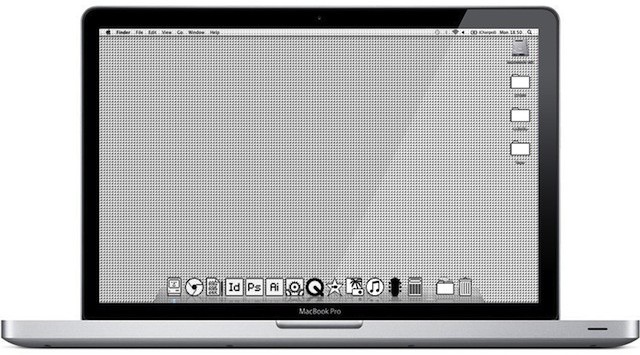
These icons will turn your new Mac into something a bit more "vintage"
There’s a dusty old Macintosh Classic sitting in my bedroom closet that has gone neglected for years now. It used to be fun to turn it on every and play Oregon Trail just for nostalgia’s sake, but I outgrew that phase after a few weeks. How much time does one really want to spend on an old beat up machine when you have the most beautiful desktop computer in the world resting inches away? Well, if you’re craving to have some retro-Mac goodness in your life but don’t want to bootup a machine whose operating system hasn’t been supported in two decades, this cool mod might be just what you’re looking for.
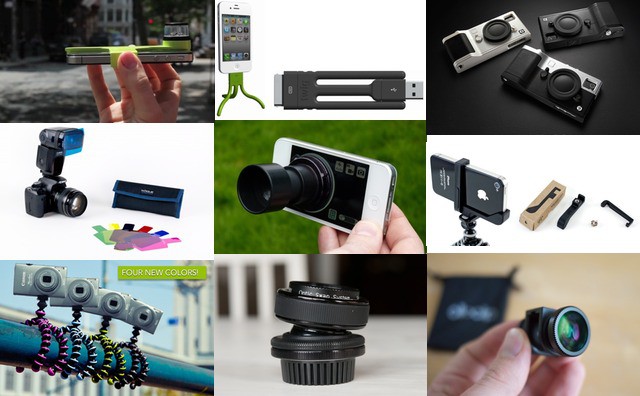
Photo accessories for iPhones and regular cameras.
Best Of Photo Accessories [Best Of]
We have noticed a big crossover between Apple users and camera geeks. And while the iPhone’s own camera continues to get better and better, your old SLR still has some life in it yet. And whatever you shoot with, there are accessories that can perk up your interest or let you catch an otherwise-impossible shot. These are the best of them.
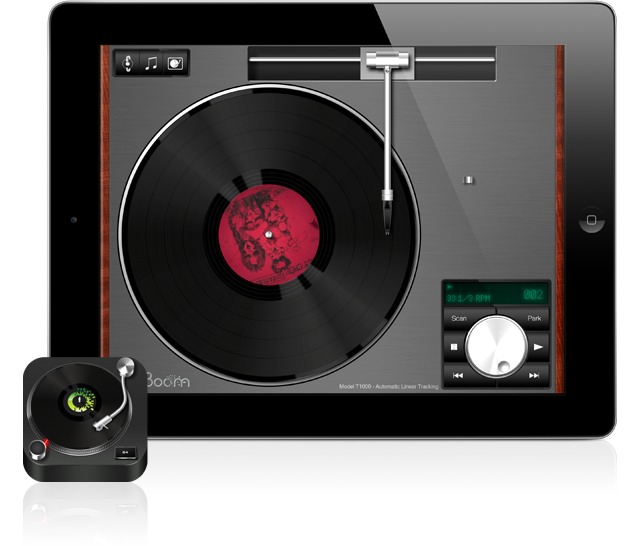
If you ever used to play records, you're going to love Vinyl Tap.
There are a few record player simulation apps for the iPad, but attention to detail and awesome graphics may make Vinyl Tap the best. And better still, it comes with not one but two turntables, with more promised in future updates.
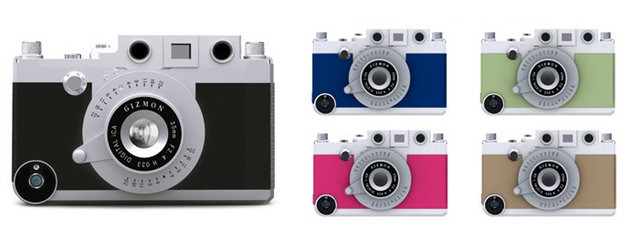
Now there really is no excuse not to retro-fy your iPhone
Cult of Mac’s favorite iPhone case for photographers — the Gizmon Rangefinder Case — has just been improved with new functions, plus a leather strap. And what’s more, it’s actually cheaper than it used to be.
Photography is one place where older is definitely better — for now at least. We take amazingly high quality photos with our digital cameras and then add filters, grain, vignetting and all manner of other imperfections to make those pictures look like they were shot on film cameras. And not even good film cameras: pretty much all of the effects we use mimic defects in the photo processes of old.
Now, with Osmo Leaker, we have an app whose sole purpose is to add simulated light leaks to our photos. Tap the film-cartridge icon and random orangey strips will be added to your photograph, just as if you had accidentally opened the back of the camera before you rewound the film. Don’t like the result? Tap again. Decided you actually did like the previous leak better? No problem, you can go back (in the Pro version).
When you’re done, you can export to the usual places — Facebook and Twitter — and also save to the camera roll or open the image in Instagram. And that’s it: Osmo Leaker is a one trick pony, but it performs that trick very well. There are two versions available, a free version and a $1 pro version. The Pro app has more effects, full-res export and no ads, as well as the back button for fickle mind-changers.
All this has me wondering how ridiculous this retro-fication might be if applied to other technology. Low-res movies with barrel distortion to replicate the crappy picture of an NTSC CRT TV? Crackles and pops applied to lossless music to simulate vinyl? Wait, that last one actually exists!
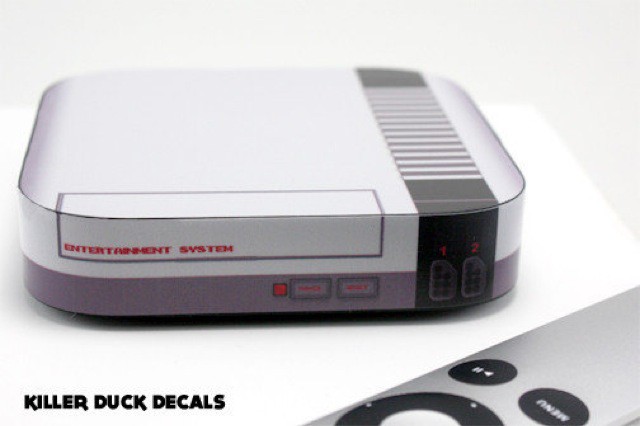
Face it. Your Apple TV is boring. It looks just like every other Apple TV, everywhere in the world. Sure, you might say it doesn’t matter, that the whole point of the little puck is to get out of the way and let you watch TV shows and movies, but that shows a lack of imagination. What you need, my friend, is a set of decals. And not just any old decals. You need decals that make your Apple TV look like a NES console.
This retro-tastic camera case is good enough to use all day
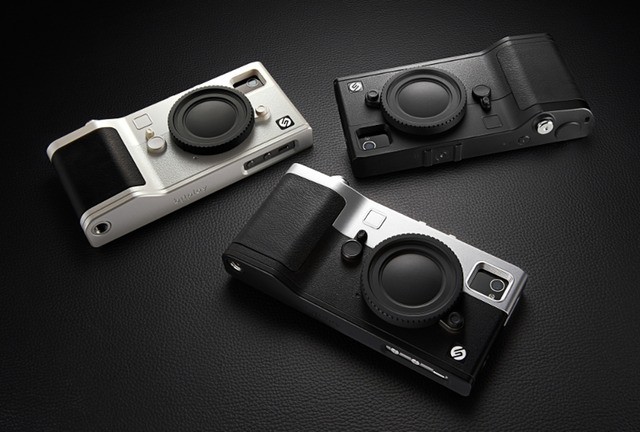
Another day, another neat, camera-like iPhone case. But I promise you that this one is different. First, it manages to be highly functional without doing very much at all. Secondly, it’s actually a case you will want to keep on your iPhone and carry around with you all day.
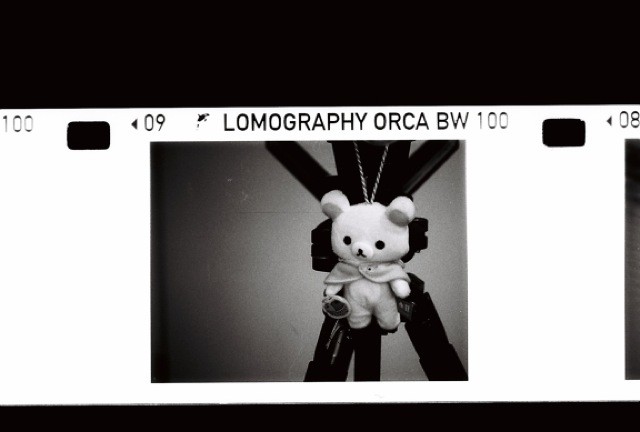
Lomo, the surprisingly successful maker of crappy plastic film cameras and accessories, has just launched a 110 film for its Orca camera. The emulsion is called Orca 110, and it is a high-contrast B&W film rated at ISO 100.
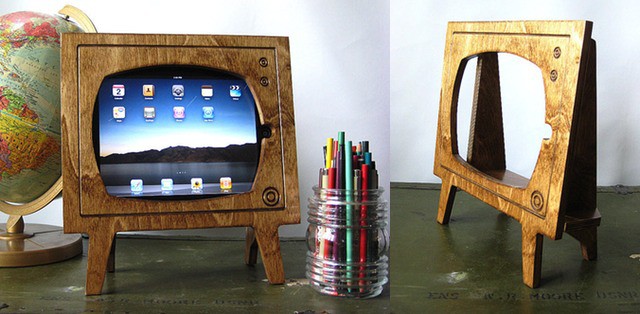
I can’t be sure, as I was a brainless, sieve-memoried child at the time, but I’m pretty sure that our family’s first portable (B&W) TV had a screen that wasn’t much bigger than the screen of my iPad. Still, the crappy picture and bulbous, almost circular screen didn’t stop my brother and I laying belly-down on the end of our parent’s bed and watching Monkey roll up the screen in a fuzz of snow and bad reception.
Now I can relive those dark days by putting my iPad into the Handmade Natural Stained Wood Retro TV iPad Dock, an Etsy product whose name is as good as a description.