Steve Jobs introduces the smartphone that changed smartphones. Photo: Apple
January 9, 2007: Apple CEO Steve Jobs gives the world its first look at the iPhone onstage during the Macworld conference in San Francisco. The initial reaction to that first iPhone demo is mixed. But Jobs is confident that Apple has created a product that people want — even if they don’t know it yet.
The palm-size device combines an iPod, a phone and a PDA. The iPhone unveiling excites many Apple fans but critics remain skeptical.
Surprise! iPhone 4 is popular again, this time with Gen Z. AI image: Gemini/Cult of Mac
If you see someone using an iPhone 4, don’t think you’re hallucinating. Members of Gen Z have dusted off the 15-year-old handset and put it back into action.
It’s part of a trend toward retro tech, so it might be time to pull your old gadgets out of storage to see if you can turn them into cash. Or maybe starting using the devices yourself, now that they are cool again.
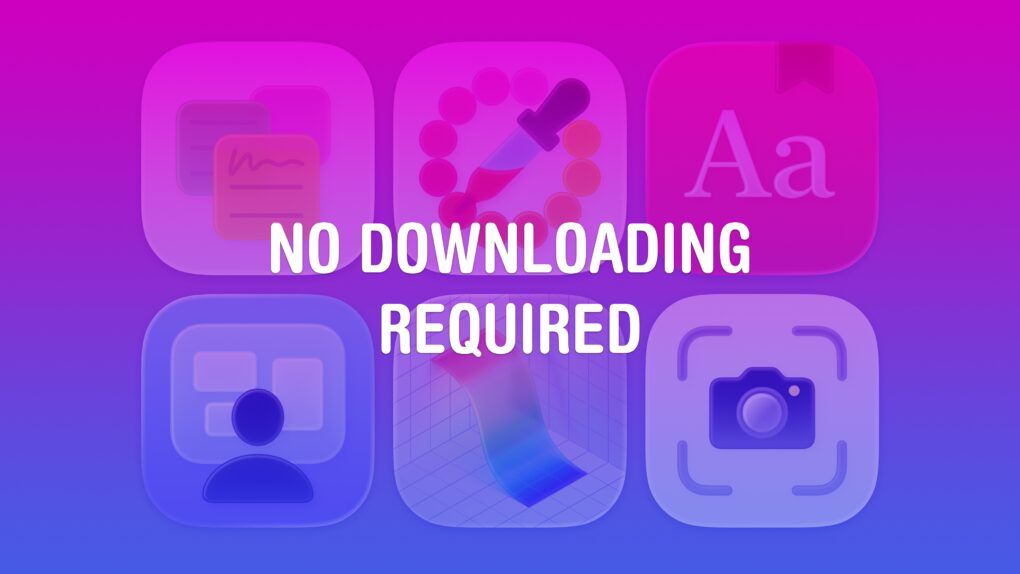
Nothing to download or install — you’ve already got ’em. Image: D. Griffin Jones/Cult of Mac
If you work on a Mac, these six useful apps can help you get that work done faster. And you don’t need to take time to download them or figure out if they’re worth the price — you already have these apps on your computer.
Stickies can help you stay organized with digital Post-It notes. Digital Color Meter is an essential tool for graphic design. Dictionary is the fastest way to look up words and synonyms. Screen Sharing can remotely control other computers on your network. Grapher is a highly advanced plotting tool. And finally, Screenshot is an easy-to-use interface for taking screenshots and screen recordings.
I’ll walk you through how to use these useful Mac apps that you probably haven’t heard of.
Take advantage of premade templates, starter diagrams and stencils with Microsoft Visio Professional. Photo: Cult of Mac Deals
Whether for flowcharts, floor plans or org charts, diagrams prove incredibly useful for illustrating how data fits together. Microsoft Visio Professional 2021 helps you build polished visualizations faster.
The HP-branded iPod flopped, but it was still a savvy business move for Apple. Photo: Keegan/Wikipedia CC
January 8, 2004: The clumsily named iPod+HP, a Hewlett-Packard-branded iPod, debuts at the Consumer Electronics Show in Las Vegas.
Shown off by Hewlett-Packard CEO Carly Fiorina, the prototype device is blue, the color used for HP’s branding. By the time it arrives on the market later that year, however, the digital music player is the same shade of white as the regular iPod. The device doesn’t hang around for long, either.
It seems the typical iPhone user response to iOS 26 is, "Nope." AI image: ChatGPT/Cult of Mac
UPDATE: This article was based on incorrect data from StatCounter resulting from a change on policy by Apple. The web analytics firm fixed the problem and now reports that iOS 26 adoption is just below average: about 53%. This article is kept only for archival purposes. Only a tiny percentage of iPhone users have installed iOS 26, according to data from a web analytics service. The adoption rate is far less than previous iOS versions at this same point months after their releases. The data only reveals how few iPhone users run Apple’s latest operating system upgrade, not why they’ve chosen to avoid it. But the most likely candidate is the new Liquid Glass look of the update.
ChatGPT Health will bring your health data under one roof. Photo: OpenAI
OpenAI is turning ChatGPT into a health companion with ChatGPT Health. This is a dedicated, privacy-focused experience designed to help you better understand your health and wellness data over time.
For iPhone users, ChatGPT Health can pull your health information from Apple Health to help make sense of your medical reports.
The bank that issues Apple Card will soon change, but little will change for users of the card. AI image: Gemini/Cult of Mac
Goldman Sachs is out as the bank behind the Apple Card. Apple announced Wednesday that Chase will become the new issuer of the credit card.
The tech giant and the bank promise that features — including up to 3% unlimited Daily Cash back on purchases — will not change, even though Goldman Sachs will no longer issue the Apple Card.
Secure a lifetime subscription to the Imagiyo AI image generator for just $29 and make any kind of images you want. Image: Cult of Mac Deals
AI image generator Imagiyo lets you create all kinds of images — even NSFW ones. That’s how unbounded this new AI tool is.
It doesn’t matter if you’re designing for a business, crafting unique artwork, or just exploring the creative potential of AI, this powerful tool puts complete control at your fingertips. No subscriptions, no watermarks, no limits — just a simple, intuitive platform that transforms text prompts into stunning, high-quality visuals.
Right now, you can get lifetime access to Imagiyo for just $19.97 (down from $345). With this deal, the AI generator will let you create up to 250 images per month (including NSFW ones), in any resolution you choose. Unlike other AI image generators that lock features behind expensive monthly plans, this deal allows you to create professional-quality artwork (including for commercial use) without recurring fees.
It took the talents of two companies to create an iPhone game controller this innovative. Graphic: GameSir/Hyperkin
The GameSir x Hyperkin X5 Alteron is the world’s first fully modular mobile game controller. A variety of buttons and sticks in removable modules can be swapped in and out from either side. Plus, the device telescopes to fit around your iPhone, iPad or Android.
It offers innovation that stands out in the market for side-mounted controllers.
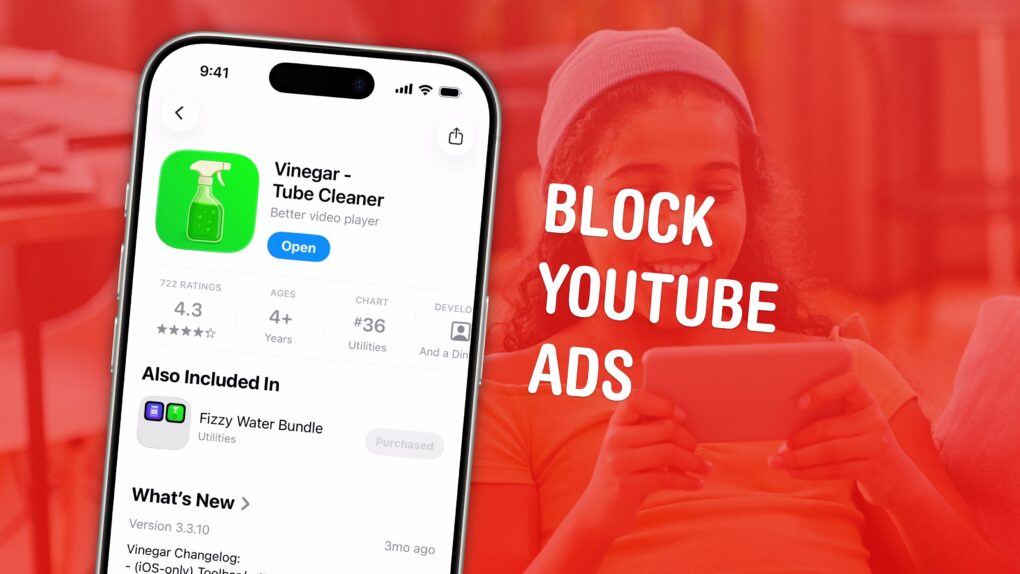
No ads. Picture-in-picture. Background play. All in one extension. Perfect, no notes. Image: D. Griffin Jones/Cult of Mac
If you love YouTube but hate YouTube ads, Vinegar is the best Safari extension you can download. It can block YouTube ads on your iPhone and Mac and restores many native system features like playing videos in the background, picture-in-picture, and more.
YouTube ads are freaking insufferable. But if you don’t want to plunk down the dough for YouTube Premium (currently $13.99 per month), you can pay a one-time fee of just $1.99 to buy Vinegar and block YouTube ads on all your Apple devices.
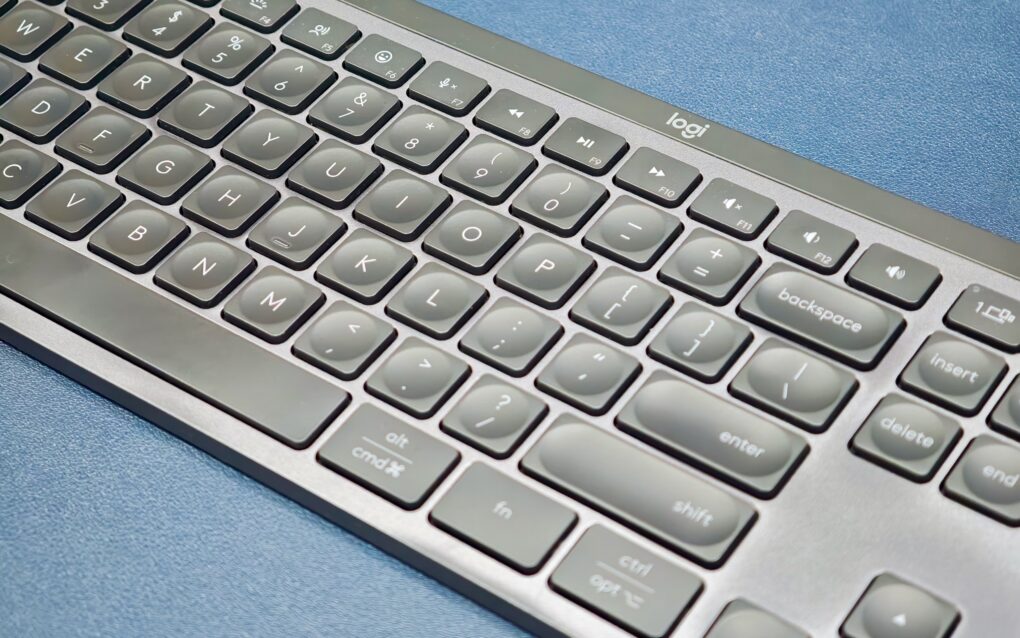
An expired security certificate broke Logitech accessories on Mac. Photo: Rajesh Pandey/CultOfMac
Custom buttons, gestures or scrolling tweaks suddenly not working on your Logitech mouse or keyboard on Mac? You’re not alone.
The Logi Options+ app stopped working properly Tuesday, and the failure is taking a large chunk of Logitech’s ecosystem down with it. Luckily, Logitech issued a patch early Wednesday to fix the problem.
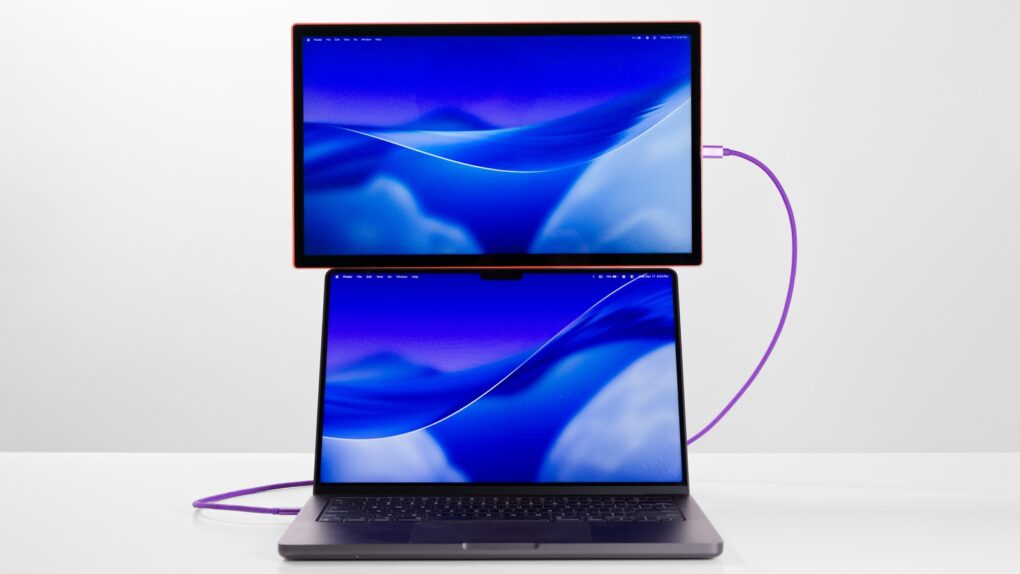
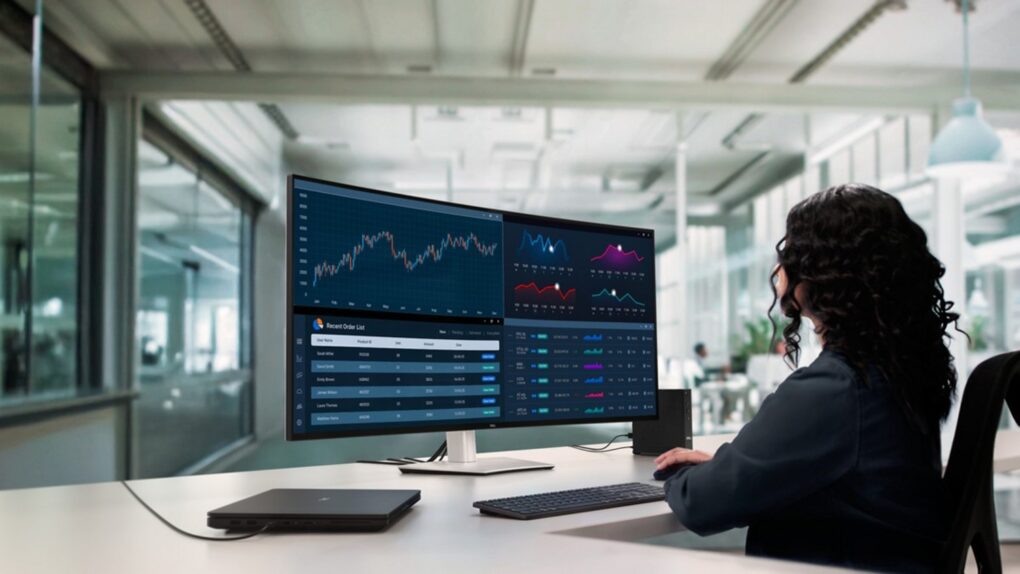
It doesn't achieve quite the visual effect of Pro Display XDR, but it outdoes it in other ways. Photo: Dell
The new Dell UltraSharp 52 Thunderbolt Hub Monitor unveiled Wednesday at CES 2026 is the world’s first 52-inch ultrawide curved 6K monitor, the company said. The display targets the same professional market that Apple serves with its 6K Pro Display XDR. But it takes a dramatically different approach with its expansive screen size and built-in connectivity hub.
It's an Apple reunion, with the Steves joining then-CEO Gil Amelio onstage. Photo: Apple
January 7, 1997: Apple co-founder Steve Wozniak returns to the company to participate in an advisory role, reuniting with Steve Jobs onstage at the Macworld Expo in San Francisco.
Woz’s homecoming is revealed at the end of the Macworld conference. With Jobs’ recent return to Apple (thanks to the NeXT acquisition), it marks the first time the two co-founders have been at Apple together since 1983. It’s a great way to celebrate Apple’s 20th anniversary. Unfortunately, the reunion won’t last.
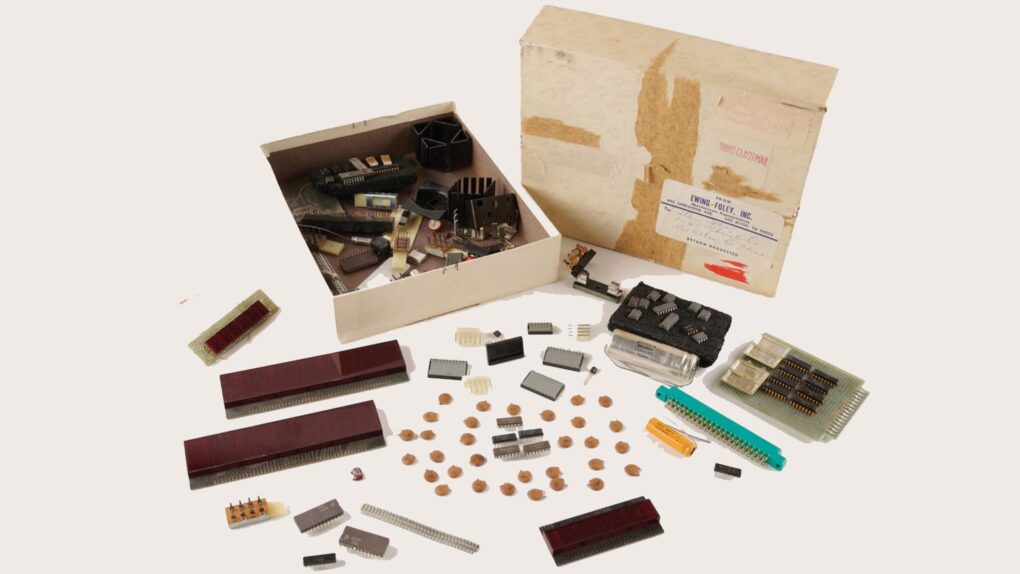
Steve Jobs once owned these Apple-1 computer components, which were stored in a weathered cardboard box mailed to the house where he and Steve Wozniak set up shop in the 1970s. Photo: RR Auctions
How would you like to own a ribbon cable once owned by Steve Jobs? Or how about a heat sink? What about his boyhood collection of bow ties?
These are just three of about 200 items associated with the Apple co-founder currently being auctioned online to celebrate Apple’s 50th anniversary.
Entitled “Steve Jobs & the Computer Revolution: The Apple 50th Anniversary Auction,” the collection of weird auction stuff is more interesting than usual. It provides a glimpse inside Jobs’ childhood home and the legendary Silicon Valley garage where Apple was born. There’s also Apple’s very first check, expected to go for a cool half million.
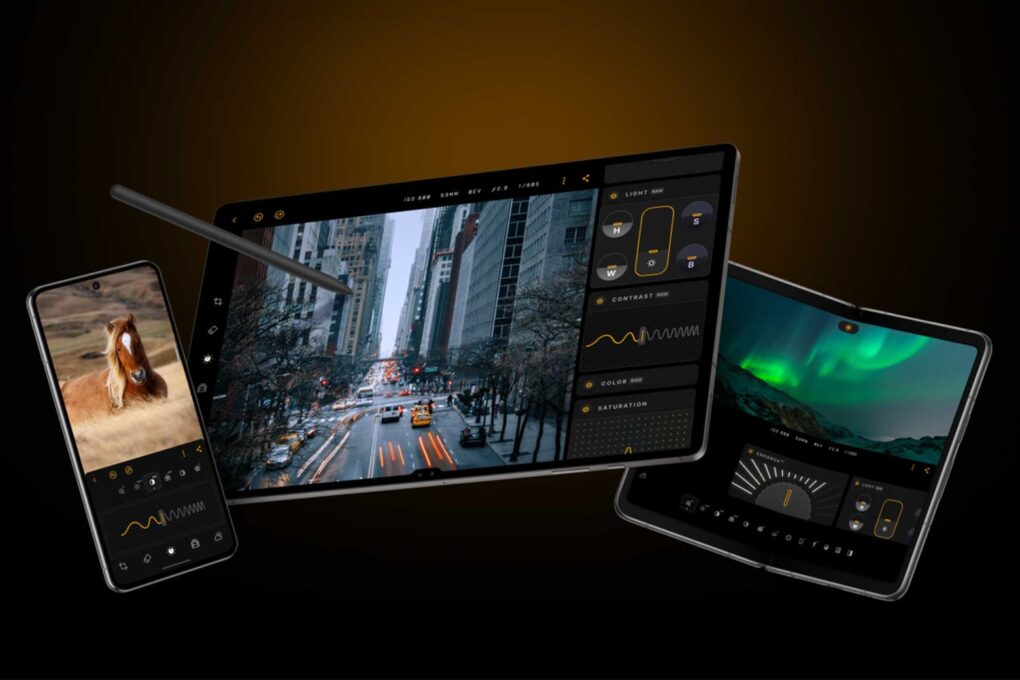
Elevate photos right on your Apple device with Luminar Mobile, an AI photo editor that yields astonishing results. Photo: Cult of Mac Deals
Sure, you can use the built-in Photos app to edit pictures on your iPhone, but an AI photo editor can open up a world of advanced possibilities. Apple’s stock photo-editing tools have come a long way in recent years, but they still make it hard to produce the picture you originally thought you would get.
Luminar Mobile, an AI photo editor for iPhone, iPad, Vision Pro and Android devices, is somehow both simple and feature-rich. With it, you can easily realize your visions. And you can get a lifetime subscription for just $15.97 per device (MSRP $47.99).
Background Security Improvements deliver behind-the-scenes software patches to shield iPhone users from hackers. AI image: ChatGPT/Cult of Mac
Apple ran the first test of its new Background Security Improvements feature on Tuesday. Registered developers can access the initial security patch, though it does nothing aside from test the new system.
The eventual goal is enable Apple to distribute security patches separated from software updates.
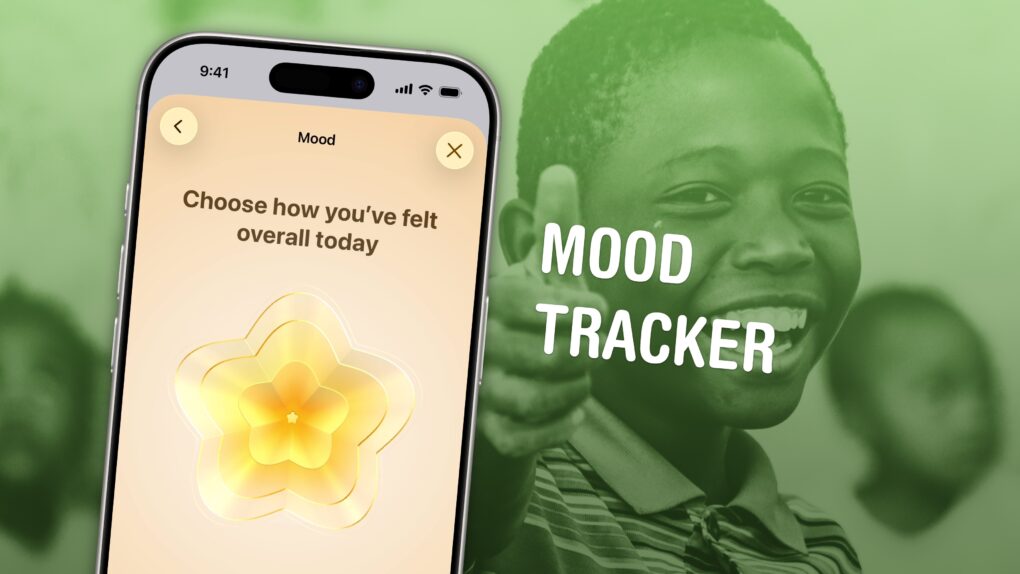
Apple’s mental health tracking feature makes it easy to log your feelings and see what’s bothering you most. Image: D. Griffin Jones/Cult of Mac
Logging how you feel throughout the day with your iPhone can help you identify what’s causing you trouble or what works for you, whether it’s work, family, exercise, sleep or other things. You don’t need to hand your data over to a third-party app; the built-in and totally free Apple Health app comes with a built-in mood tracker that helps you keep tabs on your mental well-being.
In order to make any kind of meaningful change, you need to understand fully what helps, what doesn’t, and what you can do. And that means effectively tracking your mental health. Luckily, starting your log is easy. Set it up once, and your phone will ask you every day so you don’t forget.
Let me show you how to set up a mood tracker on your iPhone.
You can adjust these for an open-ear fit to hear your surroundings, or lock them for more-immersive sound with active noise cancellation. Photo: Soundcore
The innovative new Soundcore AeroFit 2 Pro earbuds mark a significant advancement in open-ear audio technology, the company said at CES 2026 Tuesday. The earbuds bridge the gap between situational awareness and immersive listening by offering both open-ear comfort and active noise cancellation in a single device — a first in the industry.
You can physically adjust the buds to be in the ear canal or just outside it. The buds sense the settings and adjust output accordingly.
Add terabytes of secure, high-speed storage to your iPhone for recording ProRes video. Photo: BMX
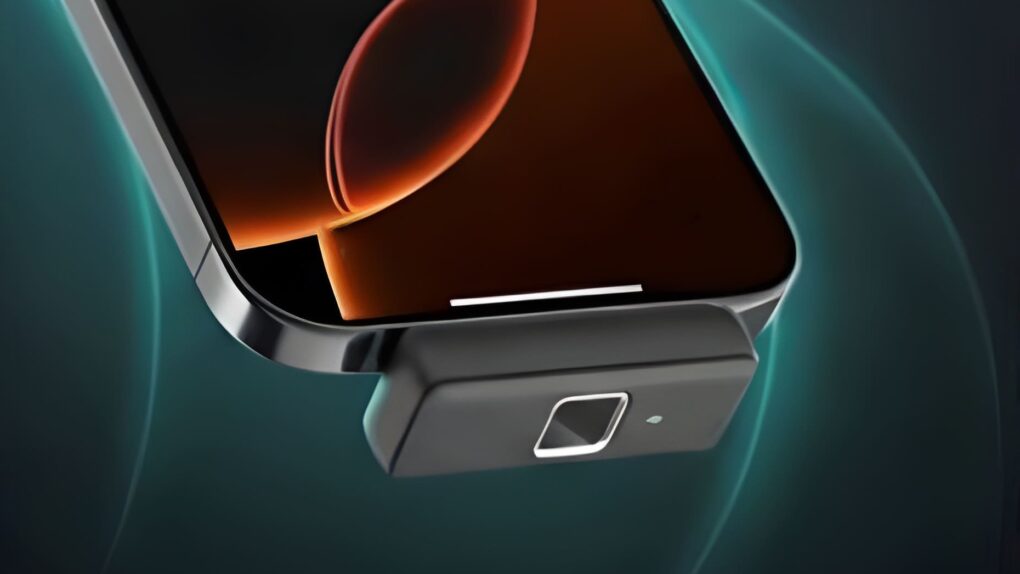
A ByteSize SSD from BMX is small enough to fit snugly along the bottom of a iPhone with USB-C, adding up to 2TB of storage. The Ultra and Pro variants offer fast enough connections for recording high-res, high-frame rate ProRes video.
But what really sets the premium variant of the new portable SSDs apart from rivals is support for Apple FindMy tracking system. Plus, multiple models also include fingerprint biometric security.
Satechi CubeDock Thunderbolt 5 dock looks like a Mac mini. Photo: Satechi
Satechi’s new CubeDock is a Thunderbolt 5 dock with a compact, cube-shaped design that looks like a Mac mini. Unveiled this week at the massive CES 2026 electronics convention in Las Vegas, the dock comes with a versatile port selection and an internal NVMe SSD slot to expand your Mac’s storage.
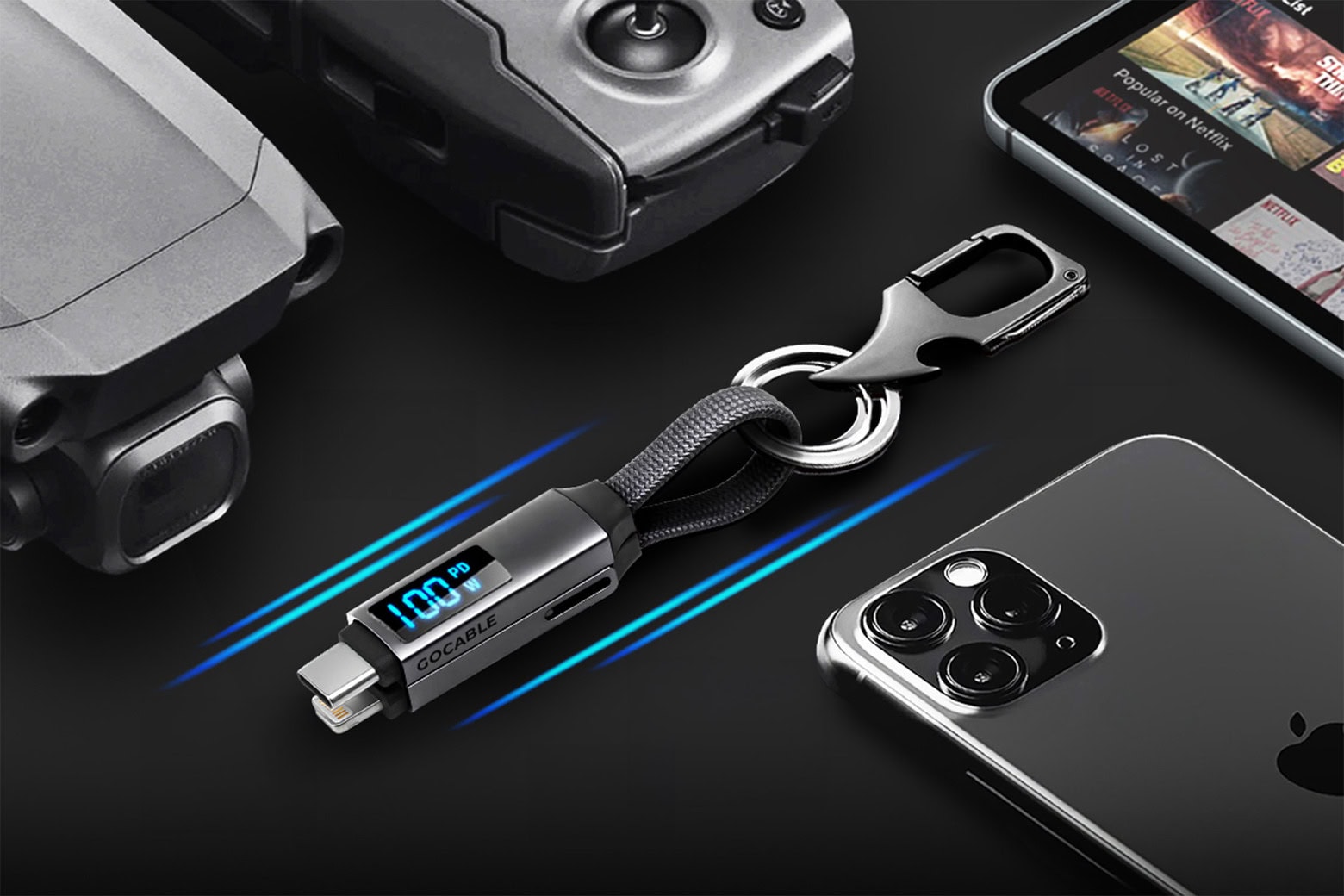
Get a GoCable 8-in-1 EDC charging cable on sale for just $20.99. Photo: Cult of Mac Deals
With multiple devices to manage and little room for bulky chargers, it helps to have an all-in-one solution to keep everything powered. GoCable is up to the task. This 8-in-1 keychain charging cable is designed for modern travelers, creators and adventurers who need fast, reliable juice for almost any device.
It’s small enough to fit right in with your EDC essentials. And Cult of Mac Deals chops the price down to just $19.97 (regularly $49.99).
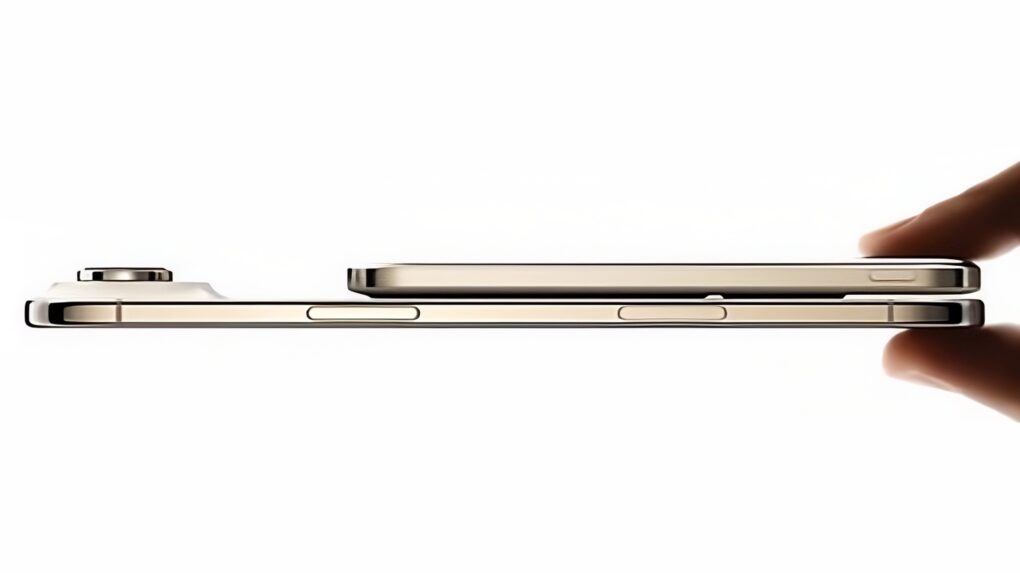
The BMX SolidSafe Air is the world’s slimmest semi-solid-state iPhone power bank. Photo: BMX
External iPhone batteries don’t have to be cumbersome — several very slim power banks debuted at CES 2026. Clip one of these to the back of your handset, and you’ll add hours of use without adding too much bulk.
Sleek new models from BMX, ESR and Baseus went on display at the giant trade show going on this week in Las Vegas.
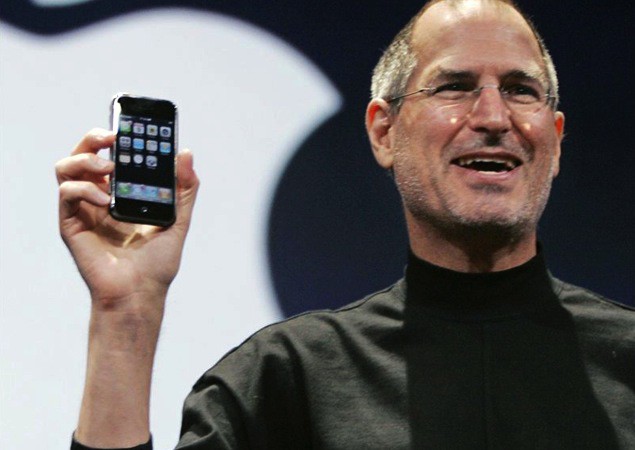
 January 9, 2007: Apple CEO Steve Jobs gives the world its first look at the iPhone onstage during the Macworld conference in San Francisco. The initial reaction to that first iPhone demo is mixed. But Jobs is confident that Apple has created a product that people want — even if they don’t know it yet.


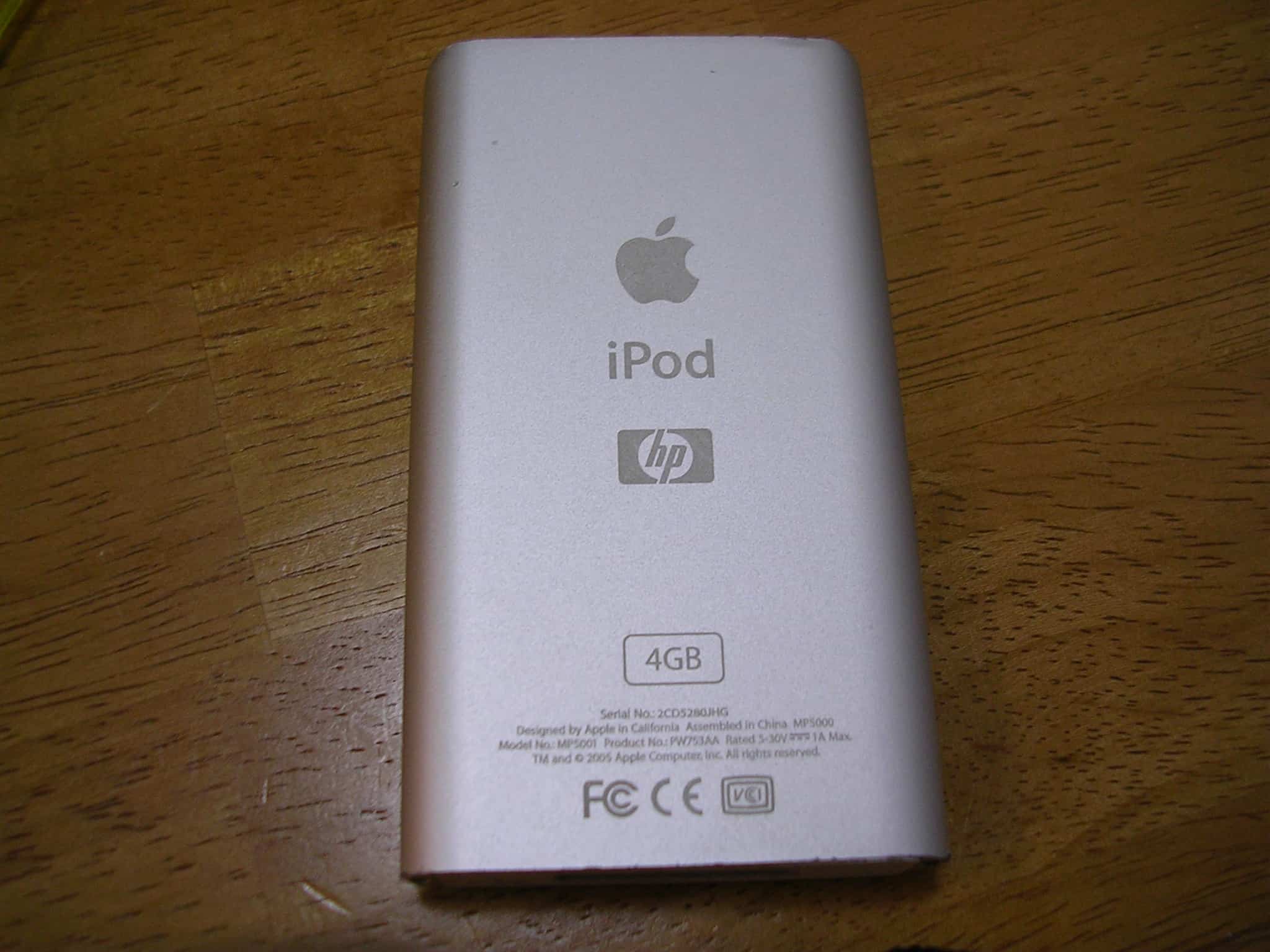
 January 8, 2004: The clumsily named iPod+HP, a Hewlett-Packard-branded iPod, debuts at the Consumer Electronics Show in Las Vegas.






 January 7, 1997: Apple co-founder Steve Wozniak returns to the company to participate in an advisory role, reuniting with Steve Jobs onstage at the Macworld Expo in San Francisco.