Most of us don’t need VoiceOver, the accessibility feature that’s built into the operating system of each and every iPhone.
But for one blind iPhone owner, it has been a life-changer.
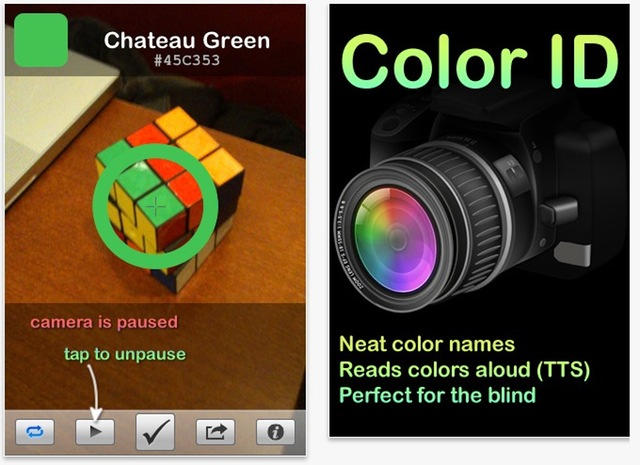
Most of us don’t need VoiceOver, the accessibility feature that’s built into the operating system of each and every iPhone.
But for one blind iPhone owner, it has been a life-changer.

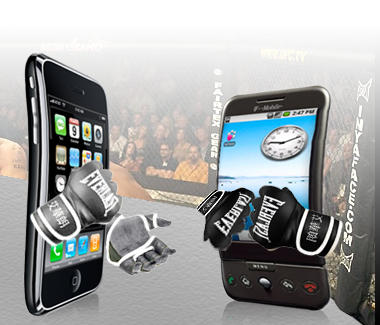
Your choice of smartphone may tell more about you than you realize. Various sources are reporting on a Nielsen Mobile Insights survey about mobile phone usage; among other findings: iPhone users prefer chicken, while Android owners love ribs.
[coupons.com] examined its mobile coupon usage from the different platforms and came up with some staggering results. Did you know that women’s body wash coupons were routinely used by iPhone owners while men’s body wash was often purchased by Android owners?
If that doesn’t floor you, you should know that iPhone owners buy baby products 42 times more than Android users. Google OS users are more apt to use pain-relief coupons though, probably because of the headaches of using Android’s multimedia player. [intomobile]
According to the Wall Street Journal additional details from the survey reveal that a higher proportion of 18- to 24-year-olds use Androids than iPhones, BlackBerry users tend to use their phones more for business purposes than entertainment, and iPhone users tend to be more affluent and better educated.
I’m not sure whether this is more useful as flame-bait or marketing demographics, but it’s fun!
[via Digg]

This week’s must-have iOS games include the newest addition to the The Sims series with some fantastic new features, guns galore in the latest Time Crisis arcade shooter, and Gameloft’s impressive Prince of Persia game in HD on the iPad.
Check out a few of our favorite games from the past week after the break!
Turn your videos in to cartoons, share you favorite books, movies & TV shows with friends, and make notes with the best interactive notepad in the world; all with apps featured in this week’s must-have iOS apps.
Check out a few of our favorites from the past week after the break!

According to a story on Network World a cease and desist letter was sent by Apple to Newsday about their popular and viral iPad app commercial that I wrote about last week.
The commercial demonstrated one way the iPad could not possibly replace a newspaper — using it as a fly swatter. If you use the iPad to swat flies according to the commercial the iPad screen will shatter. Allegedly Apple wasn’t to happy about that ad.
Network World received the e-mail below, but wasn’t able to confirm its authenticity:
“Newsday got a cease and desist letter threatening all of our apps, if we did not remove the commercial immediately. They took exception to the fact that the (iPad) glass shattered into large jagged pieces … Your instincts are correct.”
The e-mail above leaves me feeling a bit disturbed, since we all know how controlling Apple has been over iTunes App Store content. However, I highly doubt that Apple would resort to these tactics just to get a commercial pulled.
Something doesn’t feel right about this and I’ve contacted Apple for comment. I’ll post their response or refusal to respond here later.
In the mean time you can try to catch a glimpse of this commercial, while you still can, via YouTube. The original video that I linked to last week has been pulled from YouTube.
[via Network World]
Google Voice apps have had a chaotic history appearing in and then disappearing from the iTunes App Store. The “official” excuse was duplicity of iPhone features, but now it looks like Apple is putting all these excuses aside by allowing, Andrea Amann’s, GV Connect app into the App Store.
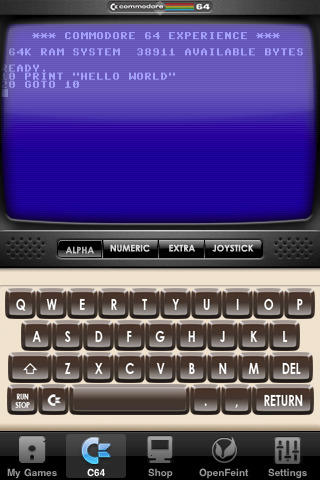
The Commodore 64 emulator application for iPhone was pulled from the App Store by Apple in September 2009 for leaving its BASIC interpreter intact and accessible via a backdoor hack. This week, the app has returned after some rework by its creator, Manomio — with BASIC included.

At least he was polite, but it’s obviously not customers for whom Steve Jobs has little regard — it’s journalists.
When Long Island University senior Chelsea Kate Isaacs, 22, emailed Jobs Thursday asking why Apple’s PR department wasn’t responding to her questions about about the use of iPads in academic settings, she claimed she wasn’t expecting a response, according to a report at Valleywag.
But she got one, several in fact, and in the end Jobs said, simply, “Please leave us alone.”
Ms. Isaacs should have emailed us about why Apple PR doesn’t respond to questions like hers; there’s a whole staff here with lots of experience in that area.
[Gawker]

We close out another week with three top deals. First up is a new batch of free iPad apps, including “Sproutster,” a spelling game for the Apple tablet. Next is a deal on refurbished iPhone 4 handsets, starting at $149 for a 16GB version from AT&T. Finally, is iStart Spanish, a free app for your iPhone or iPod touch. Use this app to learn “acuerdo,” which translates into English as “deal.”
Along the way, we’ll also check out other iPhone apps, hardware deals for your iPod and other items. As always, details on these and many other bargains can be found at CoM’s “Daily Deals” page after the jump.
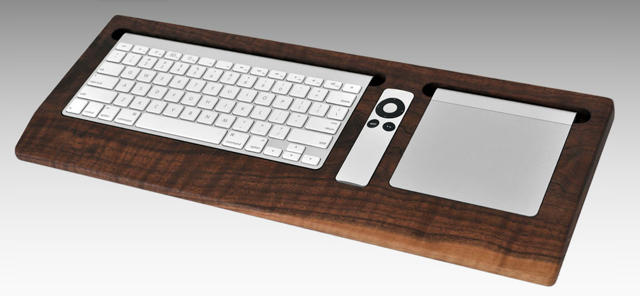
Since I can’t live without a number pad and therefore stick with Apple’s wired keyboard, I can’t avail myself of this gorgeous black walnut keyboard tray by the Combine Collective in any of its three varieties, which takes the wireless keyboard for granted. What a shame. I really wish I could: this is just an utterly gorgeous way to keep all of your Mac desktop accessories consolidated, especially for the price of just $79.
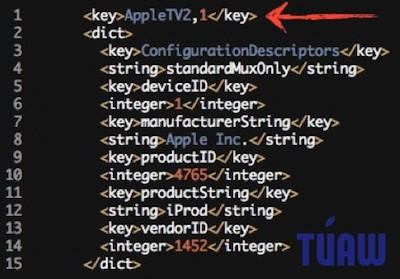
It was common knowledge that Apple’s new AppleTV was running some sort of variation of iOS under the hood, especially since it uses the iPhone 4 and iPad’s A4 CPU for silicon horsepower, but TUAW has confirmed it: the AppleTV is an iOS device, and therefore jailbreakable using existing techniques… although since there’s no local storage, I would imagine any AppleTV jailbreaking would mostly focus on improving functionality by beefing HD output up to 1080p.
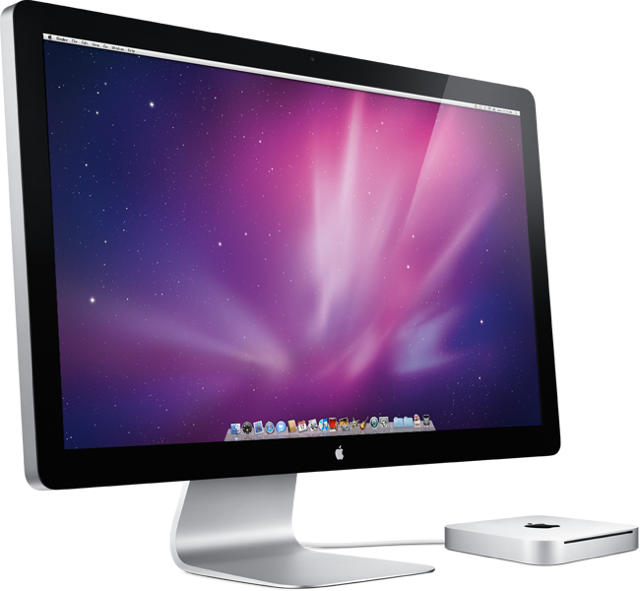
Calloo! Callay! It’s a frabjuous day for Mac Pro and mini owners looking to match the new iMac’s biggest and most beautiful display.
After months of waiting, Apple has finally made its new 27-inch LED Cinema Display available for purchase, featuring a 2560 x 1440 resolution, a 178-degree viewing angle, a universal MagSafe connector for charging MacBooks, a built-in iSight, microphone and 49-watt speaker system, as well as three USB 2.0 ports.
You can pick it up now for $999 from Apple’s online store, with delivery slated within one to two weeks.
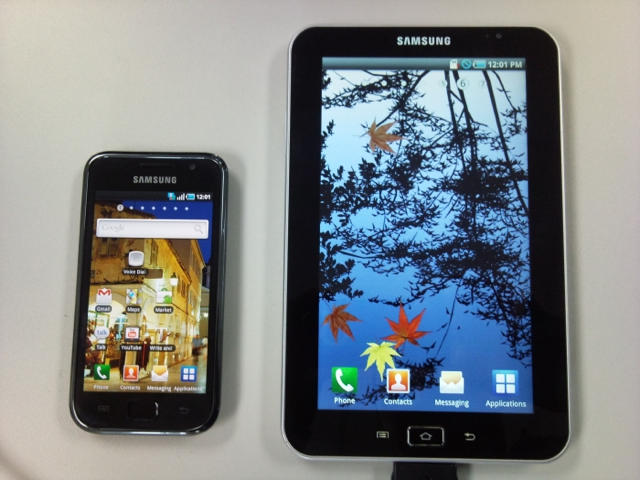
Samsung is attempting to break into the growing tablet market with a full-court press against the Apple iPad. The Android-based Galaxy Tab device will be available on all four U.S. carriers: Verizon, Sprint, T-Mobile and AT&T, which already offers 3G service for the iPad. Although pricing and availability are still not settled, two carriers said the Samsung device could be available either in weeks or months.
AT&T announced it would sell the Galaxy at its retail stores and from its website “in the coming months.” Along with offering 3G service for the iPad, AT&T is currently the exclusive provider for the iPhone.
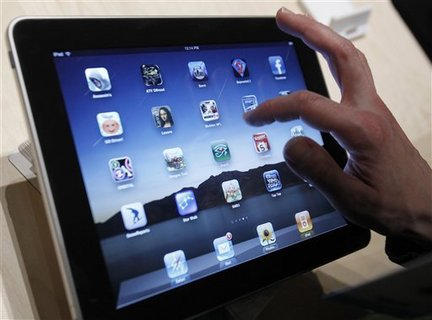
A second-generation iPad with video-chat could appear in early 2011, according to a report. Suppliers are preparing to ship “ultra-thin glass-based touch panels” to Apple at the start of the year’s first fiscal quarter.
The updated iPad will remain with a 9.7-inch screen, but include Apple’s FaceTime video-chat feature which uses Wi-Fi connections, according to Taiwan-based industry publication DigiTimes. In addition, Apple is in “advanced testing stages” of an iPad with an front-facing camera used by FaceTime, according to anonymous sources sited by AppleInsider. FaceTime is already available on the iPhone 4 and latest iPod touch.
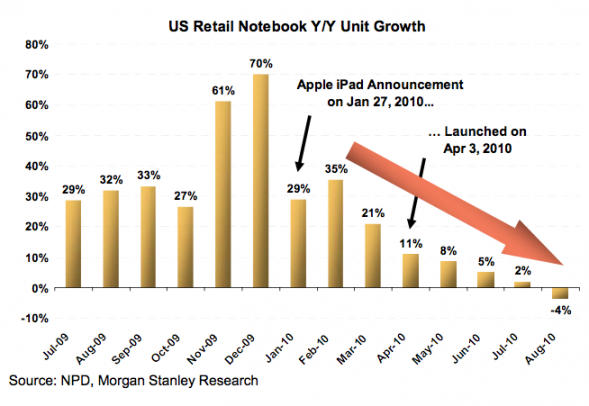
Talk of the iPad cannibalizing the netbook, notebook, or entire PC industry, has long been around. However, now comes two more voices – this time from both the analyst world and the CEO suites. The iPad has “cannibalized sales from laptop PCs by as much as 50 percent,” Best Buy CEO Brian Dunn told interviewers earlier this week.
The statement, while dramatic on its own, appears bolstered by a Wall Street analyst who reported Thursday U.S. notebook growth fell 4 percent in August, the first time that product has seen negative growth. Noting the steep decline matches the iPad’s introduction, Morgan Stanley’s Katy Huberty blames “tablet cannibalization” partially for the drop in notebook growth.
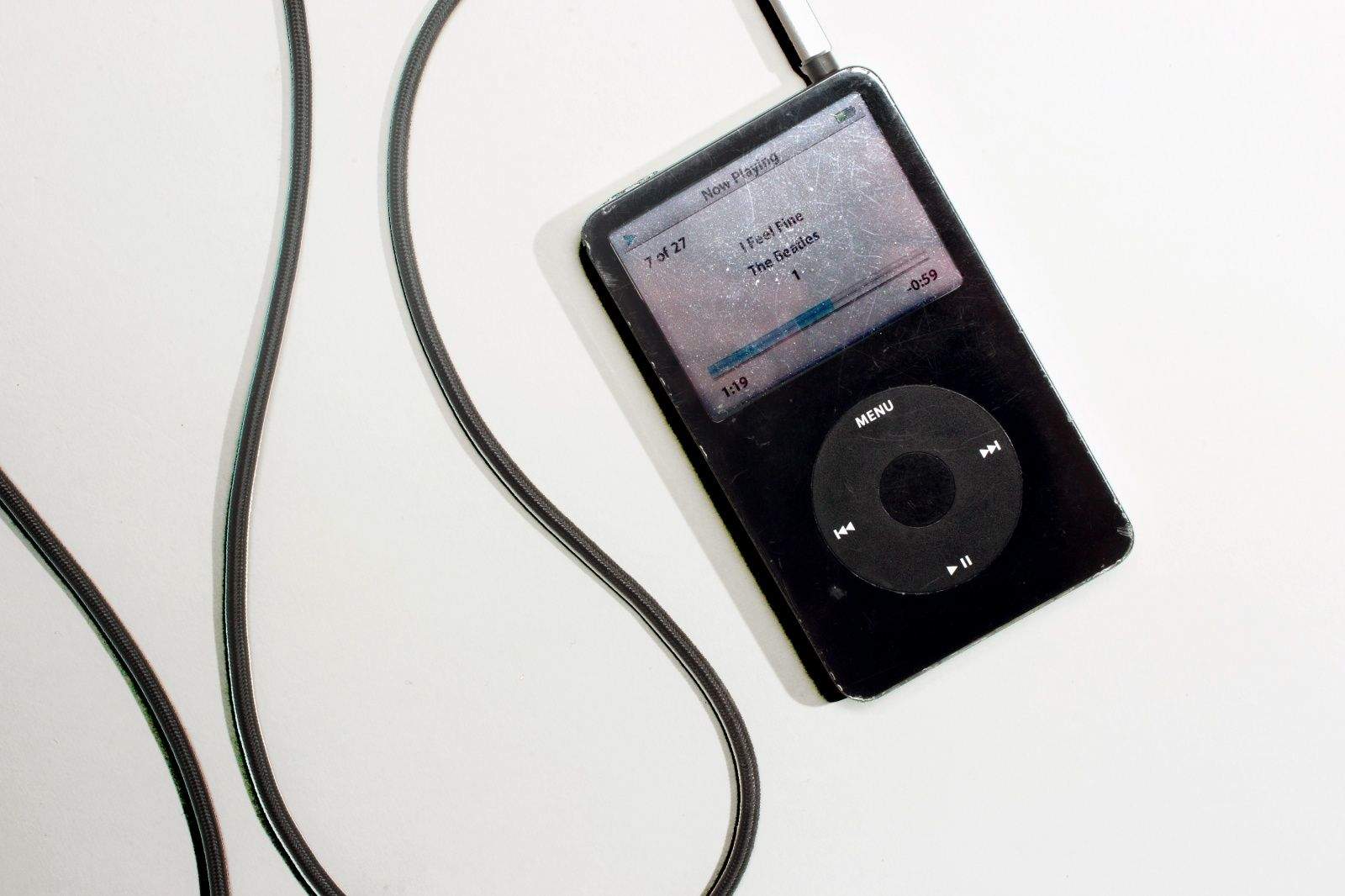
Now that Apple has made iBooks available on all iOS devices users can read their purchased eBooks on a number of different devices. But what if you have a couple large RTF, DOC, TXT, or LIT files of your own that you want to view in iBooks you’re out of luck. In this tutorial we’re going to show you how to get digital and convert your documents into eBooks so that you can enjoy reading them on your iPad, iPhone or new iPod Touch.
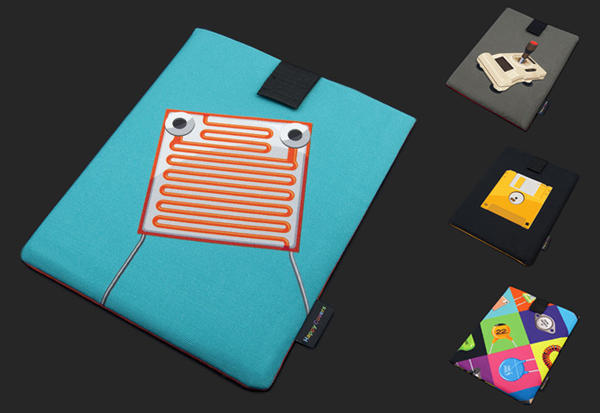
The iPad is a beautiful device and a well-constructed case is a must have. The ‘Happy Cover’ from design house Atelier Kurth aims to meet our case needs, all the while delivering retro style that sets it apart from the masses.
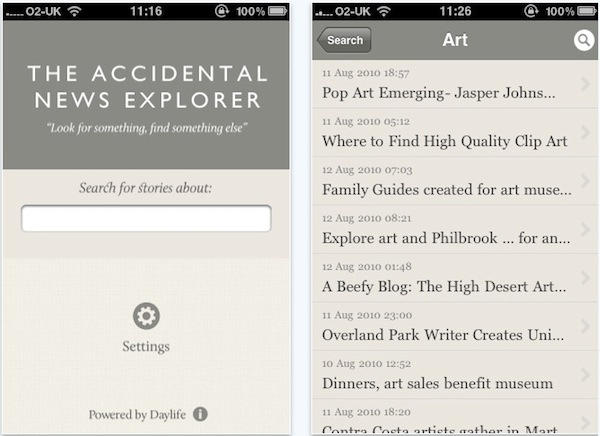
Today’s Best Thing Ever is also my favorite new appquisition of the week, and it’s called the Accidental News Explorer, and it was built by Brendan Dawes
It’s news, but not as we know it. For a start, there’s no list of headlines. Just a search box.
Apple’s new social network for music fans, Ping, has had a rough start. People didn’t expect it to be a Facebook for music right away but they did expect more from Apple. After years of social media hype many people thought Apple would have learned from the mistakes others have made. While Ping might not be the best idea Apple has ever had, I think when will look back years from now we will wonder what took them so long! For those of you who have turned on Ping, here are some things Ping should have and a few tips to make your Ping experience a little better. Read more after the break.
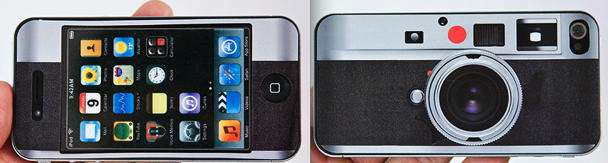
This $13 skin from Petapixel makes your iPhone 4 look like a Leica camera, inspired by a DIY sticker project Joey Celis devised for his iPhone.
While it would protect your phone from scratches, as far as camouflage goes, does it make sense to cover your expensive iPhone to make like look an even more expensive, easy-to-steal gadget?
Love it or lose it?
httpv://www.youtube.com/watch?v=rZt0kDgNUQI
Why anyone would feel compelled to do this, I don’t know, but TUAW have found some footage on YouTube of an iPad user who has created a tutorial on how to get Windows 3.11 and Windows 95 running on your iPad.
If you really want to give it a go, you’ll need a jailbroken iPad and the open-source Bochs emulator. Check out the video above from MSComputerVideos for the step-by-step guide.
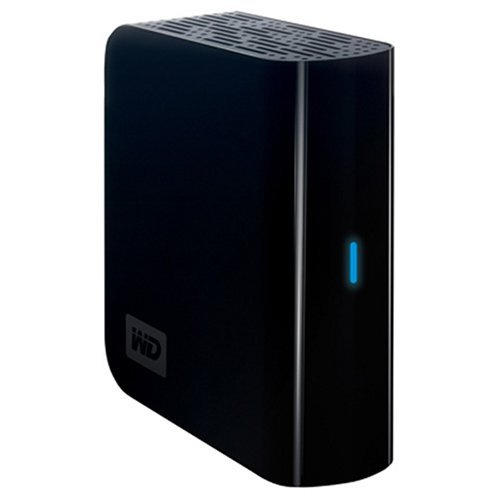
Here’s a great deal on an external hard drive that’s perfect for backups: A refurb 500GB My Book drive for $35 + $5 shipping.
newegg.com offers the factory-refurbished Western Digital My Book Essential 500GB USB 2.0 External Hard Drive, model no. WDH1U5000N, for $34.99 with $4.99 for shipping ($0.08/GB). That’s $10 under our February mention and $42 under the lowest total price we could find for a new one. (It’s also the least expensive 500GB external hard drive we’ve seen.) It runs at 7200 rpm and features an 8MB cache. Note that newegg lists a 1-day Western Digital warranty, possibly in error.
Model Number: WDH1U5000N
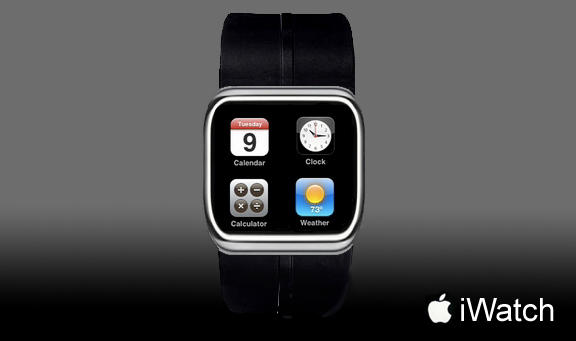
Ever since Apple CEO Steve Jobs casually mentioned the idea that Apple’s new iPod nano could be used as a wristwatch, well, I’ve wanted one. And so have a lot of people. A nano wristwatch aftermarket has quickly emerged to satisfy demand. But what about Apple?
Cnet’s Gordon Haff wrote a blog post this morning called “Why Apple will do a real iWatch” in which he predicts that Apple will get into the wristwatch business.
I say they won’t, and I’ll tell you why. But first let’s look at Haff’s reasoning.
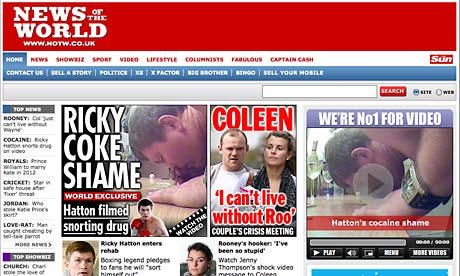
Britain’s best-selling Sunday National Newspaper The News of the World is the latest publication to announce plans for a subscription-based iPad app.
Dates for the iPad app haven’t been announced but are expected to be in synch with the relaunch of the website in October.
iPad users will have to pay £1.19 a week (about $1.85) to view the celebrity highs and lows, that’s slightly more than the £1 newsstand cost but less than a snail-mail subscription, which currently costs £134.00 a year or £2.57 a week.
The website will also be behind a paywall, charging readers £1 for a day’s access or £1.99 per month.
The rogue tabloid — currently embroiled in the celebrity phone hacking scandal — is the third title in under six months in the News International stable to launch digital subscriptions, following the Times and Sunday Times.
“News International is leading the industry by delivering on its commitment to develop new ways of making the business of news an economically exciting proposition,” Rebekah Brooks, chief executive of News International, told Reuters.

Case and battery manufacturer Mophie has just launched the Juice Pack Powerstation — a one stop iOS charging station.
It’s 3,600mAh capacity means it is more than capable of fully recharging either iPad or iPhone (including iPhone 4), which will bring the possibility of going days without touching a power point.
The Powerstation has a pair of USB ports, one used to charge your device and the other for charging the battery itself. At 2.86 x 4.31 x 0.65 inches, and weighing somewhere around a pound, it is not the most portable of devices. You would be hard pressed to find a pocket big enough to lug this around in, but that said it will comfortably fit in most bags.
The Mophie Juice Pack Powerstation for iOS devices is available now direct from the Mophie site for $99.95. Full review as soon as we get our hands on one.


