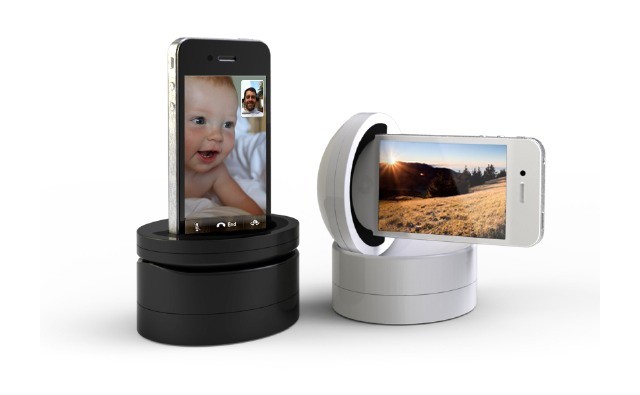
The Galileo isn't your ordinary motorized iPhone camera mount.
This is the Galileo, a tilting, spinning 360˚ camera mount for your iPhone. It can pan, enable cool moving time-lapses, or even just work as a powered iPhone dock (it comes with a USB cable and a lithium-polymer battery).
But when you see the video below, with its wonderful a-ha moment, you’ll want one right away.
The modern and good-looking cell view (left) and the new dimmed images in night mode
Instapaper has just been bumped from v4.1 to 4.1.1, But despite this tiny numerical increment, there are a few big changes worth writing about.
Marco Arment, the coffee-slurping, BMW-driving playboy developer of the iPad’s best read-later app, has fixed a few bugs introduced in the Retina-ready v4.1 released last week. These include some odd rendering problems for the new default font, Elena, and some speeding up to the page animations which were slowed down by some weird iPad 3 oddities.
But there are also a few new features, and one reversion that should please the luddites who hate the cool cell-table layout of the article list.
I shoot a bunch of video these days. It’s so easy, as everything from my iPod to my iPad to even my camera shoots HD video. And editing it is a blast using iMovie on iOS. But what I don’t like, and what keeps me from editing much of the video I shoot, is dragging through the footage to find the good parts.
Enter Highlight Hunter, a Mac (and PC) app which runs tirelessly through any amount of video and separates out the highlights into discrete 30-second clips, ready for further editing.
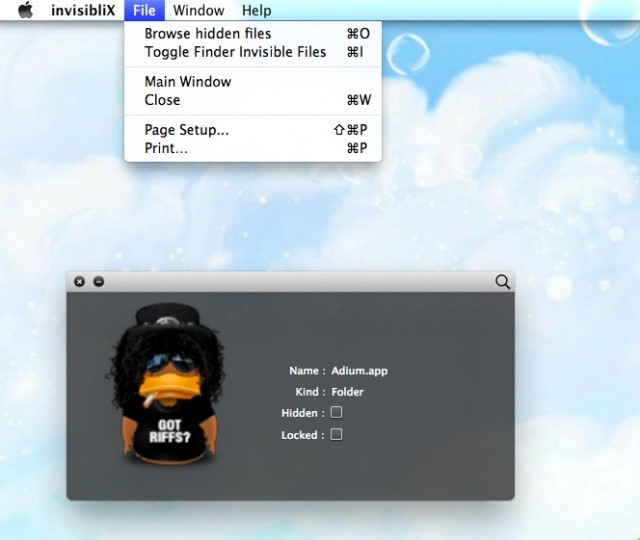
Mac OS X hides files in many ways. One way, a holdover from its Unix legacy, is with dot-files. In other words, if a file is named with a period before the file name (.Hiddenfile), that file will not show up in the Finder. One way to show these files is with a Terminal command like this:
This works all well and fine, but requires a second trip to the Terminal to reverse it (by changing the YES to NO, natch). Today, we’re going to tip you off to an app that does something similar, yet without the need to hop into Terminal.
Apple CEO Tim Cook spent time with Foxconn employees during his visit to China.
Apple CEO Tim Cook has been spending some time in China this week, meeting with officials and even posing with fans at the company Xidan Joy City retail store. He also paid a visit to Foxconn’s new plant in Zhengzhou, where the company employs around 120,000 employs, some of whom are assembling Apple’s iPhone.
Ubisoft's new cloud-based syncing system means you'll no longer have to complete the same levels on multiple devices.
Ubisoft has confirmed that its future iOS games will store your save data in the cloud, allowing you to sync your progress across multiple devices. That means you can beat missions and levels on your iPhone in your lunch break, then continue your game right where you left off on your iPad when you get home.
It’s a feature that almost every game — especially those build for both the iPhone and the iPad — should not be without.
Apple’s latest Lion beta has no known issues, but its public release date is still a mystery.
Apple has seeded a second beta of its OS X Lion 10.7.4 update to registered developers today, almost two weeks after it issued the initial release. This version contains “no known issues,” but Apple has asked developers to focus on the Mac App Store, graphics, iCal, Mail, and QuickTime. If you’re looking for an easy way to access Apple’s beta software, you can check out the Apple Seed app download to get started.
Apple's next-generation of MacBook Pros are expected to be thinner and lighter just like the MacBook Air.
Apple is set to begin mass producing its next-generation MacBook Pros next month, according to sources in its supply chain — just in time to receive Intel’s latest Ivy Bridge processors. The 15-inch model will be first to hit the production line in April, with the 13-inch model, which is claimed to be the most popular, following in June.
According to an HTC patent filed back in 2011 and a new device design discovered by Patent Bolt, it appears HTC is working on a handheld PMP device to rival the ever dominant iPod Touch. With companies like Philips, Sony, and Samsung all failing to chip away at the iPod Touch’s domination, I guess it couldn’t hurt to give HTC a chance. This new device combined with the new Google Play model could give this HTC device a fighting chance but I wouldn’t put my money on it.
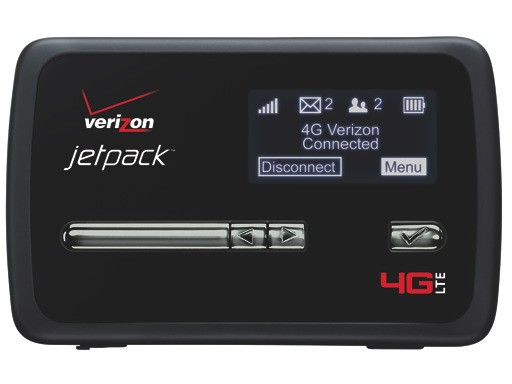
Announced at CES 2012 in January, Verizon’s Jetpack MiFi 4620L is finally launching on April 12th, Verizon announced today. The Jetpack MiFi 4620L packs 4G LTE and 3G and will be available for $50 with a two-year contract, after a $50 mail-in-rebate. If you don’t yet have a Verizon LTE enable iPad, this will be a nice way to get Verizon’s blazing fast 4G speeds on all of your devices.
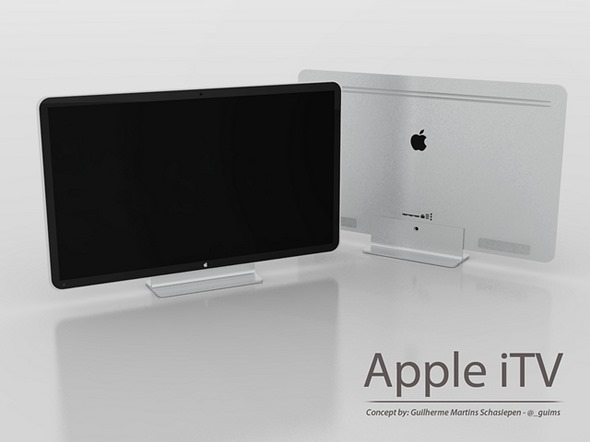
Most analysts have seemed to agree that Apple’s new Apple TV set, dubbed the “iTV,” is going to launch sometime during 2012. However, Asian research group CLSA has released a note today saying that Apple won’t release the product until 2013, with Sharp providing the display panels.
Apple has just released iTunes 10.6.1 with a number of small bug fixes. iTunes 10.6 was released on March 7th, which brought support for iOS 5.1 and a few other enhancements. Today’s iTunes update fixes a few bugs, like unexpected crashes and more.
Reporters at USA Today and other Gannett outlets begin receiving iPhones for mobile reporting
News media conglomerate Gannett is making a big push for mobile reporting and they’ve decided that the iPhone 4S is the perfect tool to start with for journalists across the country. To that end, the company has equipped 1,000 print and broadcast reporters with new iPhones to use for on the spot reporting, editing, and broadcasting.
The initiative was announced in December and will eventually include iPads as well as iPhones, but it is just now rolling out after the company put journalists getting the handsets through intensive training in the use of the iPhone and of the handful of apps that Gannett has chosen for reporters to use.
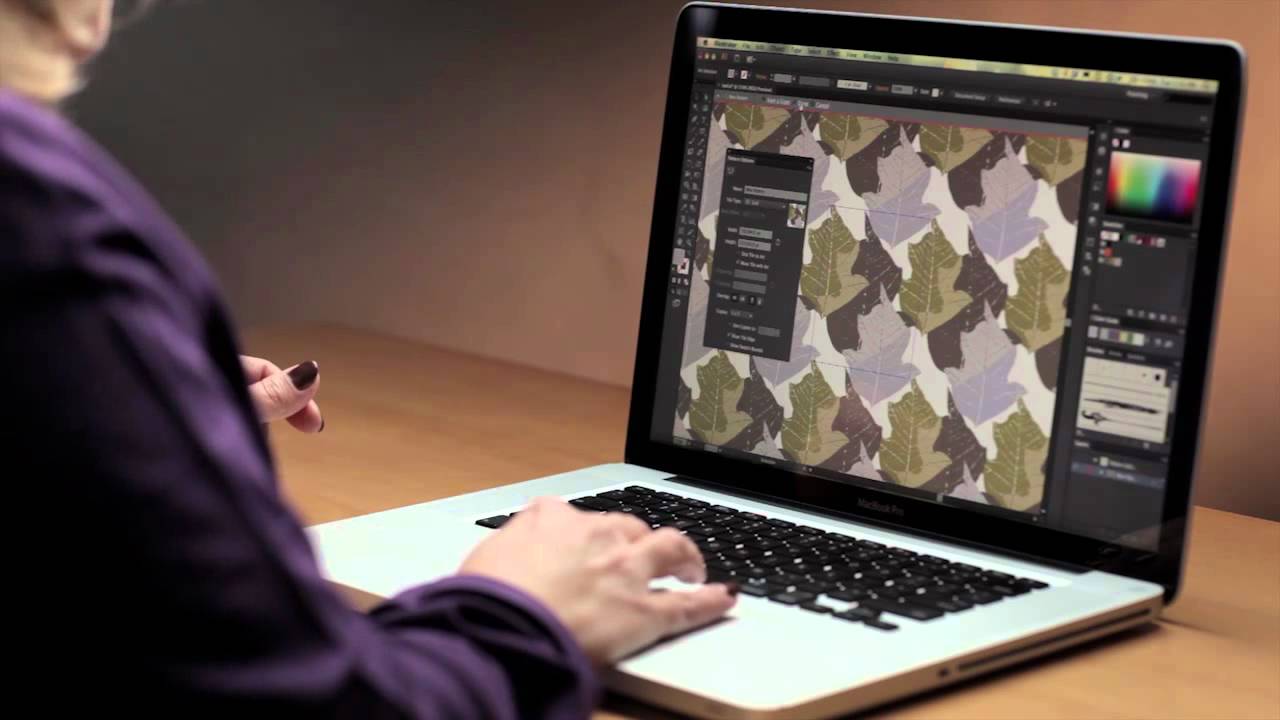
Adobe released a free public beta of Photoshop CS6 last week, and the app has already been downloaded over 500,000 times. The next app up to bat from the new creative suite is the all new Illustrator. Adobe demos the design tool in the 3-minute sneak peak video above. Illustrator’s new Pattern Creation tool is the main focus. You’ll also notice that, like the new Photoshop, Illustrator sports a darker interface.
Adobe has yet to announce a free beta for the new Illustrator and a release date for CS6.
The white iPad frame in Reflection 1.2 looks sexy.
Remember when we told you about the amazing Reflection Mac app that lets you mirror your iOS device screen over AirPlay? Well, the developer of Reflection just updated the app with support for Apple’s latest iPad and its beautiful Retina display.
The huge update also includes support for recording audio as well as video from your iPhone or iPad. Several new features, including full screen ‘theatre’ streaming to your Mac, have been included in version 1.2 of Reflection as well.
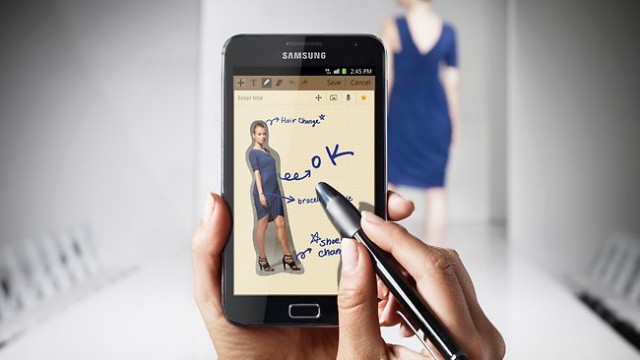
Imagine Apple making something like the 5.3-inch Samsung Galaxy Note
With all of the rumors surrounding the possibility of a 7-inch iPad, a new report suggests that Apple is working on a totally new mobile product for 2013. The mysterious 5-inch device would feature a Retina display.
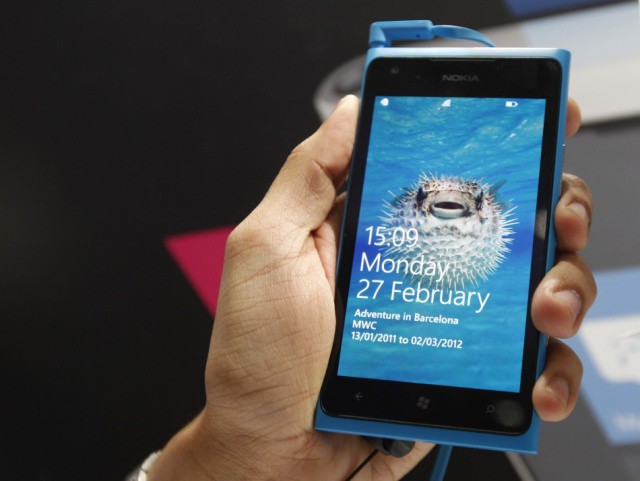
The Nokia Lumia 900, image courtesy of the International Business Times
AT&T’s head device guy Jeff Bradley made a bold statement today regarding the upcoming launch of Nokia’s Lumia 900 Windows phone. The device is widely expected to be the first Windows phone to hold a candle to the iPhone, and AT&T thinks it has a massive hit on its hands.
“Before you walk into the store, you know this is our hero phone,” said Bradley. AT&T thinks the Lumia 900 has the potential to be its new heavy-hitter. Where does that leave the iPhone?
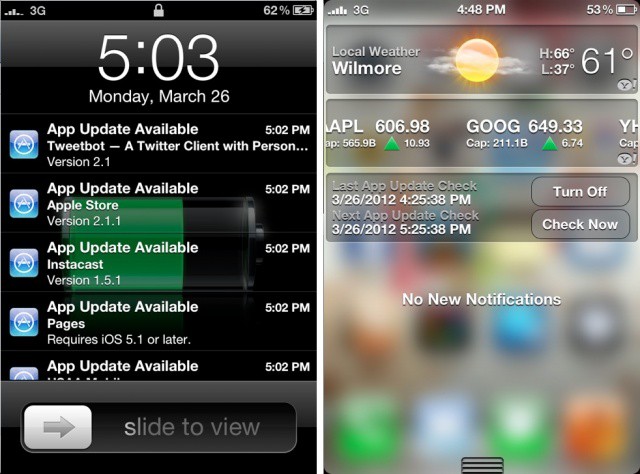
Have you ever wished that Apple would let you see App Store updates in the iOS Notification Center? Instead of having to open the App Store app to check for updates, you would be able to see new updates next to your other iOS notifications as they become available.
Thanks to a new tweak called AppUpdateNotifer, you can see App Store updates in the Notification Center drop down window on a jailbroken iOS device.
Are you fingertips aching with the desire to get intimate with your MacBook screen?
I’ve never had an insatiable hunger to fondle my MacBook Air’s screen. I got an iPad, and she gets the job done. But some people are dying for touchscreen MacBooks because of some weird delusions that having a keyboard attached to their device at all times is an absolute necessity – nevermind that voice-dictation will be the input method of the future. This MacBook Touch concept video/commercial attempts to envision what a touchscreen MacBook Air would look like. I think it’s crazy in the “damn-that’s-so-silly-ugly-it’s-neva-gonna-happen” sense, but you might think it’s crazy in the “cool” sense.
Centrify earns U.S. Army certification for Mac/Active Directory integration tool
Centrify announced today that the company has earned the U.S. Army Certificate of Networthiness for its DirectControl For Mac suite. DirectControl for Mac expands on OS X’s native Active Directory support and allows companies and organizations to secure and manage Mac desktops and notebooks using the same group policy architecture that they use to secure and manage Windows PCs.
The certification has direct implications for the use of DirectControl for Mac on Army networks. It also illustrates the extremely high level of effectiveness that DirectControl for Mac can offer in terms of workstation and network security. This makes the certification a valuable symbol for Centrify as an enterprise vendor. It also demonstrates that it is possible to deploy Macs successfully and securely in situations where security and privacy are primary concerns in military, government, and private sector enterprises.
Ion Racer is a new high speed futuristic racing game for iOS from SGN. Sadly, if this is what racing’s going to be like in the future, I think I’ll take up fishing, because it will be more exciting.
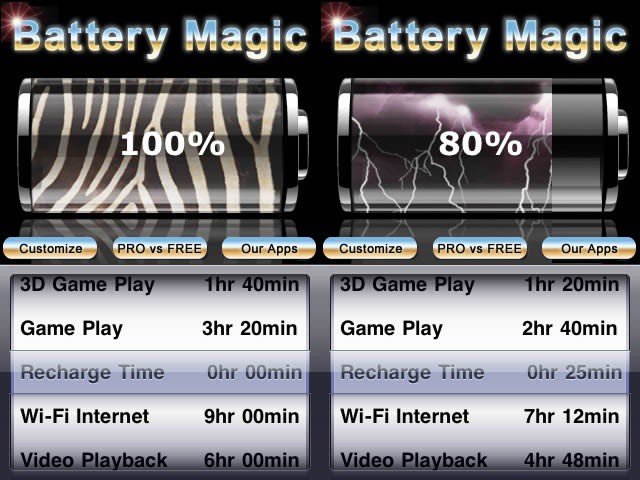
Most days, our iPhones sit in our pockets, not seeing too much use, maybe a phone call here, a tweet or text there. Then there are the days where we’re on Facebook all lunchbreak, playing games on the train both ways to and from work, and then watching a little Netflix while cooking dinner. You know, a heavy use day. There are a kajillion power managers out there, but this one seems to have enough cool features that we thought we’d pass it along to you as today’s iOS tip.
The help labels in iPhoto will help you learn your way around
IPhoto for iPad is pretty amazing and, like most of Apple’s iApps, much of the functionality is hidden away like the sweet, sweet meat of a walnut hidden inside its shell. Much of the app is gesture based and, while many actions have menu-driven alternatives, some tricks are gesture-only. Here’s a long list of ways that you can navigate and control iPhoto, using just swipes, taps, twists and pinches.
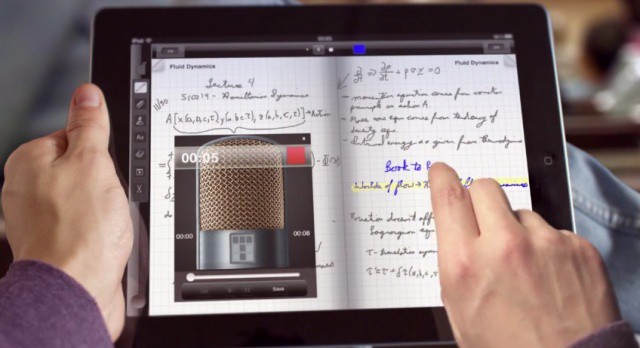
You can do a lot of things with this new app, including note taking by hand.
Most of you probably remember the mythical Microsoft Courier. Concept videos of the rumored tablet started floating around during the original iPad launch two years ago, and then the project was canned to make way for the upcoming Windows 8 tablets. We all thought that Microsoft was about to make a bold entrance into the tablet market with something fresh and interesting — instead we got this.
The Courier will never see the light of day, but that doesn’t mean you can’t get a similar interface on your iPad right now. A new app called Taposé bears a striking resemblance to the Courier concept.
The app known as iTunes can become a real unwieldy mess, especially as it grows courtesy of downloadable content, cd importing and the like. It’s a pretty smart program in that it can “occasionally” know what Track 1 is based on the album it comes from, but what if you’re importing a mixed CD? What about album cover art? That doesn’t always register. And what if you’ve got two instances of the same song in there? Getting them out of iTunes manually is a real pain. What if iTunes could have a little extra “magic” added to it?
Well it can…with TuneUp. That’s because TuneUp “transforms your music collection…automagically™”.
Cleaning up your iTunes Library has never been more robust and easy-to-use. TuneUp hooks up with iTunes to organize and categorize your music from top to bottom. And for a very limited time, Cult of Mac Deals has it lined up for you…and for just $30!