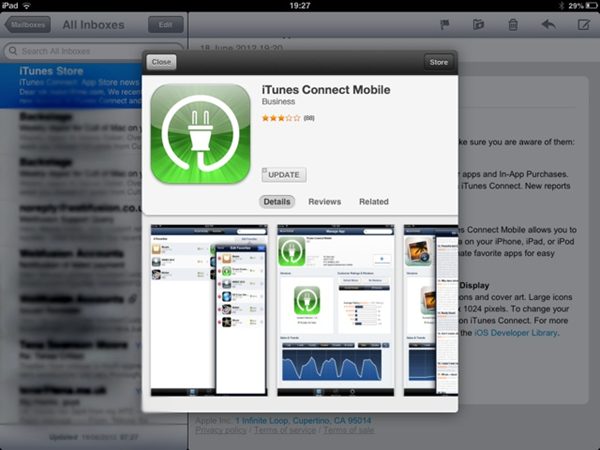
Mail in iOS 6 shows mini app previews when you click an App Store link.
Traditionally, clicking on App Store links in iOS was a very jarring experience. Instead of being taken to an App Store preview page like you are on the desktop, you would be immediately thrown out of your current app, and shuffled over to the App Store. This problem seems to be alleviated with iOS 6, at least to some extent.
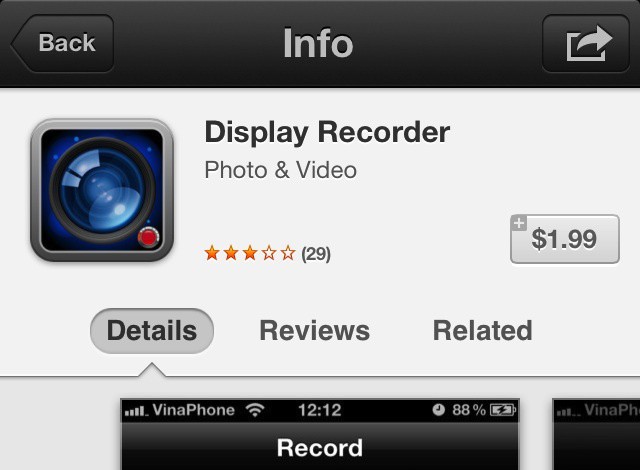
Display Recorder in the App Store is a near clone of its jailbreak counterpart.
Fans of jailbreaking will most likely know about Display Recorder, the jailbreak app by Ryan Petrich, that, as its name implies, lets you record your iPhone’s screen. Display Recorder is one of the reasons I initially began jailbreaking my devices. It’s a handy tool if you need to show someone how to do something on your iPhone. That in mind, I was excited today when I saw that Display Recorder had been released into the App Store. That is, until I saw it had been developed by someone else.
In the run up to the release of the new iPad, there were many rumors that Apple was going to use Sharp IGZO display technology to make a much more bright and vibrant Retina iPad with much better battery efficiency.
That didn’t pan out: Sharp delayed the debut of IGZO, and Apple instead was forced to release a Retina iPad that was thicker than the iPad 2 in order to accomodate a bigger battery necessary to drive the display.
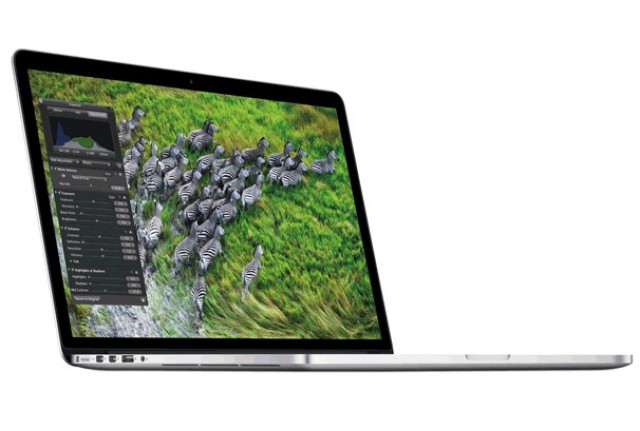
But according to one expert, IGZO may have crept into the new Retina MacBook Pros…
So, you’ve got that big road-trip planned this summer, right? Got everything packed, maps apps at hand, ready to see the world from the point of view of your car, up close and personal in a way jet travel will never be. Pile in the dog and the kids and hit the road!
Of course, once the initial excitement wears off somewhere down the road, the kids are gonna get whiney. Instead of numbing them out with cartoons or video games, how about a bunch of classic car games? Of course you can use your iOS device! Here are a few fun apps that will teach the whole family some great ways to stay interested in the world outside the windows while staving off boredom.
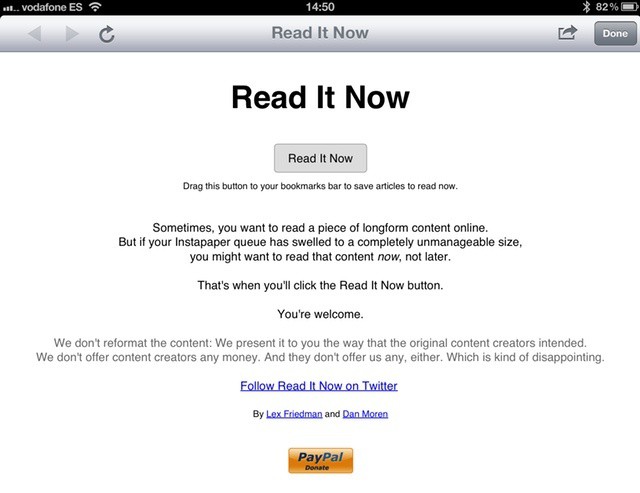
Instapaper queue getting on top of you? Why not Read It Now instead?
You all use and love Instapaper, right? Or perhaps Pocket, or Readability? These apps are the perfect way to put long articles aside for reading during downtime, or for browsing on a device better suited to the task than a desktop computer. But what about those times when you have a few moments and you just want to stop and read the website in front of your right now?
Here at Cult of Mac, we’ve been playing around with our new Retina MacBook Pro — look for our review tomorrow — and we decided to install Mountain Lion on our shiny new ultra high-res notebook and take Apple’s latest operating system for a spin.
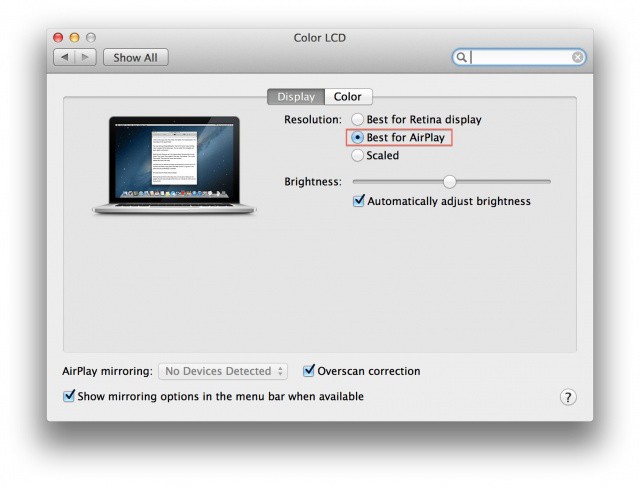
It runs a peach, of course, but one thing we noticed when we were playing around in the Displays preferences in Mountain Lion was that there is an option to set your display resolution as for “Best for AirPlay,” along with the other two regular options which appear in OS X Lion: Best for Retina display, and Scaled.
Do you know how to code a circle? If you’re a software developer, the answer is probably yes. But what about interface elements, complex icons and other fancy graphics? Sure, you could probably get it done, but what a pain. That’s what PaintCode is for.
PaintCode is a Mac app which takes your complicated vector-based designs and translates them into Objective C code, ready to be pasted straight into Xcode.
Take photos that will make the pictures from your 2004 cellphone look good
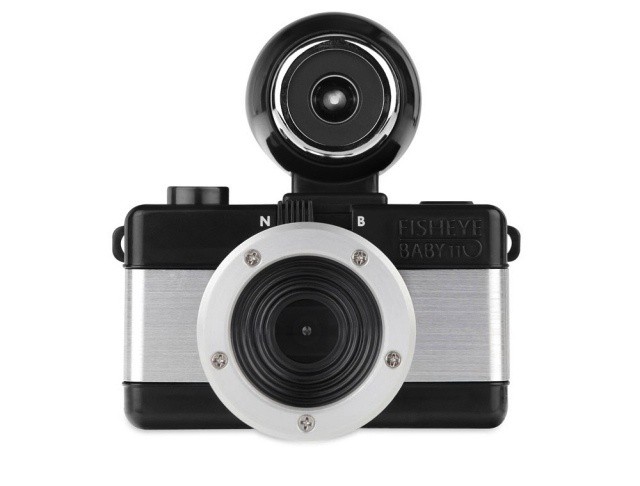
Just a few weeks ago, Lomo started selling craptastic 110 film cartridges so you could relive those bad old days of ugly, grainy photos you thought you’d left back in the 1980s.
Now, the horror is complete, for Lomo will also sell you a 110 camera to go with the film.
We’re all familiar with the antitrust complaint that the Department of Justice filed against Apple and five major publishers back in April, but how much of an impact that case could have on the book business if the ruling goes against Apple and its partners is beginning to come into focus.
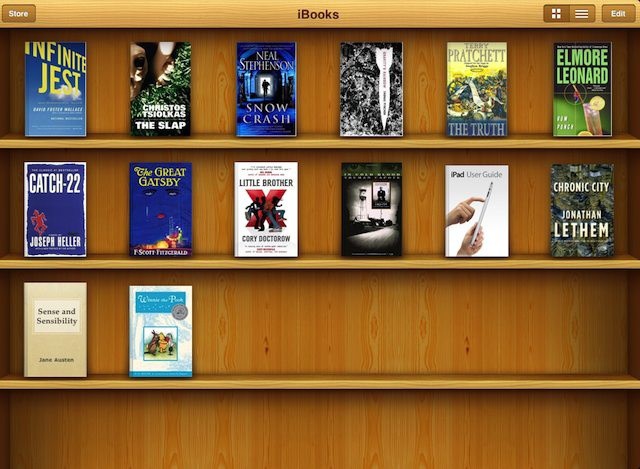
When Apple launched the iBookstore back in 2009, it had a huge impact on Amazon; it dramatically reduced the retail giant’s market share of the ebook business from 99% to just 60% in three years, breaking its monopoly on ebooks.
You'll need Superman vision for this desktop resolution.
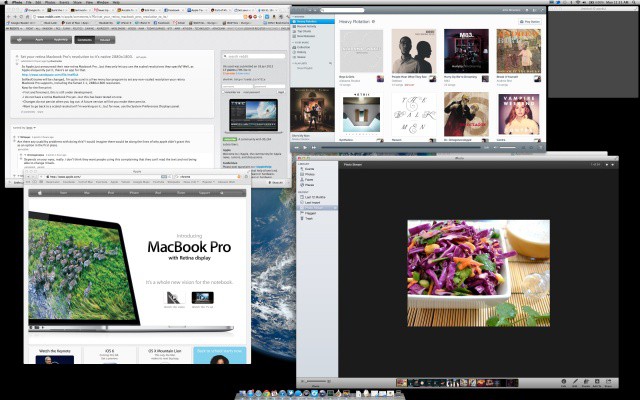
The new Retina MacBook Displays may have an incredible resolution of 2880 x 1800 pixels, but OS X doesn’t treat it as such. Instead, it treats the display as a 1440 x 900 HiDPI display in its default configuration, meaning that while text, video and images may look crisper, you don’t actually get 2880 x 1800 pixels worth of desktop space.
In the Displays panel in Systems Preferences, you can tell your Retina MacBook Pro to give you more desktop space, up to the equivalent of 1920 x 1200, but that’s as far as it goes. What if you want a 2880 x 1800 desktop, though, with each pixel mapped one to one? There’s an app for that.
Griffin's AirStrap Med case makes the iPad more physician-friendly
The iPad has been popular with doctors and healthcare providers since it debuted two years ago. In fact, the iPad’s form factor and capabilities are almost tailor-made for many common and emerging uses in medicine like electronic health records, medical and drug reference guides, and even remote diagnosis using FaceTime.
With hospitals rolling out iPad deployments and many physicians in private practice buying them, it was only a matter of time before healthcare-specific iPad accessories hit the market. Griffin Technologies is one of the first companies to focus on making the iPad an even better fit for doctors, nurses, and other healthcare professionals with a new case that’s designed specifically for medical environments.
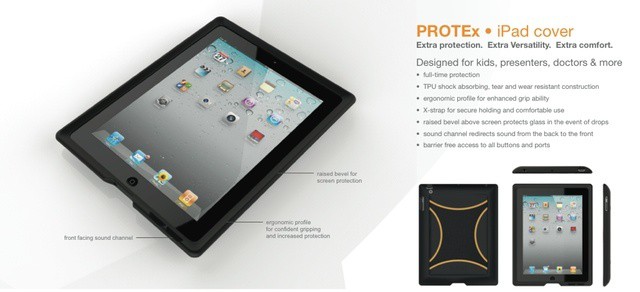
The iPad is many things, but one thing it is not is easy to hold. The Lady literally refuses to touch one when it’s naked (a sound policy in some other situations too), and even though I love the skinny feel of the iPads 2 and 3 in my hands, I too get a little nervous.
Higher Ground’s Protex is a case that not only protects the iPad, but makes it way easier to hold – and all without adding bulk or fugliness.
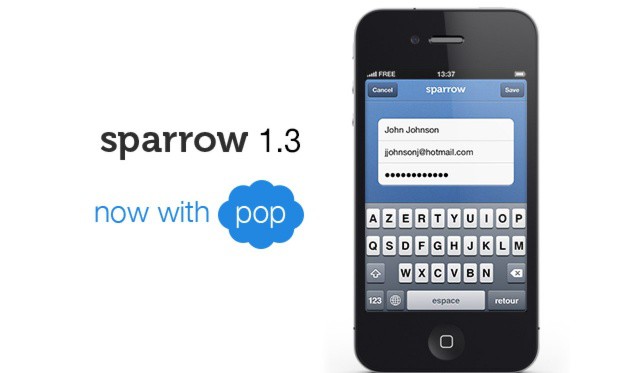
Sparrow, my favorite mail client for Mac and iOS, has been updated today to introduce POP support to the iPhone — just over a month after it came to the Mac.
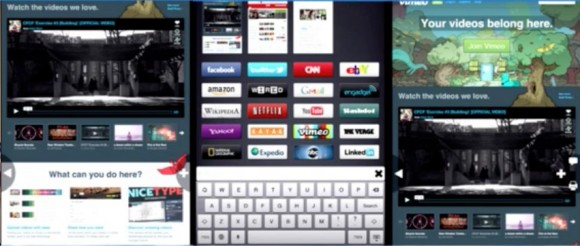
Once top dog next to Internet Explorer, Firefox has increasingly been losing its grasp on the desktop browsing experience, and consequently been spending more time paying attention to the possibilties of mobile. Firefox is already available for Android, and now it looks like it might come to iOS as well, but not as a mere port of the browser many of us have abandoned in favor of Chrome: it’s rebuilt for the ground up with iPad browsing in mind.
We're still digging up new iOS 6 features. Image courtesy of William Gamache ([email protected]).
It’s been a week since Apple released its first iOS 6 beta, and we’re still digging up new features. We reported some improvements to the keyboard this morning, and now we’ve found some enhancements to Spotlight and wallpaper settings.
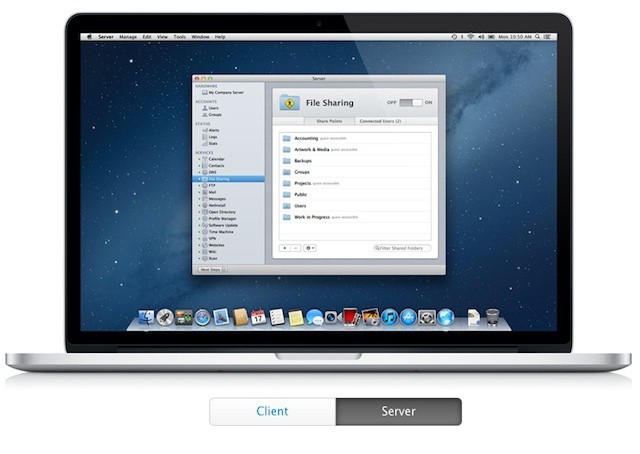
Apple's pricing for Mountain Lion Server is a great bargain for small businesses.
OS X Server has always been something of a bargain compared to the various flavors of Windows Server. Unlike Microsoft, Apple never focused on a client access licensing model in which organizations must pay for the server software itself plus additional licenses for users or devices that connect to it. Apple also doesn’t break OS X Server down into multiple variations each with its own features, licensing needs, and upgrade limitations.
When you buy OS X Server, Apple gives you everything from file sharing to Internet and collaborative services like wikis and internal messaging through Mac and iOS device management. If you start as a small business with a single basic server and eventually grow to the point where you need to support and manage dozens or hundreds of Macs, PCs, and mobile devices, there are no limits imposed on licensing or data migration.
Take some iPhones (or iPod touches), a few tiny pico projectors and a whole lot of hard work and talent, mix with a Canon 5D and an HD cam, and you might end up with something resembling The Speed of Light, an mazing animation by The Theory.
This brain scan is measured differently on Mac and PC.
A team of researchers have discovered that the software used to analyze images of the brain gives significantly different results depending on whether it’s used on a Mac or PC. It means the measurements gathered on one machine can be up to 15% different than those gathered on another — using exactly the same images — which is a serious issue that medical professionals and developers need to fix… fast.
An LED lighting panel to help with your iPhone photos. Sounds super-lame, right? Well, allow me to change your mind, because when you see the Kicker in action, you’re going to want the Kickstarter campaign to finish ASAP.
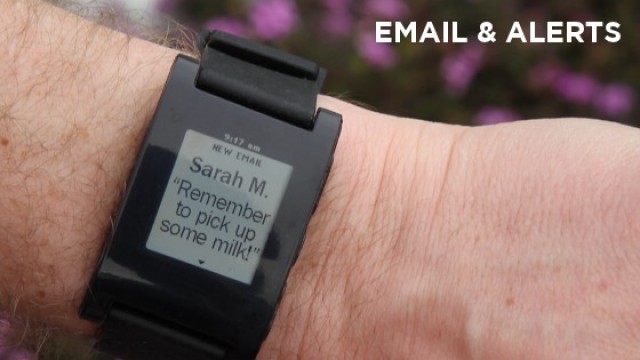
Reading text messages on your Pebble was previously unsupported by the iPhone.
Unless you only discovered the Internet this week, you’ve probably already heard a lot about the Pebble, which has become one of the most successful Kickstarter projects of all time, raising over $10 million. This clever wristwatch connects to your smartphone over Bluetooth and then allows you to control your music, get the weather, view incoming calls, read Facebook and Twitter messages, see text messages, and lots, lots more. In fact, the possibilities are endless.
However, for those with an iPhone, there were some restrictions, like it was impossible to send SMS data over Bluetooth. These were, as you’d expect, the result of Apple’s limitations. But thankfully, in iOS 6, this is fixed.
Not to overstate it, but it’s summer time and as such, it’s time for vacation movies, right? Whether you travel to the banks of the Champs-Elysse, the patriotic visage of Mount Rushmore, or choose a more modest stay-cation, making home movies is a time-honored tradition.
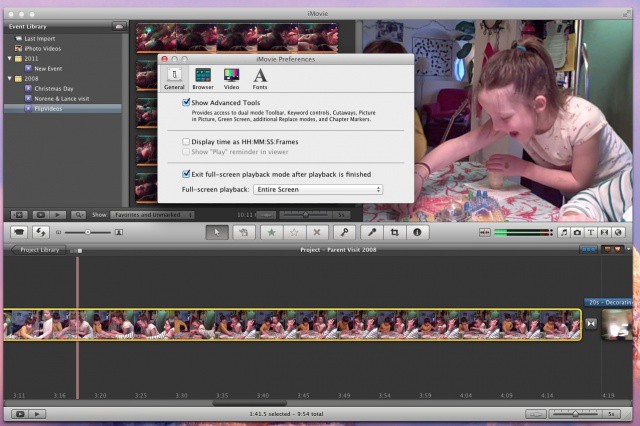
Editing the videos with iMovie on a Mac after you take them is joyful work as well, and those that have been doing it a while may not be huge fans of the current iMovie ’11 visual interface. I haven’t been, until I was able to make a couple of tweaks to make the iMovie of today look and feel more like the iMovie I came to love a few versions ago.
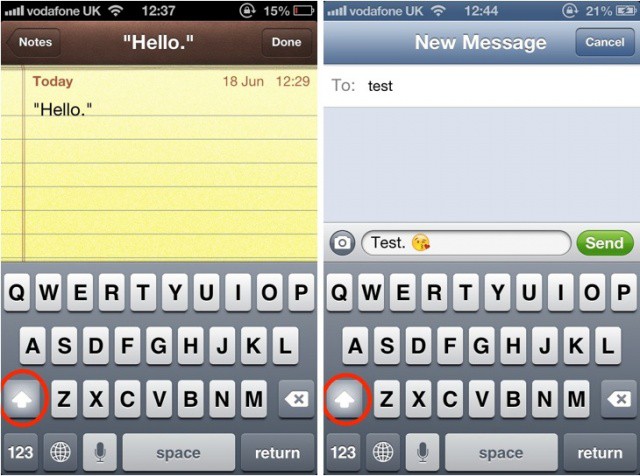
One of this smaller things that has always frustrated me about the iOS keyboard is that I have to capitalize letters manually before and after quotation marks, and after emoji. It’s not that it’s difficult to do, it’s just that the keyboard built into iOS is already capable of some clever things, so why can’t it do this?
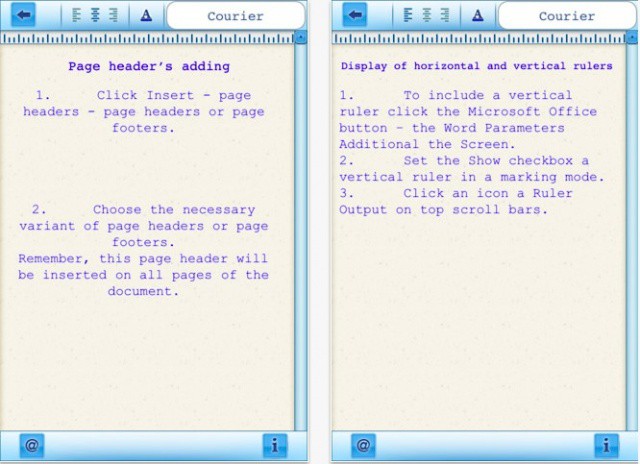
Looks a lot like Word, but it's just a shameless counterfeit.
There are a lot of iOS users who are waiting patiently for Microsoft’s Office productivity suite to finally make its App Store debut. Although Microsoft is maintaining its silence on the subject, recent reports have claimed that Office for iOS will arrive this year. Some developers have taken advantage of that speculation and begun making their own “Office” products.
No, I don’t mean the genuine productivity suites that have been available for some time — many of which are very good. I mean the knockoff apps that try their hardest to look like Microsoft’s own Office products just to trick you into handing over your cash. The latest is called “Microsoft Word 2012” by Super Racing Real Games.
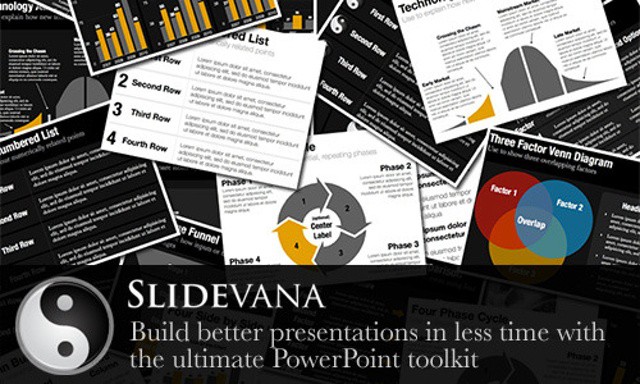
Yesterday we offered the deal on learning PowerPoint—Learn Microsoft PowerPoint 2011 For Mac [Deals]—which is great, but you still need to have great looking presentations. Ever notice how most PowerPoint presentations look pretty much the same? Sure a few stand out, but most, well, you know they came from the same stock templates everyone uses.
Which is where Slidevana for PowerPoint comes in. A great template/layout pack of professional designs that will make your presentations stand out.