Readdle adds even more features to the iPad's best PDF management solution.
PDF Expert for iPad, arguably the best and most powerful PDF editor for iOS, has been updated today to introduce new features and improvements, including support for multiple signatures, and up to five times faster syncing.
Rumors had suggested that Samsung would add Apple’s iPhone 5 to the list of devices involved in a patent infringement suit between the two companies, and it looks like that’s going to happen. The Korean company has confirmed that it expects the latest iPhone to infringe the same patents the iPhone 4S does, and that it will be adding the handset to its case after it has had time to “analyze” it.
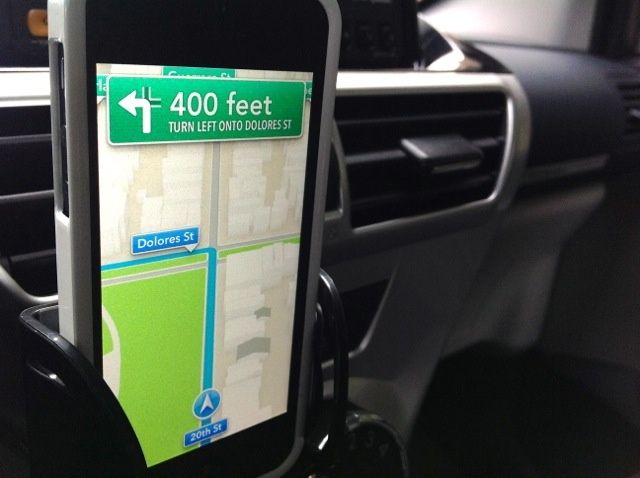
iOS 6’s Maps is the biggest criticism of Apple’s new mobile operating system. In short, it’s clearly years behind Google Maps, which previously powered Maps in past versions of iOS. Most of the time, complaints about Apple’s new Maps accuse the latter of being under-developed and unreliable compared to Google Maps, but the Irish government has a different concern: they are worried that iOS 6 Maps will result in pilots crashing their airplanes directly into a park.
Wacom might be letting every other pen maker bring touch-sensitive styluses to the iPad first, but at least its regular dumb iPad styluses are amongst the best out there. And if you have ever hefted your Wacom Bamboo stylus and thought “This is almost perfect, but I wish it were a little stubbier,” then I have good news:
Wacom has made a stubby stylus. What’s more, it transforms into a long and slender stylus. It’s called the Bamboo Stylus Pocket.
I usually hate these fake Apple parody ads for being both smug and witless, but I laughed pretty hard at this one by Satire. Featuring a number of earnestly hipstered faux-Apple employees with names like “Joe Bloggs” and “Alan Smithee,” the video takes the Obi-Wan iPhone 20 joke that’s been going around and actually runs with it, showing exactly how Cupertino would pitch a phone the length of a yardstick.
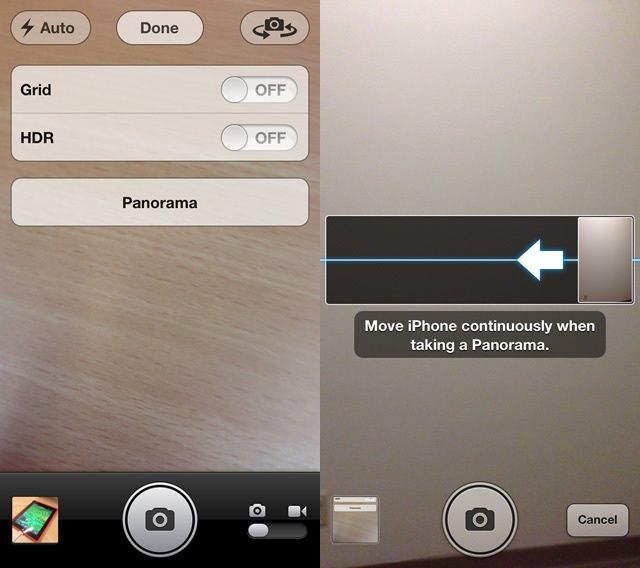
The touted features Satire comes up with are great. Panorama photos without moving the iPhone! Scrolling without using mulitouch! Amazing reception due to having your iPhone in physical closer proximity to orbiting satellites! And so much more. The app ideas are great too. And I love the tag line: “The longest thing to happen to iPhone since iPhone.”
Back in August, we told you about a serious SMS security flaw with the iPhone that opened the door to text message spoofing. At the time, Apple told users they could protect themselves by using its iMessage service rather that traditional SMS messages, but the Cupertino company appears to have rectified the issue in iOS 6.
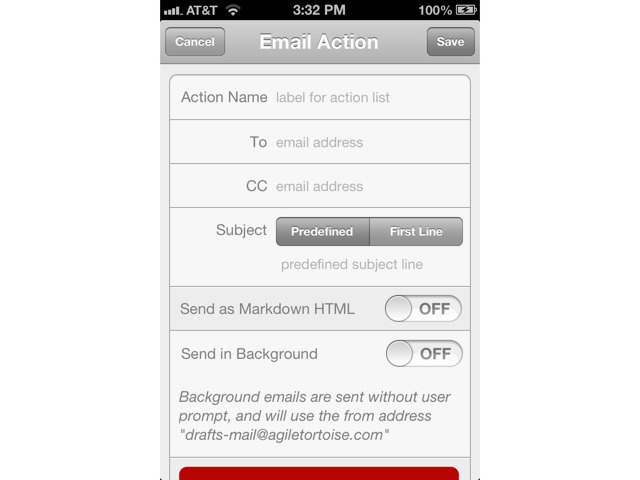
The iOS 6-compatible updates continue to deluge our App Store apps, and the latest is Drafts, the excellent inbox for almost everything on your iPhone or iPad. Drafts takes plain text (or Markdown text) and pipes it to any and every place you could possibly need it.
The update adds support for the new tall iPhone, as well as a whole bunch of neat iOS 6-only features. Let's take a quick look:
Editor’s Note: This review has been stickied to the top of the front page. There are likely new posts below it.
After months of testing, iOS 6 — the most recent major update to Apple’s mobile operating system — is now here. Featuring an entirely new Maps, a new Passbook app, some impressive new updates to Siri (who also comes to the iPad with this release), a great Do Not Disturb feature and a lot more, iOS 6 is a great refurbishment of the world’s best mobile OS. But all is not perfect, and in at least one way, iOS 6 might prove disappointing to people upgrading from iOS 5.
Over the last few months, we’ve been putting iOS 6 to the test on our iPhones and iPads. Here’s what we thought.
It used to be that in order to see images sent along to you in iChat, you’d open up the File Transfers window, click on the graphic, and hit the spacebar on your keyboard to see the image full size, just like you can in the Finder or Open/Save dialogs.
If you’ve migrated to Mountain Lion, however, you’ll know that iChat is no longer, and the replacement app, Messages, has a File Transfers window, but Quick Look won’t work in it any more. How do you see your images full size within the Messages app, then? Lucky you, we’re here to tell you.
Shortcuts were a nightmare to manage across iOS devices... until now.
After being introduced in iOS 5, keyboard shortcuts is a feature I could no longer live without on my iOS device. I use it for all kinds of things, including email addresses and usernames, so that I never have to type out the full thing 30 times a day. There is one thing the feature has been lacking, though, and that’s the ability to sync your keyboard shortcuts across all your iOS devices.
That is until now; the feature was finally added to iOS 6, which was released to the public yesterday.
After updating iPhoto for iOS on Wednesday to add iOS 6 support and a whole host of new features, Apple has shown a little love to iPhoto for Mac. Version 9.4 is available to download from the Mac App Store now, and it comes with support for the Shared Photo Streams introduced in iOS 6, Facebook comments, and more.
Great news for notification junkies: you can throw out all the third-party hacks which let you pipe your Growl alerts into Mountain Lion's Notification Center. Now Growl itself has been updated to V2.0 and had native integration with OS X's notifications. Better yet, it adds support for forwarding alerts to iOS services Prowl and Boxcar.
Holy high-fantasy MMORPG gameplay, Batman, but the strangest thing happened today. NCSoft, developer of Guild Wars, announced that the Mac beta for Guild Wars 2, still a hot Windows gaming title, has been released. They created it along with TransGaming, using the Cider Portability Engine, which may explain why it happened so fast.
Typically, Mac gamers have to wait months, even years, to have their favorite Windows-based games ported over to their favorite Mac-based operating system. Guild Wars 2 came out at the end of August, just a couple of weeks ago. To have it on the Mac, even in beta form, is something of a big deal.
AT&T sent out a press release today announcing that they’ve flipped the switch on their super fast LTE networks in five new cities: Detroit, Honolulu, Seattle, Pittsburgh, and Portland. Cult of Android has another three cities to add to that list, including Birmingham, Memphis, and Sacramento. I will add Anchorage, AK.
With the latest iOS 6 update, all your iPhone using buddies around the world are going to start syncing their Contacts to their Facebook account, hoping to automate what can be a fairly tedious process. Unfortunately, if you haven’t set your Facebook account settings to get your real email address into the sync information, your friends are going to just get a useless @facebook.com email address attached to your contact on their iPhone, and no one wants that.
Fortunately, there’s a way to fix this problem, and make sure Facebook’s secret switch to their own branded email addresses in your Facebook contact information doesn’t go any farther than it already has.
Surely by now you’ve had enough time to download and install iOS 6 on your iPhone or iPad and play around a bit. It’s crammed with a crazy amount of new features, like Passbook, Maps, Flyover, VIP inboxes, new App Store, iCloud tabs, Call reminders, Panorama, Facebook Integration, Shared Photo Streams and like 200 other features I can’t even remember.
Of all the new goodies baked into iOS 6, what is your favorite? What’s surprised you so far? We want to hear all about what you think, so head over to the forums and let’s talk.
Will we finally be able to block those late-night, slurred-word phone calls? Here's to hoping.
We’ve been getting a bunch of tips saying that WiFi connectivity in iOS 6 is not working. Many of you have been tweeting us about the issue, and “WiFi” is currently a trending topic on Twitter. There’s also a lively Apple Support forum discussion on the topic.
Yes, there appears to be a problem in iOS 6 with the way Safari handles URL redirection on Apple’s end, but the good news is that the problem is being fixed. In fact, many are saying that Apple has already fixed it.
This was a server-side glitch that couldn’t be fixed apart from Apple’s intervention. According to developer Steve Streza, it’s Apple’s “captive network detection page 404ing” in iOS 6 that was the issue. If WiFi in iOS 6 still isn’t working for you, try toggling WiFi off and back on. Select your network, tap the little blue arrow, scroll down, and tap “Renew Lease.” You should be good to go.
Apple unleashed iOS 6 on the world today, and as with any new iOS release, the update temporarily kills jailbreaking. A public jailbreak for iOS 6 will be released eventually, but it will likely take months. Until then, the latest jailbreak-friendly version of iOS is 5.1.1.
If you’re jailbroken on iOS 5.1.1, should you bother with updating to iOS 6 before the new jailbreak comes out? Here’s why you should, and here’s why you shouldn’t.
A lot of Apple's own apps got updated in the App Store this afternoon.
Following the public release of iOS 6 and OS X Mountain Lion 10.8.2 earlier today, Apple has pushed a host of notable updates for many of its additional iOS apps in the App Store. Apps like Podcasts got iCloud sync and iOS 6 support, while smaller updates have been seeded to bring simple iOS 6 compatibility. Other popular apps from the iLife and iWork iOS suites received updates today too.
Here’s a list of all the iOS app updates Apple released today:
Forbes released their list of the richest people in the world today, and among the newcomers making the list is Laurene Powell Jobs, widow of Apple cofounder Steve Jobs.
Powell inherited Steve Jobs’ massive fortune, which Forbes estimates to be $11 billion, making her the wealthiest woman in Silicon Valley, and 28th richest person in the world.
In the slew of software updates Apple released today, one EFI update has been pushed out for the 2012 MacBook Pro with Retina display. EFI 1.0 is recommended for all MacBook Pro with Retina owners, and you can download it now alongside OS X 10.8.2. Here’s what it fixes, according to Apple:
This update is recommended to MacBook Pro with Retina display (mid 2012) models. This update resolves an issue which can cause the system to hang during heavy processor loads, and resolves an issue where NetBoot does not function properly when using an Ethernet adapter.
If you’ve been noticing any inconsistencies or random CPU hangups on the new MacBook Pro, then this update should do the trick. Grab EFI 1.0 now in the Mac App Store.
The worst thing about having a MacBook Pro with Retina display is having to constantly use apps that don’t support retina display. It’s like looking at a computer screen covered in vaseline. Most apps have already added retina display support, while others have been slower.
Microsoft Office has been in that “slower” category, which has forced users to use some trickery to get Office to display properly on a retina display. Thankfully, users won’t have to jump through hoops any longer as Microsoft just announced that Office for Mac 2011 now supports Retina display for Word, Excel, PowerPoint, and Outlook.
Like any good father, I love my Lensbabys. Screwed onto the front of my camera they distort the world just enough to make looking at it more interesting, and therefore make me take better photos. But for some, these lenses — which let the photographer move a "sweet-spot" of sharp focus around an otherwise blurred frame — are expensive novelties.
Well, they might still be novelties, but the new Lensbaby Spark are anything but expensive.
Along with iOS 6, and a Mountain Lion update, Apple has just pushed out an update for their new Podcast app for iOS. The update allows users to keep subscription up to date between iOS devices using iCloud. iOS 6 support has also been added to the app, along with a few other improvements.
Here are the full details for what’s new in Podcasts version 1.1:
Apple didn’t make huge improvements to the camera of the iPhone 5, but they did add a sapphire crystal lens, and a few tweaks to make it shoot better in low-light conditions. Now that early reviews have been released we have a better idea of how much better the new camera is over its predecessor.