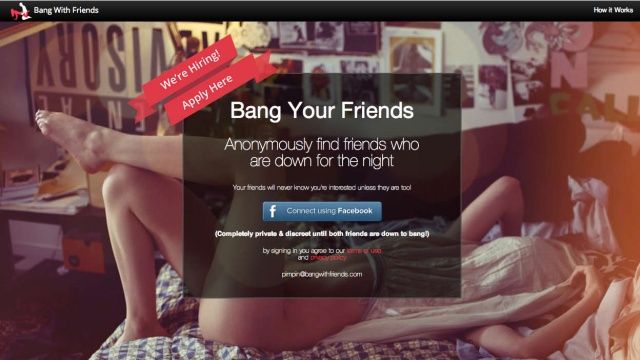
Have you head about Bang With Friends? It’s a Facebook app that checks out your friends list, asks you which friends “who are down for the night,” then “makes the connection” if any of your friends feel similarly.
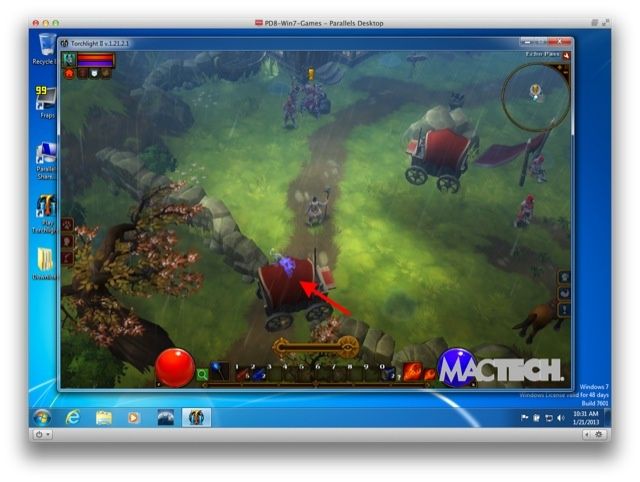
If you’ve ever toyed with the idea of running Windows on your Mac, you’ve probably asked yourself which is the right virtualization software for you: Parallels Desktop for Mac or VMware Fusion. Both have their vigorous defenders, but which one gives the best performance?
The guys over at MacTech have put together an incredibly throrough series of benchmarking tests, comprised of over three thousand tests. The result? A 9,200 word piece they are calling a treatise that — at least in my view — conclusively crowns Parallels as the king of virtualization software.
Steve Ballmer is absolutely mad, and we love him that way.
Microsoft CEO Steve Ballmer is the anti-Steve-Jobs: a sweaty, tongue-lashing ogre of a corporate figurehead who exudes a sort of Ben-Grimm-like lovability through his orange, scaled outer shell. He often says foolish things, and that’s okay, because we love him anyway.
This morning, Ballmer’s talking to Bloomberg Businessweek about the just-released Office 2013 (not to be confused with Office 365, Microsoft’s online productivity suite). In the interview, he talks a little bit about Office for iPad, and then bizarrely decides to slag off Dropbox for a spell.
Is your bill over $100 a month? If so, you're in the majority of iPhone and Android users.
Want to know why a carrier like Sprint is willing to promise Apple almost $16 billion to get the iPhone on their network, or why carriers put up with paying astronomical subsidies just to get a single iPhone customer on their network?
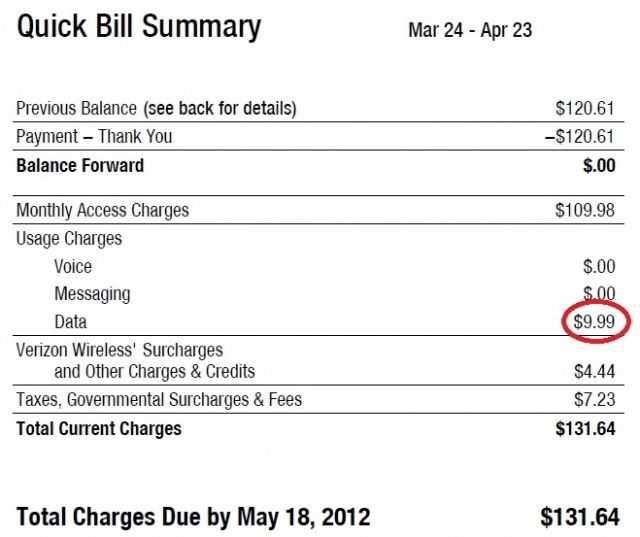
As usual, it all comes down to the crisp, president-branded cabbage. According to a new study, almost 60% of iPhone users spend more than $100 a month on their wireless plan, compared to only 53% of Android users.
Digitimes, every Mac lover’s least reputable rumor site, is now saying that Apple has cut its iPad display orders by 50%. You probably shouldn’t read too much into it, though, from the mouth of Tim Cook himself.
What if the history books have it wrong? What if the tool is the master of its maker? Did Mac create Man?
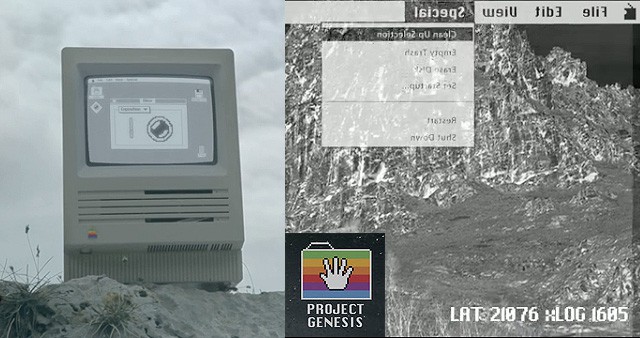
Project Genesis, a short film about a world populated only by old Apple computers, has arrived. The computers have issues. And they have spoken:
We have always looked at our world with a single point of view: with resignation, limiting ourselves to survive. We were wrong! From this moment on, everything changes: new unexpected ways open up in front of us, the world we knew now becomes more accessible, simple, within everyone’s range.
With “Project Genesis” we open the door to our dreams: now we only have to start living, as we truly mean it
Cue the spotlights. Cue the fanfare. Today on Cult of Mac, we present the International Premiere of this groundbreaking short film by Italian director Alessio Fava. It was worth the wait:
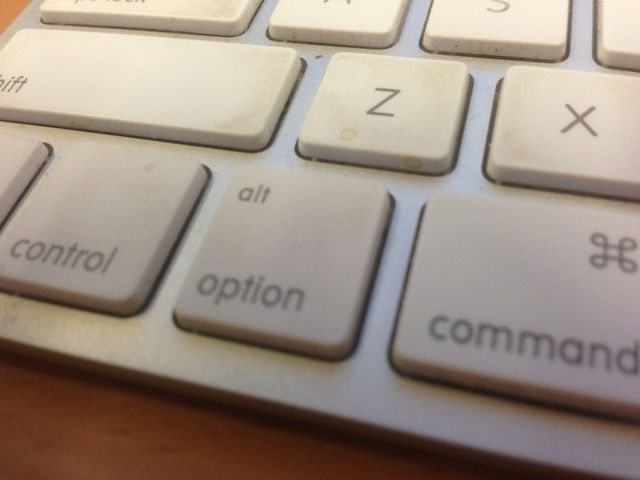
The Option key is a fantastic part of Mac OS X, making many features accessible that would otherwise be hidden. We’ve spent a couple of days talking about how to maximize the Option key in your power-user Mac workflow, in the Finder and in the Menu Bar.
Today, we’re going to spend some time with Apple’s office productivity suite, iWork, and show you some cool tips on using the Option key in Pages, Keynote, and Numbers.
Mextures are free 2000px x 200px images for adding textures to your iPhone photos. Mextures come from photographer Merek Davis, hence the name: Merek; textures: Mextures!
True story: Back when I was a university student, there was a local DJ called DJ Crap. He actually was pretty crappy, but nobody really cared, because DJ Crap had a signature gimmick: He used an old-style telephone handset to cue up his records. Come to think of it, this might be why his mixes never matched…
Now Numark will sell you a modern version of the same thing. It’s called the Redphone, and DJ Crap would love it.
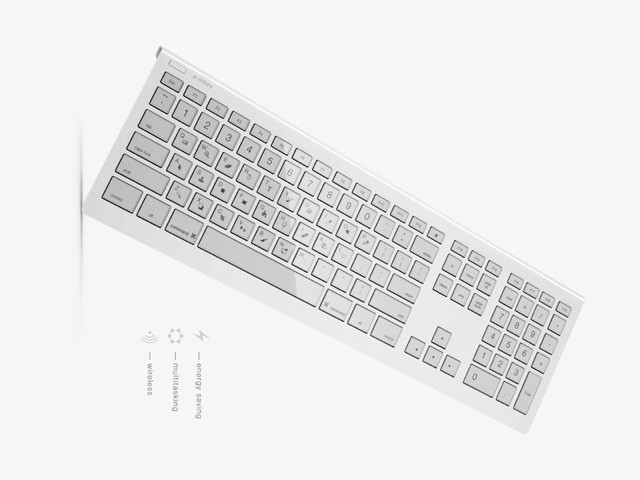
Remember the Optimus Maximus keyboard from Art Lebedev? No, me either. But if I did I’d probably recall the LED keycaps which had two distinct functions: One, to display a tiny image on top of each key and two, to send the cost of the keyboard through the roof.
Today we bring you the e-ink keyboard, which is the same kind of thing, only way more practical.
Want to build an amazing website but don’t want to spend any time learning to code? Or are you a coding veteran who wants something simple and effective in your toolbox for those times where you just want to create something stellar and tweak with lines of code where you see fit? Then this Cult of Mac Deals offering is for you. That’s because we’re offering MacFlux 4 for 73% off the regular price – that means it is only $35 – so you won’t have to spend a ton of money to create a ton of terrifically designed websites.
MacFlux has an amazing WYSIWYG rendering engine, which means you can drag, stretch, and move objects like you can in a desktop publishing application, and your webpages will look exactly how you intended. It will generate all the code for you, with no unnecessary tags.
Now, when we say Old School, we’re talking about the 2003 movie starring Luke Wilson, Vince Vaughn, and Will Ferrell as three old dudes trying to recapture the joy of their frat-bound youth, to hilarious (and naked) effect. Hard to believe it’s been ten years since the movie came out, really. We’re also talking about a new tower defense game, also called Old School.
As the tenth anniversary of the film’s release is next month, it’s fitting that Canadian developer, Big Blue Bubble, should bring Old School to the iOS platform in collaboration with the film’s distributor, Paramount Pictures.
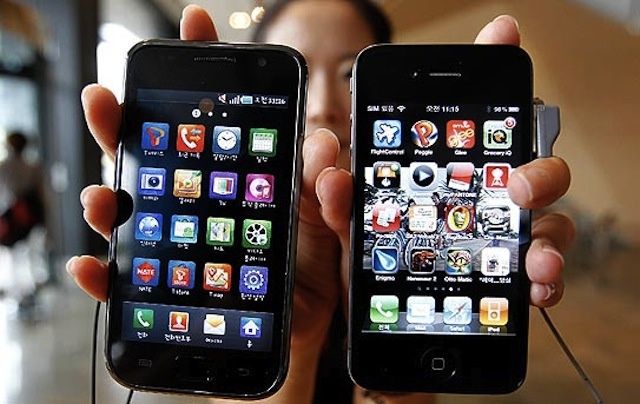
Last summer, Apple won the biggest patent lawsuit in history against Samsung. After a long and tedious hearing, a California court ruled that Samsung had infringed on seven of Apple’s design patents. The jury for the trial decided that Samsung had willfully infringed five of the patents, which basically means that Samsung knew what it was doing when it tried to steal Apple’s mojo.
Samsung challenged the verdict, and Judge Lucy Koh has now ruled that Apple’s patents weren’t willfully infringed upon. This will save Samsung from having to pay Apple up to triple in damages on top of the $1+ billion it already owes.
This doesn’t mean that the case is over. There are still plenty of appeals to be made, and “Apple will presumably move at some point for an award of ongoing royalties for future use of its patents by Samsung,” according to FOSS Patents.
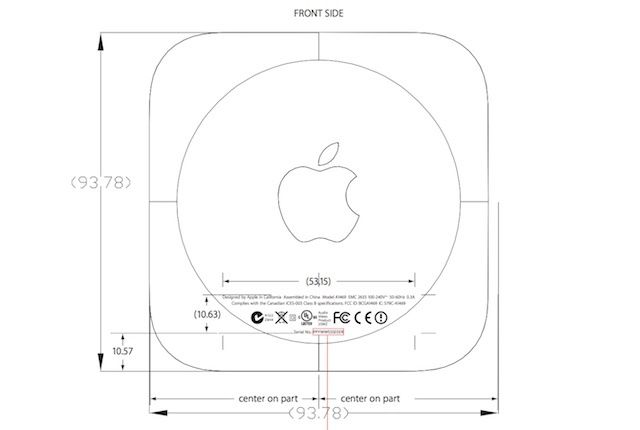
Apple’s been surprising us left and right this week with iOS 6.1 dropping out of nowhere, and the a 128GB iPad announced today. There might be an Apple TV surprise coming in the near future too.
According to some FCC documents, Apple might release a smaller Apple TV pretty soon. The papers show an Apple TV with the same design and shape as the current generation except it’s nearly a half centimeter smaller.
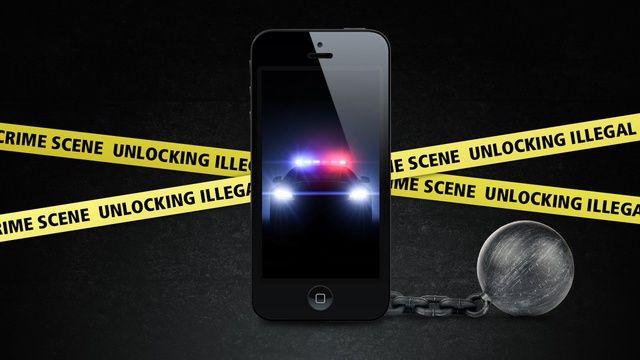
It can be easy to get “unlocking” and “jailbreaking” confused, but the two terms mean totally different things. Unlocking refers to freeing your phone to work on any carrier instead of just the one you bought it on. Jailbreaking is the process of circumventing Apple’s security measures in iOS to install tweaks, hacks, and mods that aren’t allowed in the App Store.
The U.S. Library of Congress has ruled that it is now illegal for you to unlock your smartphone if it was bought after January 26th, 2013. Carriers can still legally unlock your device for you, but it’s illegal to go through a third-party unlock vendor.
Jailbreaking your iPhone has been kept legal through 2015 under an exemption in the Digital Millennium Copyright Act (DMCA). The crazy catch is that jailbreaking the iPad has technically been made illegal, while the iPhone and iPod touch both remain exempt. So jailbreaking is safe mostly, but unofficial unlocking is not. This is important to mention as the iOS 6.1 jailbreak approaches.
Keeping up with the U.S. legal system is very confusing, so what does all this unlocking and jailbreaking legal jargon mean for you?
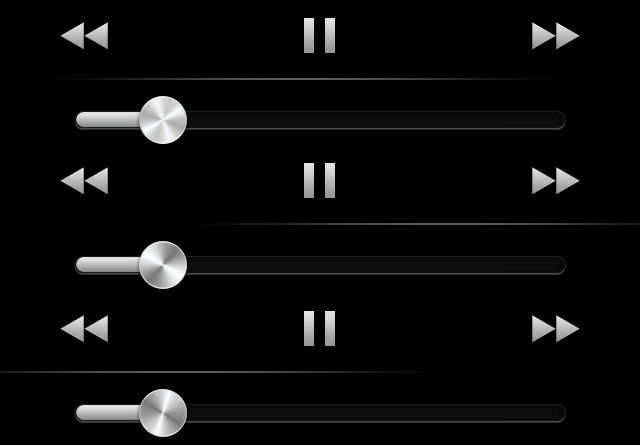
Notice the slight difference in the light reflection between the Pause button and Volume slider?
Apple is famous for its attention to detail and making the smallest tweaks to hardware and software most people wouldn’t even notice. It’s kind of silly to get excited about tiny animation details in iOS, but to us, they’re a sign that Apple really cares about its products.
Along with the new lockscreen music controls for iOS 6.1, Apple added some new light reflection details on the lockscreen as well. Now, instead of the music player bar being a flat surface, there is a small amount of light reflecting between the Pause button and Volume slider that moves as you tilt your device. Apple added a similar light feature to the volume slider knobs in iOS 6.0, so and it looks like it’s slowly creeping its way through the rest of iOS.
iOS 8 is Apple's most privacy-conscious mobile OS yet.
People don’t trust Apple with all their personal data as much as they used to. That’s what the latest survey on privacy data claims, after ranking the top 20 companies that U.S. consumers trust the most with their private information.
Ponemon Institute has conducted its annual privacy survey for the past seven years that asks U.S. consumers to rate organizations that they feel are most likely going to keep their information private. Apple was ranked 14th on last years list, but didn’t make the cut this time.
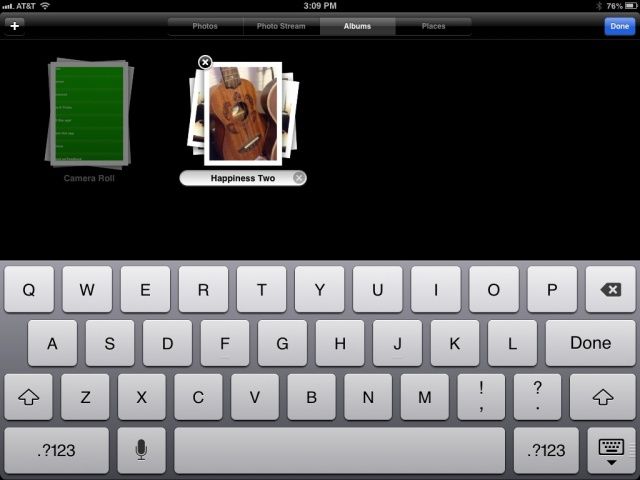
Sorting your photos into albums is a great way to only show off the photos you want to to the people you want to show them off to (follow that?). It’s also the way some third party apps, like Instagram or Camera +, will sort the photos you edit within them. Renaming those albums, however, isn’t entirely intuitive. Here’s how to do it, simply and quickly, right from the comfort of your own iOS device.
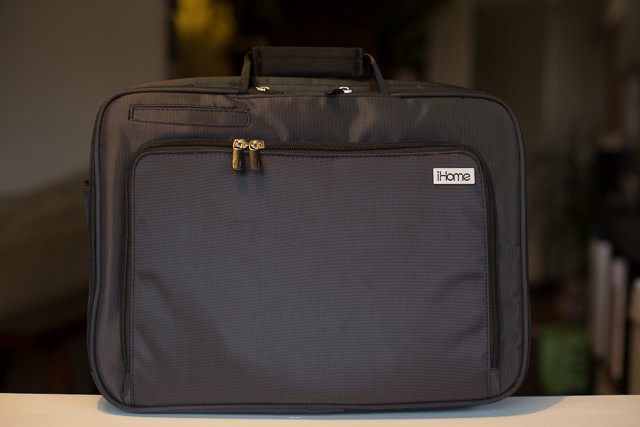
When iHome designed their Smart Brief computer bag ($99), they had the good idea to create a product with pockets for all of today’s modern-day computing devices and accessories. Problem is, like every good idea turned product, execution is everything, and that’s where the Smart Brief starts to get a little lackluster.
If you’re an iPhone lover, this video of an excavator destroying one hundred and twenty-seven iPhones underneath its treads is sure to stand your hair on end. It’s like watching a bulldozer dig a mass grave.
Don’t worry, though: these aren’t real iPhones, convincing as they might seem. They’re merely convincing replicants.
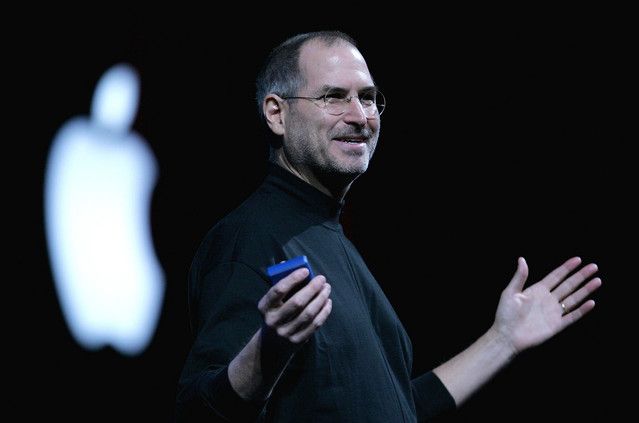
Even though Steve's gone, Macworld is still an exciting show.
Macworld/iWorld 2013 is coming in just two days, and Cult of Mac will be there, reporting live from the showfloor.
Macworld has an amazing history of being the launching pad for some world changing products. The iPhone debuted at Macworld. So did the MacBook Air. And iTunes. Again and again, products announced at Macworld have shifted the very pillars of technology.
Macworld is more than just a celebration on everything that is wonderful about iPhones, iPads, Macs, Apps, and the people who use them. It’s a summit that measures the very pulse of Cupertino’s incredible impact upon the world around us. With Apple at the top of it’s game, it’s more important than ever.
Not convinced? Here’s a ten minute history of the last 15 years of Macworld.
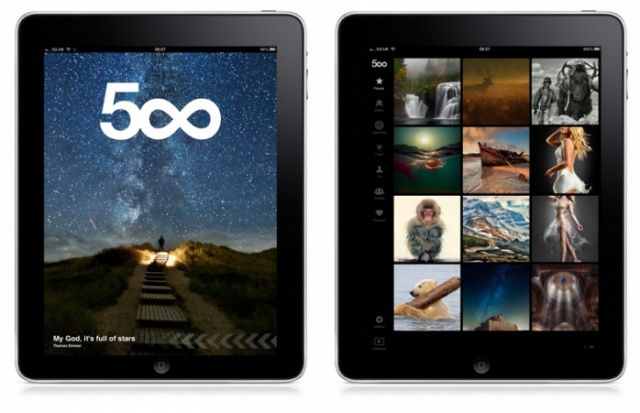
It’s back! 500px — the photo sharing app that was yanked from the App Store last week for letting users check out artful, non-pornographic nudes — has returned to the App Store, with some changes to keep genitalia and nipples away from impressionable eyes.
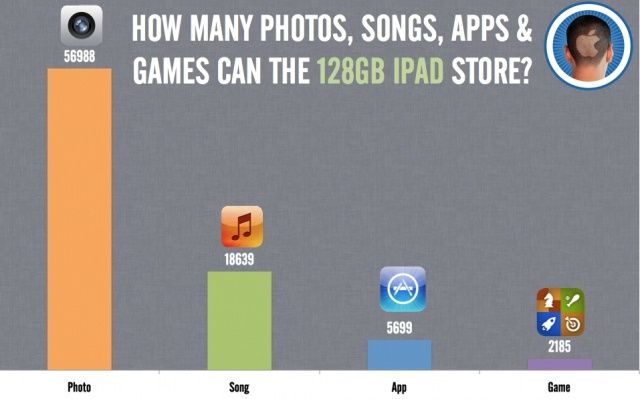
It's not too bad at video either: 85 SD Videos and 32 HD Videos.
When it’s released, the new 128GB will be the highest capacity yet, but what does it mean in practical terms? How many games, apps, photos, songs, and videos will the new 128GB iPad store?
We did the math. Here’s what you can fit on your new 128GB iPad.
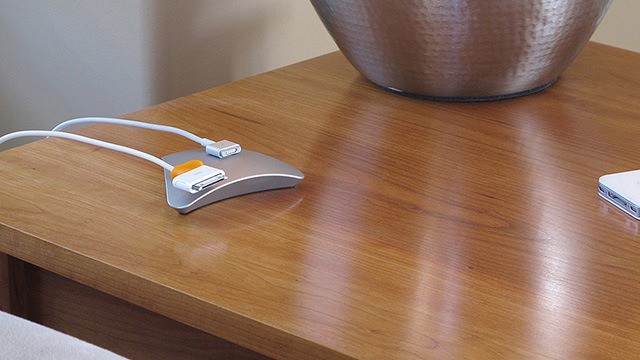
Here’s a great idea: put this magnetic paperweight on your desk and enjoy the relaxed tranquility of knowing that your cables will never fall to the floor again.
Or try this even better idea: go grab the super-strong rare-earth magnet from one of your disused iPad cases (or even its over-engineered packaging) and tape it to the edge of your desk. Voila! (or wa-la! or viola! as forum-posting morons like to say) – you have your own free cable tidy. And better yet it won’t actually untidy your desk by cluttering up its surface.
Foursquare, everyone’s favorite check-in service, has released a new app today, but it’s not for jokers checking into their local pizza place: it’s for the guys who own that pizza place.
Not so surprisingly, it’s called Foursquare for Business, and it allows you to do all sorts of business-y things to track how engaged your customers are and get the word out.