Remember that the OS X Mavericks beta isn’t a final version—it’s meant to be used by developers to ensure that their software will work with Apple’s latest and greatest. With that disclaimer in mind, let’s check out yet another little feature in the beta.
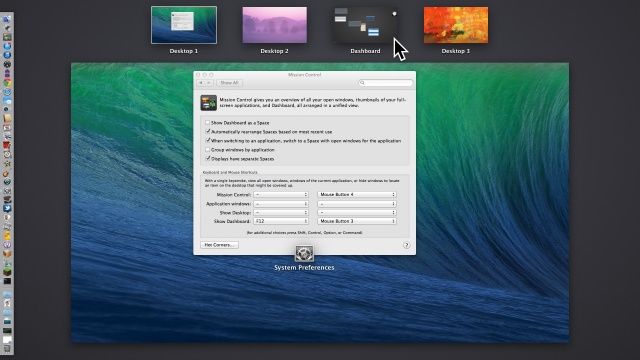
Prior to OS X Mavericks beta, the Dashboard, loaded with useful widgets of all stripe, used to be limited to two states: disabled, or locked to the top left side of the Mission Control screen.
Now, however, with the advent of OS X Mavericks beta, that’s no longer the case. The Dashboard is now treated the same as any other Space when enabled. Here’s how to get it enabled, and then how to move it around.