Void-X plays like a classic from the ’80s. It's great on iPhone, but even better on Vision Pro. Image: D. Griffin Jones/Cult of Mac
I’ve had a lot of fun playing Void-X, a modern arcade shooter game. If you’ve ever emptied a whole pocketful of quarters into Galaga or Zaxxon, then you’ll love playing it, too. And you’ll like it even more if you play Void-X on Vision Pro. (You can play the tame on iPhone and iPad, too.)
In case you couldn’t tell, I’m actually wearing the Vision Pro in this picture! You probably didn’t notice because you can see my eyes so clearly. Photo: D. Griffin Jones/Cult of Mac
The two-week return window for my Vision Pro is fast approaching, so I need to make my keep it/toss it decision in a matter of days. And I desperately want to keep it.
Many publications (including Cult of Mac) are reporting on the mass of people selling their Vision Pros after the two-week return window. A lot of it, I think, is for the drama — Apple is taking a big swing on a brand-new product, people aren’t keeping it, instant controversy. (I bet a lot of these people bought their headsets to produce content on the buzzy device and never planned on keeping it, no matter how good it was.)
Well, here’s the other side of the coin. My Vision Pro has fit into my life perfectly. I use it for hours every day. But justifying the purpose is a financial stretch.
Android users are more likely to switch to iPhone than fans of Apple's OS are to go over to Google's. Photo: Ed Hardy/Cult of Mac
The percentage of iPhone buyers in the U.S. whose last device was an Android was at 13% in 2023. The figure of Android users who previously used iPhone is much lower.
Apple already leads the smartphone race in the United States, and the poll data shows that’s not going to change.
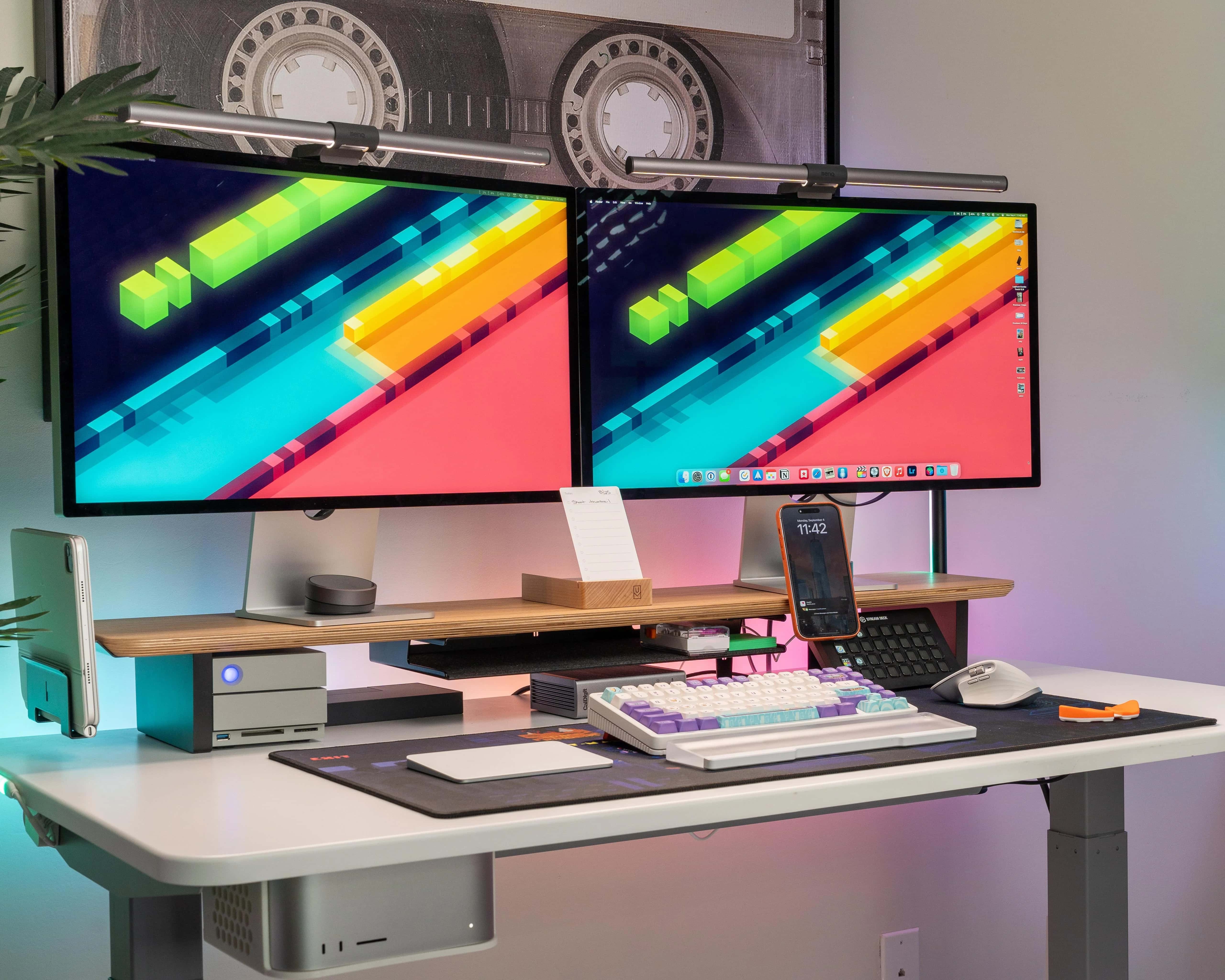
This cool setup sports the NyPhy Halo75 mechanical gaming keyboard. Photo: [email protected]
Dual Studio Displays are a popular-if-pricey choice among Mac users. In addition to making a case for going with the configuration in the first place, today’s Mac Studio setup offers some helpful tips for creating synced dual Studio Displays.
It suggests third-party tools to help sync audio and brightness levels across the two monitors.
The few available iPhone web apps are about to break in the EU. Photo: Ed Hardy/Cult of Mac
Are you familiar with iPhone web apps? No? Turns out you aren’t alone. Apple admitted that the method for turning websites into applications never caught on.
It must have been a tough admission, given that Steve Jobs’ original plan for iPhone was that it would only support web apps, with no native third-party applications allowed.
A shockingly high number of Cult of Mac readers say they won't be keeping their Vision Pro headsets. Photo: Apple/Modified by Cult of Mac
You’d think readers of a website called Cult of Mac would be into Apple products. But a straw poll of Cult of Mac Today readers found a whopping 76% of respondents plan to return their Vision Pro to Apple.
The eye-popping number comes as droves of Vision Pro early adopters say they plan to take advantage of Apple’s generous return policy. Discomfort, the headset’s high price and the lack of a clear use case for the isolating device top the list of reasons cited by disaffected Vision Pro owners.
Adjust Control Center settings from the comfort of a peaceful forest environment. Photo: D. Griffin Jones/Cult of Mac
Control Center in Vision Pro works very differently than on iPhone, iPad, Apple Watch and Mac. But as with Apple’s other platforms, you can customize the Vision Pro Control Center to make it far more useful.
The first few days after I got my Vision Pro, I found Control Center to be intensely irritating. It constantly appeared in my field of view, bugging me like a hair in my mouth or a piece of popcorn in my teeth.
Luckily, with just a few changes, you can make Control Center way less annoying.
Xcode could use generative AI to help you write code. Photo: Cult of Mac
Apple is reportedly working on a major Xcode update with artificial integration. This functionality will apparently emulate Microsoft’s GitHub Copilot, generating code based on text input.
Work on the tool has been ongoing since last year, and its testing is now expanding internally inside Apple.
Take 20% off this swiveling laptop stand and detachable 6-in-1 USB-C hub. Photo: Cult of Mac Deals
Don’t underestimate the importance of good screen placement. Too many remote workers get into the habit of craning their necks because their desks are too low or too high. The Casa Hub Stand Pro, a laptop stand with hub that adds six multifunctional ports for easy connectivity, addresses that problem and many more.
Through February 19, this comfort- and productivity-enhancing accessory is on sale for only $94.97 (regularly $129).
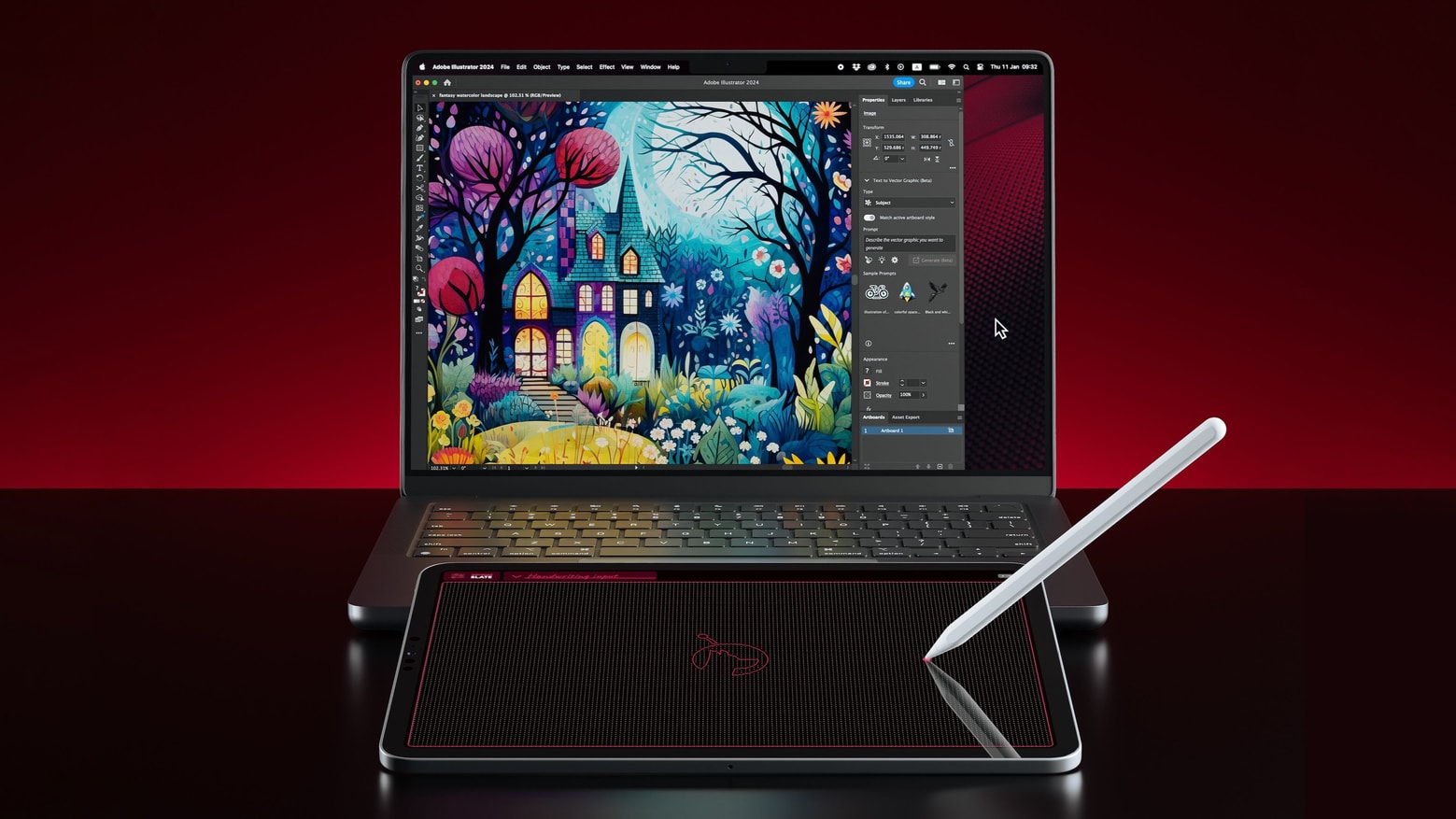
Make your iPad and Apple Pencil into a drawing pad for your Mac with Astropad Slate. Photo: Astropad
Astropad Slate turns an iPad and Apple Pencil into a drawing tablet for a Mac.
There’s no need to purchase a basic Wacom tablet or a similar accessory when the iPad and pen you already own can be used to draw into desktop creative application.
You haven't really seen TikTok videos until you've been immersed in them with Vision Pro. Screenshot: TikTok/ByteDance
TikTok just outraced some of its biggest rivals by releasing a native Vision Pro application. The short video service that’s become a global phenomenon can now be enjoyed on Apple’s AR headset thanks to the TikTok Vision Pro app.
The head of development for the new app says the company “redesigned the entire TikTok experience.”
Get over $100 off this ChatGPT business training bundle. Photo: Cult of Mac Deals
ChatGPT can boost your business in many ways — but only if you know how to properly use the buzz-worthy tool. The ChatGPT for Business Mastery Bundle brings together seven ChatGPT courses designed to turbocharge your AI skills.
This unique collection will help you get the most from OpenAI’s generative AI. And fast-acting Cult of Mac readers can grab this comprehensive training bundle for only $29.99 (regularly $133). It’s an inexpensive and easy way to instantly boost your business with ChatGPT.
Are you ready to blow your mind with new spatial games for the Vision Pro headset? Photo: Apple
Three games designed for visionOS spatial experiences through the new Vision Pro headset will soon join a dozen existing such titles, plus another 250 compatible games already in Apple Arcade, Apple said Thursday.
The company highlighted all the fun Vision Pro users can have, including descriptions of the upcoming versions of Alto’s Odyssey, Gibbon and Spire Blast for Vision Pro.
It’s not a small battery. Photo: D. Griffin Jones/Cult of Mac
If you get a Vision Pro, you’ll soon need to learn how to charge up that battery. Apple only promises two hours of battery life on its revolutionary headset. Although real-world usage is pushing closer to three, if you want your spatial computing to be untethered, you’ll need to charge the Vision Pro battery often.
Here’s how to do it — along with some tips that will keep you (and your data) safe.
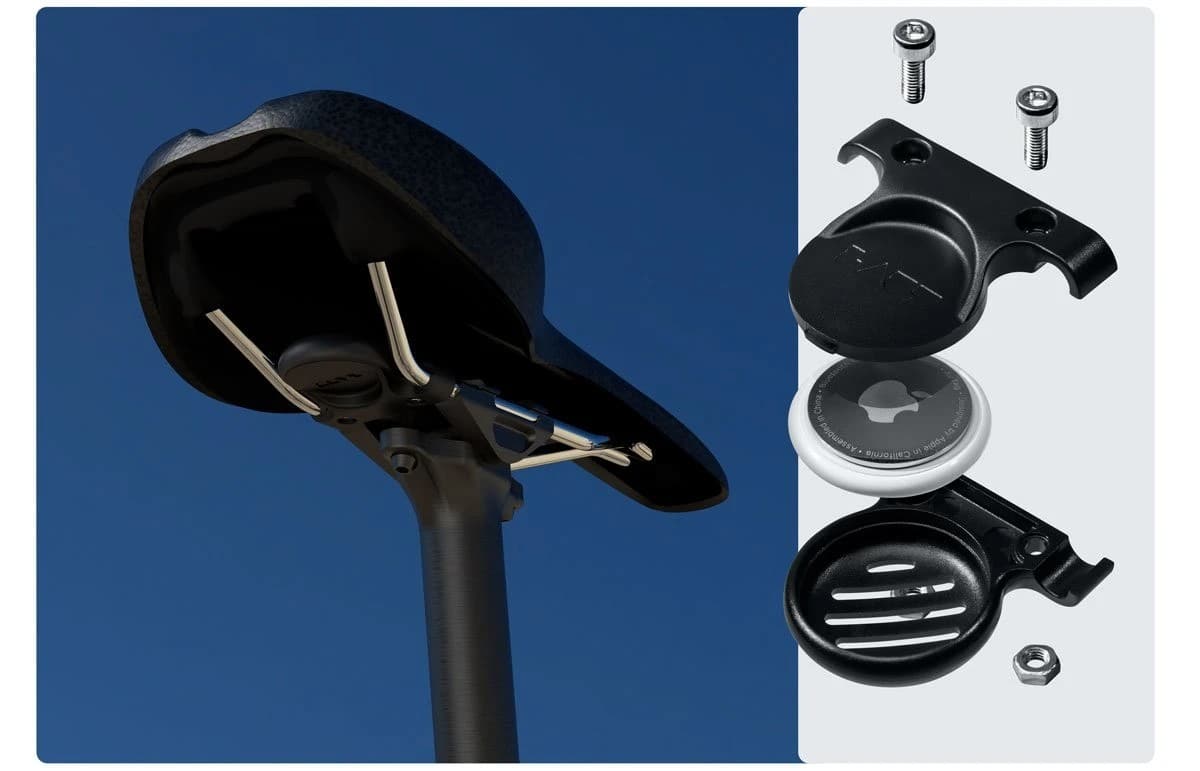
Attach AirTag beneath your bike's saddle, or under your bottle holder. Photo: Laut
If you love your AirTag soooooo much that you take it on romantic bike rides (or, more likely, you just want to track your sweet ride), check out these brilliant bike mounts from Laut. They’re well-designed and wonderfully affordable.
You can either attach your tracker to your saddle for less than $20, or beneath your water bottle for even less cash. And because Laut’s mounts are so inconspicuous, thieves won’t even see that your AirTag is there.
Using Vision Pro's virtual keyboard, you just reach out and touch parts of the screen when you need to. Photo: Apple
The Vision Pro’s virtual, floating-in-the-air keyboard has been nearly universally condemned. There’s no way around it: Typing on Vision Pro sucks.
But people said the same thing about the original iPhone, which ditched a physical keyboard compared to the BlackBerry. And these days, physical keyboards for your iPhone are more of a novelty than a standard accessory that everybody buys.
So to get to the bottom of exactly how bad the Vision Pro keyboard is, I took a bunch of different typing tests across a bunch of different keyboards. And the results I found were incredibly surprising. I accidentally discovered the best way to input text in Vision Pro.
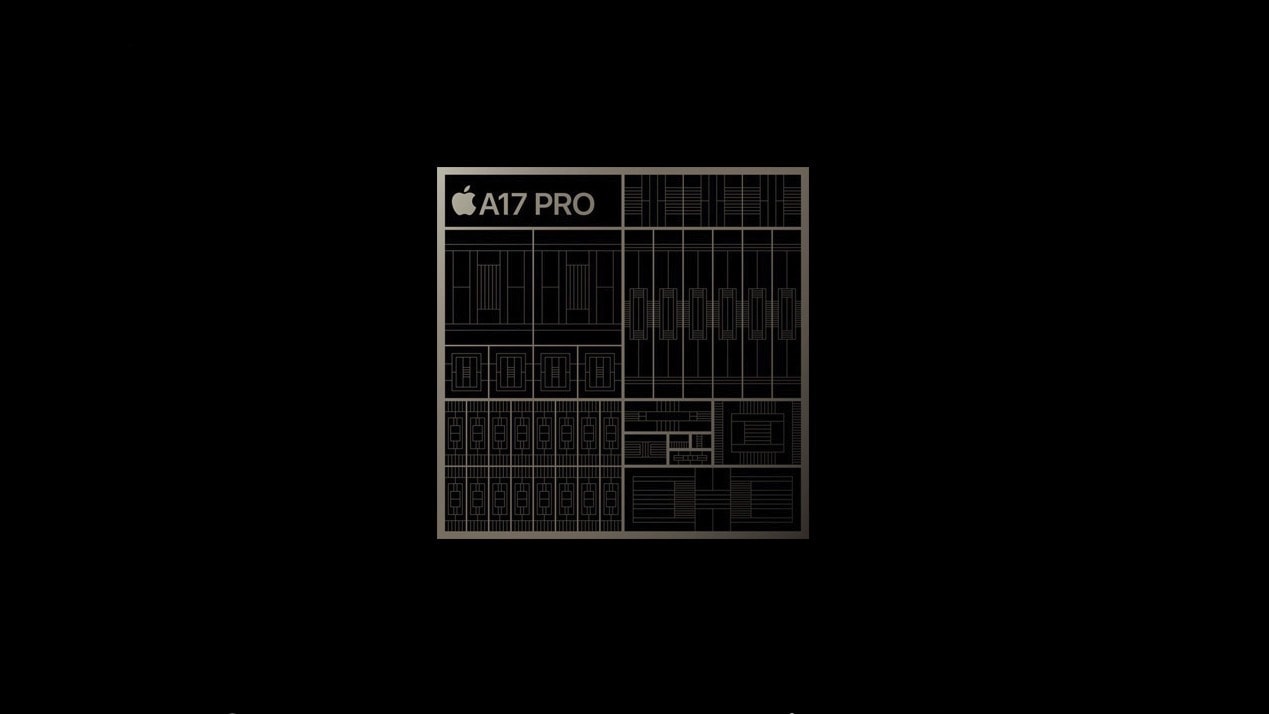
Apple's next mobile SoC should bring a big boost in AI and ML performance. Photo: Apple
Apple’s next-gen A18 and M4 SoCs will reportedly feature an upgraded Neural Engine with a lot more cores. The additional horsepower in the A18 chip should help the iPhone 16 deliver better performance in AI/ML tasks.
Apple Vision Pro is being returned in droves by early adopters. Photo: Leander Kahney/Cult of Mac
Many early adopters seem set on returning their Apple Vision Pro headsets. As the 14-day return window approaches for people who bought the device on launch day, an avalanche of posts on X and other social media channels point to a wave of Vision Pro returns.
Apparently, it’s not just Mark Zuckerberg who thinks Apple’s expensive headset isn’t worth the money. There appears to be a mass exodus of early adopters who ponied up the cash for Apple’s pricey headset. They cite three main reasons for returning Vision Pro. But is the situation really as bad as it seems?
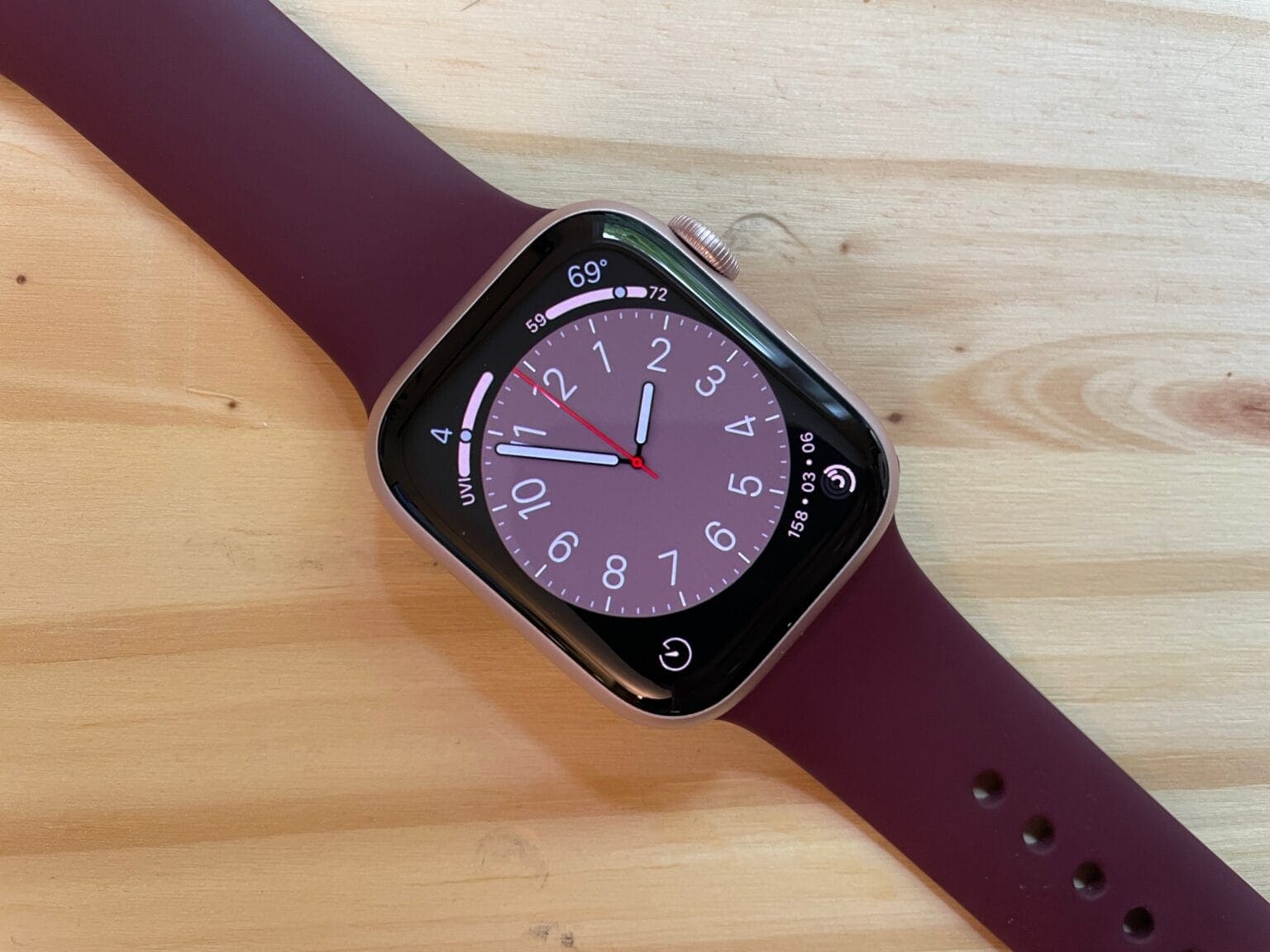
Don't waste another minute. Seize these watch deals. Photo: D. Griffith Jones/Cult of Mac
Giant online retailers Amazon and Best Buy are offering deep discounts on Apple Watch 9. At Amazon you can choose different Series 9 versions ranging from $70 to $100 off regular prices. Best Buy offers tons of options, all at $70 off, from the cheapest to more pricey models.
And notably, Best Buy lists all of its $70-off sale items as “With blood oxygen feature.”
Quintessa Swindell and Leo Woodall star in upcoming series Prime Target, coming soon to Apple TV+. Photo: Apple TV+
Prime Target is an incoming Apple TV+ thriller that combines conspiracy theories with math theorems. Seriously. It’s about a mathematician whose research is being suppressed as part of a mysterious conspiracy.
The upcoming series will star Leo Woodall and Quintessa Swindell.
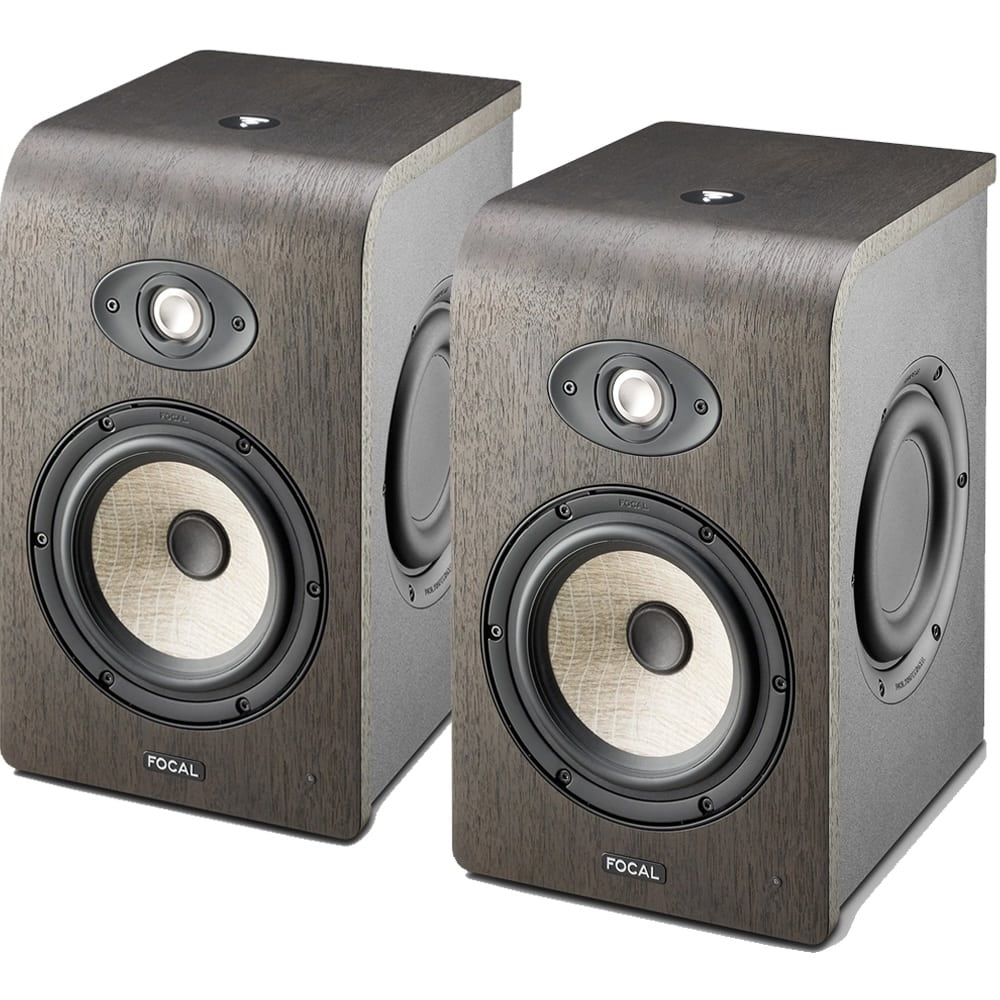
These intriguing studio monitors from France -- plus a massive subwoofer to match -- have never appeared in our Setups coverage before. Photo: Focal
We love it when an interesting computer setup on social media — something real and well-used, not staged — shows us a brand-new thing (new to us, that is). And this week that comes in an audio engineer’s iMac Pro setup featuring brilliant Focal studio-monitor speakers on stands above a massive Focal subwoofer under the custom-made desk.
We’re pretty sure Focal speakers have never appeared in setups featured on Cult of Mac. For one thing, they’re from France. That country comes to mind less for premium audio than the United States, UK, Germany, Japan and Denmark, to name a few leaders.
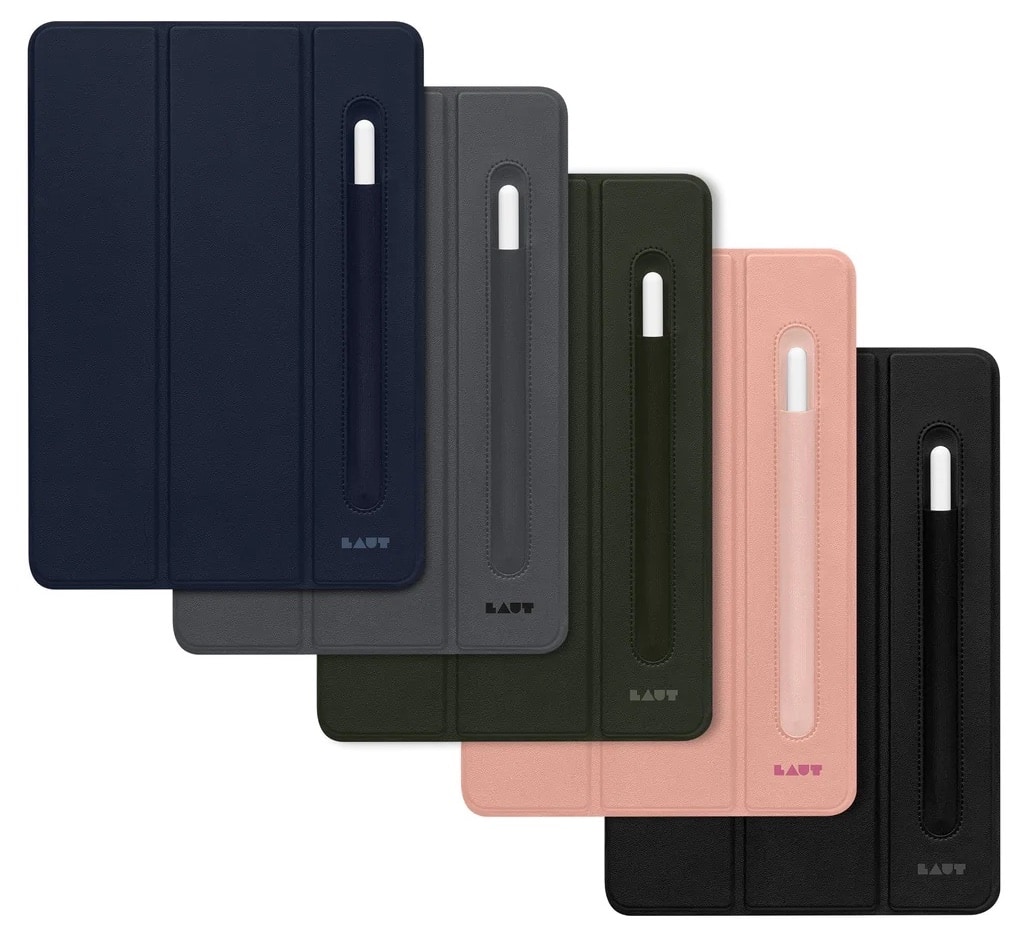
It’s wonderful how slim and light iPads are, including the capable 11-inch iPad Pro and 10.9-inch iPad Air. But while it may be tempting to carry yours around without any sort of case, it’s risky.
So you might consider a slim and lightweight case and stand that protects your tablet and adds a splash of color — like the Laut Huex Folio Case with Pencil Holder. You can get one at a good price in the Cult of Mac Store.
Let other people see what you’re seeing. (Featuring the Explore Mars app.) Photo: D. Griffin Jones/Cult of Mac
It’s possible to share your screen in your Vision Pro so that other people can see what you’re seeing, too. This is especially helpful in Vision Pro Guest Mode, to help you guide newbies through the unfamiliar headset.
Vision Pro is an exciting new product, but it can be isolating. The incredible experiences it enables aren’t social. However, you can AirPlay your screen to a nearby Apple TV, iPad, Mac or iPhone.
You won’t be smiling when your Vision Pro refuses to follow your eyes correctly. Photo: Apple
You can easily fix Apple Vision Pro eye tracking and hand tracking if your headset starts to act up. You’ll want to follow the steps below if the device stops accurately tracking your gaze or your hand gestures.
As you probably know, hand tracking and eye tracking are essential to using Vision Pro. When they don’t work as well as possible, it’s incredibly frustrating. I know, because sometimes the headset’s sensors have a hard time tracking my eyes up and down. It’s like using an iPad stylus on a touchscreen that’s slightly uncalibrated.
The quick methods below can fix some Vision Pro eye- and hand-tracking problems for you. You can approach trigger a reset three different ways — by pressing a button on the headset, going into Settings or asking Siri for help — all with the same ultimate result. (In my experience, this is one situation in which Siri excels.)