Mobile menu toggle

Ask A Genius Anything: Crazy Launch Days, Apple Care+ And Geniuses On Android

By

askageniusanything

This is Cult of Mac’s exclusive column written by an actual Apple Store Genius who answers all your questions about working at an Apple Store. Our genius must remain anonymous, but other than “Who are you, anyway?” ask anything you want about what goes on behind that slick store facade.

This week our Genius answers why the iPhone screen can be repaired in stores while the iPad has to be shipped away from special care. We also discuss whether working at the Apple Store can be turned into a solid career, plus the top 5 most annoying things customers do at the Apple Store.

Got a question you want the inside scoop on? Send us your questions and the answers will be published first in Cult of Mac’s Magazine on Newsstand. Send your questions to newsATcultofmac.com with “genius” in the subject line.

Q: What’s the craziest launch day you’ve experienced?

iPhone launches tend to be the craziest. The biggest I was a part of was the iPhone 5S/5C launch. There is a huge amount of hype that builds up in the store. Nothing in the store changes until after closing on the night before launch.

Store employees can volunteer to be on a special group called the “visuals team.” They focus on the appearance of the store, like the displays and product tables. They stay overnight and work furiously to update the store. On this last iPhone launch, our store was one of many that were unable to complete the display setup in the front of the store. Then, since it wasn’t completed, we had to take the whole thing down. There just wasn’t enough time — we were short staffed for the overnight gig. The rest of it came together just in time.

The stores usually provide breakfast, lunch and drinks to keep us energized. Leaders work to get everyone all hyped up for crazy day ahead. Customers get pretty excited too. The downside to all that energy: when people don’t get what they want, they can get pretty nasty. One of the people in the front of the line who waited overnight at our store threw a fit because we didn’t have the gold iPhone she wanted in stock. She demanded we get her one because she had waited all night for it. The majority of people are pretty happy though, and add to the energy. We had lines of people coming into the store from when we opened until closing time.

Q: Do any of the Apple Store employees use Android phones?

There are more than a couple of people in the store who have Android devices. Some specialists, a couple of geniuses, and one manager in our store use Android. One devoted Blackberry user swears his phone does everything he needs it to. Some people only use an iPad or maybe just a Mac. One of my coworkers swears that the best thing Apple makes is the Apple TV, believe it or not.

Everyone has a personal opinion, but they are all passionate about Apple. Even if they don’t use the iPhone, they use something Apple and know all of the products. On a side note, we’re asked not to display our phones while on the job for a number of reasons.

Q: Is AppleCare+ worth it?

Applecare+ is definitely worth it — to me, at least — for the iPhone. I only upgrade every two years since that’s how my plan works, so I definitely think having two years of coverage is needed. If there are any issues it’ll be covered or even if I have an accident, I can have two accidents at a much lower cost than without the coverage. For the number of problems and accidents people bring in every day, I tend to get the coverage. For the iPad and Macs, I think it’s a cheap insurance in case of costly repairs. Either way, ask yourself how long you plan on keeping the device, especially if you upgrade often. I tend to keep my stuff longer and use it to the bitter end; some people buy the newest stuff each cycle and just sell the old, in which case, extended your warranty might not be necessary. If you’re going to hang on to it past the warranty I definitely recommend it!

WSJ: Apple To Kill The iPhone 5c And Release Two Larger Models This Year

By

The iPhone 5c wasn't quite the ultra-cheap smartphone some had predicted.

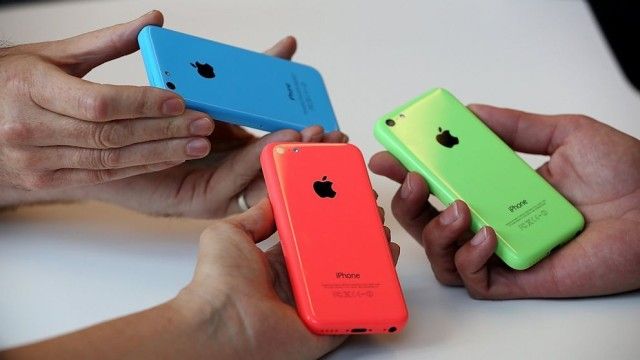
The iPhone 5c’s lifespan will be short-lived, according to a new report from The Wall Street Journal. Apple will reportedly discontinue the 5c this year and release two larger iPhone models.

The initial success of the iPhone 5c has been questioned amidst reports that Apple cut orders by as much as 35% shortly after releasing the phone last fall.

Rumors of larger iPhone designs have been swirling for months now, and the Journal is saying to expect screens larger than 4½ inches and 5 inches.

‘Spender: Expenses Only’ Might Shock You Into Saving Money

By

Spender

Spender: Expenses Only — Finance — Free $0.99 [thanks, commenters]

If I want to be reductionist here, money management has two general components: maximizing income and minimizing expenses. For many people, the second part is more difficult because sometimes you really, absolutely need to own that box set of The Adventures of Brisco County, Jr.

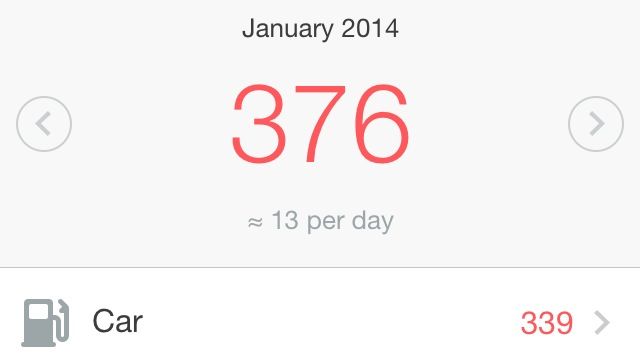
Spender: Expenses Only is a quick and easy way to itemize and organize your bills, and it even tells you how much you’re spending on average daily. And once you look at your costs in that vacuum and see just how much you’re blowing on Pez and action figures without seeing the income to offset it, you might want to change some things.

Spender – Expenses Only

Kid Aviator Takes The ‘Endless’ Genre Vertical [Review]

By

Kid Aviator

We have no shortage of cute games about adorable characters who need your help to get home or something comparable, but here’s something a little different.

Kid Aviator by Mattia Fortunati Games
Category: iOS Games
Works With: iPhone, iPad
Price: $0.99

Kid Aviator is about a young carnival daredevil fired from a cannon who is trying to fly as high as he can to spite gravity. He has a cape. He has goggles. He is awesome.

The only problem is that the sky is full of all kinds of random crap that wants to ruin his affront to physics and Nature, and that’s where you come in.

Secure Your iPhone 5/5S With The Sleek iPhone 5/5s Protection Bundle [Deals]

By

redesign_gr_mainframe5

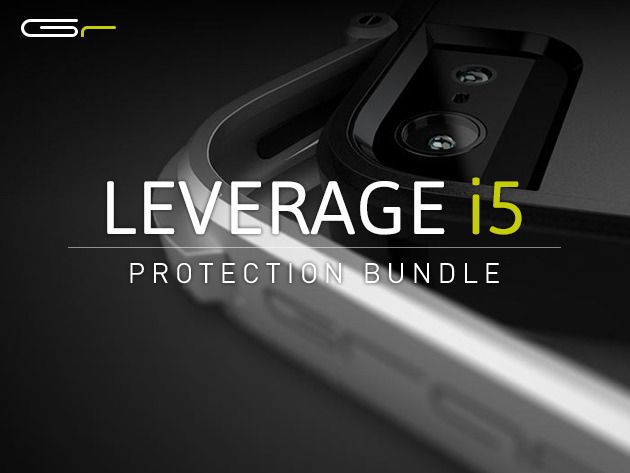
If you’ve wanted to protect your iPhone 5 without compromising its form factor, then this Cult of Mac Deals promotion is for you.

The unique clasp locking system of the Leverage i5 was inspired by high-end watch clasps, and the metal latch and lever system are built to last. Plus, with its integrated buttons, the case never gets in the way. This bundle also comes with three interchangeable backplates – flat (normal), headphone wrap, and credit card holder (for 1–4 cards) – that add functionality, but only when you need it.

And you can have The Sleek iPhone 5/5S Protection Bundle for just $39.99.

Already? SteelSeries Drops Price On iOS Game Controller To $80

By

Here we go.
Here we go.

Update: A SteelSeries representative sent us the following in an email asking why the price had been reduced so soon after the initial release.

“The response of this product coming out of CES was incredibly positive, [but] the largest concern was with the price set at $99.99 MSRP. Our goal with the Stratus goes beyond just selling a controller; it’s really about helping to define a new platform. We want to see that succeed and took initiative immediately after CES to find ways where we could improve the odds of that success by lower[ing] the price. The outcome is that our team was able to work with our partners to bring the cost for the consumer down to $79.99.”

Original Post: Well, it looks like the price wars have begun in earnest. SteelSeries’ Stratus is now $79.99, instead of the $99.99 it launched for at CES. If you pre-ordered this at the older price, you’re in luck: SteelSeries will honor the new, lower cost for all pre-orders.

The iPhone 5c Is King Of Internal Storage. Is Samsung In Last Place?

By

post-263620-image-82335b2917bde37643c5503c8a1fd045-jpg

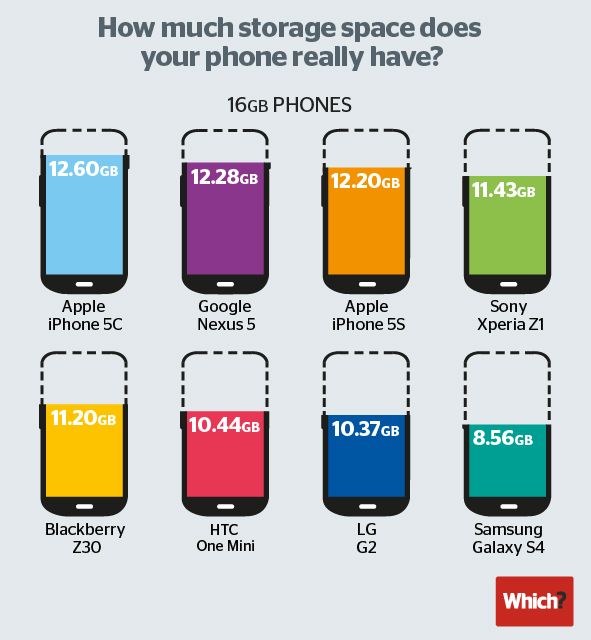
When you buy a 16GB smartphone, you don’t actually get 16GB of space to install apps, music and other media. No matter what smartphone you buy, the operating system needs to be installed into memory, and that takes up valuable gigabytes.

Still, some phones are better than others. As far as staying trim, the iPhone 5c is the best value for the money in its class, allowing users to install media to 12.60GB of the 16GB drive. The Google Nexus 5 comes in second place at 12.28GB.

The worst offender by far, though? The Samsung Galaxy S4. You won’t believe how little internal memory you get.

BT Tests Lightning-Fast 1Tbps Broadband In U.K.

By

post-263617-image-08cf5c0f5c810c20a51c4648d5dab1b7-jpg

Think Google’s 1Gbps fiber speeds are impressive? Think again. BT and Alcatel-Lucent have teamed up to achieve lightning-fast speeds of 1.4 terabits per second in the U.K. — that’s over 10,000 faster than the current fastest consumer broadband available in Britain, and it will let you download 44 full-length HD movies in a single second.

What’s more, it was achieved using existing fiber broadband cables.

How To Replace Text Emoticons With Emoji [iOS Tips]

By

shortcuts1

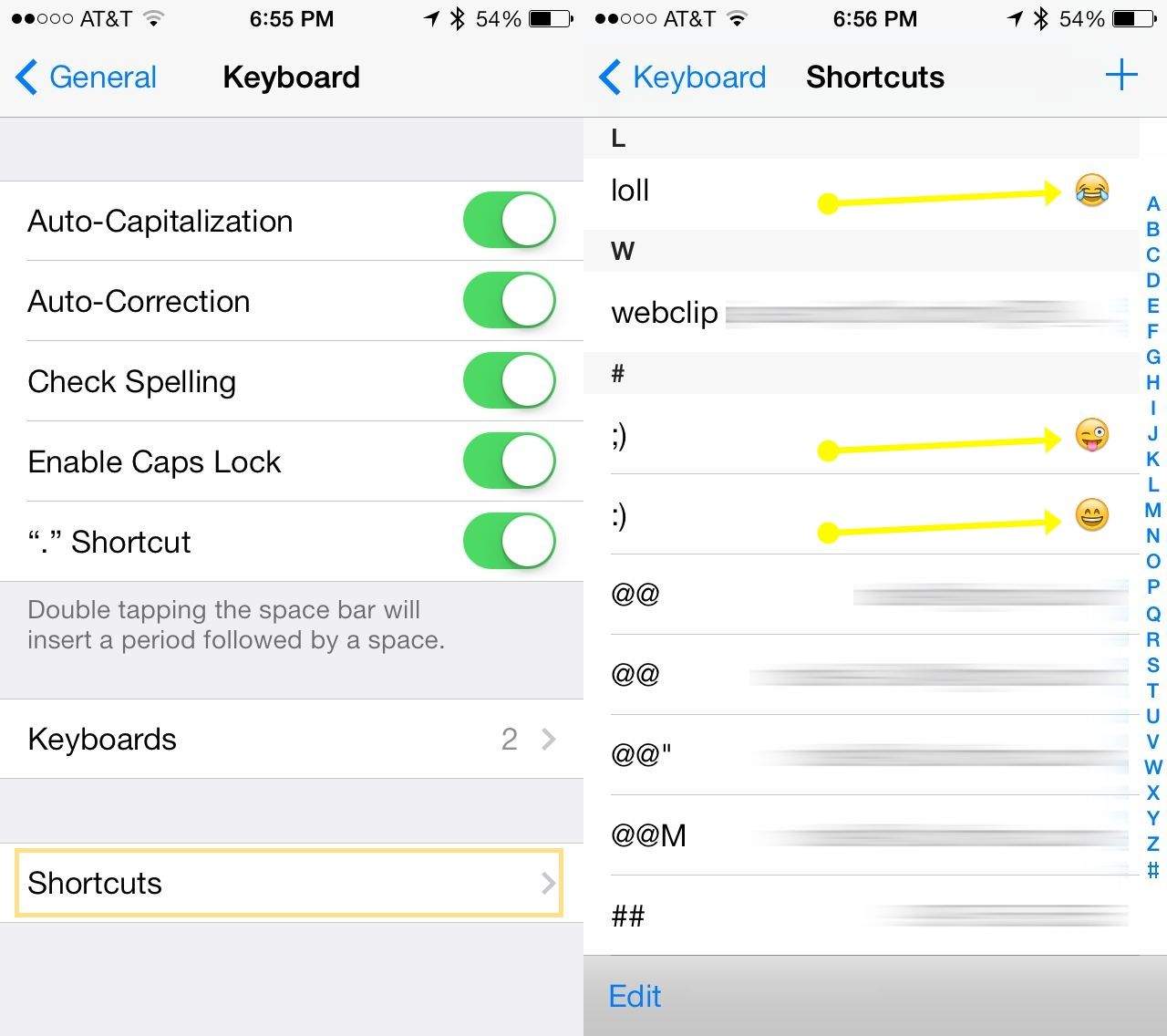
Sure, you use the Messages app to send along SMS and iMessages all day long. You know how to use Emoji’s, too, with a tap on the international keyboard button on your iPhone.

I bet you even use regular text emoticons, like semi-colon and parenthesis to create a wink, or colon and parenthesis to create a smile.

But have you ever tried to have your iPhone turn your text-based emoticon into an Emoji? I bet you haven’t.

Apple’s New Patent Will Target You With Ads According To Your Mood [Patent]

By

Screen_Shot_2014-01-23_at_11

A new Apple patent application published today relates to iAd technology that will allow Apple to target users with specific content based on a person’s predicted mood, their likely interest level, other content they are currently interacting with, their current geographic location, and the time of day.

In some applications, mood would be gauged using a camera which, equipped with facial recognition algorithms, would be able to measure specific expressions.

Look Familiar? Universal Studios’ New Ad Borrows A Lot From Apple

By

post-263575-image-7ce0d32559e0114f5dd514a160177c20-jpg

You’ve most probably seen Apple’s tear-jerking “Misunderstood” Christmas commercial: an ad about a seemingly isolated teenager who spends the holidays with their face buried in their iPhone — only to reveal at the end that they’ve been using the device’s camera to create a touching tribute to family togetherness.

Well, it seems that someone from Universal Studios Orlando’s ad agency David&Goliath also watched it (or else this whole thing is an amazing coincidence) because the theme park’s new ad — embedded above — bears an uncanny resemblance to Apple’s much-lauded commercial.

The Sims FreePlay Update Adds ‘Adulthood’ And ‘Seniors’ Quests

By

thesims

If your New Year’s resolution was to age in style, then you’re clearly thinking along the same lines as the makers of The Sims FreePlay for iOS.

In its first update of 2014, the freemium mobile version of the EA life sim now lets you “complete your family tree” by aging your teen Sims into adults by completing the “Adulthood” quest, while also letting you socialize with senior sims by completing the “Seniors” quest.

EverMemo, A Clean Evernote-Syncing Notes App With Some Neat Features

By

evermemo

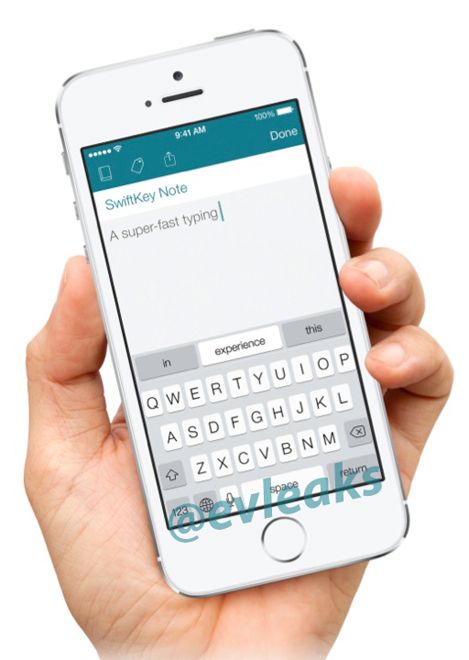
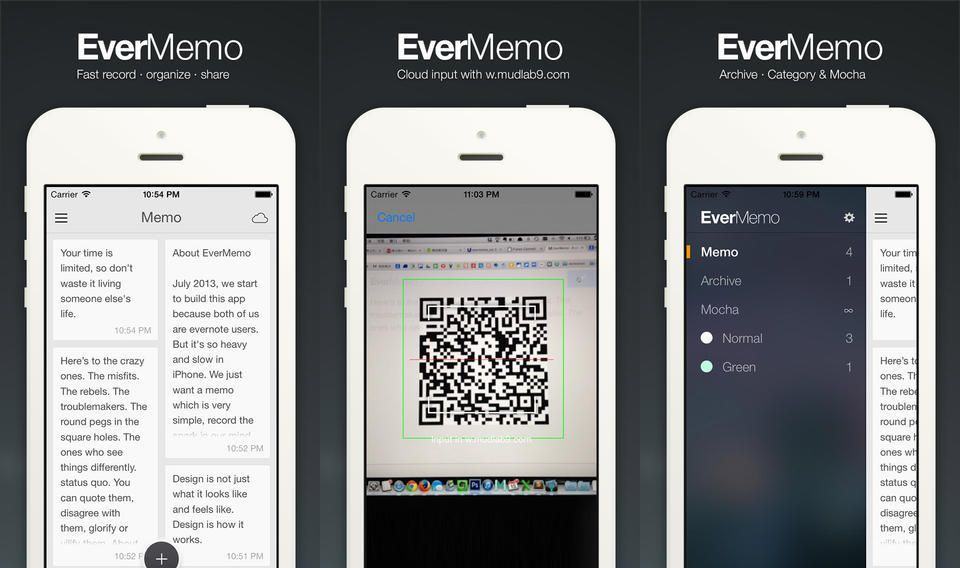
Evernote continues to suck as an app, and excel as a back-end service for better-designed apps. EverMemo is yet another quick note taking app which posts your important scribblings direct to your Evernote account to be indexed and assimilated, all without having to launch Evernote’s own bloated monster and tap desperately as you try to find the new-note button before you forget whatever it was you were trying to remember.

Fastmail Tests Sweet New iPhone-Syncing Calendar Service

By

fastmail calendar beta

You’re most likely using one of two calendar services, or maybe both: Google Calendar and/or iCloud. Now – if you’re using the truly excellent Fastmail email service – you can test out the beta version of its new calendar. It’s as clean and simple as the mail service, and syncs perfectly with your iDevice or Mac using CalDAV.

New Tweak Fixes Your Broken Status Bar After Jailbreaking [Jailbreak]

By

(Credit: Redmond Pie)

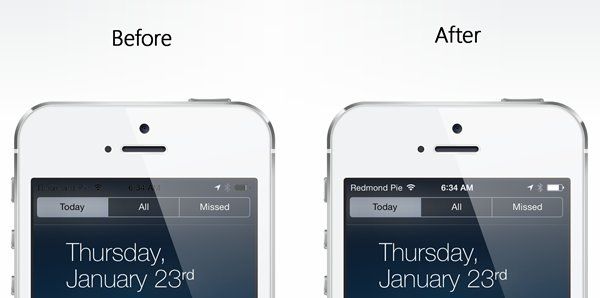
A large number of users have reported issues with a problematic status bar in iOS immediately following a jailbreak.

While it’s hardly the biggest issue for a liberated iOS device to encounter, having the carrier name, signal status and remaining battery turn from white to black — or sometimes not vanish when it’s supposed to — while using certain apps can be both annoying and overall detrimental to user experience. Thanks to a straightforward resolution , however, that issue can now be sorted out in the form of a Cydia package installation by following these steps:

Magnetic Ball Mount Secures Your iPhone To Your Car’s Dash

By

06-STCK-11-R8_3

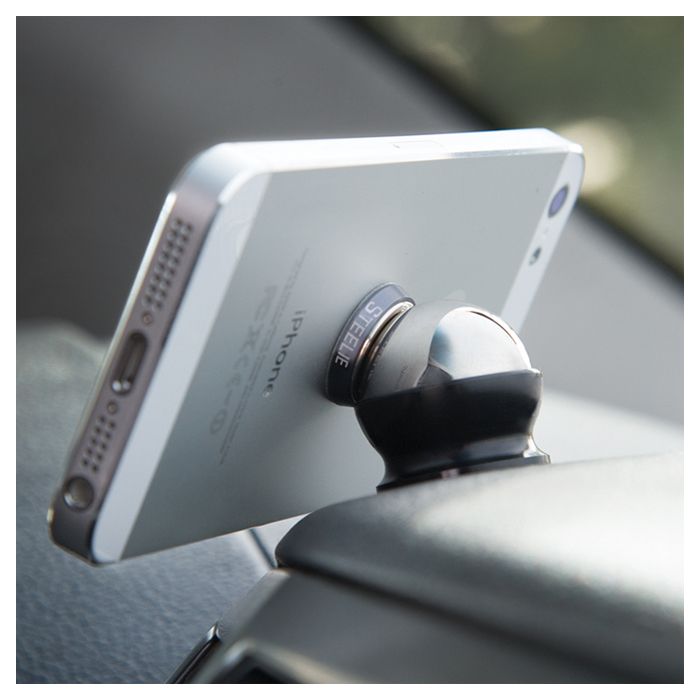
Got a car? Got an iPhone? Like to tap away at the iPhone screen and distract yourself instead of watching the road ahead and earning the trust that pedestrians and cyclists put in your every time they venture out onto the road? Then I have good news! Now you can careen down the highway, secure in the knowledge that your precious iPhone will never slip off the dash, nor even deviate from it’s perfectly-chosen angle.

Reboot A FileVault-Enabled Mac Without A Password Using Authenticated Restart

By

FileVault

If you have a modern Mac, there’s almost no reason not to use FileVault, the all-disk encryption that’s built in to OS X. It doesn’t slow the computer down, it keeps your data safe and – if the machine is switched off – then even if a baddie pulls your drive he’s stuck with a useless chunk of silicon.

And now Apple has added one more convenience for the cautious user: authenticated reboots.

Mentio App Curates And Keeps iTunes Wish Lists

By

mentio


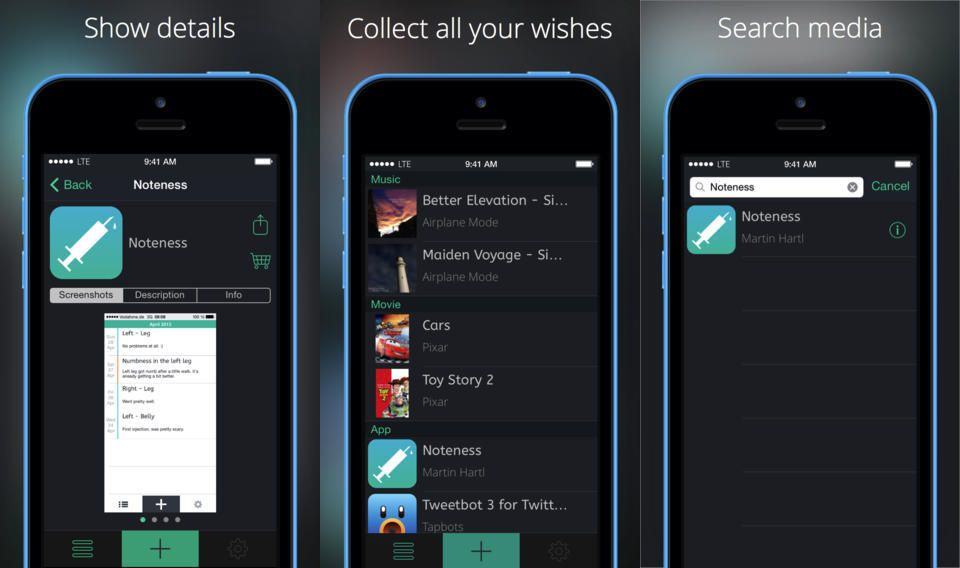
Seemingly just moments after an iTunes update added the ability to browse our App Store wish lists, along comes Mentio, an iPhone app to do the exact same thing. Only instead of using your existing iTunes wish list, it lets you build your own, and buy apps, movies and music from within the app itself.