Twitter’s new web design began rolling out to all users yesterday, but if you hate the new white UI there’s already an extension for Safari that darkens the scene.
This Safari Extension Gives Twitter’s White UI A Dark Mode
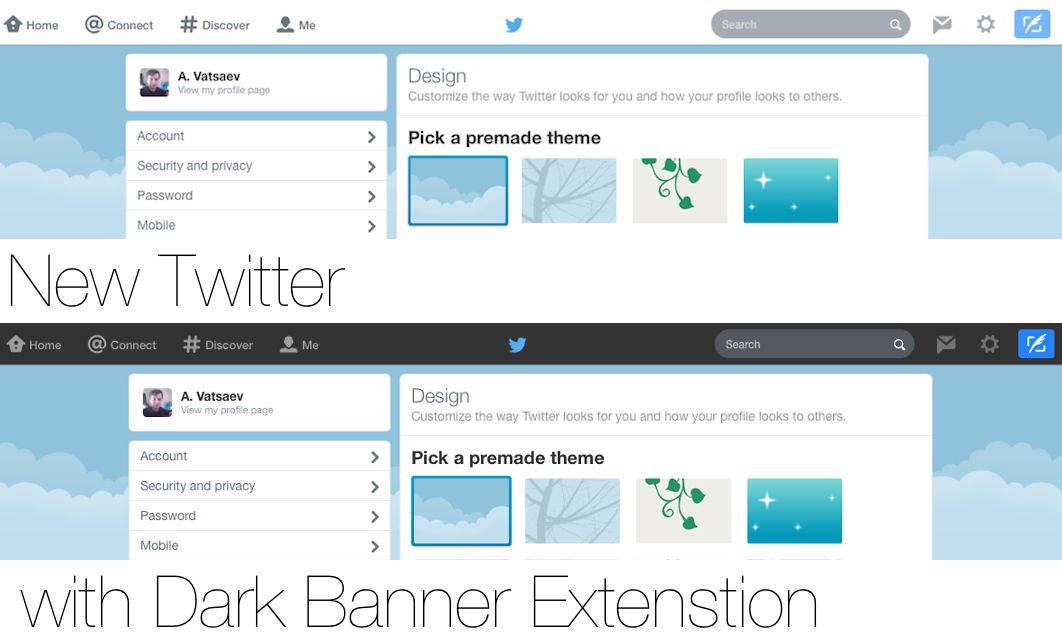

Twitter’s new web design began rolling out to all users yesterday, but if you hate the new white UI there’s already an extension for Safari that darkens the scene.

Contact Alias — Utilities — Free
People love their privacy, but you can’t play Phone Goalie all the time. What if there were some way to hide who your iMessages and texts are coming from, even if whichever nosy person you’re with is looking right at your screen?
Enter Contact Alias, an app that lets you set alternate names for anyone on your list and toggle them on and off with a single touch of a comically large button. I’m sure it has practical applications for sneaky sneakers, but I’m probably just going to use it to quickly change people’s contact names to “A**hole” when I’m mad at them.

I’m a big fan of words. The idea that you can arrange letters and spaces in such a way as to change minds, inspire emotion, and create art is powerful and almost magical.
And the idea that you can do the same thing to ruin someone’s day or knock them down a peg is a different kind of magic, but just as eagerly sought. Spell Quest: Grimm’s Journey falls into the latter, “words can hurt” camp.
But they’re hurting monsters, so it’s probably alright.

BlackBerry has today announced that it is updating BBM for Android and iOS to add a new “Find Friends” feature that helps you seek out other BBM users and invite them to connect. It works alongside your smartphone’s address book to detect BBM users you already know, and it’s ideal for new users looking to build up their contact list.
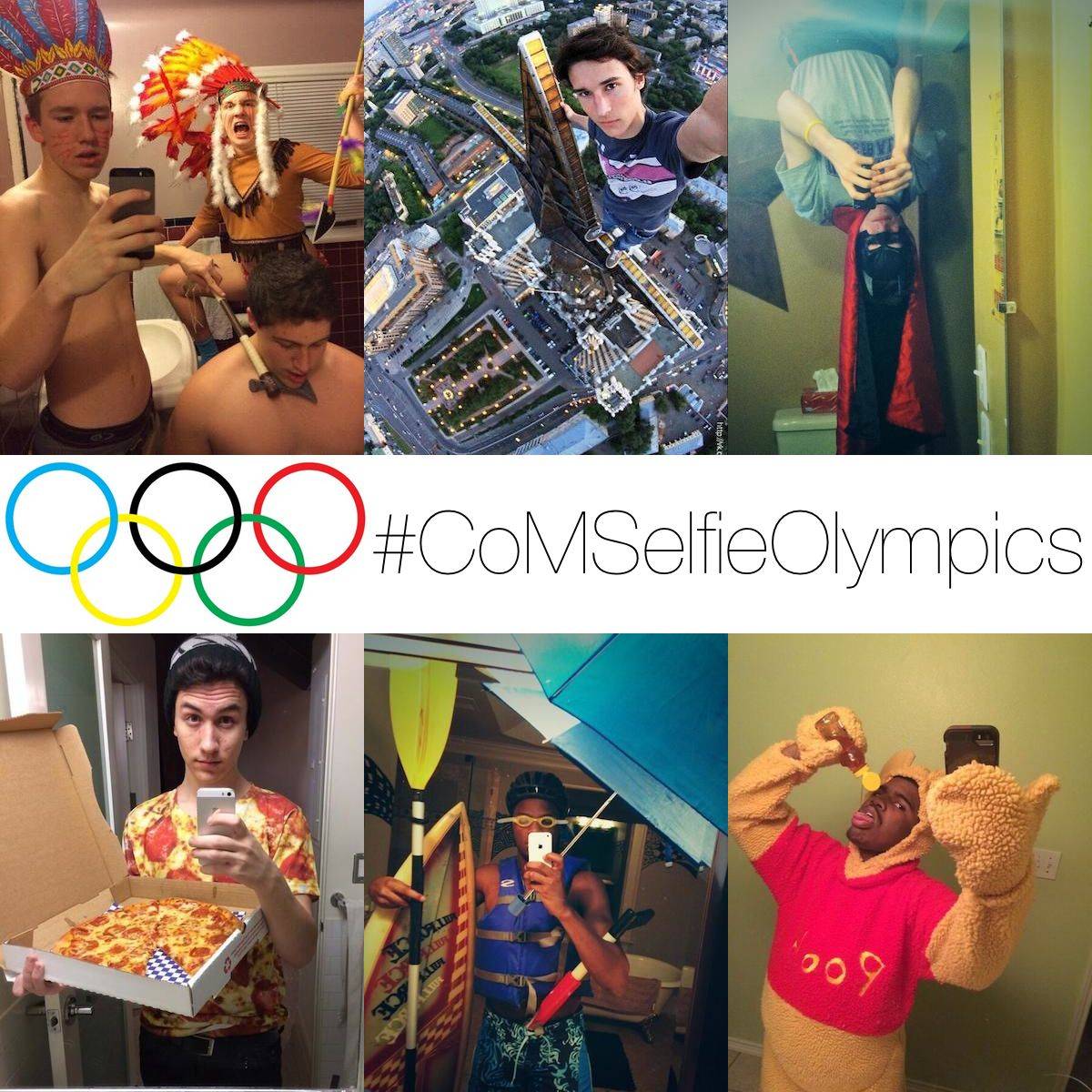
The Winter Olympics are just three days away so of course we’re working on a special edition of Cult of Mac Magazine all about the intersection of the winter games and Apple.
99.997% of us aren’t talented enough to get an invite to Sochi, but we can all take a damn good selfie. So with the spirit of competition upon us, we’re introducing the Cult of Mac Selfie Olympics – a competition to see which of our readers can take the absolute best selfie before the real athletes battle it out in the 2014 Winter Olympic Games.

One of the quickest ways to get an answer to any question is to ask Google Now, but it doesn’t always provide an appropriate response. For example, it has no idea how many countries there are in the world, and its response to this question is laughable. Check out the video below.

This post is brought to you by Trickster.
The Mac’s Finder is great at locating files if you know the file’s name and likeliest folder. But often you don’t, and end up searching through your entire computer to find that one file. Now, Trickster does a fantastic job at keeping track of all the files you’ve been using recently. You won’t ever need to open Finder again on your Mac. With Trickster you can simply drag and drop files exactly where you want them. Trickster gives you quick and easy control over finding your files and documents–just a mouse click away right there in your Menu bar. Read on to see the video and get the special deal here.

Generally speaking, you can count on the latest iPhone to improve upon the camera of the model that preceded it. That means that when the iPhone 6 comes along, we can expect it to have a better camera than the iPhone 5s’s 8-megapixel camera with an f/2.2 aperture.
Now a new rumor suggests that Apple has already selected a supplier for the iPhone 6, which will have a 10-megapixel camera with a f/1.8 aperture. Moreover, it will replace the hybrid IR filter used on the iPhone 5s with a resin lens filter, which would allegedly result in clearer images.
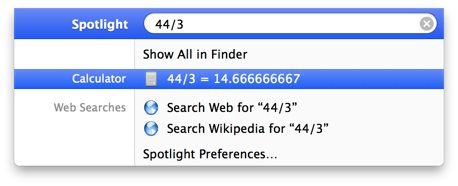
When I’m sitting at my Mac and need to do a quick bit of calculation, I typically launch the Calculator app with my app launcher of choice, Alfred.
If you don’t want to launch the app, click on the numbers, or enter in the calculations via that graphical interface, you can just use Spotlight.
First off, activate Spotlight by hitting the Command and Space keys on your keyboard, or by clicking on the little magnifying glass in the upper right of your Mac’s screen.
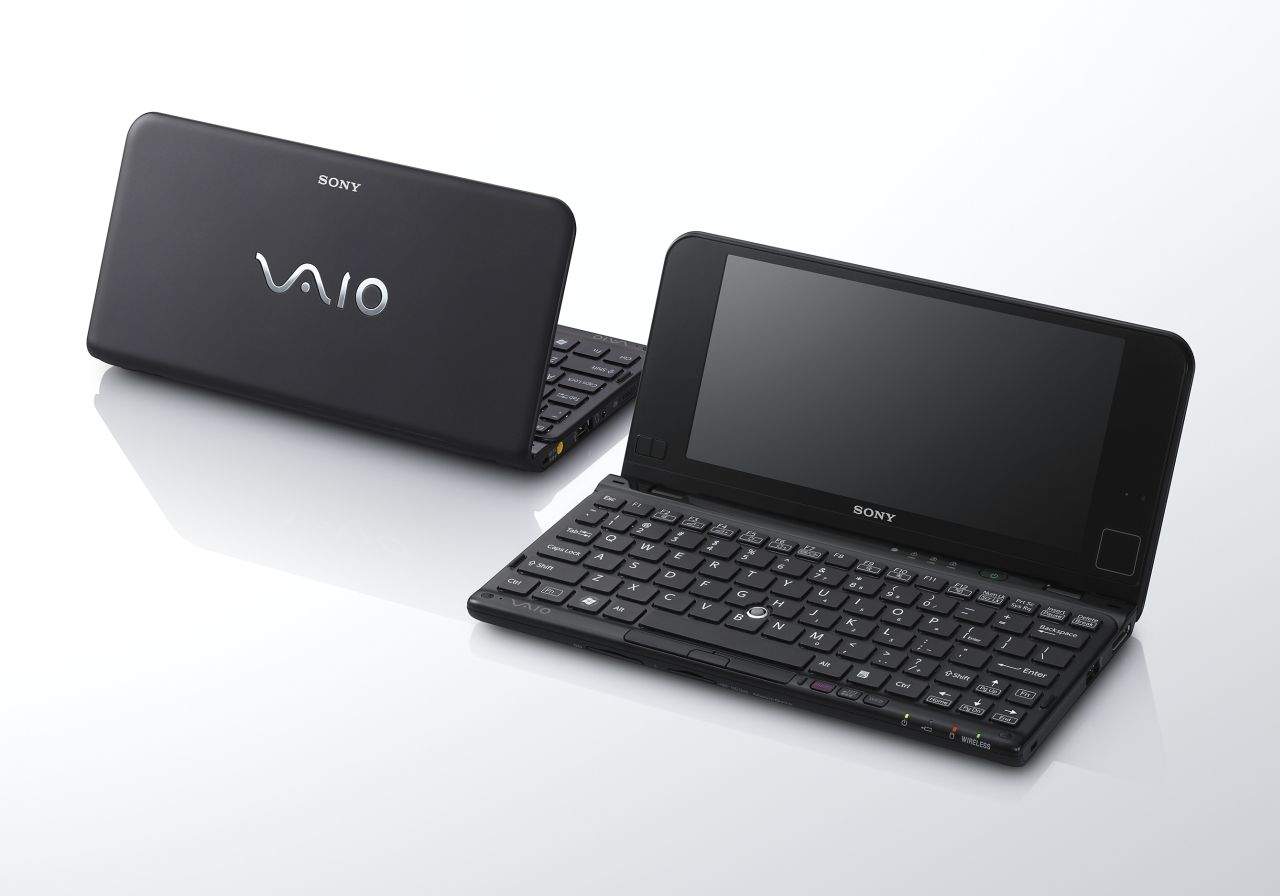
There was a time when the most luxurious laptops around weren’t MacBooks. They were Sony Vaios, and up[on his return to Apple in 1997, Steve Jobs so admired the design and engineering of the Vaio line-up that he wanted to make an exception and license OS X to Sony for use on their laptops. And it almost happened.

Google has reached a tentative agreement with the European Commission following a three-year antitrust investigation into how it displays search results in Europe. As part of the agreement, the company will display search results from three of its competitors — such as Yahoo! and Bing — alongside results that promote its own services.
By reaching this agreement, Google has escaped a fine of up to $5 billion, or 10 percent of its revenue from 2012.
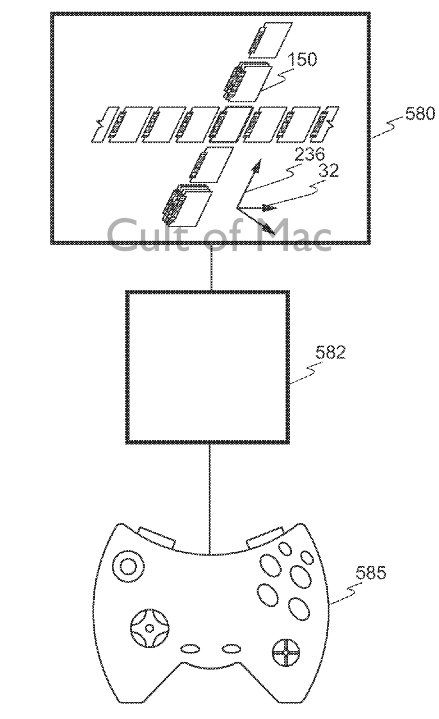
A new Apple patent describes an invention that may one day replace the Mac’s Finder.
Referring to a method for classifying documents in such a way as to allow for a multi-dimensional graphical representation of their contents, the patent would move away from the way information is currently structured toward a “graphical multidimensional file management system and method” that would be far more intuitive than the system used today.

President Obama used an iPad for an impromptu interview during a recent appearance at a Maryland middle school.
The President — who has previously claimed that he spends hours using the iPad each day — seemed perfectly at home as he used the device to carry out an interview with the classroom teacher, before turning the iPad to record the pupils, assembled press members, and “Mike, my secret service agent” who he claims “never smiles.”
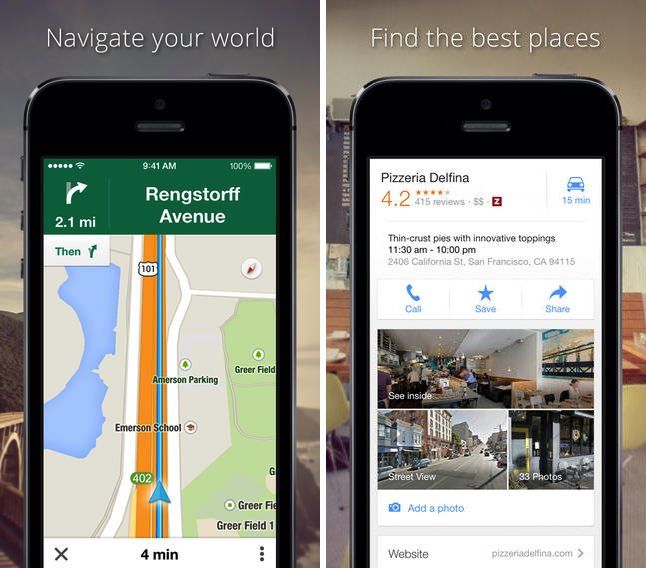
Google Maps’ latest update for iOS adds a new “Faster Route” feature, which notifies users in navigation mode when a quicker journey to their destination becomes available.
The new feature works in conjunction with Google Maps’ existing ability to track traffic data in real time. Once alerted that there is a possible faster route, users have the option of either tapping “No thanks” and remaining on their present course, or else hitting “Reroute” and diverting their journey to one that Google predicts will be faster.
Apple is the fourth greenest tech/telecoms company — generating 85 percent of its power through green power sources — according to a new list published by the US Environmental Protection Agency (EPA).
The recently published report compares the amount of power used by America’s top technology and telecom firms with the percentage that comes from renewable “green” resources, such as wind, solar, bio-gas and other options.
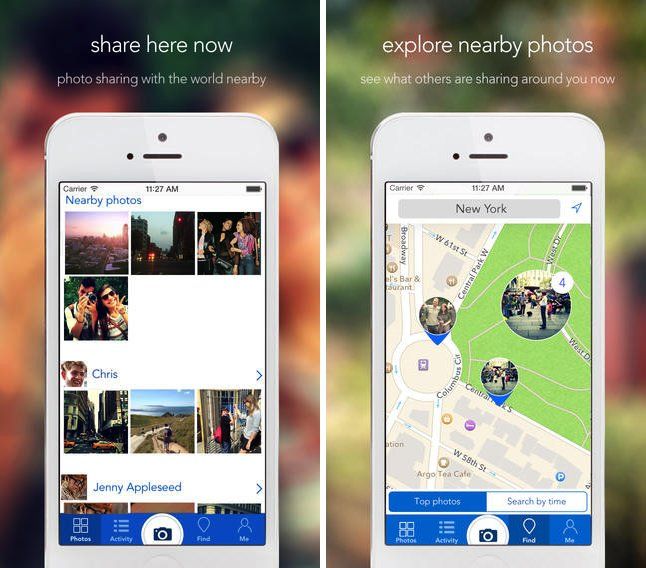
Recently launched free app WerYoo takes on Instagram — combining a photo app with a social network — by allowing users to place their photos and hashtags on a map, which they can then share with friends.
WerYoo lets you show off your photos to people in your immediate proximity, and pings you whenever a new nearby photo is added — thereby letting you both keep up to date with friends and connect with new people.

Forgotify is kind of like that box at the back of the thrift store which holds vinyl records so bad that even the sample-crazy music nerds won’t touch them – only on the internet. It’s a web service that collects the roughly 4 million (!) unplayed tracks on Spotify, and serves them up to you at random.

I love the press-to-shoot feature of Instagram’s video mode: it stops you from making one long boring take to fill up that eight seconds or however long it is that you get. But maybe you want to make a boring one-shot clip, or you’re planning on making the world’s shortest remake of Hitchcock’s Rope. Whatever, this neat trick from Photojojo is for you.

Dungeon Keeper for iOS has received its first update, one week after its initial launch in the App Store.
Sadly, the update doesn’t remove some of the game’s worse freemium-associated elements (our review criticized its approach to micro-payments for being “overeager to claim all of your precious gems to get anything done”) but it does add a host of other modifications — including “the power of friendship” which lets you drag in other friends to play through Facebook and Game Center.
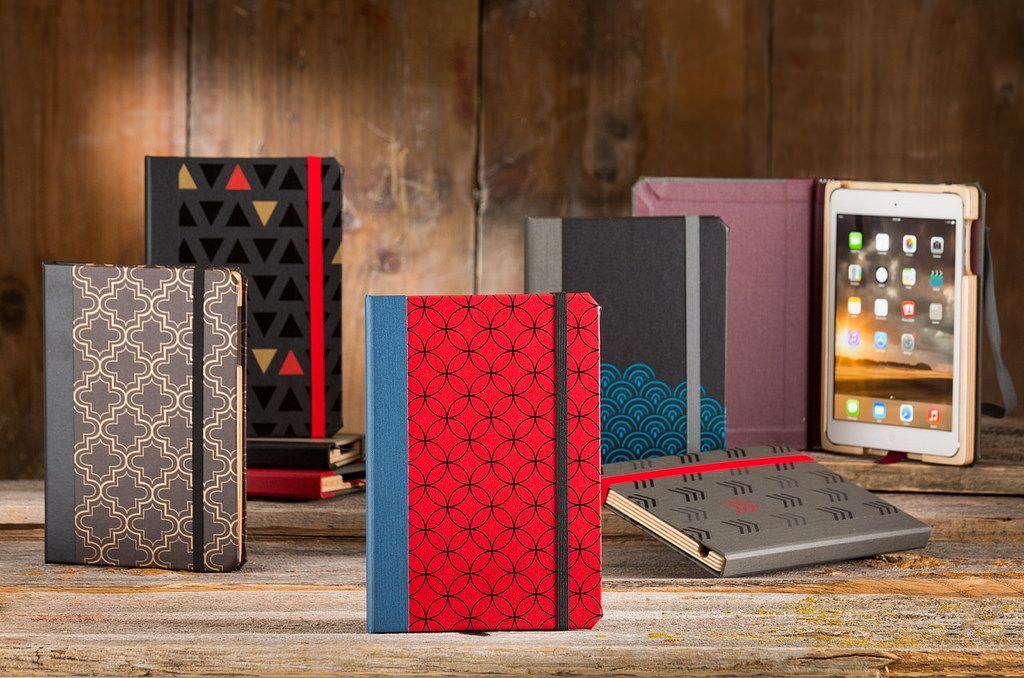
Lovers of bookbindery cases who find beautiful plain leather covers a little boring can now tweak their Pad&Quill iPad Air cases with any number of fancy patterns. The highly-protective, last-forever cases can now be customized to order on the P&Q store, letting you obsess over such options as the delicious-sounding “Gold Metallic on French Roast,” and the distinctly 1980s-style " Chevron on Gray Linen.
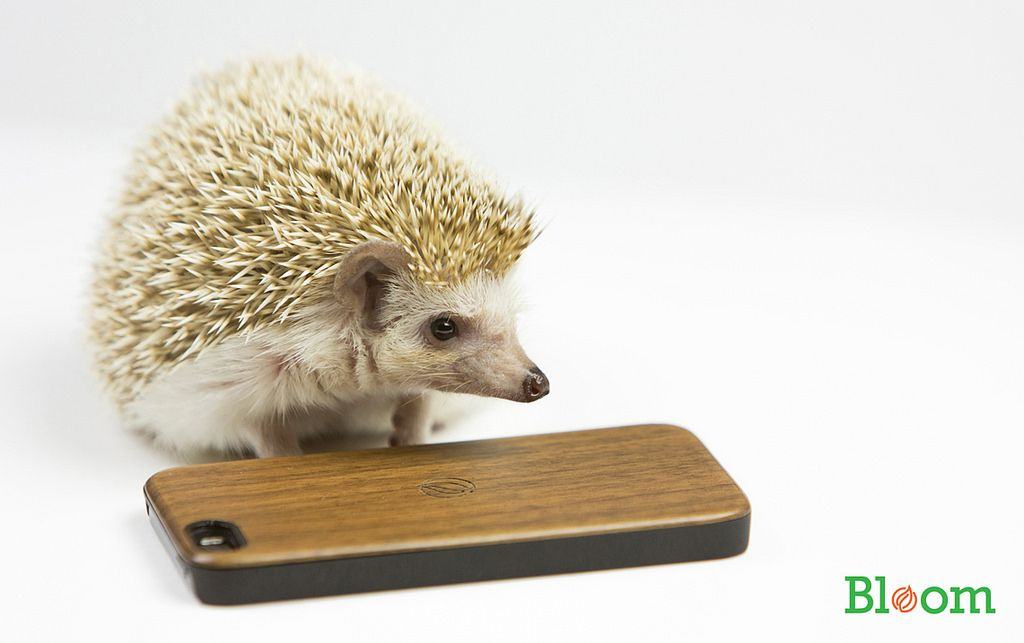
I’ll admit it. The main reason I’m posting about the beautiful Project Bloom iPhone case is the hedgehog. Specifically Woody, the African Pygmy hedgehog that you see in the photo above.
But that’s not to say that the case isn’t worth a look. It is. So Let’s.
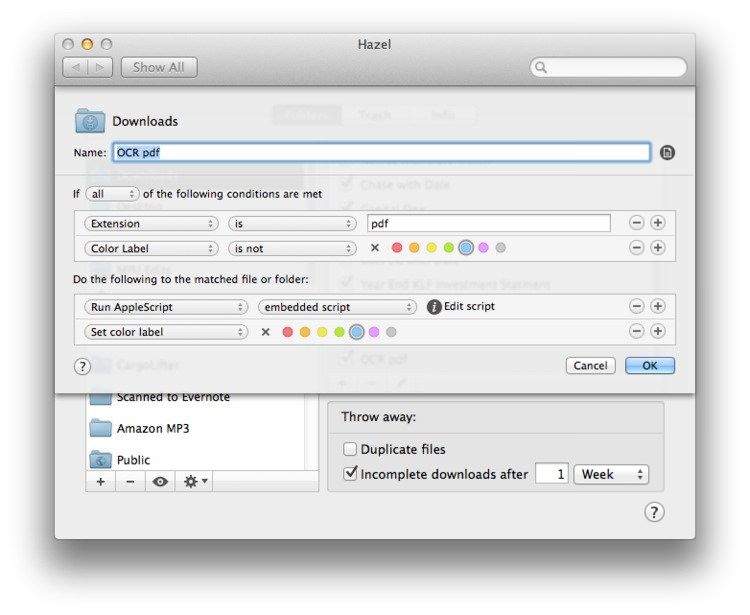
Maybe you scan all your receipts and bills, and toss the paper into the recycling bin. Congratulations! You’re paperless. You’re also out of luck when it comes to actually finding any of those scans when you need them. You’ll be stuck flipping through stacks of PDFs as if they were stacks of paper.
Unless you get your Mac to automatically run OCR on those scans, making their text searchable. And then maybe you could have you Mac file them for you too, just like computers were supposed to do for us all along.
Sound good? Then check out this neat tutorial from Mac Power Users’ Katie Floyd, which uses Applescript, PDFPen and Hazel to do it all for you.

Evernote now does natural-language searches. Type something like “images from Barcelona” into the search box and your query will automatically be turned into a search query with the form contains:images place:Barcelona.
You can also search on the device that created the note, document types, tags and notebooks and pretty much everything else you can think of. It’s like a local Google for your notes.
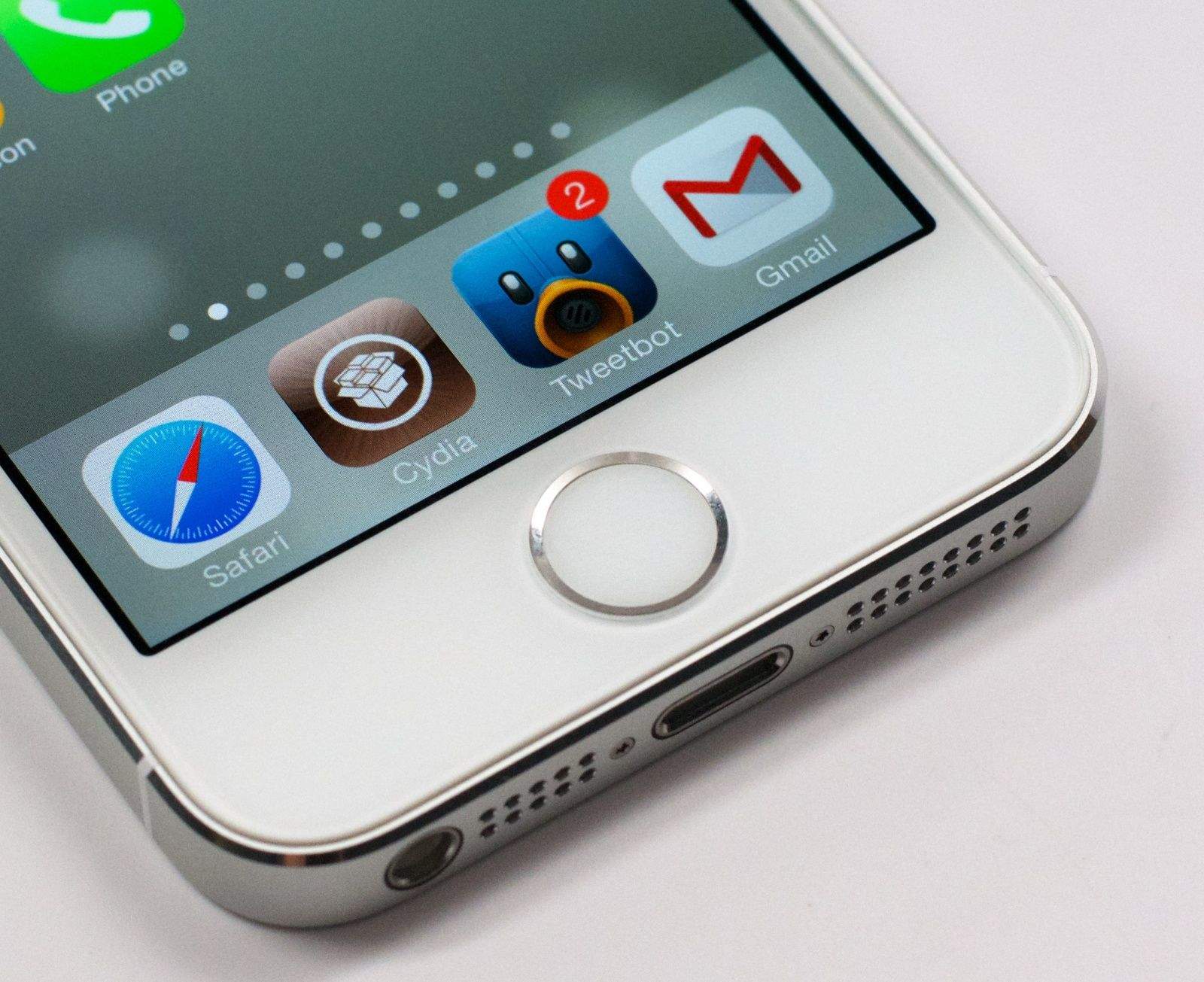
It was always a matter of time before Apple killed off the popular Evasi0n jailbreak, and as of iOS 7.1 beta 4, they had killed off at least one critical exploit.
But Apple’s not going to stop there. They’re nuking Evasi0n from orbit. It’s the only way to be sure.
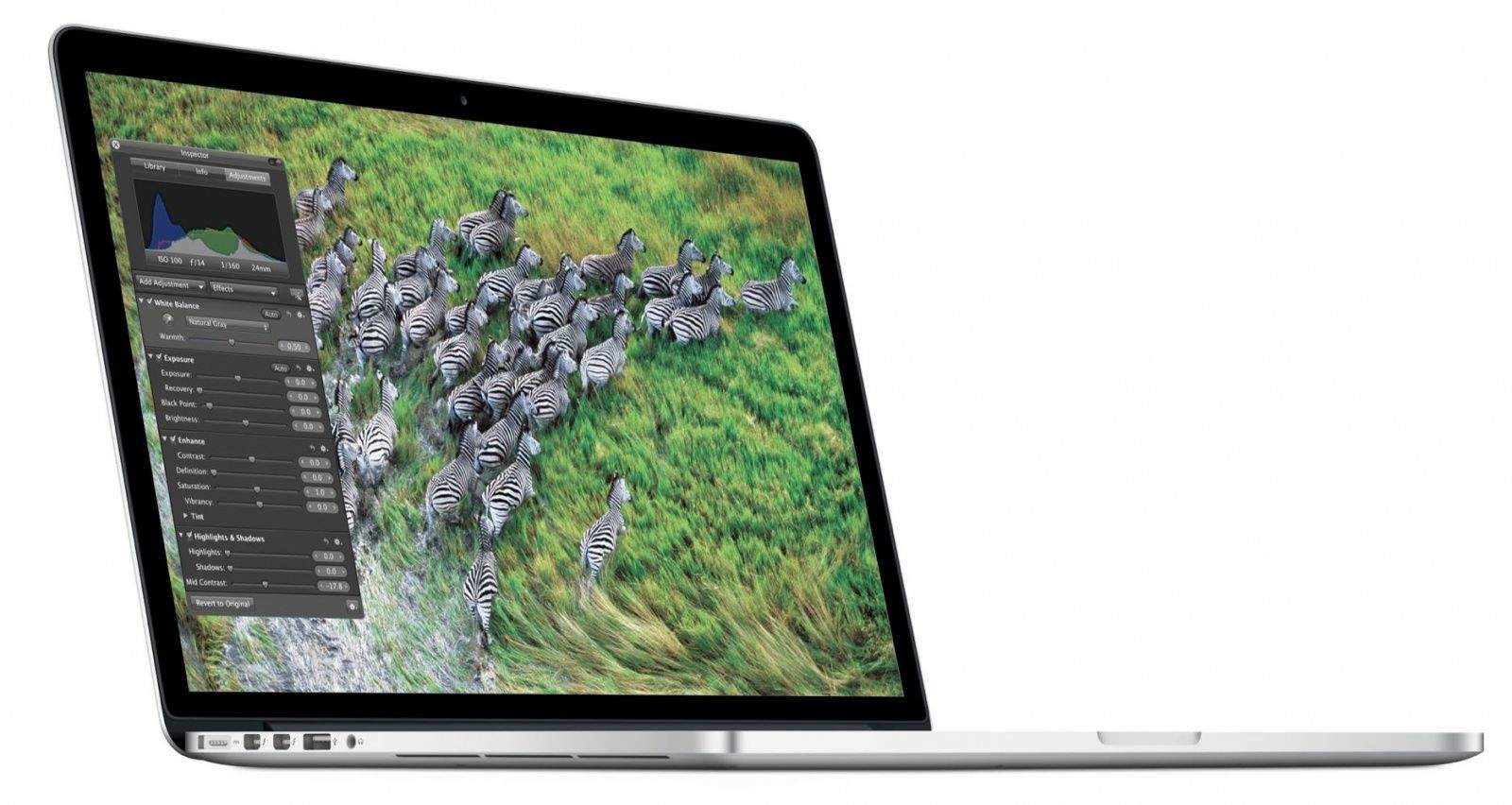
It seems like we’ve been crowing for years about the promise of IGZO — a display technology that radically improves power efficiency, allowing for thinner, lighter, longer-lasting devices — for ages, but with the iPad Air and iPad mini with Retina Display, Apple finally started actually delivering on that promise.
But what now? A new job application suggests that the next generation of Mac laptops might get IGZO too, paving the way for new design possibilities.