Mobile menu toggle

This Week in Cult of Mac Magazine: iMacs Hunt For A Cancer Cure

By

Cover design: Rob LeFebvre.


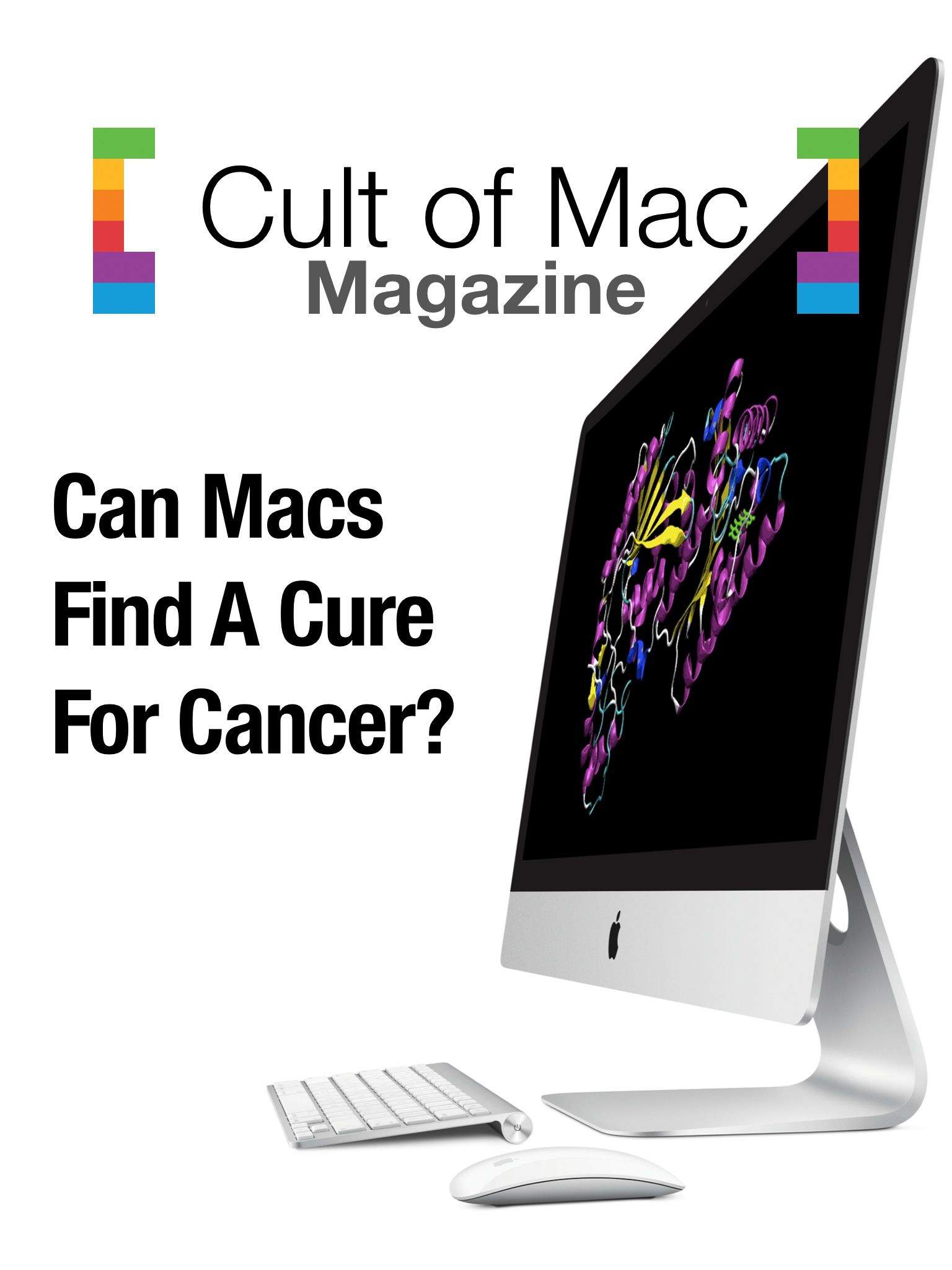
This week in Cult of Mac Magazine: Can iMacs find a cure for cancer?

Right now, thousands of kids across Kentucky are furthering cancer research while they do their schoolwork, thanks to the DataseamGrid.

Cult of Mac publisher Leander Kahney delves into how this massive grid of educational iMacs are churning data to help find a cure for cancer. One starter fact to make you blink: Every week, the grid processes 300 man-years worth of calculations while kids learn about fractions and foreign languages. Brian Gupton, Dataseam’s co-founder and executive director, talked to Cult of Mac about how this game-changing research is proving rich ground for education, employment and research.

Reporter Buster Heine checks out iPhone apps that can harness the processing power of your device while your run or walk your dog — he has found a bunch of great two-fer apps to get you in shape as you do good. We also bring you the best in new books, music and movies from iTunes and what’s worthwhile in the app store, plus our resident Apple genius dishes on whether the grass is greener, workwise, outside the store.

Cult of Mac Magazine

Refresh Screen & Keyboard Kit Promises To Keep Your Mac Squeaky Clean [Review]

By

refresh_converted
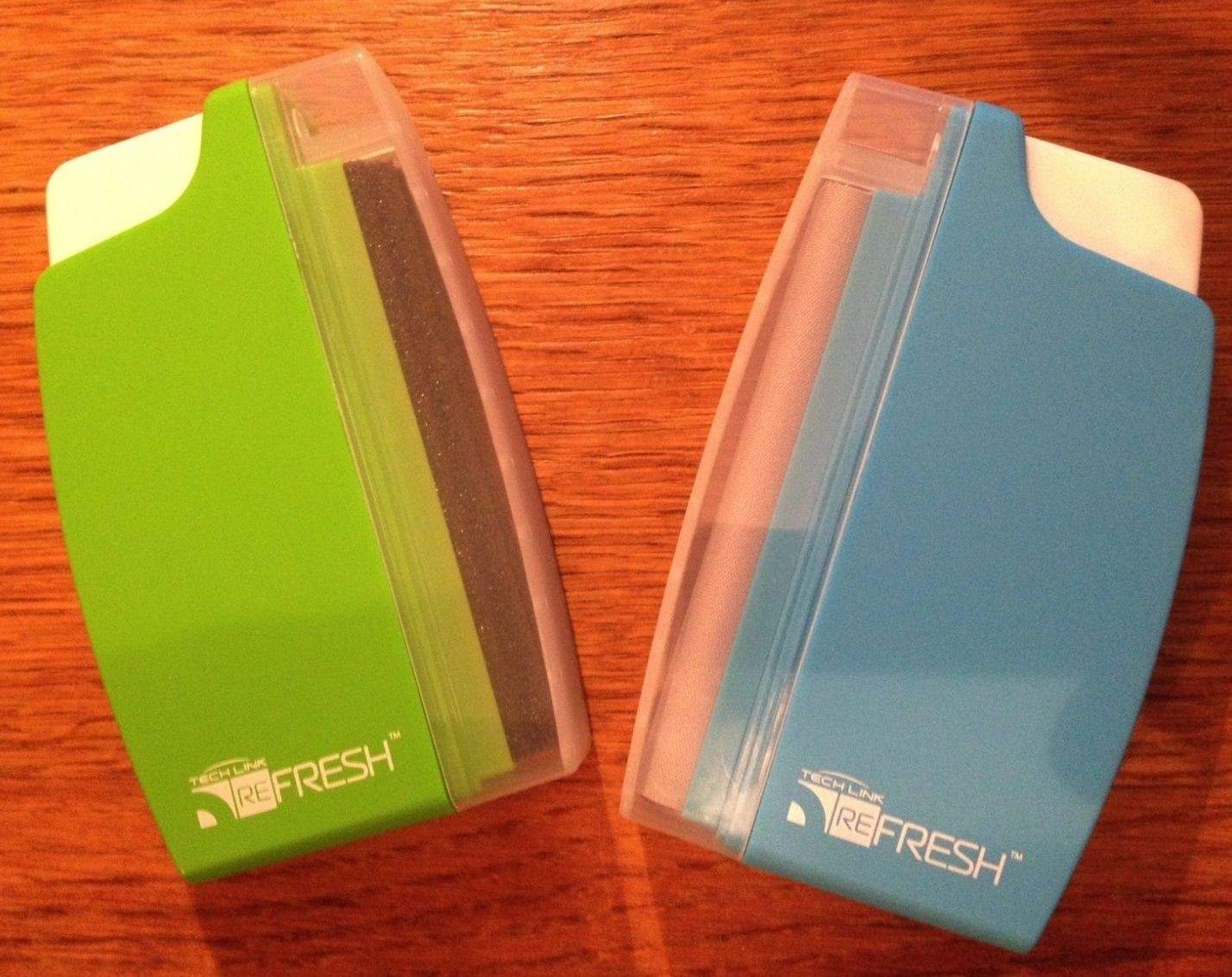
Refresh Complete Screen & Keyboard Cleaning Kit by Techlink
Category: Cleaning Kit
Works With: iMac, MacBook
Price: £19.95 ($33.38)

Chalk it up to the state of modern life if you want — where we’re much more comfortable looking at an iPhone screen than building fires and hunting wild animals — but there’s something undeniably manly about the idea of cleaning your iMac with something called a Screen Cleaning Blade.

Okay, so things get less rugged individualist when you hear that this is a scented, anti-bacterial Screen Cleaning Blade, and still less so when you hear that it features a “vibrant satin finish” — but, hey, at least it’s something, right? Coming packaged with another cleaner designed for your keyboard (the Keyboard Blade?), these two handy gadgets promise to keep your Apple products looking as shiny as the day you first unboxed them.

So do they live up to their word?

iPhone UI Designer Tells The Story Behind iOS Text Selection Patent

By

cutandpaste(1)

This week saw the publishing of one of the iPhone’s most recognizable patents.

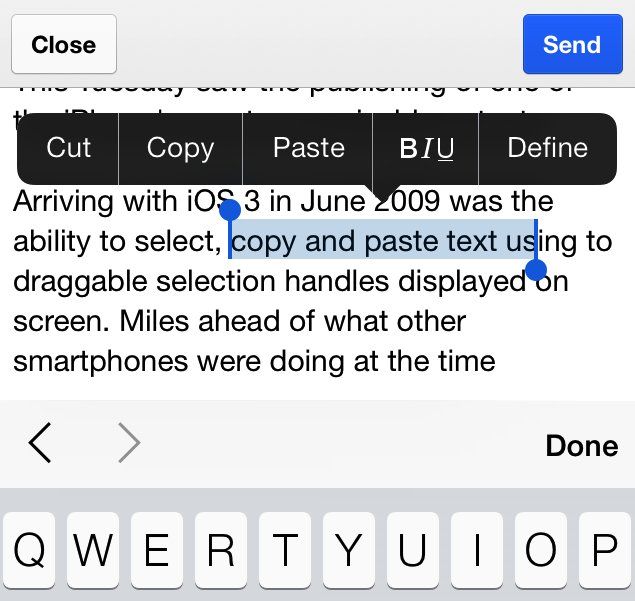
Arriving with iOS 3 in June 2009 was the ability to select, copy, and paste text using two draggable selection handles displayed on screen. Miles ahead of what other smartphones were offering at the time, Apple’s solution was a neat way of transferring to mobile a tool that was a key part of the personal computer user experience.

To celebrate the publishing of this historic patent, Cult of Mac spoke with one of its inventors, user interface designer Bas Ording, about the development process.

Hit Play For A New Music Experience With “Beats Music” App [Video Review]

By

BeatsMusic

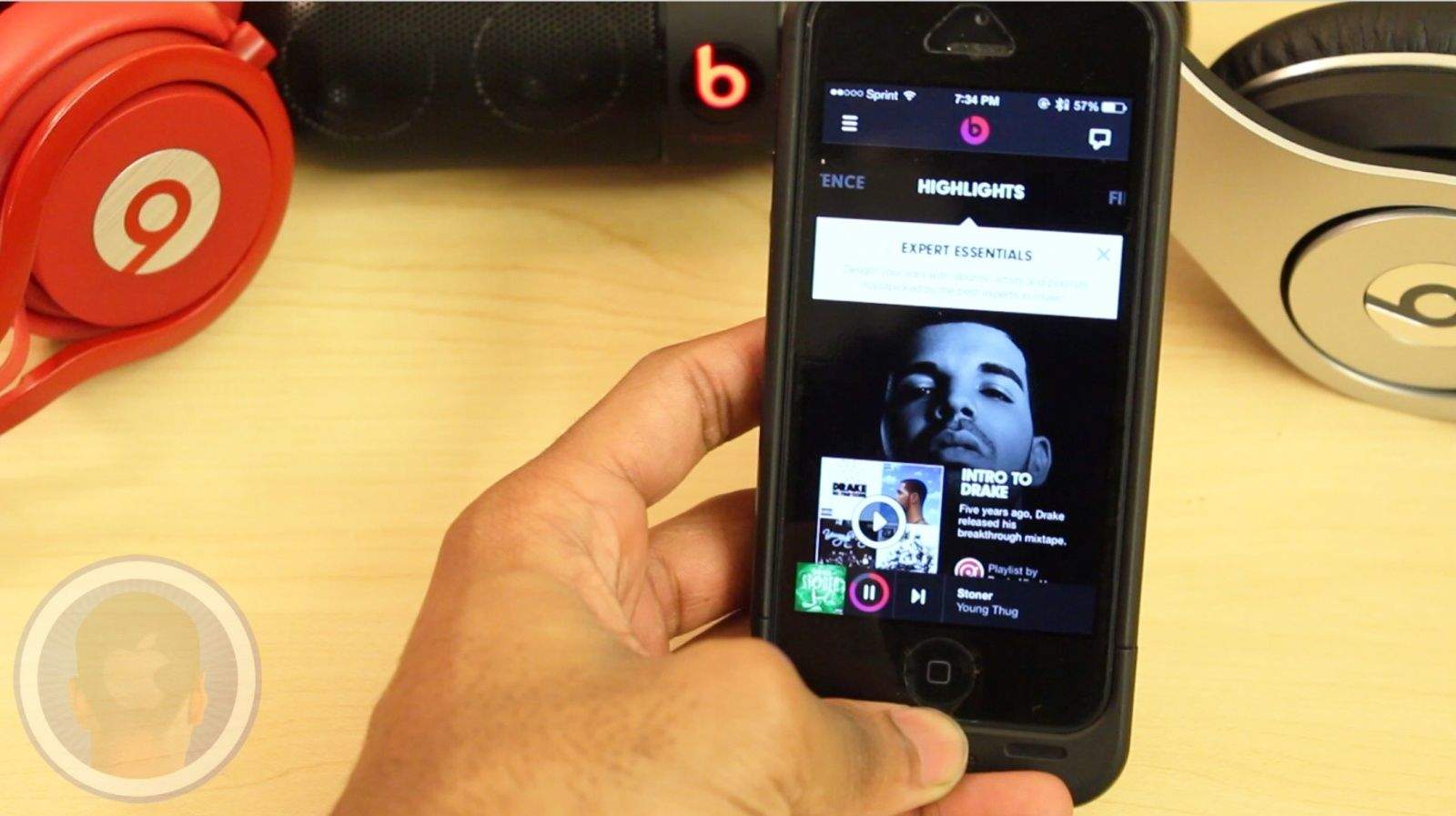
With popular music streaming apps like Spotify and Pandora already popular and on devices all over the world, any newcomers are faced with an immediate challenge. The makers behind the popular headphones and speakers Beats By Dre are taking their crack at the genre, with their new app and service Beats Music.

Take a look at the new Beats Music app and see how it compares to the competitors.

This is a Cult Of Mac video review of the iOS application “Beats Music” brought to you by Joshua Smith of “TechBytes W/Jsmith.”

Quickly Re-Type Previous Text In Messages App [OS X Tips]

By

messages buffer

When you’re typing in Terminal, it’s easy to access the commands you’ve previously typed with the Up arrow on your keyboard. This can be handy when you have to re-type a long, complicated command. Simply hit the up-arrow and you’ll get the previously entered command.

Hit the up-arrow again, and you’ll get the command you entered before that, and so on, cycling through in reverse order until you get to the very first command entered in that particular Terminal window.

Turns out, you can do a similar thing in Messages, too.

Publisher’s Letter

By

striscia

A few years ago at a MacWorld party, I spotted a guy I knew and barged in while he was talking to someone else. “Have you got a story for me?” I asked. He came back with a few suggestions, each less newsworthy than the last. His former conversation partner stood by in silence. Then Mr. no-news said, “Wait a minute: this guy runs the largest Mac supercomputer in the world!”

That guy was Brian Gupton, one of the brains behind the DataseamGrid in Kentucky featured in this week’s magazine. We talked for a couple of hours, lost in conversation in the middle of a party. I liked him immediately on a personal level: here’s a guy from a blue-collar background who is hugely passionate about education. And it turned out he had built this gigantic supercomputer that was trawling through massive amounts of data in the search for a cancer cure.

There were so many strands to the story.

At the time we met, there were two promising cancer drugs in the works. One of them appeared to be almost 100 percent effective at eradicating stage IV carcinomas. I remember being completely flabbergasted: “Are you sure no one has written about this?” His answer was even more astonishing: only local press had picked up the story.

I was amazed that he’d managed to build a world-class research tool in a place that was being decimated by the declining coal industry. It was a public/private partnership, and an early example of utility computing – this was before cloud computing had taken off.  Another fascinating detail: some of the drugs they were exploring were being grown in genetically modified tobacco plants.

Gupton and his partners built the supercomputer with Apple’s Xgrid, a software package for distributed computing  which, at the time, came built into OS X.  This meant that anybody could build their own supercomputer. And it meant that universities, schools, research centers could potentially become these powerful grids, following in Dataseam’s footsteps. (Apple has since removed Xgrid from Snow Leopard, making that less possible.) Many school districts buy iPads for kids now, favoring one-on-one computing without desktops. Yet Gupton is as passionate as ever and the researchers are still bullish, saying it’s the largest cancer drug pipeline in the country.

Today, the Grid hums as researchers look for chemicals to disrupt or inhibit the growth of cancer. Based on the modeling techniques that won the 2013 Nobel Prize for Chemistry they’ve built a simulator that takes a 3D model of a cancer protein and matches it against a molecular model of a chemical, working with a library of 20 million chemicals.

This supercomputer on a shoestring is still going strong.

Five Fun iOS Apps That Also Do Some Good For The World

By

gamesforchange

There are lots of apps and open source efforts that put your unused Mac processing power to good use, but now that we’re shifting away from desktops and onto iPads and iPhones we wanted to know if all that tapping on a touchscreen can change the world.

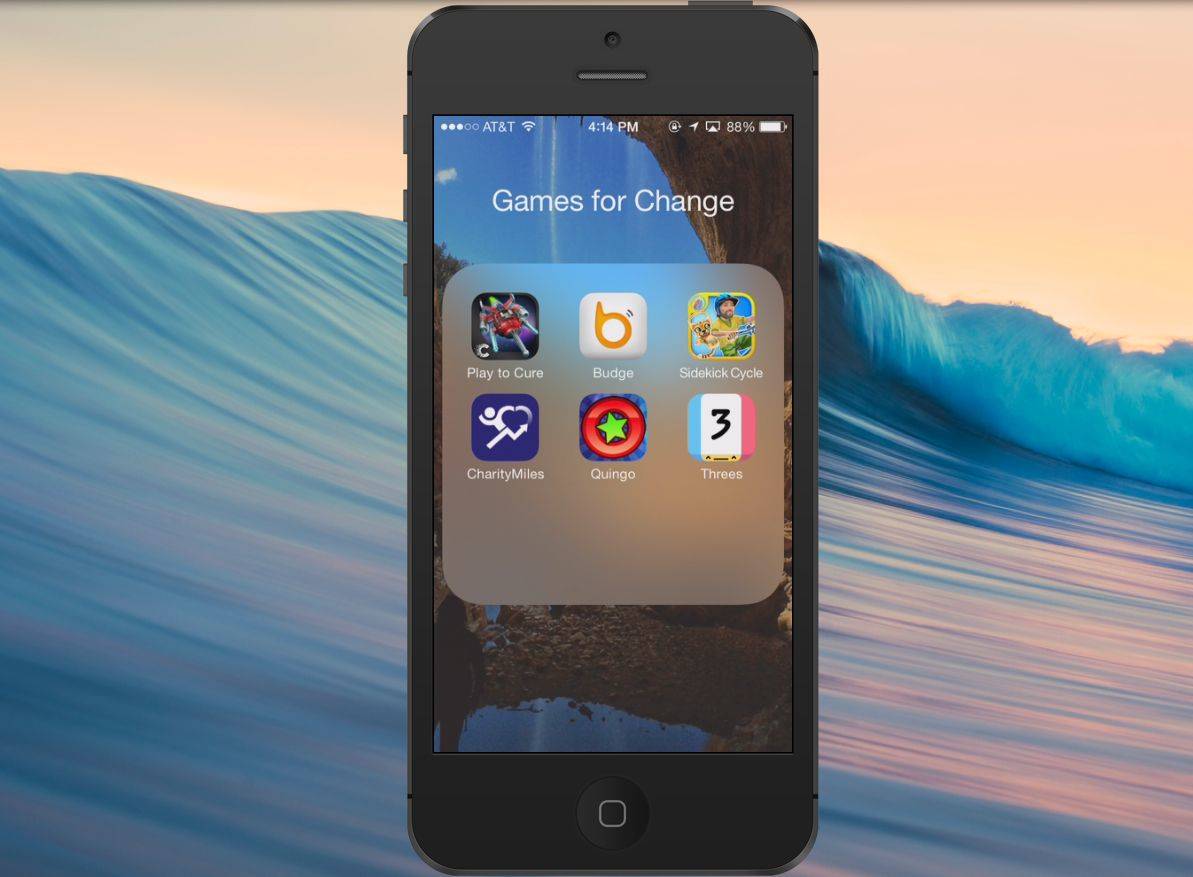
The countless hours you’ve invested into Flappy Bird won’t get you much more than a shiny platinum medal, but here are five iOS apps that are fun to play and help you do some good in the world in the process.

Play To Cure: Genes In Space

spacecure

Computer processing power is providing tons of heavy lifting for cancer research, but there are still some tasks computers don’t perform as well as humans, like recognizing visual patterns.

As part of the search for a cure to cancer, scientists across the planet are painstakingly analyzing thousands of cancer samples for genetic faults, but in a clever move to help speed up the work, Cancer Research UK has developed a game that lets gamers help.

In Play to Cure: Genes in Space players pilot a spaceship through the galaxy to harvest Dubbed Element Alpha, a newly discovered substance refined for use in medicine, engineering, construction and everything else. The thrill of blasting asteroids while scrambling through hoops at speeds faster than the speed of light provide players with hours of entertainment, but groups of gamers provide scientists with quick analysis of a cancer data set that would otherwise take hours with only one set of eyes.

Plotting points of density on the data set to steer your spaceship towards Element Alpha gives scientists more accurate results, which could be crucial in moving us toward the day all cancers are cured.

iTunes – Free

Quingo

quingo

Quingo combines trivia with aspects of bingo in a free-to-play game where are portion of the money raised from in-app purchases goes to benefit charities of your choice. The game spits out trivia questions with multiple answers on the board. The combination of quizzing and bingo is where it gets its awkward name, but the gameplay is actually pretty cool and challenging.

iTunes – Free
Sidekick Cycle

sidekickcycle

In a slightly meta move, developer Global Gaming Initiative’s Sidekick Cycle, a downhill-racing bicycle title, is using the money it raises to give children in Africa the opportunity to hurtle dangerously down steep hills on bikes of their own.

Alright, they probably prefer that the kids don’t do that, but it is certainly an option available to them.

The charity is dedicating half of its sales to the project, and it costs about $134 to build and deliver a single bike. This means that at its current price, the app generates one bicycle per 209 downloads.

iTunes – $1.99

Budge

budge

We all make silly 5 buck bets with friends that they will/or won’t be able to do something, but rather than cycling your petty change through you and your friends’ pockets, Budge lets you put those bets to good use.

The app links to your Facebook friends so you can make bets of $10, $5, or $1 where the loser donates to their charity of choice. You can also make make bets public so others can compete in your challenge.

iTunes – Free

Charity Miles 
charitymiles

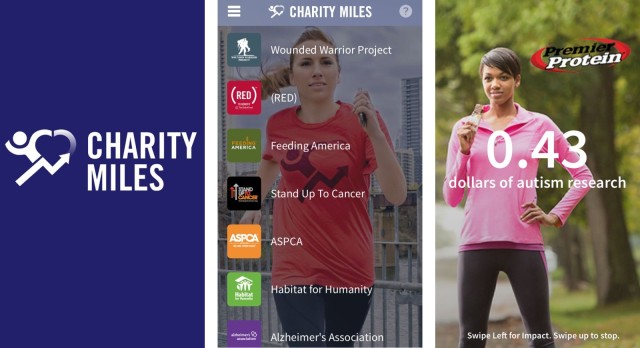
OMG bikini season is almost here, which means if you’re anything like me you’re pounding out 10 to 15 miles a week to get toned and in shape for that perfect summer bod. Well, maybe it won’t be the perfect bod, but you can put all your movement to good use too.

Charity Miles allows you to earn money for the charity of your choice by walking or biking out miles. On a short 30- minute walk with my dog I raked in $0.43, but you can also bike and earn 10 cents a mile, otherwise you get 25 cents when walking or running.

They just came out with an update that added teams so you can join forces with your friends to bike-away autism. If you’d like to join our team, just type in @cultofmac in the My Teams section.

iTunes – Free
‘My Smart Alarm’ Compensates For Your Dawdling And Tomfoolery

By

My Smart Alarm

My Smart Alarm — Productivity — Free

My Smart Alarm wants you to be on time, but it also knows that you can’t just walk out the door looking like that. So it lets you build up a list of things you need to do to get ready (showering, shaving, impromptu Nerf-gun battles) as well as travel time. You tell the app when your event/appointment is and check off your pre-game tasks, and it will alert you when you need to start getting ready.

It won’t tell you if that outfit looks dumb, though; you’re on your own there.

My Smart Alarm – Aliyu Odumosu

Avoid: Sensory Overload Sends You Hurtling Through A Geometric, Neon Hellscape [Review]

By

Avoid: Sensory Overload

We have no shortage of endless running/flying/floating/swimming games in the App Store. And here’s another one.

Avoid: Sensory Overload by 48h Studio
Category: iOS Games
Works With: iPhone, iPad
Price: $0.99

Avoid: Sensory Overload is a techno-skinned endless game in which you guide a ship through a perpetual series of obstacles and traps. All the while, the thumping music and neon-infused background light show do their very best to distract you.

It’s flashy, annoying, challenging, and ultimately a lot of fun.

Poser Debut: An Easy And Fun Way To Bring Out Your Creativity [Deals]

By

redesign_poser_mainframe

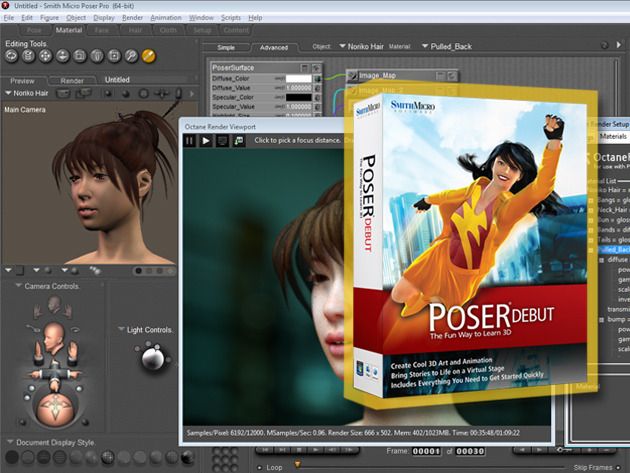
If you’ve ever thought about creating 3D animation, but thought you’d need formal education to learn how, Poser Debut is here to prove you wrong.

Poser Debut comes with everything you need to get started, including an easy to follow, step-by-step project guide, library of ready-to-pose 3D characters, props to build scenes, cameras, lights and pre-built poses that can be dropped right onto your characters. With Poser Debut you will be able to render 3D scenes into gorgeous art in no time – and Cult of Deals has it for just $12.99 for a limited time!

The Sochi Olympics: Streaming, News And…Recommended Beverages

By

This story first appeared in Cult of Mac Magazine.

Want to watch the Winter Olympics in Sochi, Russia, but don’t have a TV? Or do you have a TV but just prefer the coverage given by other countries?

Then you’re in the right place. Today we’re going to take a look at ways to watch the games on your Mac and iDevices, and which apps you might want to use to follow along with the fun.

Macintosh ‘Picasso’ Artwork Was Actually Inspired By Matisse, Artist Says

By

Matisse Picasso Artwork
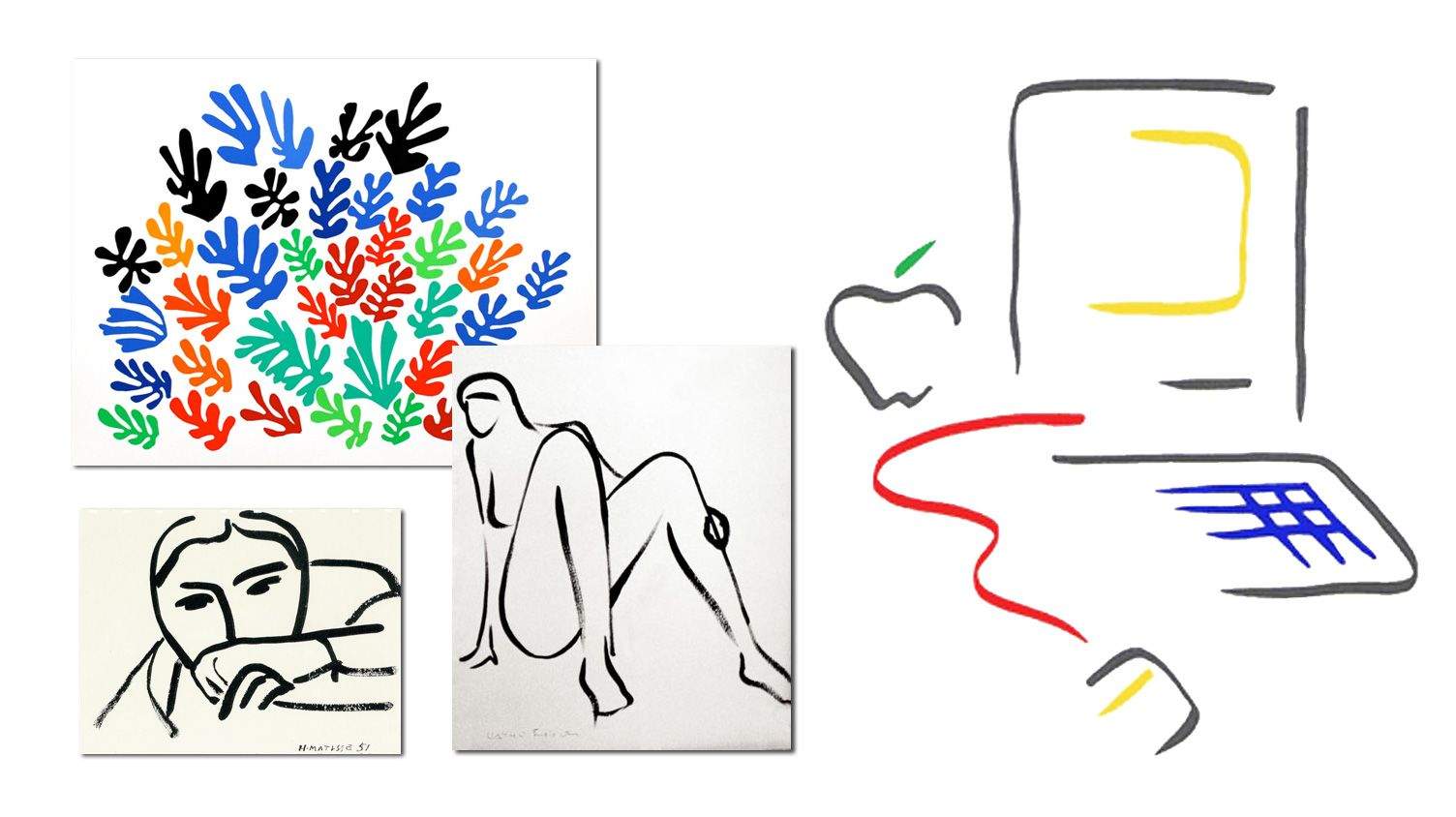
Artwork by Matisse (left) inspired the Mac Picasso graphics.

The famous Macintosh “Picasso” trademark logo was developed for the introduction of the original 128K Mac back in 1984. A minimalist line drawing reminiscent of the style of Pablo Picasso, this whimsical graphic implied the whole of a computer in a few simple strokes. It was an icon of what was inside the box, and became as famous as the computer it represented.

The logo was designed by Tom Hughes and John Casado, art directors on the Macintosh development team. Originally the logo was to be a different concept by artist Jean-Michel Folon, but before launch it was replaced by the colorful line drawing. It’s been famous ever since, and the style has endured across decades.

Casado recently attended the 30th Anniversary of the Mac celebration, and emailed Cult of Mac to shed some light on the history of this famous graphic. It turns out Picasso was not the primary inspiration for this after all – rather, it was Henri Matisse!

Another Biosensor Expert Joins Apple’s Ranks

By

Screen_Shot_2014-02-14_at_11

With rumors of the iWatch and future Apple products focusing on health continuing to swell, Apple has hired yet another medical device expert.

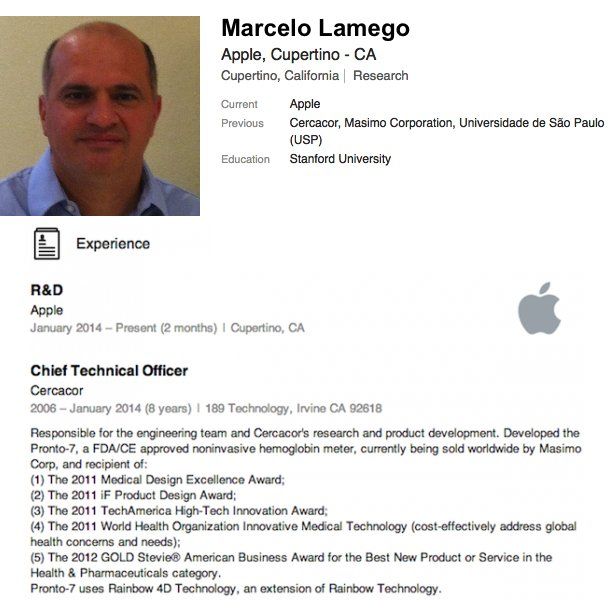
Marcelo Malini Lamego joined Apple at the end of last month, having previously spent 8 years as the CTO of Cercacor — a medical device company, based in Irvine, CA, involved with the development of non-invasive patient monitoring technologies, including medical devices and sensors.

Deadman’s Cross Blends iOS Card Game Battles With First Person Shooting Action

By

post-266564-image-6a778d2e90e4532f181264dd21782c32-jpg

Today sees the iOS launch of Deadman’s Cross, a zombie-themed collectible card battle RPG from Square Enix, the company behind Final Fantasy and the multimillion-download hit Guardian Cross.

Set sixteen years in the future, the game takes place in a zombie apocalypse in which a rampant virus has turned large numbers of people into the walking dead.

Phil Schiller Will Take Stand Again In Next Round Of Apple-Samsung Battle

By

Phil Schiller
Phil Schiller

Phil Schiller and possibly Scott Forstall are expected to make witness appearances for the next round of the Apple v. Samsung trial, when the two companies return to court in California in late March.

As Apple’s senior vice president of worldwide marketing, Schiller was the highest-profile witness to take the stand during the first jury trial in the patent case between Apple and Samsung in August 2012.

Picturelife, Now With In-App Photo Editing Tools

By

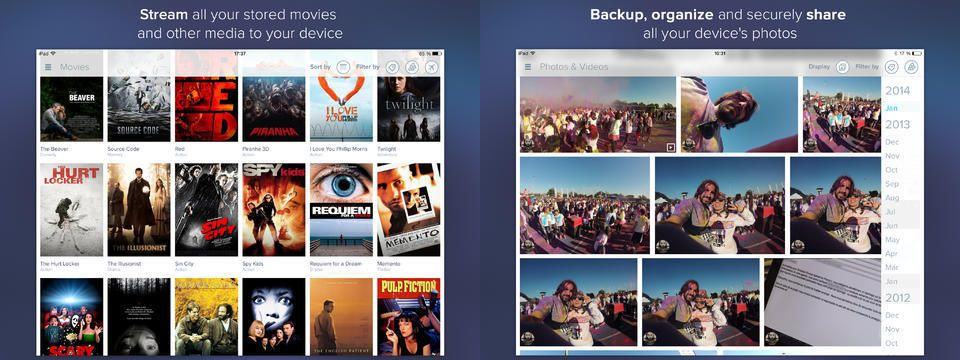
Users of Picturelife on iOS can now edit their cloud-stored photos right there in the app, thanks to an update launched yesterday. Picturelife was already one of the most full-featured photo-wrangling services around (it’s my favorite, although I have a bit of a dupe problem at the moment), and now it can serve as a full-on organizing, editing and sharing suite.

This Is What A City Designed By Apple Would Look Like [Gallery]

By

(Credit: Alfred Twu)

Responding to the tech industry’s effect on San Francisco housing, Bay Area artist Alfred Twu has taken it upon himself to show what Silicon Valley tech campuses might look like if they converted their parking lots into accommodation for their employees.

Alongside mini-cities for Facebook and Google, Twu created these designs for iTown — with 13,000 apartments for Apple’s 13,000 Cupertino employees, ajoining the new Apple 2 campus.

IFTTT Now Adds Items To Evernote Checklists

By

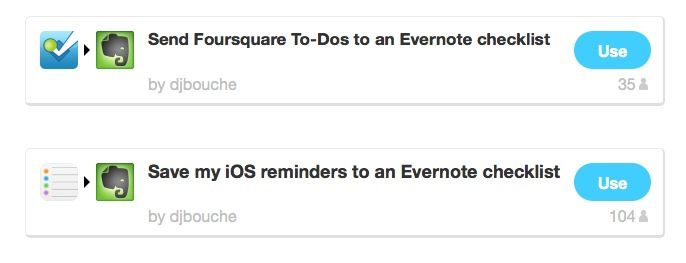
IFTTT’s new Evernote action might not seem like much, adding one measly little function, but it’s a biggy. You can take anything, and append it to an Evernote note as to-do item, complete with a checkbox.

Example uses: Send your Foursquare to-dos to an Evernote checklist, or save iOS reminders to Evernote.

Reader 7 Accurately Displays Word Files On Your iPad

By

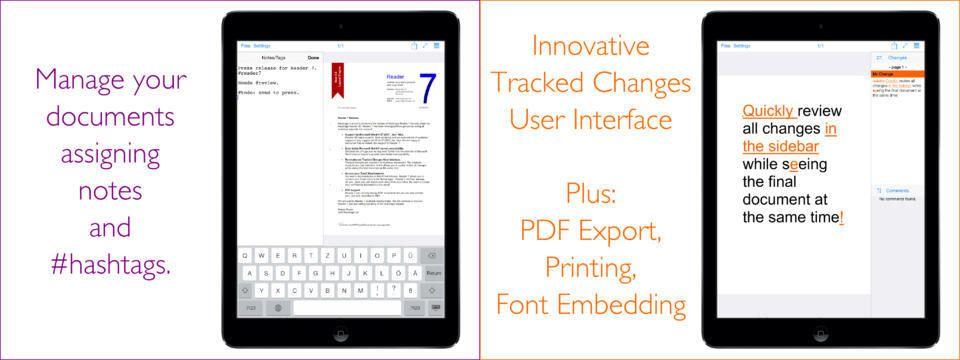
Reader 7 is a single-minded app with a single-serve purpose. You know when somebody sends you an MS Word DOC or DOCX file via email and all you want to do is look at it, and maybe track the changes that have been made to it, but then you open in in Pages and all bets are off? That’s what Reader 7 is here to fix.

It’s an app which can accurately display Word documents with complex formatting.

Rapoo’s Ultra-Slim Keyboard Has A Built-In Trackpad

By

Rapoo’s new E2700 looks to be the perfect companion for my iMac, which is sat on a desk at a suspiciously convenient distance from the sofa in my office, letting me kick back and be amazed by episodes of True Detective and, uh, The Mentalist. Aside from being a regular keyboard with all the usual media keys, it also packs a trackpad on the rightmost end, so you can play/pause those annoying browser video players that don’t respond to the spacebar.