Mobile menu toggle

Get this guy’s ultra-wide curved gaming display for $700 off right now [Setups]

By

Samsung Odyssey G9 monitor
You can get hundreds off that ultra-wide curved gaming monitor right now.
Photo: [email protected]

In the never-ending arms race for more and bigger external displays in computer setups, one distinct subset is the ultra-wide, curved gaming monitor. Samsung is big in that game, and today’s M1 Mac mini user likes his 49-inch Samsung Odyssey G9 monitor, which he pairs with a couple of 32-inch 4K flat displays. And by the way, the big curved gaming monitor is deeply discounted right now on Amazon.

The user also asked for feedback on his new setup. You can see that below, too.

Bouncy kickstand makes Zagg’s rugged iPad case unbearable [Review] ★★☆☆☆

By

Zagg Denali review: Rugged but flawed iPad case★★☆☆☆
You'd think something really bouncy would be fun. But not when it's your iPad.
Photo: Ed Hardy/Cult of Mac

Zagg offers an array of excellent accessories for Apple devices. Its Denali case for the latest iPad Pro models is not one of them. The case protects the tablet from drops of 6.5 feet and includes a snap-on screen protector and kickstand, but a couple of significant design problems make this a product to walk away from.

I (unfortunately) tested the Denali with my 13-inch iPad Pro so I’m well familiar with its issues.

Unreal deal on a MacBook Pro with Touch Bar — why pay more?

By

Product shot of refurbished MacBook Pro with Touch Bar
Save on a refurb MacBook Pro and experience the Touch Bar for yourself.
Photo: Cult of Mac Deals

Want a MacBook Pro with Touch Bar? You can grab one now for just $379.99. In addition to the now-discontinued Touch Bar — a thin, customizable LED strip that replaces the traditional function keys above the keyboard — this refurbished Apple laptop comes with an Intel i5 processor, four Thunderbolt 3 ports, 8GB of RAM and a 512GB SSD.

Worried about buying a refurb? Don’t be. Grade “A” refurbished devices like this one arrive in near-mint condition. If there are any signs of wear, they’re invisible if you’re more than a foot away. Check out what else this budget-friendly computer has going for it.

iPhone 16 and iPhone 16 Pro preorders now open

By

iPhone 16, iPhone 16 Plus, iPhone 16 Pro and iPhone 16 Pro Max preorders are now open
Place your iPhone 16, iPhone 16 Plus, iPhone 16 Pro and iPhone 16 Pro Max preorder now.
Photo/Graphics: Apple/Rajesh Pandey

Apple is now accepting preorders for the iPhone 16, iPhone 16 Plus, iPhone 16 Pro and iPhone 16 Pro Max. The devices reach stores starting September 20, the same day preorders begin arriving.

In typical Apple fashion, the company took down its online store for about six hours before accepting preorders.

Apple Watch Series 10 can also be preordered, though Apple initially began taking those on Monday, September 9. The same goes for AirPods 4.

Do this now to ace your iPhone 17 preorder

By

iPhone 16 preorders start soon!
Don't wait! Or procrastinate!
Image: Ed Hardy/Cult of Mac

The iPhone 17 series goes up for preorder on Friday, and Apple’s latest and greatest handsets might sell out quickly. You need do some early prep work to be sure to get your hands on the iPhone Air, iPhone 17 Pro Max or the other models as soon as possible.

Here’s how to be completely ready to put in a preorder.

iPhone 16 Pro vs. iPhone 16 comparison: Go Pro or not?

By

iPhone 16 Pro vs. iPhone 16 comparison
Buy the iPhone 16 Pro or save money and get the iPhone 16?
Photo/Graphics: Apple/Rajesh Pandey

The gap between the “regular” iPhones and the Pro models seems smaller than ever this year, which makes an iPhone 16 Pro versus iPhone 16 comparison tougher than usual.

While the iPhone 16 Pro packs a superior build quality, a bigger display, longer battery life and the predictably better camera, the iPhone 16 stands on its own with some meaningful upgrades.

So, should you save your money and go for the iPhone 16? Or is the iPhone 16 Pro a better buy despite its higher price tag? Find out in this comparison.

AirPods acting as hearing aids score FDA approval

By

AirPods Pro can soon double as hearing aids
Your AirPods Pro can help with mild to moderate hearing loss.
Screenshot: Apple

Apple just got the approval it needs from the U.S. Food and Drug Administration to make the latest AirPods Pro into medical-grade hearing aids.

Once Apple releases a software update for the wireless earbuds, they’ll be able to help those with mild to moderate hearing loss.

Connect tiny new Miniroll Bluetooth speakers for bigger sound

By

Ultimate Ears Miniroll Bluetooth speaker
The new Ultimate Ears Miniroll Bluetooth speaker is tiny, but carries more strength in numbers.
Photo: Ultimate Ears

Ultimate Ears’ new Miniroll is the smallest and most affordable entry in the company’s Bluetooth speaker lineup. The tiny new speaker with a “river rock-inspired design” isn’t quiet for its size, the Logitech-owned company said. But for more sound over a larger area, it easily connects to others. And it features a hook-able silicone strap to easily connect to almost anything and go where you go.

“Miniroll started with a consumer ask,” said Jonah Staw, general manager of Ultimate Ears. “We heard our fans loud and clear. They wanted a speaker that could strap in and go anywhere to keep up with their active lifestyles. This led our design and engineering teams to build our most portable speaker, showing how passionate consumers can drive innovation.”

OWC’s new Thunderbolt 5 SSD transfers data at up to 6000 MBps

By

Envoy Ultra Thunderbolt 5 SSD
OWC just launched a rugged external SSD with Thunderbolt 5
Photo: Other World Computing

Other World Computing’s Envoy Ultra Thunderbolt 5 SSD is for professionals needing the fastest data transfer rate available. The external solid state drive can move files at up to 6000 MBps or more, making it up to twice as fast as Thunderbolt 4 and USB4.

Plus, the SSD is rugged and designed to be ready to go wherever needed.

Should you upgrade to the new AirPods 4 or AirPods Max?

By

Should You Upgrade?
Is it time to buy new AirPods?
Image: Apple/D. Griffin Jones/Cult of Mac

Is it time for you to upgrade and buy the new AirPods 4? The fourth-generation AirPods boast advanced noise cancellation features previously only available on AirPods Pro 2. Meanwhile, the refreshed AirPods Max swap out the legacy Lightning port for USB-C and bring new color options.

Now that the new headphones are available to preorder, you might be wondering whether it’s worthwhile to upgrade. That depends on what AirPods model you own. I put together a buying guide and a video to help you decide.

Break into music and video production with these creative courses

By

Man who is learning to master the basics and starting to refine his skills in music production or video creation.
Get the 2024 Music and Video Creation Bundle for $39.99.
Photo: Cult of Mac Deals

Want to learn to make music or shoot videos? The 2024 Music and Video Creation Bundle will help you achieve your goals. This content creator training bundle comes packed with 28.5 hours of instruction for beginners or intermediate creators who want to refine their skills. And it’s on sale now for just $39.99 (regularly $179.94).

Should you upgrade to Apple Watch Series 10 or Ultra 2?

By

Should You Upgrade?
Is it time to buy a new Apple Watch?
Image: Apple/D. Griffin Jones/Cult of Mac

Is it time for you to upgrade and buy the new Apple Watch Series 10 or Apple Watch Ultra 2? The new Apple Watch is larger and thinner, with advanced new sensors and health features. And the Apple Watch Ultra 2 … comes in black. If you’re wondering what’s next, Apple Watch Ultra 3 rumors indicate that Apple could be planning even more significant updates for its premium smartwatch lineup.

Now that the new watches are available to preorder, you might be wondering whether it’s worthwhile to upgrade. That depends on what devices you have, so I put together a buying guide with charts and a video to help you decide.

Should you upgrade to iPhone 16 or iPhone 16 Pro?

By

Should You Upgrade?
Is it time to buy a new iPhone?
Image: Apple/D. Griffin Jones/Cult of Mac

Is it time for you to upgrade and buy the new iPhone 16 or iPhone 16 Pro? Both models bring significant improvements to the cameras and will support all the Apple Intelligence features. The Pro phones have bigger, brighter displays and the longest battery life ever.

With the products available to preorder on Friday morning, you might be wondering whether it’s worthwhile to upgrade. That depends on what devices you have, so I put together a buying guide with charts and a video to help you decide.

iPhone 16 Pro’s new Qualcomm modem boosts 5G data speeds

By

iPhone 16 uses a faster Snapdragon modem.
iPhone 16 Pro's new Qualcomm modem boosts 5G speeds.
Photo/Graphics: Apple/Rajesh Pandey

Early tests indicate the iPhone 16 Pro delivers up to 26% faster download speeds than the iPhone 15 Pro. This is thanks to its new Snapdragon X75 modem, which supports 5G Advanced and enhanced carrier aggregation.

Besides faster speeds, the new Qualcomm modem consumes less power, boosting battery life.

iPhone 16 and iPhone 16 Pro support 45W wired fast charging

By

iPhone 16 Pro colors
Surprise! iPhone 16 reportedly supports 45W charging.
Photo: Apple

Apple’s 2024 iPhone 16 lineup supports 45W wired fast charging, according to a Chinese regulatory agency. This is a notable step up from the iPhone 15 series, which could only pull a peak power of just under 30W.

If this is borne out, it raises questions about why the company did not highlight the iPhone 16’s faster wired charging speeds during the “It’s Glowtime” event. Even the specs page only mentions support for 20W fast charging.

8 secret features in Apple Maps

By

Find Your Way Around Apple Maps
Apple Maps can help you find your way anywhere you need to go — but I can help you find hidden features in the app.
Image: D. Griffin Jones/Cult of Mac

With tons of advanced features, Apple Maps competes quite handily with the likes of Google Maps and Waze. I put together a big list of the best eight features hidden in Apple Maps.

You can learn them all in this post — and see them in action in our video below.

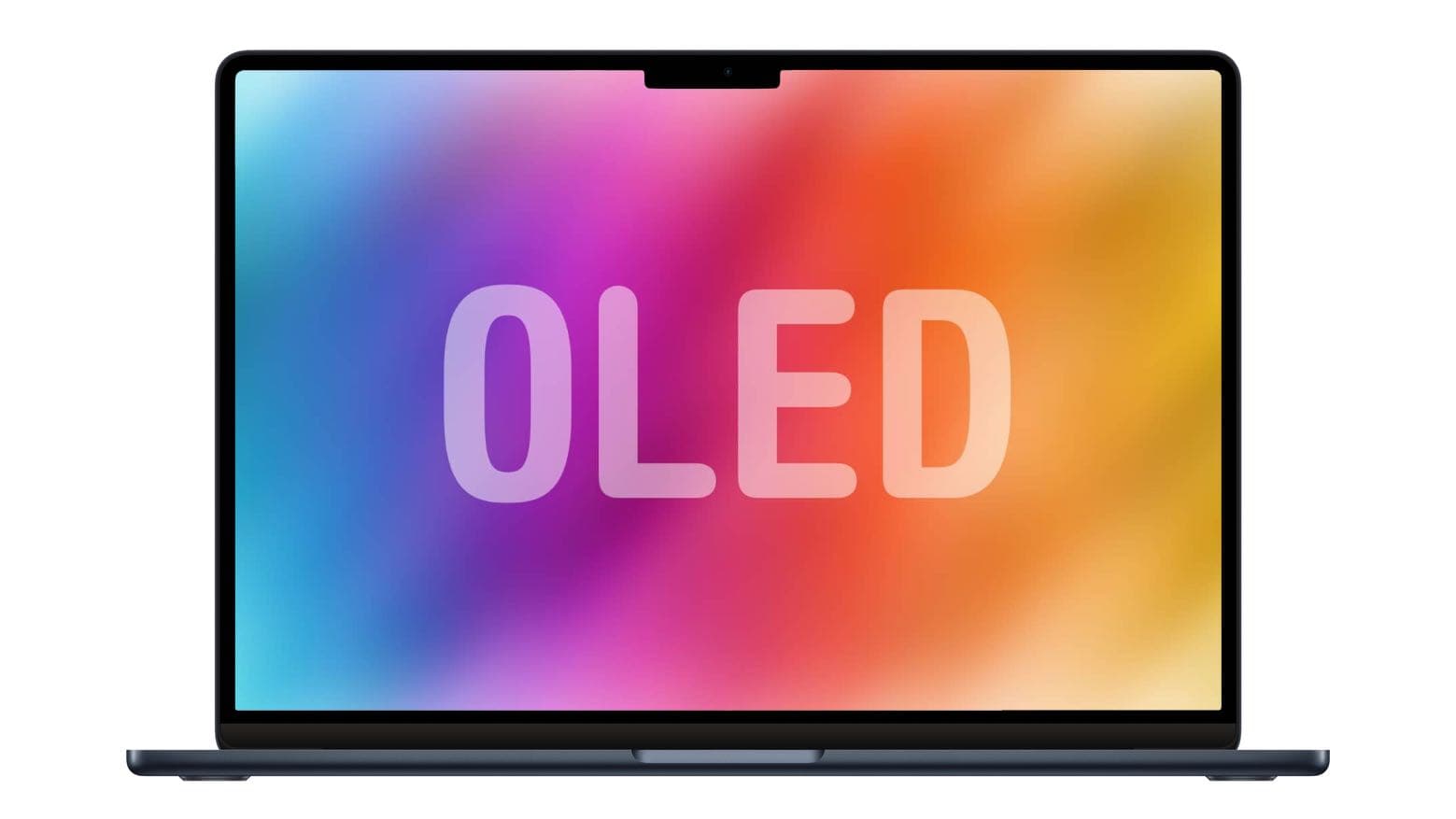
OLED MacBook still at least 2 years away

By

OLED MacBook is possible… and probably inevitable
An OLED MacBook is more than possible... it's inevitable.
Photo: Cult of Mac

Apple’s switch from LCD to OLED in its MacBook line isn’t moving quickly. A pair of respected industry analysts agree that it won’t happen before 2026.

The change should improve the performance of the display, but might also drive up the price of macOS notebooks.

Studio Display user loves M4 iPad Pro as second monitor [Setups]

By

mirror M4 iPad Pro setup
This MacBook Air users loves using his 13-inch M4 iPad Pro as a second external display. His Studio Display displays his iPad screen in the photo above.
Photo: [email protected]

Many users out there on social media can’t seem to get enough external displays into their computer setups. Sometimes we see as many as six big screens. But don’t forget a simple way you can always add another small screen. Namely, don’t just add your MacBook open on the desk or on a stand. Include your iPad, too. Today’s M1 MacBook Air user proudly has his M4 iPad Pro mirror on Studio Display as it sits in the mix on a Twelve South stand.

‘1 billion keyboards in 1?’ Yes, that’s the claim.

By

Glorious GMMK 3 keyboard
Now that's a cool-looking keyboard. And it could have either mechanical or Hall effect magnetic switches.
Photo: Glorious Gaming

The new Glorious GMMK 3 keyboard is “1 billion keyboards in 1” because it supposedly packs more than a billion possible hardware configurations, giving gamers and typists alike “unparalleled” control over aesthetics, typing experience and performance, Glorious Gaming said Tuesday.

Google finally brings Chrome tab groups to iPhone

By

Google finally brings Chrome tab groups to iPhone
The wait for Chrome tab groups on iPhone is over at last.
Photo: Google/Cult of Mac

Tab groups, a feature of Google’s Chrome desktop browser for years, finally made its way to the iPhone and iPad version of the web browser.

The goal is to bring some order to the huge pile of tabs so many people keep open.

This USB-C hub sports a stunning array of 12 ports

By

Product photo of the Casa Hub Pro S USB-C hub with 12 ports including 2x HDMI.
Connect all the things with this one affordable USB-C hub.
Photo: Cult of Mac Deals

If your MacBook only comes with two USB-C ports, a multifunctional hub like the Casa Hub Pro S proves incredibly useful. This 12-port USB-C hub — with HDMI, Ethernet and other useful connections — won’t take up much space on your desk. However, it seriously expands how you can use your laptop. And right now, it’s on sale for 17% off.

Apple Watch Series 10 vs. Apple Watch Ultra 2: Which should you buy?

By

Apple Watch Series 10 vs. Apple Watch Ultra 2
Which Apple Watch is right for you? Series 10 goes head to head against Ultra 2.
Photo/Graphics: Apple/Rajesh Pandey

The Apple Watch Series 10 packs significant upgrades over its predecessor. However, Apple did not give the same love to the Apple Watch Ultra this year. Instead of a third-gen Ultra, Apple only unveiled a new black titanium finish for the Apple Watch Ultra 2. That makes an unusual comparison — Apple Watch Series 10 versus Apple Watch Ultra 2 — an intriguing proposition.

The “regular” Apple Watch Series 10 comes closer to its rugged Ultra sibling than ever before. But between the two, which is the right pick for you? Read our Apple Watch Series 10 versus Apple Watch Ultra comparison to find out.

Pro Tip: Hot Corners make it easy to mouse around your Mac

By

Who needs multitouch?
If you don’t have a trackpad or Magic Mouse, you can set up Hot Corners to get some of the features back.
Image: D. Griffin Jones/Cult of Mac

Pro tip bug Mac Hot Corners are shortcuts for your mouse. Just throw your mouse cursor to the corner of the screen (the easiest place to hit) to perform quick actions. You can instantly lock the screen, start a screensaver, show the desktop, show all windows and more.

If you use your Mac with a standard two-button PC mouse instead of Apple’s Magic Trackpad or Magic Mouse, Hot Corners can replace the multitouch gestures that you miss out on. The Mac’s built-in Hot Corners feature gives you a really quick and easy way to navigate your computer, and I recommend you turn them on and use them.

Ugreen’s new Uno chargers look like cute little robots [Updated: Now on sale]

By

Ugreen Uno chargers
This little guy delivers 100 watts of charging power to devices.
Photo: Ugreen

Ugreen unleashed “fast and fun” robot-themed Uno series chargers for iPhone users, as well as the Revodock Thunderbolt 5 Docking Station, the company said at IFA Berlin Friday.

UPDATE: Ugreen let us know Tuesday that they’ve now listed some of the Uno series charging products for sale on Amazon, including a 6-in-1 USB-C hub we didn’t include in the original post. See below.

Best MagSafe cables and chargers for iPhone 16

By

These are the best MagSafe cables and chargers for iPhone 16.
MagSafe is the best way to charge your new iPhone.
Photo: Killian Bell/EdHardy/Cult of Mac

There’s no better way to charge your new iPhone 16 than with MagSafe. Pick the right charger and it’s as fast as a cable. And even when it’s a bit slower, it’s certainly the simplest and most convenient option. And, let’s face it, plugging in a cable is nowhere near as satisfying as that snap you hear when slapping a MagSafe accessory onto the back of your iPhone.

If you’ll be experiencing MagSafe for the first time with iPhone 16, it’s time to stock up on cables, charging stations and battery packs. Here are the best available right now.