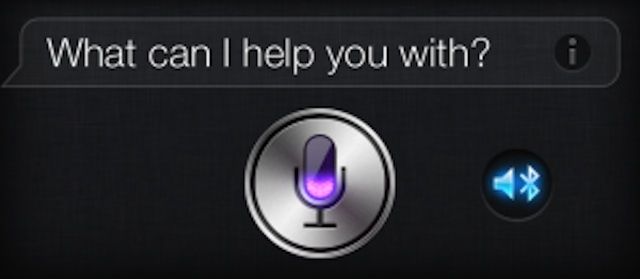
Talking to Siri can be either an exercise in frustration, or a miracle of modern technology, depending on your mood and how successful the Apple digital assistant is at interpreting what it is you’re asking. Typically, when you activate Siri with a long press and hold on the Home button, the input is collected via the microphone built into your iPHone or iPad.
If you have a Bluetooth accessory, though, you might not know that Siri can listen through that device as well. Here’s how to get Siri to do just that.
First, make sure that your Bluetooth accessory is connected to the iOS device you want to use to have Siri listen to for input. Not all external portable speakers, for instance, have a mic or speakerphone capabilities, so be sure you’re using one that does, like a hands-free kit in a car, or a Bluetooth earpiece.
Now, when you press and hold that Home button on your iPhone or iPad, you’ll see a glowing blue speaker icon just to the right of Siri’s typical microphone icon. Tap there, and then choose the Bluetooth device to set it as the input device.
Now Siri will listen to that device to collect your voice commands, and–if the device supports it–will give you back audio feedback (“Would you like me to search the web for coaster Rica?” Sigh.) via that device’s speakers, too.
Though, to be honest, I don’t think I could handle Siri blasting through my car stereo. Thank goodness my car is way older than the iPhone itself.
Source: Macworld

Rob LeFebvre is an Anchorage, Alaska-based writer and editor who has contributed to various tech, gaming and iOS sites, including 148Apps, Creative Screenwriting, Shelf-Awareness, VentureBeat, and Paste Magazine. Feel free to find Rob on Twitter @roblef, and send him a cookie once in a while; he’ll really appreciate it.

