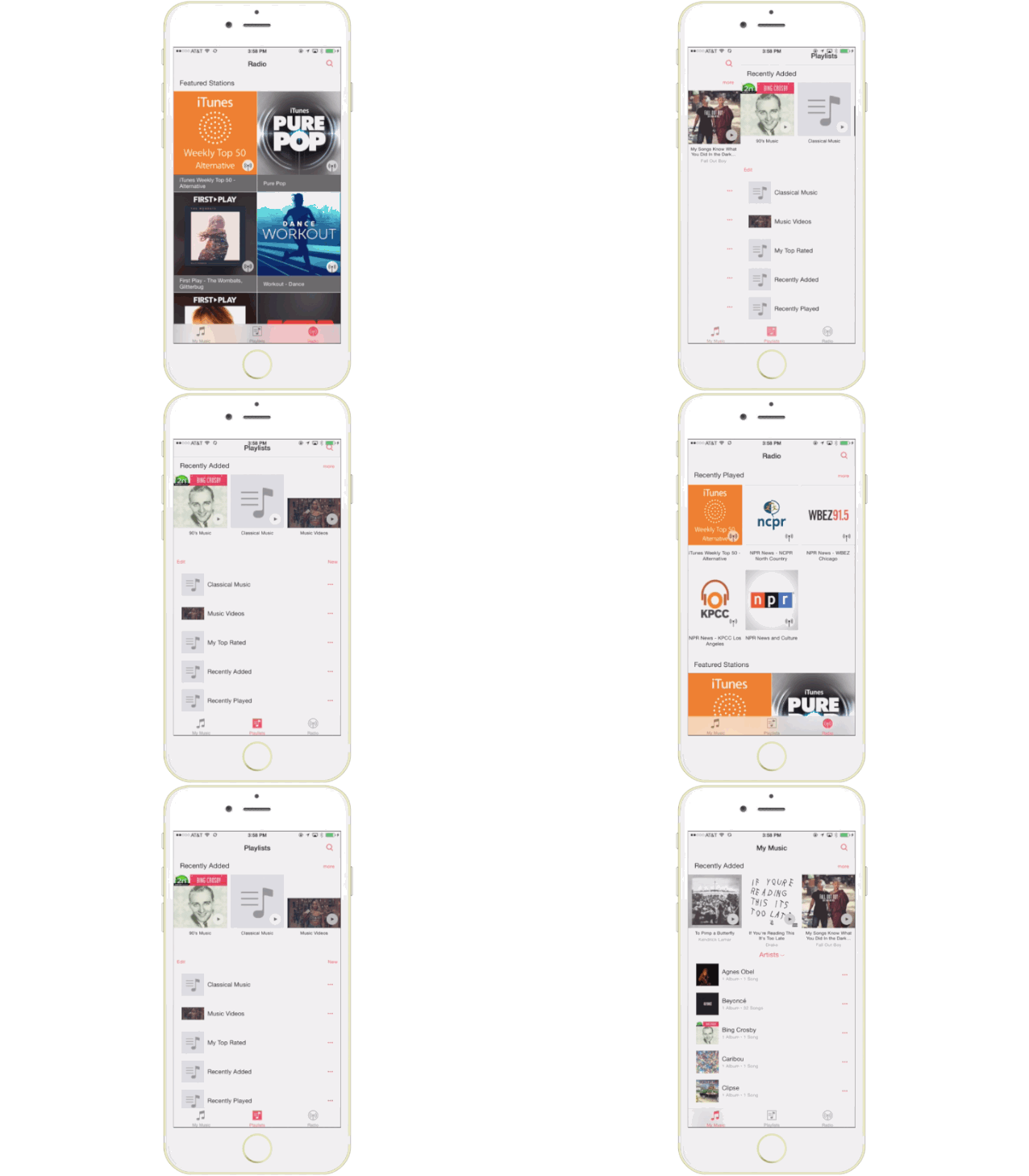
Rumors of a redesign coming to the iOS Music app have been floating around the rumor mill ever since Apple acquired Beats last year, and today we got our first preview of the future of music.
iOS 8.4 gives developers a look at the redesigned Music app that’s aimed at making it easier, faster, and more fun to listen to music than ever before. Apple has left out the long-rumored streaming-music component of the app, but the redesign is full of other noteworthy features.
Here’s a quick GIF tour of all the new changes:
Global Search
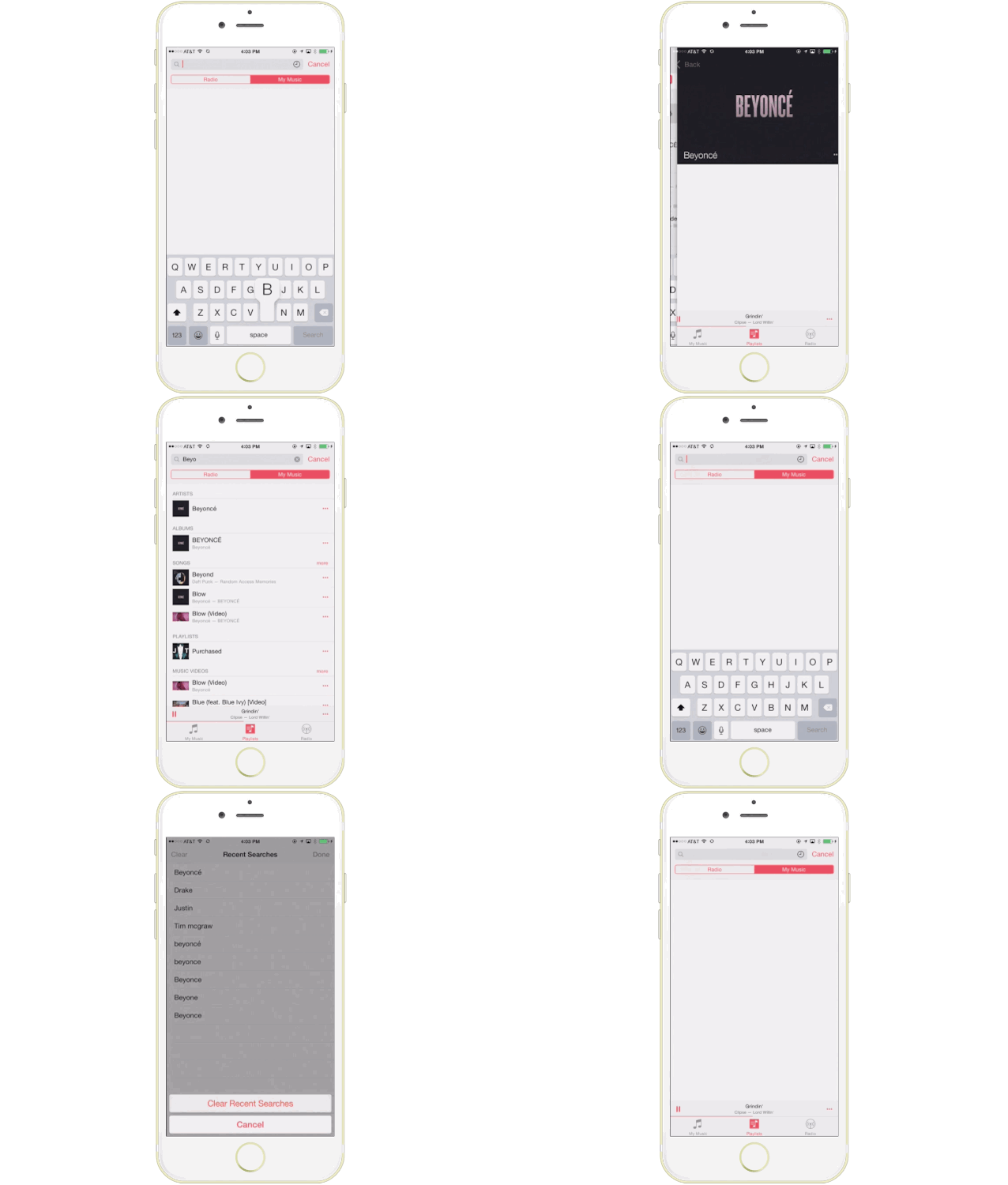
You can now search from anywhere in the Music app — just tap the magnifying glass. Search results are divided between ‘My Music’ and ‘Radio’. You can start an iTunes Radio station right from Search. And instead of typing in the same artists name over and over, you can view your search history.
Streamlined iTunes Radio
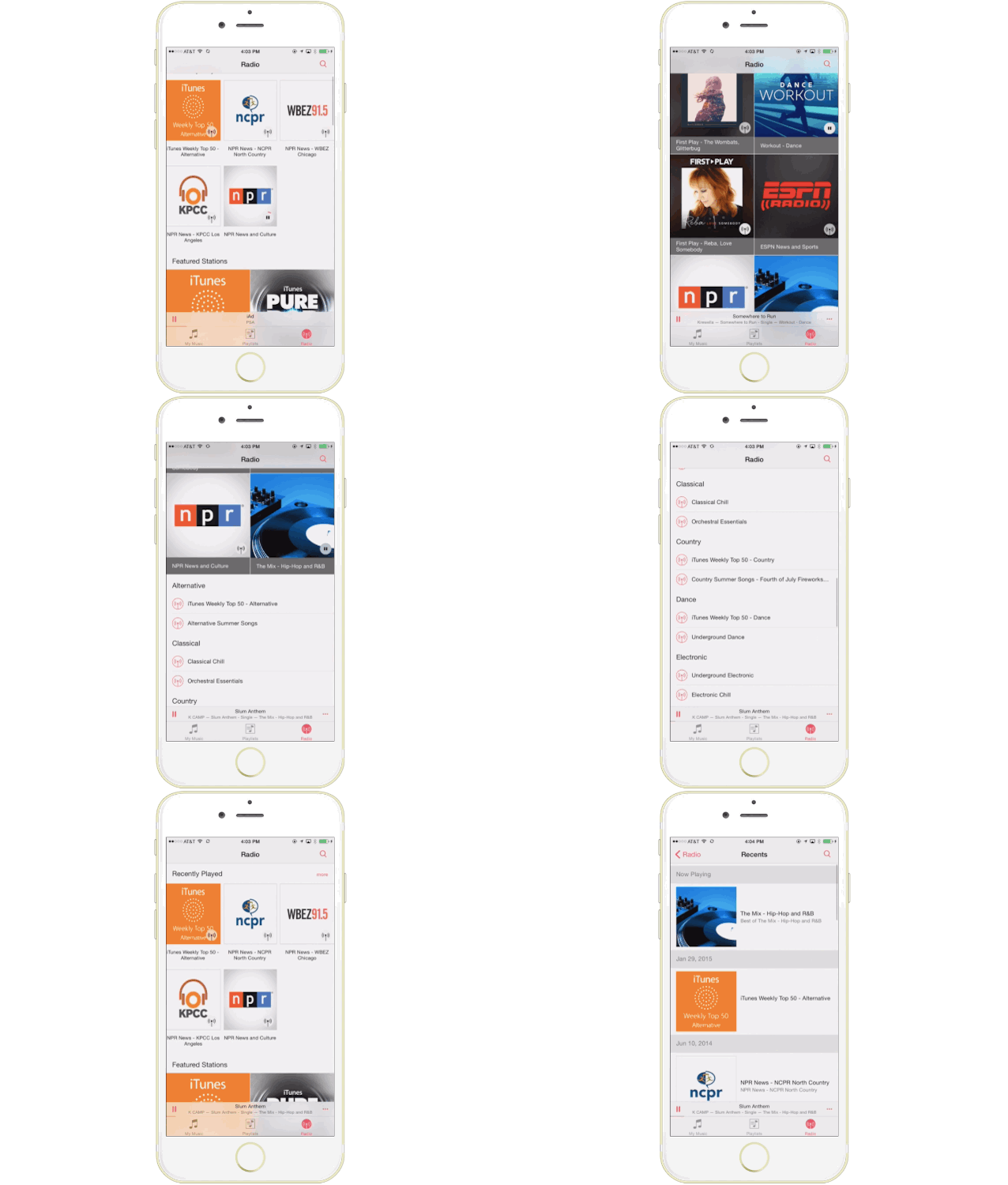
Discovering music with iTunes Radio is easier than ever. You can now quickly return to your favorite stations in Recently Played. Choose from a selection of hand-curated stations in Featured Stations, or start a new one from your favorite artist or song. There’s also new radio buttons on the home page so you can start listening to music immediately.
New MiniPlayer
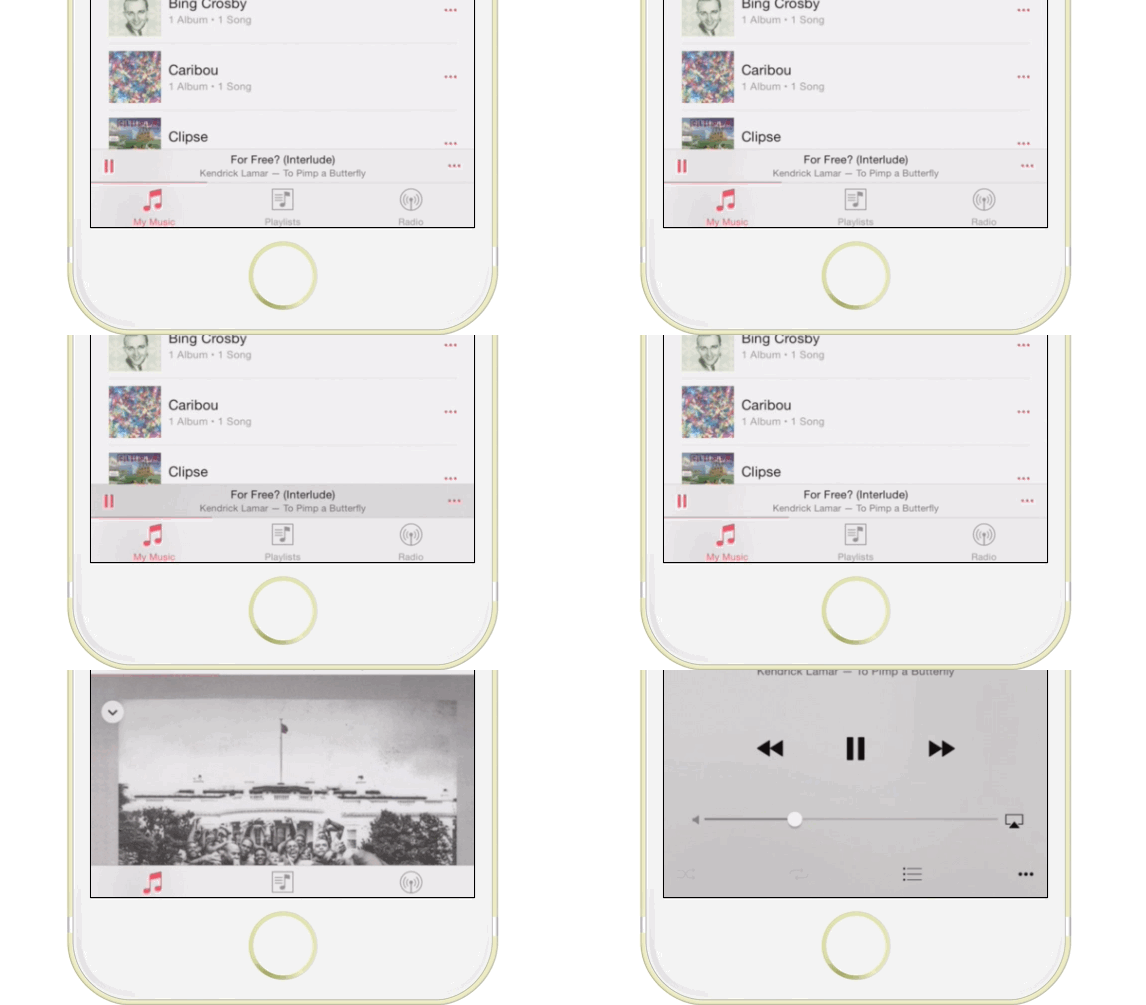
The new MiniPlayer is one of the best new additions to Music, giving you access to see what’s playing and control playblack while still browsing your collection. You can now navigate to the ‘Now Playing’ screen by tapping the MiniPlayer.
Recently Added section
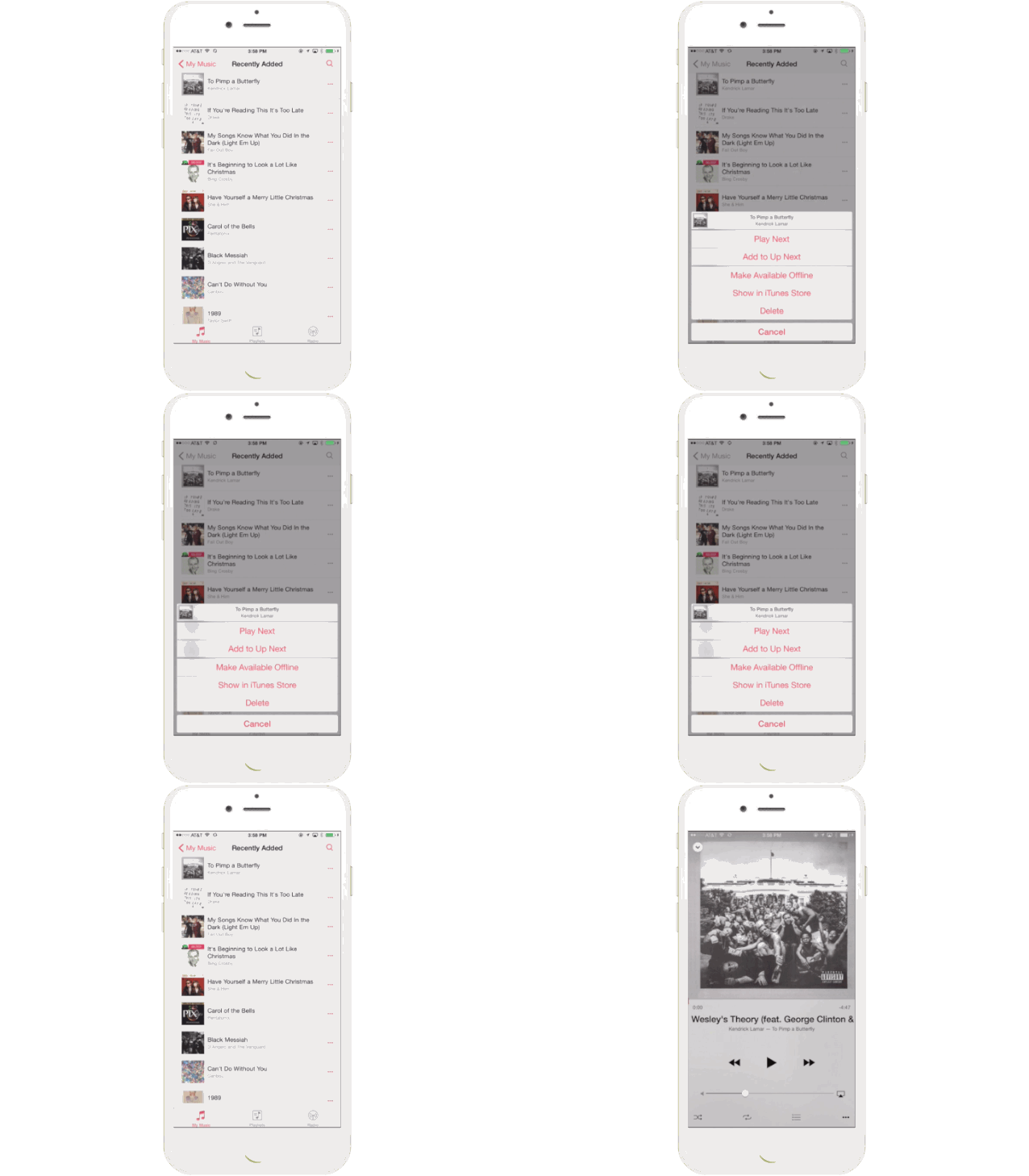
Albums and playlists you’ve recently added are now at the top of your library, making it effortless to find something new to play. Simply tap play on the artwork to listen.
Up Next
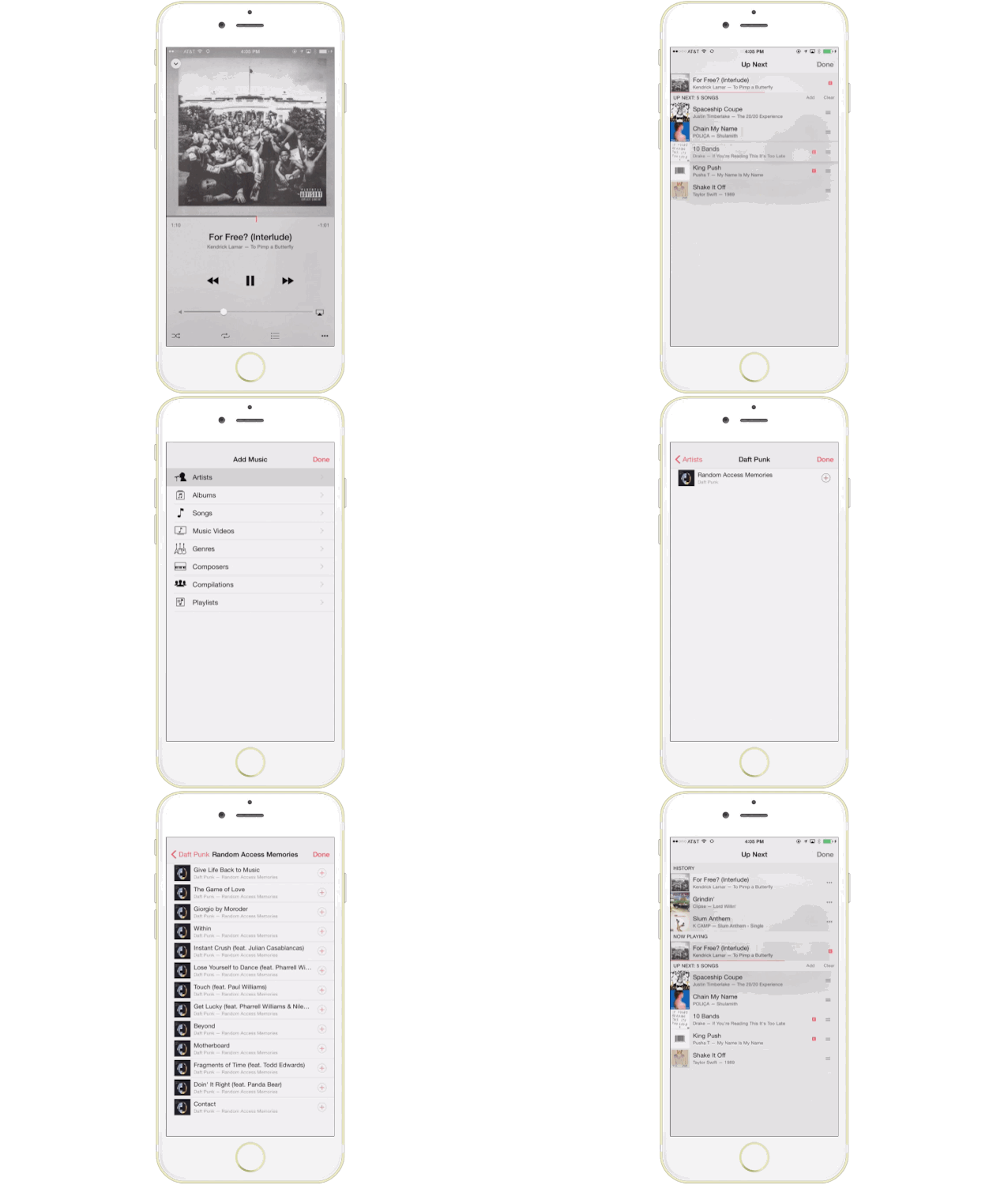
It’s now simple to find out which songs from your library will play next — just tap the Up Next icon in Now Playing. You can even reorder, add, or skip songs whenever you like.

Buster Hein is a freelance writer who lives in Phoenix, Arizona. Twitter: @bst3r.


24 responses to “Take a GIF tour of iOS 8.4’s new Music app”
Still looks like shit and highly doubt a customizable EQ.
Your life must suck.
It doesn’t. But thanks for your concern.
Whine on, little troll, whine on.
There’s nothing wrong with the app, really hasn’t been for ages. Also, EQ is not your friend, chump.
Oh God I thought I was the only one going on about full equalizer! Wish No 1! Hopefully they’ll introduce it soon.
Second that, I am using Boom on all my Macs to get the sound better. Apple should really look into adding an EQ
up next and the ability to put songs in that list is going to make me a happy man
You mean a play queue?
Correct haha
Woah……this is the Spotify app Apple Edition
Derp! Does it hurt to be as stupid as you?
Calm damn Stevie-wevie I’m not here to rage on Apple (I’m too high in the commenter ranks for that). I’m just saying most of these new editions remind me of the Spotify app is all. ;)
So hard to tell sometimes.
Yawn. Trying (and failing) to catch up with Spotify. Stick to producing beautiful hardware, Apple.
nice update
Great! Now where’s the global search button for settings?
Oh God I thought I was the only one going on about full equalizer! Wish No 1! Hopefully they’ll introduce it soon
Landscape mode – what about landscape mode on the 6 Plus. Its completely useless in its current form. Hopefully that’s been improved.
Really curious to see if the landscape mode is any more useful. When my phone is mounted on my dashboard (in landscape mode) see all the album covers doesn’t really help me find music.
This is the most annoying part of the app for me.
I still want to know why I cannot add a currently playing song to an existing playlist on the fly. I hate having to go the play list section, select the play list, click “+” and then find the song I want to add. Fix it please!
There are a lot of improvements to be made on the Music app, both aesthetic and technical. Also, a lot of tracks bought through iTunes are on very low volume, it would be great to be able to amplify them somehow. Full EQ badly needed!
I would just like this: when I am listening to a song, then reposition my phone from portrait to landscape mode, please stop showing me dozens of album cover thumbnails unrelated to what I am listening to, with a list of tracks from the same album. Show me a landscape version of the portrait screen I was looking at. Show me other songs/albums by the same artist. Show me ANYTHING but completely unrelated stuff. Don’t think we didn’t notice that the music app on iPhone and iTunes desktop app went to hell after Jobs died.
I’m really hoping for a convenient way to switch between music stored on the device and all music. Currently, it’s buried deep in “Settings” then “Music”. Would love to be able to switch easily within the actual app.