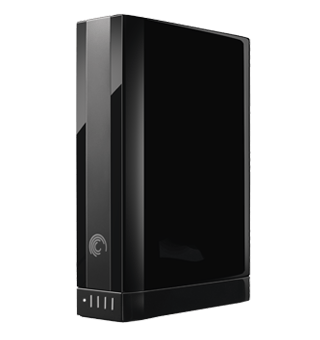
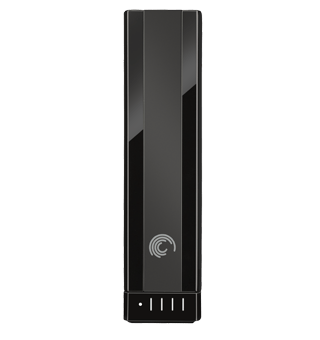
Seagate’s new, largest-in-the-world GoFlex Desk external hard drive ($250) weighs in at a strapping four terabytes. I know, that’s only one terabyte more than their next biggest desktop drive; but that’s enough storage space for 30.3 million more press images like the ones above; 833,333 more GoFlex user guides; or 2,272 more videos of me trying to duct tape some gadget to my forehead in a hilariously misguided attempt to gain interesting yet incredibly useless data about something or other.
The new GoFlex Desk is only available with a bundled USB 3.0 connector, but the modular nature of the GoFlex family means that FireWire (or hopefully soon, Thunderbolt) can be purchased separately.
When he was eight, Eli Milchman came home from frolicking in the Veld one day and was given an Atari 400. Since then, his fascination with technology has made him an intrepid early adopter of whatever charming new contraption crosses his path. He calls San Francisco home, where he works as a journalist and photographer. Eli has contributed to the pages of Wired.com and BIKE Magazine, among others. Hang with him on Twitter.

Subscribe to the Newsletter
Our daily roundup of Apple news, reviews and how-tos. Plus the best Apple tweets, fun polls and inspiring Steve Jobs bons mots. Our readers say: "Love what you do" -- Christi Cardenas. "Absolutely love the content!" -- Harshita Arora. "Genuinely one of the highlights of my inbox" -- Lee Barnett.
Sorry, but that’s too much data to be trusted to a single drive. I’d have to buy a second one for backup. I don’t even want to think about losing a drive full of data half that size.
I agree with $36AShare. If this 4TB drive were a combination of (2TB) drives and was able to do a RAID 5 setup for backup and/or have twice the data throughput (especially for thunderbolt), then it’d be something worth looking into. I still haven’t seen the specs, but with thunderbolt already here, a single drive setup may actually be a bottleneck for speed.
You need a minimum of three drives for RAID 5. The best you can do with two drives is RAID 0 (striping data across both disks for improved performance) or RAID 1 (mirroring data from one disk to another as a real-time clone).
Your best option is either a standalone RAID enclosure or a NAS (network attached storage) device with three or more disks. If you’re truly worried about data loss, then you’ll also need a secondary device to back up the first device. Each of these is incrementally more expensive than the option before it.
Oprah, the chronometric nature of Doctor Who episodes tends to cause a problem with the flux capacitor of most drives, including this one; hence, you would probably only be able to fit three.
19 responses to “Seagate Unleashes the Largest Consumer External Drive the World Has Ever Seen”
One uncut track of The Grateful dead playing “Dark Star” live!
I need this with Thunderbolt! Tired of waiting on Lacie.
Westerned Digital has a 6TB user hard drive: http://www.wdc.com/en/products…
I still prefer the WD :P
Does this mean I can get even sloppier about cleaning up my data?
Sorry, but that’s too much data to be trusted to a single drive. I’d have to buy a second one for backup. I don’t even want to think about losing a drive full of data half that size.
I agree with $36AShare. If this 4TB drive were a combination of (2TB) drives and was able to do a RAID 5 setup for backup and/or have twice the data throughput (especially for thunderbolt), then it’d be something worth looking into. I still haven’t seen the specs, but with thunderbolt already here, a single drive setup may actually be a bottleneck for speed.
I wonder how many episodes of Doctor Who I could fit on one of these. Do you have that data?
Lacie has been selling a 4TB drive for over a year. I should know, I have two of them. Now if this were a 4TB SSD then I’d be interested
You need a minimum of three drives for RAID 5. The best you can do with two drives is RAID 0 (striping data across both disks for improved performance) or RAID 1 (mirroring data from one disk to another as a real-time clone).
Your best option is either a standalone RAID enclosure or a NAS (network attached storage) device with three or more disks. If you’re truly worried about data loss, then you’ll also need a secondary device to back up the first device. Each of these is incrementally more expensive than the option before it.
Oprah, the chronometric nature of Doctor Who episodes tends to cause a problem with the flux capacitor of most drives, including this one; hence, you would probably only be able to fit three.
