Mobile menu toggle

Scroll In Super Slow Motion In OS X Lion [OS X Tips]

By

gestures_20100727

Here’s a neat and simple trick that will slow down scrolling to a nice, leisurely pace — great if you’re trying to read while scrolling.

Welcome to Keir Thomas, author of the new book Mac Kung Fu, which contains over 300 tips, tricks, hints and hacks for OS X Lion. He’s going to be sharing with us some of his favorite and most useful tips for OS X in the coming weeks, so welcome him aboard… 

OS X engineers have always paid close attention to scrolling up and down. They created scroll gestures, for example, and all Apple mice over the last few years have featured clever scrolling technologies.

However, the following trick works with any mouse or touchpad — even third party PC mice:

Holding down Option while you click and drag the scroller (the little bar that shows your position within a document in the scrollbar) will slow down scrolling, making it much easier to find something you’re looking for, or to scroll the document as you read.
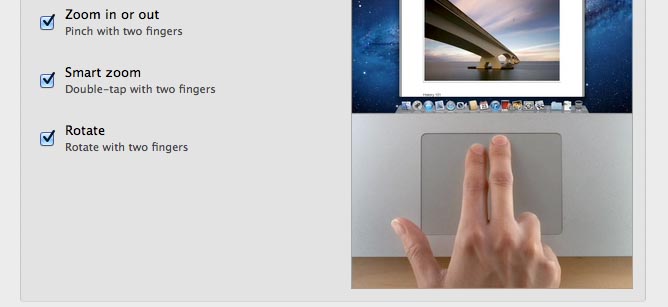
Hold down Option while scrolling with any mouse and everything will slow down

It’s best shown in practice, so give it a try. Grab the scroller in any open window displaying a long file or webpage, then hold Option and drag. You see that as well as slowing down, scrolling becomes more fluid.

Incidentally, that’s not all the Option key can do when you’re scrolling. Holding it and clicking anywhere in the scroll bar area (outside of the scroller) will cause the document to jump to that position. This can be useful when you want to jump to the top of a document — just hold down Option and click at the top of the scroll bar range.


  • Subscribe to the Newsletter

    Our daily roundup of Apple news, reviews and how-tos. Plus the best Apple tweets, fun polls and inspiring Steve Jobs bons mots. Our readers say: "Love what you do" -- Christi Cardenas. "Absolutely love the content!" -- Harshita Arora. "Genuinely one of the highlights of my inbox" -- Lee Barnett.

6 responses to “Scroll In Super Slow Motion In OS X Lion [OS X Tips]”

  1. Cowicide says:

    Or, just get Smart Scroll and use the amazing “hover scroll” where you just move your mouse cursor to the bottom edge of the screen and depending on how close you are to the edge it control the speed of the scroll while you read.  Get to a part you want to skim?  Go closer to the edge.  Get to a part you need to read through slowly?  Pull the cursor slightly further away.

    It works not just in Safari, but also in TextEdit, etc., etc.http://http://www.macupdate.com/app/mac/1304...

  2. Sam Altenberger says:

    It doesn’t work.

  3. Alex Lim says:

    It works in Snow Leopard too! Tried it and works!

  4. Jabjabs Lefonte says:

    Yeah no success here, that said with multi touch sculling it isn’t as useful as it would of been a few years back.

  5. KeirThomas says:

    Jabjabs and Sam: To confirm, you’re following the instructions exactly? 

    1. Go to a long web page (i.e. http://longpage.com/) — so long the scroller is made tiny.
    2. Hold down Option.
    3. Still holding Option, click and drag the scroller. Drag the mouse up and down to the top and bottom of the screen. 

    Get it now? This cannot not work — it’s a fundamental feature of all Macs, regardless of hardware.

  6. m20b25 says:

    doesn’t work on lion here.

    edit: used to work on leopard while holding *i think* shift

Leave a Reply

