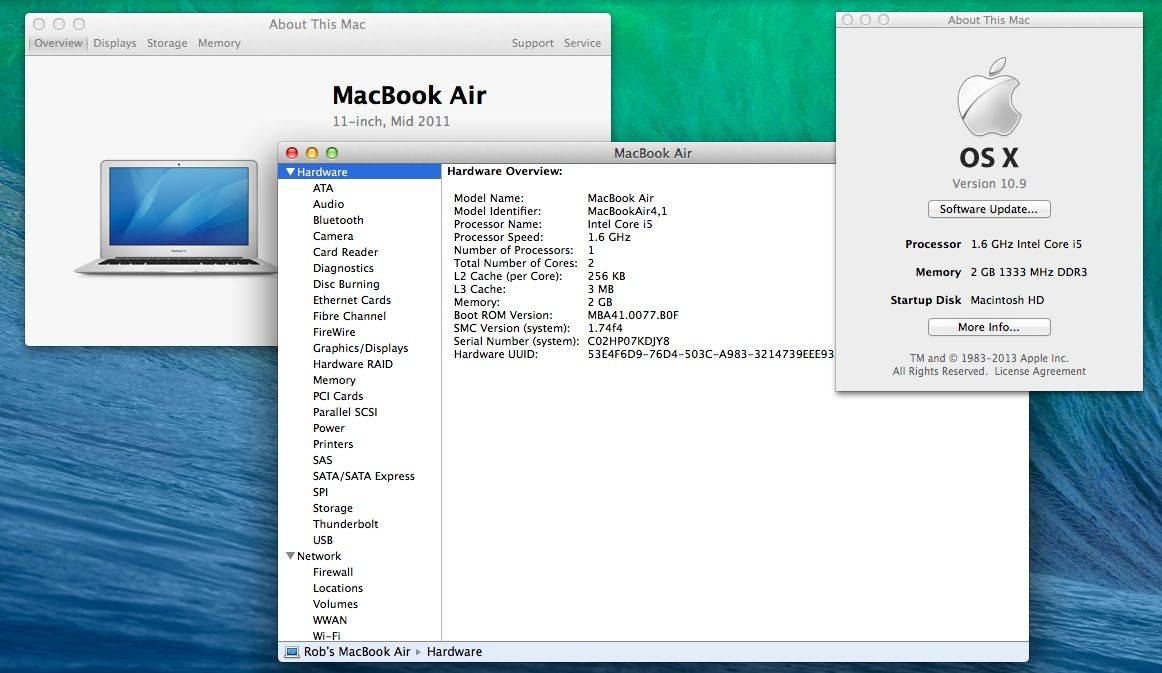
To get to my Mac’s System Report, the one with all the info on my RAM, Hard Drive, CPU specs, and the like, I’ve usually gone up to click the Apple menu, clicked on About This Mac, then clicked on the More Info button. Once there, I’ve clicked on the System Report… button. That’s what, four separate clicks?
In the interest of saving time, there’s a much faster way to get to the System Report.
Click the Apple menu, and then hold the Option key down (the Option key is pretty awesome for a ton of things). In place of the About This Mac menu item, you’ll now see System Information…
Click there, and go right to the System Report, skipping all those other windows along the way. Pretty cool, right?
Now let’s see how long it will take me to actually use this the first time, and change my workflow completely. I’m guessing it’ll be a few tries, to be honest.
Via: MacWorld

Rob LeFebvre is an Anchorage, Alaska-based writer and editor who has contributed to various tech, gaming and iOS sites, including 148Apps, Creative Screenwriting, Shelf-Awareness, VentureBeat, and Paste Magazine. Feel free to find Rob on Twitter @roblef, and send him a cookie once in a while; he’ll really appreciate it.

