
Apple’s big media event is Tuesday and you can bet that they will be talking about iCloud their new service which is going to replace MobileMe. So it might be a good idea to get ready by backing up some of your data before making the switch.
Address Book Contacts
Launch the Address Book app and then click the File menu, select Export > Address Book Archive and your entire Address Book database is exported to the place you choose.
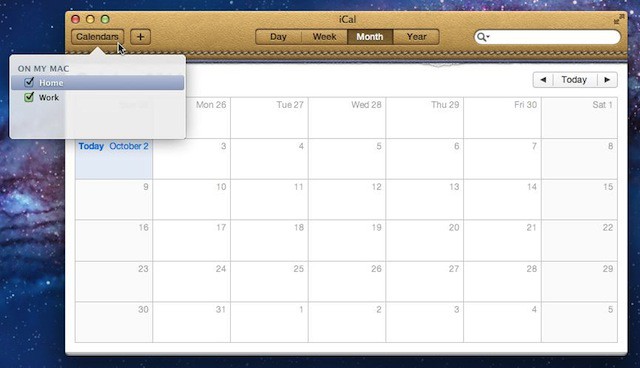
iCal Calendars
Launch the iCal app and then select one of your calendars in the Calendar list by clicking the Calendars button. Click the File menu and select Export and then Export. The calendar you selected is exported to the place you choose. Repeat as needed for each additional calendar.
Safari Bookmarks
Launch the Safari app and then click the File menu and then select Export Bookmarks. You’ll be prompted to specify the place where you want the bookmarks exported too. Safari will export your bookmarks by default to a file named Safari Bookmarks.html.
Conclusion
Once the files are created you can archive them to CD, DVD, or another external attached or network drive for safekeeping. If the MobileMe-to-iCloud transition turns into a train wreck you’ll have this data available to help you recover from any problems during the transition.

David W. Martin has more than 20 years of experience in the industry as a programmer, systems and business analyst, author, and consultant. David has written for CNET’s iPhoneatlas.com, MacLife.com, CultofMac.com, BYTE.com and recently for aNewDoman.net. He comes to Cult of Mac’s website with deep knowledge and passion for the all things Apple. Follow David on Twitter @david_w_martin or see what he’s up to now at davidwmartin.com.

