
Mobile menu toggle

Look Up Words In The Mac OS X Dictionary And Wikipedia With Two Taps [OS X Tips]

By

dictionarylookup

If you’ve followed my tips you’ll notice that I like gestures and all the new, revised, or previously existing gestures have a whole new life for me after the release of Mac OS X Lion.  Now I use gestures more often on my Mac than ever before.

I’ve talked about some of my favorites and today I’ll share another one of those with you. I’ll show you how you can look up words in the Mac OS X dictionary with two taps on your track pad.
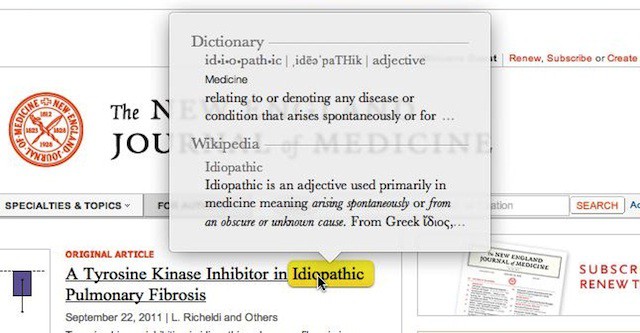
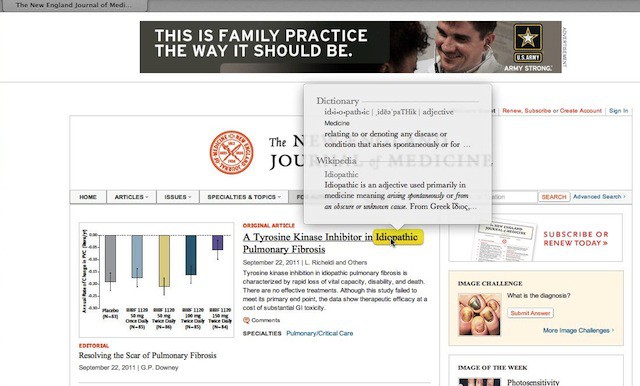
Simply place the focus of the mouse cursor over the word you want to look up and then tap the word twice with three fingers. If you are successful in selecting the word it is highlighted in yellow and a pop-up window will show the word’s definition from both a dictionary and Wikipedia.

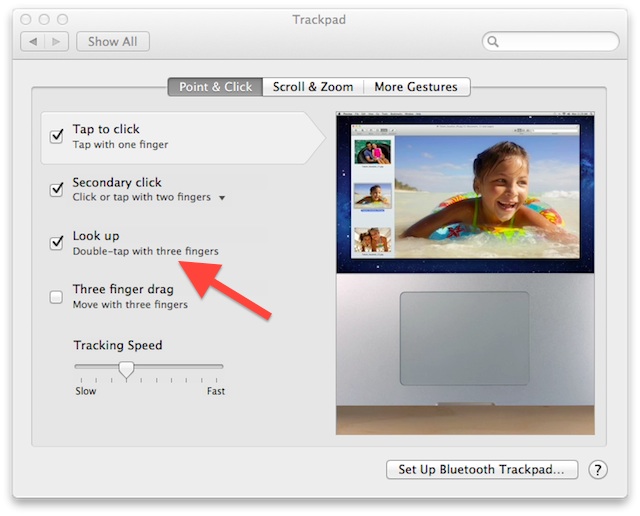
If that doesn’t work for you check you System preferences for the Trackpad under Point & Click then make sure that you have Look up checked.
  • Subscribe to the Newsletter

    Our daily roundup of Apple news, reviews and how-tos. Plus the best Apple tweets, fun polls and inspiring Steve Jobs bons mots. Our readers say: "Love what you do" -- Christi Cardenas. "Absolutely love the content!" -- Harshita Arora. "Genuinely one of the highlights of my inbox" -- Lee Barnett.

20 responses to “Look Up Words In The Mac OS X Dictionary And Wikipedia With Two Taps [OS X Tips]”

  1. j2c says:

    Yes great but how to do in none apple app such as google chrome?

  2. Richard McAroy says:

    Unfortunately will not work with Firefox, but works fine with Mail and Safari.

  3. prof_peabody says:

    You have to wait for Google to support it, but any app can do it with just a few lines of code. Mozilla and Google are just slow to support the new stuff I guess. 

  4. Munas says:

    Just to correct or add to the sentence “<…> will show the word’s definition from both a dictionary and Wikipedia.” It depends on how many dictionaries you have as well as order of ones in the Dictionary.app
    In my case along side to British dictionary I have one called Dictionary as well as some another languages and Wikipedia. Results after double three fingers tap on a word would bring me results from all these dictionaries (not “both” as it is mentioned in the article above) with exception from Dictionary (US), probably because it duplicates the British one and in Dictionaries hierarchy made by me stays lower than British.

  5. GeoFarrell says:

    Too bad you can’t look up how to use commas.

  6. 69Voltage says:

    Does not work with Opera either.

  7. TerryMajamaki says:

    Bummer that this only works in Apple’s apps like the slow Safari.  3rd party apps need to add support for this like Google’s Chrome.  

  8. Michael says:

    Works fine in Google Chrome.

    Edit: I’m using Chrome Canary, which may have added support for it.

  9. j2c says:

    Thanks…
    Great it works in Canary

  10. The_BORG says:

    I have it selected, in Safari, and doesn’t work.

    Update: Got it. Taps. Not clicks.

Leave a Reply

