Purchased last year by Dropbox, Mailbox is already one of the most intuitive apps on the iPhone and iPad for rapidly reaching inbox zero. Employing a series of swipes, Mailbox users can quickly delete, archive, or save emails for later, without ever leaving the inbox screen.
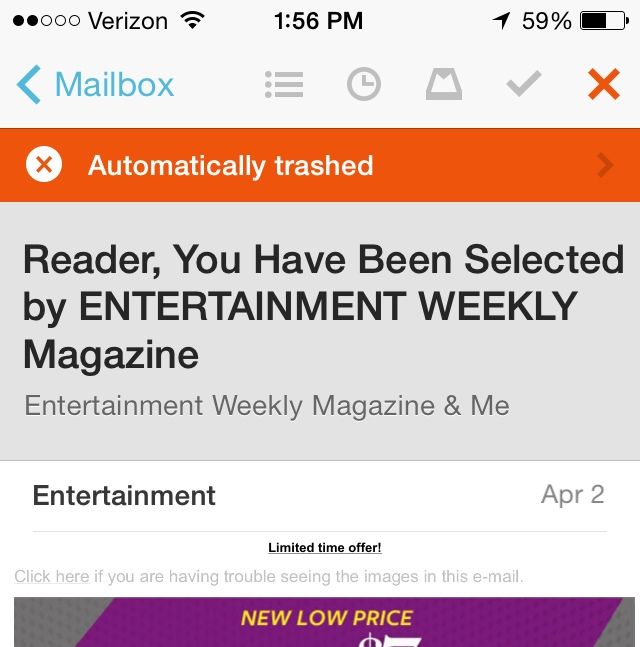
But after an update yesterday evening, Mailbox got even better. A new swipe action has been added to the app, giving users the ability to swipe a message once, and automatically file away all messages that resemble it.
The problem with Mailbox, and the reason I personally stopped using it after giving it a rave review, is that if you get a lot of email, swiping each message individually can become a huge pain. Because I get hundreds of emails a day, most of which are sent by marketers, I soon adopted a paid service called Sanebox that could automatically filter my email for me before it ever reached my inbox.
But Mailbox’s latest update might tempt me back. A new swipe-and-hold gesture has been introduced that allow you to select a message and then perform an action on all messages like it. In essence, it’s a shortcut to create new auto-swipe patterns. Using the gesture, you can set all emails from a certain person, or in a given conversation, to go to the archive or the trash.
It’s a good addition that should make taming your inbox even easier than it was before. You can download Mailbox for free from the iTunes App Store here.
Via: iPhone In Canada

John Brownlee is a writer for Fast Company, and a contributing writer here at CoM. He has also written for Wired, Playboy, Boing Boing, Popular Mechanics, VentureBeat, and Gizmodo. He lives in Boston with his wife and two parakeets. You can follow him here on Twitter.


One response to “Latest Mailbox update makes it even easier to auto-swipe junk email to trash”
you should give Cannonball for iPad a try – we have been making it easy to delete subscription emails in bulk for some time now and separate important emails from subscriptions. Coming to iPhone on July 15th.