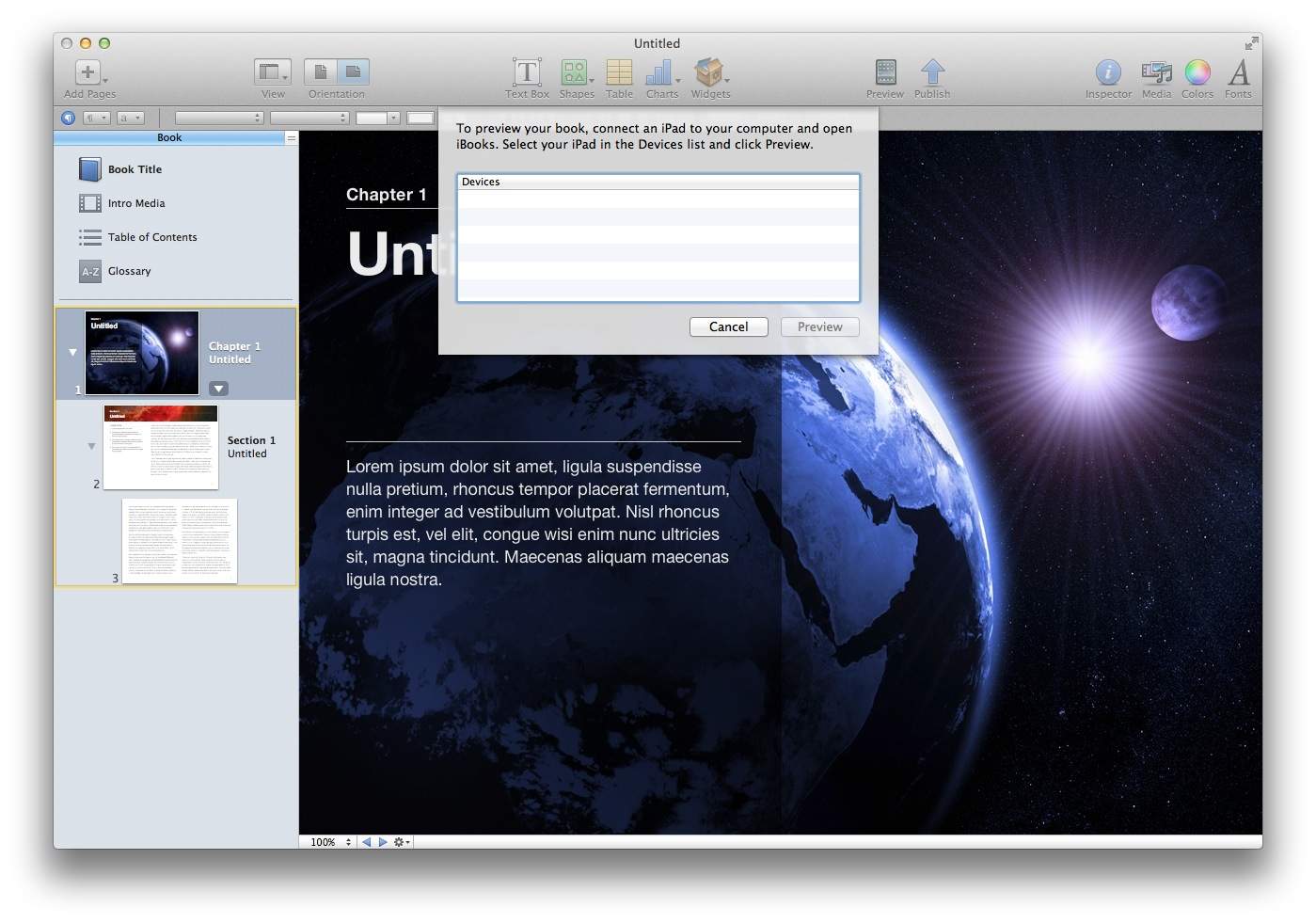
Eager to try the new iBooks Author tools? Better have an iPad. In fact, even if you do have one, you can’t even preview what your e-book will look like on an iPad itself without connecting the device to your computer.
What a bummer. That’s convoluted, and cuts right out authors who want to publish their e-books through the iBookstore without necessarily spending $499 on a device first. Considering there’s already an iOS simulator as part of Apple’s development tools package, why didn’t they just hook iBooks Author’s preview functionality up to that?
[Thanks for the tip, Roger!]
19 responses to “iBooks Author Won’t Let You Preview An E-Book Without Tethering An iPad”
For the same reason that Apple wants developers to test their application on an iPad, publishers should also be testing their interactive widgets and tools on an actual device. The iOS Simulator is just that, a simulator. It uses Mac OS X APIs to fake being able to do things that you’d be able to do on an iOS device. There are many cases in development where a simulator can’t properly be used to test something. The application build for the Simulator aren’t even iOS applications. iOS binaries are ARMv6/v7 assembly code packaged in a binary file. Because the simulator is running on x86/x64 architecture, the simulator doesn’t handle other iOS applications.
It’s easier and faster for a publisher to download the 130MB iBooks Author application and attach it to an iPad than to download Xcode (4GB) and test using a mouse and a fake simulator.
You can export the Book to an iBook file, change the extension to ePub and open the book in BookReader 3.7 (BookReader is a 3rd party ePub Reader)
Content published to the store presumably gets a DRM wrapper, but you can make your own stuff and distribute it just like a Keynote deck
Xcode simulators != 1:1
Testing on a simulator is not the same as testing on an actual device. Not testing on the device that the application (or in this case, book) will be used on is just asking for trouble.
(Edit: clarification)
I can’t test my “Made for iPad Textbook” without an iPad!!!
Oh for crying out load, get a damn iPad and stop complaining.
If you ask me this is a good thing, as most developers know running apps on a simulator is much different from running them on a device. An iPad can’t compare to a full size computer(yet). I think Apple just want to make sure that the Books will be sure to operate at their full potential and avoid bad reviews and negative comments. If you are a developer you can’t really make an great app without having the targeted device for testing.
Something new and innovative that will improve learning and knowledge distribution and there is always a writer complaining about what isn’t.
It also depends 10.7 Lion, for some reason.
Wow, it’s free. I like a small barrier to entry like this to keep the content serious.
Ah, now I understand, first I was “argh, I have to go to my living room to fetch my iPad2 and cannot just fire up my iOs Simulator?? wtf??” but after reading your blog I understand better!
I would say the reason is, that Apple actually wants to have nicer looking textbooks, a greater learning experience for the students, and help to understand that beauty is part of this world. I personally hate western textbooks with a passion. They are so ugly!!! And it makes people used and accept to ugly! If you ever go to Japan or Taiwan you will surprised how beautiful textbooks can be :-)
Therefore they want you to own an iPad, and understand their user interface. If you are on Samsung etc you might have a technically better device, but not the beauty and consistency of iOS. I totally support the iOS philosophy, and will get my lazy ass to the living room and back :-)
Ehrm… what’s the problem? you can view your book perfectly right on your mac. In all its interactive glory. The only thing that won’t work is multitouch but yeah, you need an iPad anyway. What do you want? the ability to show this on an android tablet?
im assuming that final question is rhetoric, jaja
What a whine – would you publish a set of webpages without looking at them in a browser? sell the budgie and ante up for an ipad for god sake
I’m surprised that Apple *still* doesn’t provide any way to read iBooks on a Mac or Windows system yet. Why are they still limiting them solely to iDevices?
I was disappointed at first but in practice it works quite well. You leave the iPad tethered to the Mac via USB and when you hit PREVIEW your finished work appears on the iPad screen if you have iBooks app open. It is no different than working with a multi screen Mac.
I find that IBooks Arthur really easy to use as many GUI elements are ones I am already used to in other Apple programs like the infamous INSPECTOR.My problem is that if you place a multimedia video to run as an introduction iBooks sometimes hangs or crashes. It is a memory issue with the iPad 1 and easily resolved but it is annoying.If you can not find your video after you are into the book hit the INDEX icon top left and from there use the tiny buttons on the bottom to scroll left one page to the opening video.
Cutting the video size down helps because if you use a lot of multimedia the book jumps in size dramatically. I cut the videos to 1 bit using QT and they seem OK on the iPad screen.
If someone has Amazon or an Android tablet you pretty much are not invited to the party at the moment but I am sure within a few weeks somebody will develop a compatible ePub3 Reader that works on other platforms
I already convert ePub2 to MOIB for my friends stuck with a Kindle. All of the ones I have done display as nicely in the Kindle app for the iPad as they do in iBooks for the iPad. Even all the internal hyperlinks work fine.
A developer or teacher who doesn’t have an iPad may have not been paying too much to where Apple was going and they have been blindsided by iBooks2.
If you want to use cutting edge technology Apple is the only game in town where you are fairly certain the path will become mainstream with a few months or a year or two.
Look at the history of hits in technology made popular first by Apple. They have had a gift for looking ahead and making it so.
BTW you can export your file to iBooks2, place it on BOX and give others links to the finished product to download and drop into their copy of iBooks2. Do it through GoodReader connected to BOX and you don’t even have to tether to transfer the file to iBooks nor do you have to publish it through Apple.
Why would you spend time creating anything that can’t be tested & made sure to run properly, right then & there??! Apple does the same thing every time yet these DUMB bloggers always act as if they’ve released something vastly different then their prior releases. All of Apple’s software & hardware are integrated together!! Stop acting like you just found this out yesterday! FAIL!!
DEL
SOME of us are writing ibooks for our OWN purpose to share with the closest family and friends -and NOT to publish in apple bookstore – hence, it is quite disappointing to learn you needed an iPad when you’ve finished a book meant for iPhone..
If you don`t have an Ipad but you would like to preview your ibook I suggest using the Export feature in pdf format. I love Ibook creator and its fun to use it, but as we all know ,lack of preview in real format without an Ipad is a real let down. If you need to preview your Ibook, but dont have an Ipad, the best option is to use Export feature under the file tab and select the best quality. Quality of the PDF book is not as I would expect from such great app, but at least you can see how it looks before you publish your book.

