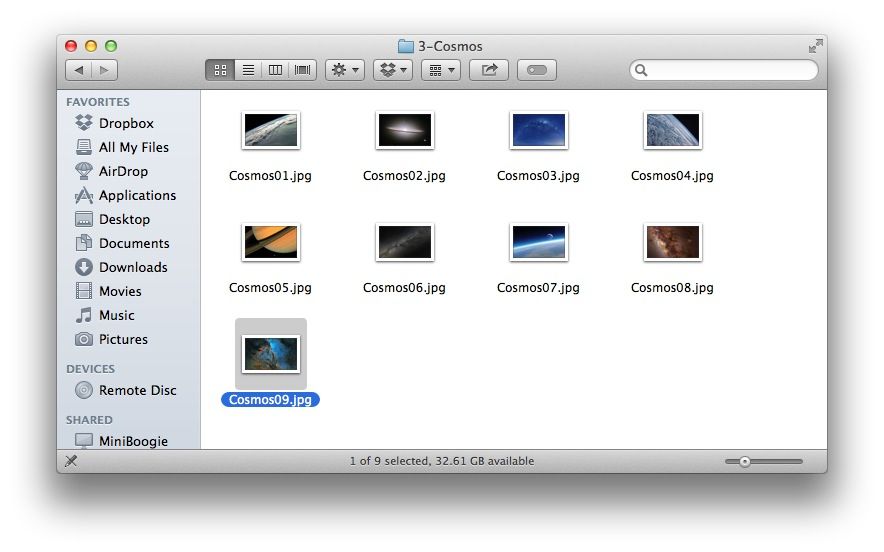
When OS X Mountain Lion came out, we found out that there were 43 hidden high-resolution images included as part of the screen saver system: nature images from National Geographic, aerial images, images of the cosmos, and patterns in nature, to name a few.
It turns out that the same images are hiding in Mavericks, too, just in a different–maybe more accessible place.
You’ll need to access these images in Mavericks in the Screen Saver folder, which is inside the Library folder at the root of your hard drive. To get there, you have some options. You can hit Command-Shift-G on your keyboard, which will bring up a little field you can type or paste the following into, and then hit return:
/Library/Screen Savers/Default Collections/
Otherwise, if you’ve enabled the Library on your Mavericks-running Mac, you can just open your hard drive and choose the Library folder, and then the Screen Savers folder, and then the Default Collections folder. Make sure you’re not opening the Library in your Home folder, since it won’t have this stuff in it.
Once you’ve gotten the Default Collections folder open, you can open any one of the image category folders and duplicate files and move the copies to your desktop or what have you. You can also drag any one of the collection folders to your Desktop & Screen Saver System Preferences pane to use as wallpapers in the future.
Source: Lifehacker
Via: OS X Daily

Rob LeFebvre is an Anchorage, Alaska-based writer and editor who has contributed to various tech, gaming and iOS sites, including 148Apps, Creative Screenwriting, Shelf-Awareness, VentureBeat, and Paste Magazine. Feel free to find Rob on Twitter @roblef, and send him a cookie once in a while; he’ll really appreciate it.


6 responses to “How To Find And Use The Hidden Screensaver Images In Mavericks [OS X Tips]”
Ñchs… como si no hubiera wallpapers suficientes en el mundo…
AQUÍ HAY ALGUNO:
http://www.deviantART.com