Mobile menu toggle

Google Chrome Updated With Lion’s Full-Screen Mode and Animations

By

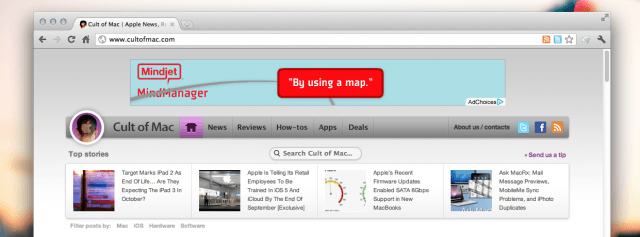
Screen Shot 2011-09-16 at 5.13.30 PM

Google has updated Google Chrome for Mac with support for features in OS X Lion, like full-screen mode and disappearing scrollbars. This specific release has been available to members of the browser’s developer channel since August, but Google has just now released it as a stable upgrade for everyone.

The new build of Google Chrome is available in the “About Google Chrome” menu option. Google will prompt you to install the update and then restart your browser.

Once you’ve restarted, you’ll have access to Lion’s animations, full-screen app mode, and disappearing scrollbars.

This new Chrome build also includes several features for developers, including Web Audio API and Native Client. Web Audio API lets developers add “fancy” audio effects, and Native Client finally brings the ability to execute C and C++ code.

Let us know what you think of the new version of Google Chrome in the comments below. Have you discovered any bugs?

  • Subscribe to the Newsletter

    Our daily roundup of Apple news, reviews and how-tos. Plus the best Apple tweets, fun polls and inspiring Steve Jobs bons mots. Our readers say: "Love what you do" -- Christi Cardenas. "Absolutely love the content!" -- Harshita Arora. "Genuinely one of the highlights of my inbox" -- Lee Barnett.

50 responses to “Google Chrome Updated With Lion’s Full-Screen Mode and Animations”

  1. Gen Arron J Hunt says:

    Finally. 

    Looks like it also has the option to hide the tabbar/url in fullscreen. Nifty!

  2. Dknkq says:

    pinch to zoom and double tap zoom doesn’t work like in safari. Wishing in Google Chrome 15…

  3. tb says:

    How about back/forward swipes?

  4. chaseepoo says:

    does it let you use gestures to go back?

  5. VigTheGeek says:

    Mine does not have those features and tells me I’m up to date. What is the build number? I’m showing 14.0.835.163

  6. frank says:

    anyone?? i want to know this too.

  7. Eric Harrington says:

    same here.

  8. Tom Oakley says:

    I hope on Chrome 15 you can peak on the page ‘back’ in your history and the full screen view gets a small upgrade, because right now when you hide the toolbars, it has an extra grey bar above the toolbars which is annoying.

  9. Gregintosh says:

    Does Chrome synch bookmarks with MobileMe/iCloud? Or is there any work around for that? That’s the one thing that is stopping me from switching away from Safari, as I do a lot of internet research and like to bookmark A LOT of pages.

  10. JMattP says:

    I’ve been using Chrome Beta (14.0.835.163) and I’ve been able to use two finger swipe to go back.

  11. JMattP says:

    Are you running Lion? I’m using Lion and the beta version (which is now the same version as this new stable release) and it’s all there.

  12. djrobsd says:

    Well I waited and waited and this is all they could give me.. What a shame.  NO double tap to zoom… Pinch KIND of works with the magic track pad, but its not very smooth or quick.   And sorry, but no you don’t get to swipe back and forward… Guess I’ll just use Chrome for limited things…

  13. VigTheGeek says:

    Yup. Running lion. All latest updates. Chrome doesn’t want to update.

  14. shherr says:

    swipe back/forward works fine for me…

  15. Murali says:

    That is working fine for me…

  16. Vimba says:

    3 fingers left. nothing changes in last year.

  17. Jeremy says:

    When I go to full screen I cannot access the URL search box, bookmarks tabs, or browsed tabs but moving my mouse to the top of the screen.  Moving mouse to top of screen just brings up the Chrome – File -Edit – View etc menu bar so have to leave FS to get URL bar to pop up… what am I doing wrong? 

  18. Jeremy says:

    You have to change your swipe settings in system preferences, there is plenty of discussion about this on mac forums… Think it involves changing to swipe between pages with 3 figures in system perferences

  19. MiosLaurie says:

    safari doesn’t have competitor yet. I’m waiting for chrome 15

  20. facebook-602274890 says:

    i can’t get it up update either.  Go figure.

  21. Californiamacpro says:

    I knew it since yesterday!!! Very good news for mac users in the world! 

    and chrome is now better that Firefox or Safari.

  22. Hobbes313 says:

    When in fullscreen and in gmail, I click on popup the new email window, and it pops, and mac’s desktop moves to another one and chrome dissapears! the poped window opens behind the full screen one, and since in full screen hot corners dont work, i cant easily access the new poped window!! any help?

    I also can’t reach the address/search bar in full screen mode, it dissapears and as I move the cursor only the FILE menu shows.

    This is really bugging my regular workflow =/
    I dislike this update!

  23. Cjuon16 says:

    What if I *don’t want* disappearing scroll bars. How do I turn that feature off and make them persistent?

  24. Vimba says:

    System Preferences -> General -> Show scroll bars -> Always

  25. Joel Carpenter says:

    Me too! Any fix yet?

Leave a Reply

