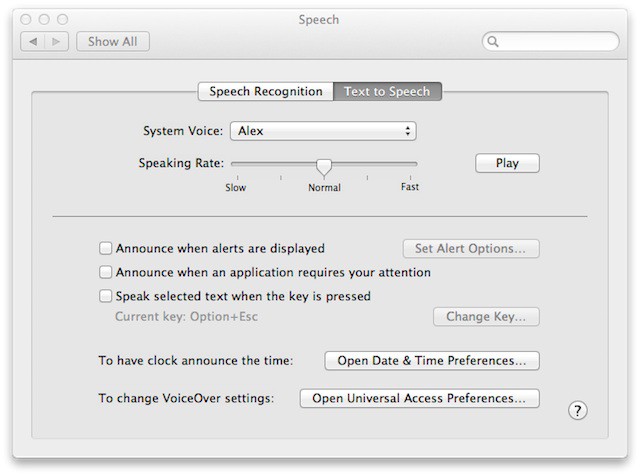

Voice-to-text speech technology quality has improved over the years and Apple is keeping up with the technology by introducing advancements in Mac OS X to support this technology. Mac OS X Lion doesn’t offer a lot of default voice choices, but armed with this tip you’ll find out that there is lot more for your ear to hear than what your eyes can see.
By default Mac OS X Lion only offers three female and three male voices that are active and available for you to choose from. There are actually four extra female voices, three other male voices, 14 novelty voices, and a plethora of foreign ones. If you want to check them out and turn one or more of them on or off just launch System Preferences, access the Speech control panel and then the Text to Speech tab. Now click on the System Voice drop down and you’ll see the following:
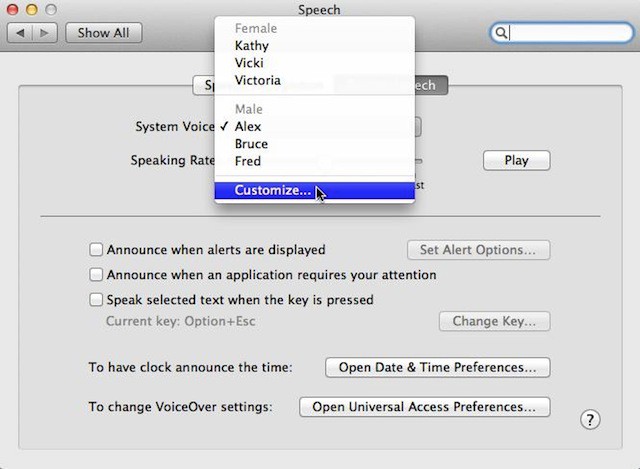
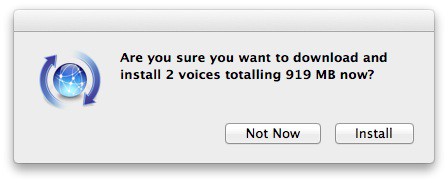
Click on Customize… and you’ll get a list of all the available default voices and others that you can activate. In the U.S. I was able to select from other English male and female voices, novelty voices, and a plethora of foreign voices. If a voice doesn’t exist on your Mac then you’ll be prompted to download it from the internet. If that happens you may see this prompt:

David W. Martin has more than 20 years of experience in the industry as a programmer, systems and business analyst, author, and consultant. David has written for CNET’s iPhoneatlas.com, MacLife.com, CultofMac.com, BYTE.com and recently for aNewDoman.net. He comes to Cult of Mac’s website with deep knowledge and passion for the all things Apple. Follow David on Twitter @david_w_martin or see what he’s up to now at davidwmartin.com.

