Mac OS X 10.4 “Tiger” (2005)

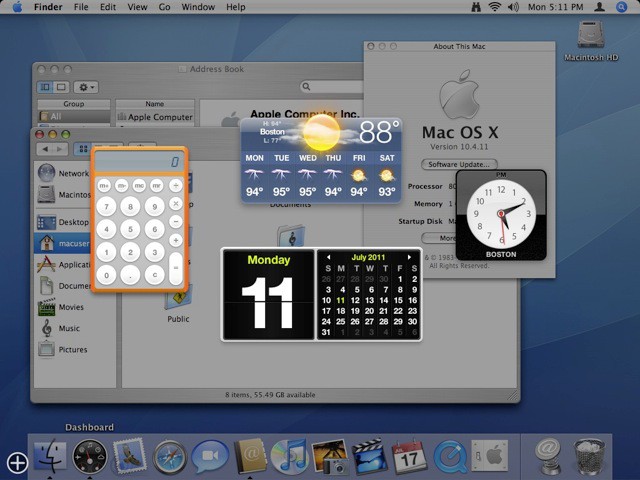
Apple’s next big cat spent the longest time on the prowl of any Mac OS X release to date. Tiger spent about two and a half years on the market and spanned the Mac’s transition from PowerPC to Intel processors. After this release Apple slowed down rate of OS X upgrades to no more than once every 18 months, largely at the request of developers who were having trouble keeping up.
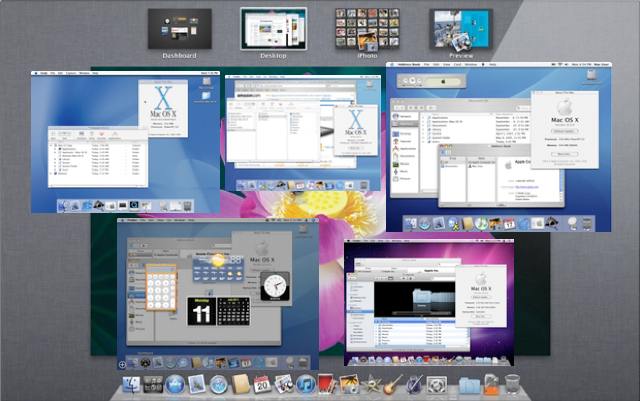
10.4 introduced Dashboard to the masses – similar to Desk Accessories from the Classic Mac OS – and replaced Sherlock Find with the heavily hyped Spotlight. The latter was a mixed blessing under Tiger, definitely a rev 1 release, but pointed the way to the future for Apple. As Spotlight and search capabilities in general evolve they are replacing the filesystem as the primary way we locate information on our computers.
Tiger was the last release which supported Classic mode on PowerPC Macs. As the first release for Intel systems Apple introduced Rosetta, a translation layer to allow old PowerPC code to run on Intel chips. Automator, Core Image and Core Video joined the arsenal of underlying technologies, and Brushed Aluminum dominated the interface.
Mac OS X 10.5 “Leopard” (2007)
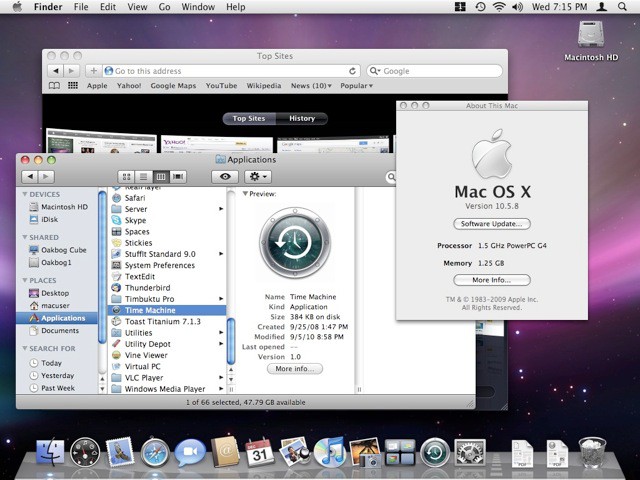
Leopard is Apple first (and only) Universal Binary release of OS X, it can be installed from a retail installer on either Intel and PowerPC Macs. The OS was a major rewrite, fully supporting 64-bit applications, recompiling major routines for Intel, and dropping Classic mode support.
Time Machine backup software debuted with 10.5, offering an easy (and mostly reliable) way to backup your Mac with a very slick user interface. The outer space theme also became dominant on the desktop and login screen. Spotlight finally became truly useable, the Boot Camp utility to install Windows on your Mac was included (this was a beta download under Tiger), and the virtual desktop utility Spaces was introduced.
A subtly-shaded gray theme replaces brushed aluminum under Leopard. Safari continued its evolution, becoming an internet standard on Macs and iOS devices, and gains the Top Sites window. And the iTunes icon turned blue again…
Mac OS X 10.6 “Snow Leopard” (2009)
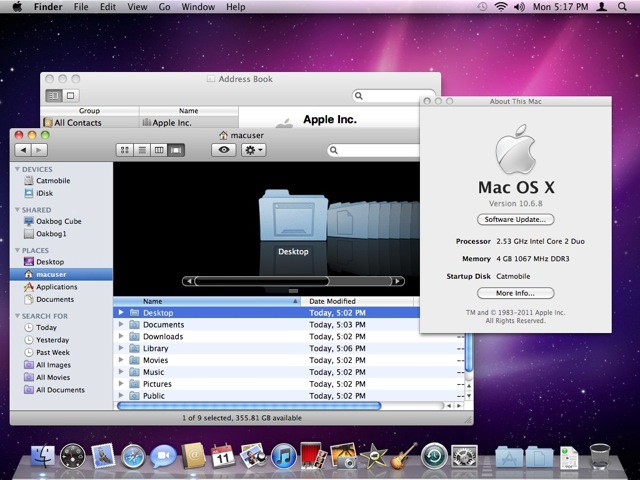
Snow Leopard was the Mac’s first Intel-only release, dropping PowerPC support entirely. It was billed by Apple as a maintenance upgrade to Leopard: no major features, just under-the-hood improvements. Underscoring Apple’s desire to get users to move to this release, the usual $129 price was dropped to $29.
Features and benefits are evolutionary. The Finder (finally) gets rewritten as a Cocoa app, MS Exchange Support is added to Mail, and the trackpad comes to desktop Macs. The full suite of iLife apps gets prime placement in the Dock, along with the new (and surprisingly controversial) iTunes icon.
Noticeably different to longterm Mac users is how the filesystem continues to get deprecated relative to search: the boot disk (internal hard drive) no longer appears on the desktop by default. And more changes for oldtimers: with the loss of the Rosetta PowerPC-emulation layer in Lion, Snow Leopard will be the final OS which can run Carbonized Mac OS 9 applications or early Power-PC code.
Snow Leopard is a very capable, comprehensive release which has powered the Mac’s strongest period of growth ever. Under Lion, among other changes, search becomes the primary way the Finder encourages you to interact with your system, and browsing hard drives becomes secondary. Apple has been trying to kill off the filesystem for years, have they finally succeeded? iOS leads the way.
The future is fully x86 – and download only! But I still plan to have my disks show on the desktop.
48 responses to “Cats on the Prowl: The Evolution of Mac OS X [Gallery]”
It’s awesome to see this OS post OS9 and how far it’s come! We “should” be able to add the Lion chapter tomorrow. This only begs the question, “What comes after the Big Cats?”. Only time will tell…
-Chris
http://friendsofmac.net
The future is x64 no?
The ‘controversial’ iTunes logo was not redesigned with Snow Leopard. It was redesigned with the release of iTunes 10 less than one year ago: http://www.macrumors.com/2010/…
Yes you’re correct. It made its appearance in the Snow Leopard era.
Screw Apple. They aren’t forcing me to do away with my file system. I have 50,000 mp3 files, 20,000 photos and 5,000 videos scattered across 3-4 external hard drives and there is no way that they can dictate where my files go or how I organize them. I sure hope there is a way to switch to classic finder view…
I think you are over reacting just a bit. Lion doesn’t prevent you from clicking on the Finder icon in the dock, getting a Finder window, and navigating around just like you did in Snow Leopard. The filesystem is still there, but they are slowly guiding people towards a different way to access and manage files. It will still be a filesystem underneath, but the way you interact with it will change over time. The fundamental idea of storing files in directories (folders) in a tree filesystem goes back to the late 1960s/early 70s. It may be time to find a better way of accessing our data. A tree filesystem where any app running as your user ID can access, modify, or delete any file has significant security implications. A model like iOS has for file access is much more secure, but more limited. Lion isn’t there yet, and may never get to quite that level, but there are advantages to that approach. It will be interesting to see how it evolves over the next few years.
Yes, in Lion you can still use the Finder the way you have been to browse the filesystem. It’s the default views which have changed, search is now first and foremost in the list. The hard drive icon can be restored to the desktop, and you can click on a hard drive or folder icons in the sidebar.
dinosaurs?! bears?
Very true. And I like and agree with the way others have been putting it lately. The filesystem will go the way of the command line interface: still there if you really really want it (and for some people, it will be the “faster” and “more powerful” way to do things) but most definitely not the dominant way most users utilize their machine.
A pretty good theory and if that is the way things end up going I won’t be complaining, as long as the option is still there for the more advanced users to access the filesystem I’m OK.
And with Lion the last few ugly blue parts of aqua will be gone! Wohoo! :p
I feel your pain. For grandma with 17 files that they actually authored, maybe search is a good thing for them. But I’ve got files on my hard drive dating back to 1985. I’ve got thousands of data files from grad school, significant source code etc in many languages, about 1200 CDs worth of ripped files, plus about 15000 geotagged pictures. There’s 25 years of projects across many different hobbies and such. No way is spotlight going to take the place of a directory structure for any serious user.
“the boot disk (internal hard drive) no longer appears on the desktop by default” What? I still have it in Snow Leopard, and I can’t get rid of it, how do you do that? I never use it.
Edit: Nevermind, I found it in Finder preferences.
ahh yes!
x64 is the present, future? maybe x128 LoL
never use spotlight, don’t think it’s useful tool :)
Brushed metal. The horror. The horror.
Fast forward to Lion – is leather the new brushed metal?
In Knowing Your Value: Women, Money and Getting What You’re Worth, Mika Brzezinski borrows from her experiences as co-host of a morning talk show and interviews a wide range of professional women such as director Nora Ephron, Facebook’s Cheap Jordan Shoes Sandberg, and broadcaster Joy Behar about their experiences in moving up in their careers. Knowing Your Value also blends personal stories with the latest research about women in the workplace. The end result is a brutally honest and Jordan shoes cheap witty exploration of the roadblocks and pitfalls that are unique to women. Brzezinsky provides an in-depth look at how professional women achieve recognition and financial success in an unbalanced workforce that often overlooks their worth Michael Jordan Shoes.
Wow, pretty amazing story bro.
http://www.real-privacy.no.tc
Dinosaurs, yes. that’d be cool, if they ever go to 11.
Mac OS XI 11.3 “Triceratops”
Mac OS XI 11.5 “T-Rex”
Mac OS XI 11.6 “Raptor”
I used the Terminal to “fix” the buttons back to the way they were in previous iTunes versions.
-Chris
http://friendsofmac.net
yeah, not sure I’ll ever be cool with not being able to get to the filesystem. That’s the main thing I don’t care for in iOS. Guess I’m just old-fashioned.
if they ever turn it up to eleven, I think a SpinalTap nomenclature is a must:
Mac OS XI 11.3 “Big Bottom”
Mac OS XI 11.5 “Sex Farm”
Mac OS XI 11.6 “Stonehenge”
The usual idea is that you would use NFC to set up the link between the two devices and then do an automatic hand over to a different protocol for doing the actual transfer of data – eg Bluetooth,iphone 5
This post needs and update :)
Web Design